The Longer Nano Series, including the Nano Pro 12W and Nano 6W, is a compact yet powerful laser engraving solution designed for portability and versatility. Its streamlined connectivity system relies on USB Type-C interfaces, enabling stable power delivery and reliable data communication in a simple plug-and-play setup.
However, not all USB Type-C cables are created equal. Differences in power handling, data speed, and internal construction can significantly affect device performance and safety. Therefore, when replacing a cable for your Longer Nano device, it is essential to select one that fully meets the required specifications.
USB Type-C has become a universal standard for modern electronics, covering charging, data transfer, and power delivery across devices such as smartphones, laptops, and professional equipment. Despite its standardized connector, cable capabilities vary widely.
One of the most critical factors in Type-C cables is their voltage and current rating:
USB PD technology can deliver up to 240W of power, allowing efficient charging and operation of high-demand devices such as laptops and professional tools. The system dynamically negotiates power levels between the device and power source, adjusting voltage (commonly 5V, 9V, 15V, and 20V) to match real-time requirements.

Not all USB-C cables support high-speed data transmission.
For applications involving firmware updates, file transfer, or device communication, high-speed data support is essential to ensure stable performance and efficiency.
Cable construction directly impacts safety and performance. High-quality USB-C cables typically feature:
Thicker and better-engineered cables help prevent overheating under sustained high-power operation, which is particularly important for devices requiring stable energy input.
When selecting a replacement cable for the Longer Nano Series, it is strongly recommended to choose cables that are:
Some advanced cables also include built-in power displays, allowing users to monitor real-time wattage output. This can be a useful indicator of charging stability and compatibility with high-performance devices.
To ensure optimal performance and safety, users should choose USB Type-C cables that meet the following criteria:
Using the correct cable ensures consistent power delivery, stable data communication, and reliable engraving performance for the Longer Nano Series.
While USB Type-C has become a universal standard, its performance varies significantly depending on cable design and certification. For the Longer Nano Pro 12W and Nano 6W, selecting a properly rated PD-compatible and high-speed data cable is essential for maintaining stability, safety, and optimal engraving performance.
Choosing the right cable is not just a matter of convenience—it directly impacts the reliability and efficiency of your entire workflow.
Longer Nano is an innovative and powerful laser engraver, capable of engraving various types of materials quickly and anywhere. The strength of Longer Nano, based on its portability and ability to make engravings anywhere, is ensured by the Longer Laserburn smartphone App; This app is able to process various types of images, both graphic and vector, and depending on the type of image chosen it is possible to choose different engraving methods.
Engraving of graphic images
Graphic images are those in jpg, png, etc format, and are the most common type of images.
Within Longer Laserburn you just need to select the Creation menu, then just upload a graphic image from your smartphone's gallery.

After importing the graphic image you can choose various types of effects, change the size, as well as change the brightness and contrast of the photo. Keep in mind that graphic images are greatly affected by resizing, as they are composed of pixels, and excessive magnification can result in a loss of resolution. 
Finally, in the Layers menu, you can set the engraving parameters. As far as graphic images are concerned, the ideal Processing Method is Engrave, which results in a series of lines engraved one after the other, until the image is completely realized. The number of lines per mm can be set via "Accuracy" according to your preference, keeping in mind that more lines to be engraved takes longer.
Engraving vector images
Vector images are those in svg format, and are a less common type of image than graphic ones, however they are widely used to make logos and are usually presented in black and white.
Within Longer Laserburn you just need to select the Creation menu, then just upload a vector image from your smartphone's gallery. An excellent website to retrieve vector images can be https://www.freepik.com/. 
After importing the vector image, you can only change the size, as vector images do not have any editable graphic properties. On the other hand, vector images are not affected by scaling, so they can be scaled infinitely without ever losing in terms of definition. 
Finally, in the Layers menu, you can set the engraving parameters. For vector images, you can choose whether to keep only the perimeter of the image or to insert a fill as well, so as to obtain various types of engraving effects.
In addition, it is also possible to choose between two different Processing Method methods, namely Engrave or Cut; as mentioned, Engrave results in a series of lines engraved one after the other, until the image is completely realized, while Cut follows exactly the perimeter of the image. Therefore, it can be deduced that Cut is better suited to engrave vector images without fill, composed only of the perimeter, while Engrave is more suitable for engraving vector images for which it has been decided to add a fill as shown above.
The technology behind color laser engraving varies by material but primarily relies on two core methods: first, the natural generation of color through oxidation reactions; second, the use of coloring agents to achieve the desired color effects. This research is about how to use Longer Nano Pro 12W to engraving color laser.
Principle of Laser Color Engraving
For color laser engraving on stainless steel, the techniques are mainly divided into two categories: the first involves the laser beam instantaneously heating the metal surface, triggering physical or chemical reactions that alter the surface color. The second involves the formation of colored oxides on the metal surface or the generation of a transparent, colorless oxide layer, which displays various colors through thin-film interference effects. By precisely adjusting key parameters such as laser power, engraving speed, spacing, and the number of passes, users can effectively control the reaction depth on the metal surface, achieving a variety of color effects to meet different processing needs.
Engraving Parameters for Color Engraving on Stainless Steel
How to Use Nano Pro to Test Parameters for Different Colors on Stainless Steel? This color engraving parameter guide is based on the LONGER Nano Pro model, using stainless steel as the metal material.

With the "Material Test" function in LightBurn software, the preparation process for engraving parameter test files is significantly simplified. Users can enter relevant parameter ranges in the "Material Test Generator" to automatically generate test files. Key parameters include Power, Speed, Interval, and Passes; these combinations directly affect the resulting colors after engraving. By setting appropriate parameter ranges based on the specific dimensions of the material, users can generate the corresponding engraving test files.
The operation process is illustrated as follows: first, launch the LightBurn software, import the configuration file, select the correct COM port, and load the Nano Pro machine configuration. When the console displays "Nano Pro connected successfully," click "Laser Tools" in the toolbar to continue.
Lightburn dashboard
In the second step, as shown in the image, after clicking "Laser Tools" in the toolbar, select the "Material Test" function. The system will pop up the matrix parameter settings interface. Here, users can set the required matrix parameters for testing. For the Nano Pro model, the recommended parameter range is Power 50% to 100%, Speed 1000 mm/min to 3000 mm/min, using an 11x11 matrix layout. Ensure all parameters are set correctly, then click "Start" to initiate the engraving test.


After the engraving test is complete, the system will generate a colorful matrix (as shown in the image). Users can select their desired color from the matrix and find the corresponding laser power and speed. The horizontal axis of the matrix represents the power parameters, while the vertical axis represents the speed parameters, allowing users to easily determine the required engraving settings by matching coordinate positions.

How to Create Colorful Engravings
Open LightBurn software, click File -> Import to import the layered image file into LightBurn, and then connect to the Nano Pro machine.

How to Create Colorful Engravings
As illustrated, we import the image and perform layer separation on the vector image:
1. First, select the part of the vector image to be engraved.
2. Click in the lower right corner to set Layer 1.

How to Create Colorful Engravings 1
3. As shown in the image, we set the butterfly part as a layer.
4. Next, set Layer 2.

How to Create Colorful Engravings 2
5. As shown in the image, select the central part of the butterfly.
6. Then, set Layer 3.

How to Create Colorful Engravings 3
Finally, we obtain the complete layered vector of the butterfly, as shown in the image. We then match the corresponding parameters for the desired colors. Once completed, engraving will yield the desired colorful image.

How to Create Colorful Engravings 4
We end up with a blue butterfly.

Precautions for Nano Pro Color Engraving on Stainless Steel
Minimum Power
It is crucial to note that when engraving stainless steel, the power must be maintained at over 50%. Power below 50% may result in colors that are too faint, with the engraving primarily yielding a single yellow color. The engraving effect is closely related to laser power, making precise adjustment essential for achieving the ideal color.
Minimum Thickness and Surface Finish of Stainless Steel
During the engraving process, overly thin stainless steel plates may deform due to heat accumulation. It is recommended to choose stainless steel plates with a thickness of at least 2 mm. Additionally, for surface treatment, it is advisable to use matte or brushed stainless steel for better engraving results. Industrial-grade stainless steel plates or mirror-finished stainless steel are not recommended, as these materials may not perform optimally in laser engraving.
Ensure Engraving is Level
When using the recommended engraving parameters, ensure the laser is accurately focused and that the Nano Pro device is placed level. If the focus height is incorrect, it will directly impact the uniformity and accuracy of the engraving colors. Therefore, it is essential to calibrate the focus height before each operation to ensure the best engraving results.

LONGER's portable laser engraving machines, exemplified by the Longer Nano, provide users with unmatched convenience, versatility, and efficiency, making them indispensable tools for a wide range of applications and industries.
Introduction
LONGER, a well-established brand known for its diverse range of desktop engraving machines, has expanded its portfolio to include portable laser engraving machines. These portable devices offer a multitude of advantages over their desktop counterparts, making them increasingly popular among users. Here are some key benefits of LONGER portable laser engraver-Longer Nano.
Portability
Longer Laser Nano's portable laser engravers are designed with lightweight and compact features, enhancing their portability compared to traditional desktop models. Unlike fixed desktop engravers, these handheld devices can be easily transported from one location to another, making them ideal for on-site engraving tasks and situations where mobility is essential.
Flexibility
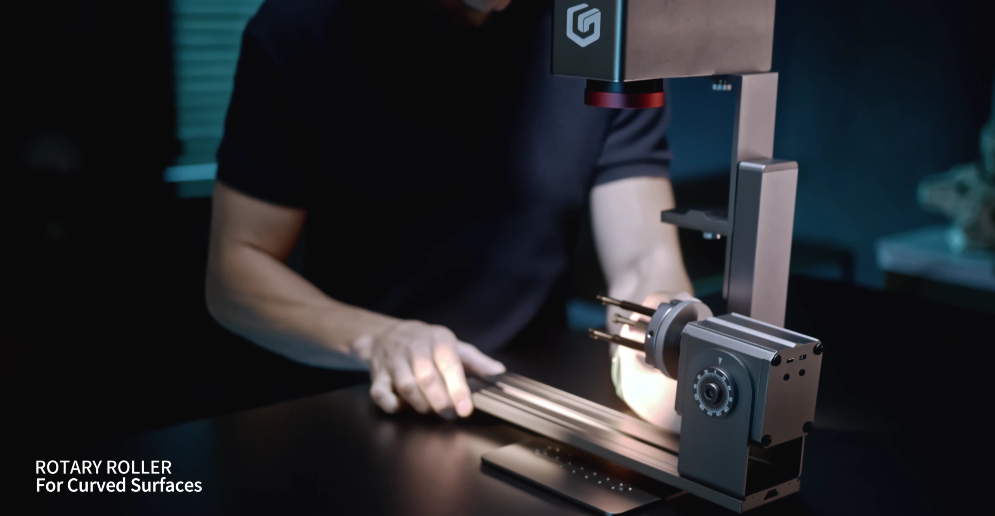
Portable engravers offer greater versatility in terms of engraving on objects of varying sizes and shapes. Longer Laser Nano can be use with Rotary Extension, allowing users to create larger engravings such as signs, plaques, and even furniture. The expanded engraving area enables users to work on multiple small items simultaneously, increasing efficiency and productivity. Longer Nano is capable of engraving on a wide range of materials, including wood, plastic, metal, leather, and glass. This versatility enables users to create intricate designs, logos, text, and images with precise detail reproduction, catering to diverse creative needs and applications.
Ease of Use
Longer Laser Nano portable engravers are designed with user-friendly interfaces and intuitive navigation, making them accessible to users of all skill levels. Whether you're a beginner or an experienced technician, operating a Longer portable engraver is straightforward and hassle-free. Longer also provides comprehensive instructional materials, including handbooks and videos, to assist users in setting up and operating their engravers effectively.

Time-saving
Longer portable engravers with larger engraving areas contribute to significant time savings by allowing users to complete engraving tasks more efficiently. The expanded workspace enables users to engrave larger pieces or perform multiple passes with fewer iterations, increasing overall productivity and reducing manufacturing time. This capability is particularly beneficial for businesses requiring fast turnaround times and efficient service delivery.

Conclusion
Despite their numerous benefits, it's essential to acknowledge the limitations of home laser engraving machines compared to industrial-grade equipment. However, for hobbyists, artists, and small businesses, LONGER laser engraving machines offer a cost-effective solution for exploring creative opportunities, provide home users with quality, affordability, precision, and ease of use, making them ideal for a wide range of engraving and cutting projects. With their versatility and user-friendly features, these machines open up a world of creative possibilities for enthusiasts and professionals alike.
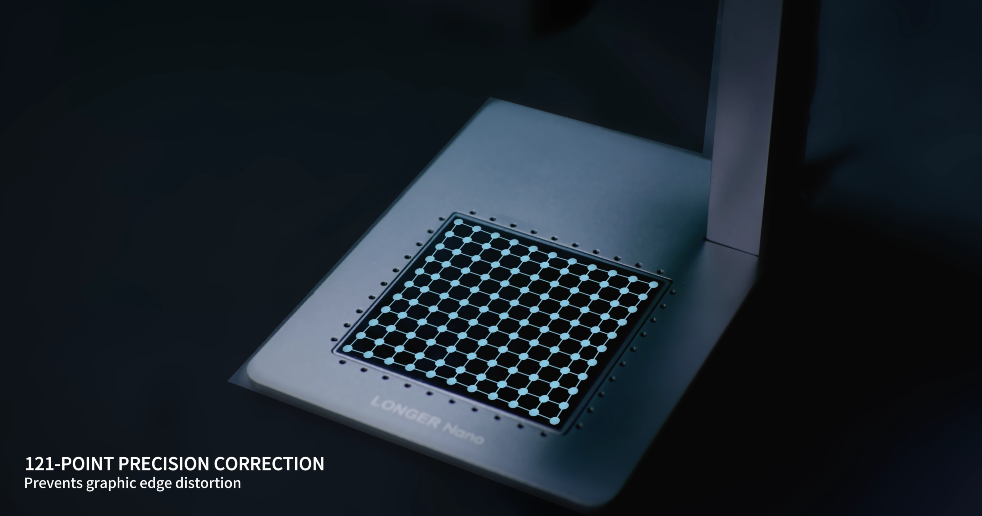
LONGER’s Nano Pro 12W is not just another laser engraver – it’s a groundbreaking tool equipped with advanced technology that takes precision to new heights. Designed for professionals and hobbyists alike, the Nano Pro 12W is capable of curved surface engraving and ensures distortion-free results thanks to an algorithm developed exclusively by LONGER. Whether you're engraving cups, bottles, or any other uneven surfaces, the Nano Pro handles the job with ease and perfection.

Nano Pro’s standout feature is its ability to engrave on curved surfaces without distortion. The exclusive LONGER-developed algorithm makes this possible by adjusting the laser in real-time to follow the curvature of the material, delivering clean, sharp engravings even at the edges where distortion is often a problem with traditional machines. Whether you're working with cylindrical objects like cups or mugs, Nano Pro ensures every detail is captured with stunning clarity.

Nano seires has the only engraver equipped with LONGER's proprietary algorithm, which intelligently adjusts for surface irregularities to maintain flawless accuracy across curved and uneven surfaces. Nano excels at engraving not only flat materials like wood, leather, and metal, but also a wide range of curved surfaces, expanding the possibilities for creative projects. The distortion-free edge engraving is perfect for intricate designs that extend to the outermost areas of the material, ensuring uniformity and precision from center to edge.

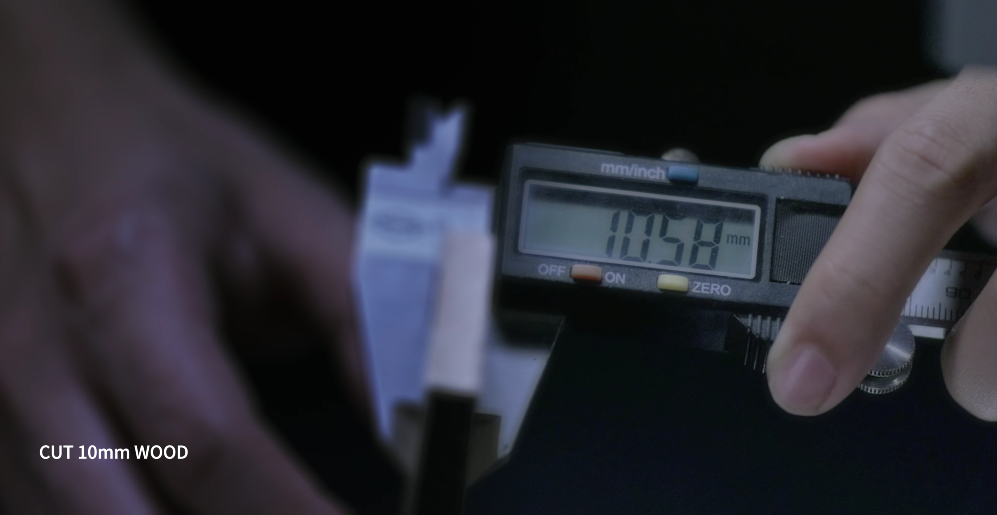
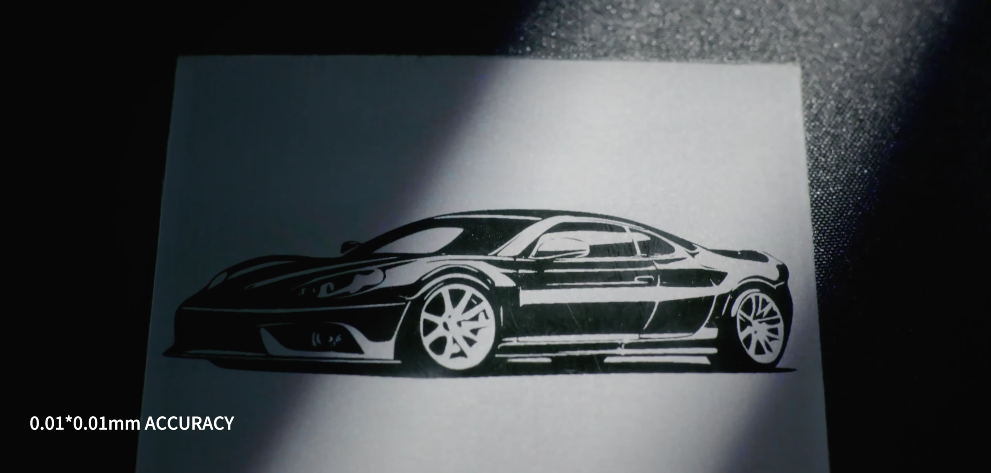
Weighing just 1.2kg, the Longer Nano is perfect for creators on the move. Its lightweight design allows for both portability and handheld engraving. Available in 12W and 6W power options, Nano Series cuts through wood up to 10mm thick, making it one of the most powerful compact laser engravers in its class. Along with its exceptional precision 0.01*0.01, the Nano Pro 12W sets new standards for speed, operating at an impressive 5000mm/s. As the fastest portable laser engraver on the market, it allows users to finish projects in significantly less time compared to other devices. This remarkable speed, combined with its precision, positions the Nano Pro 12W as a breakthrough for those seeking efficiency without sacrificing quality.

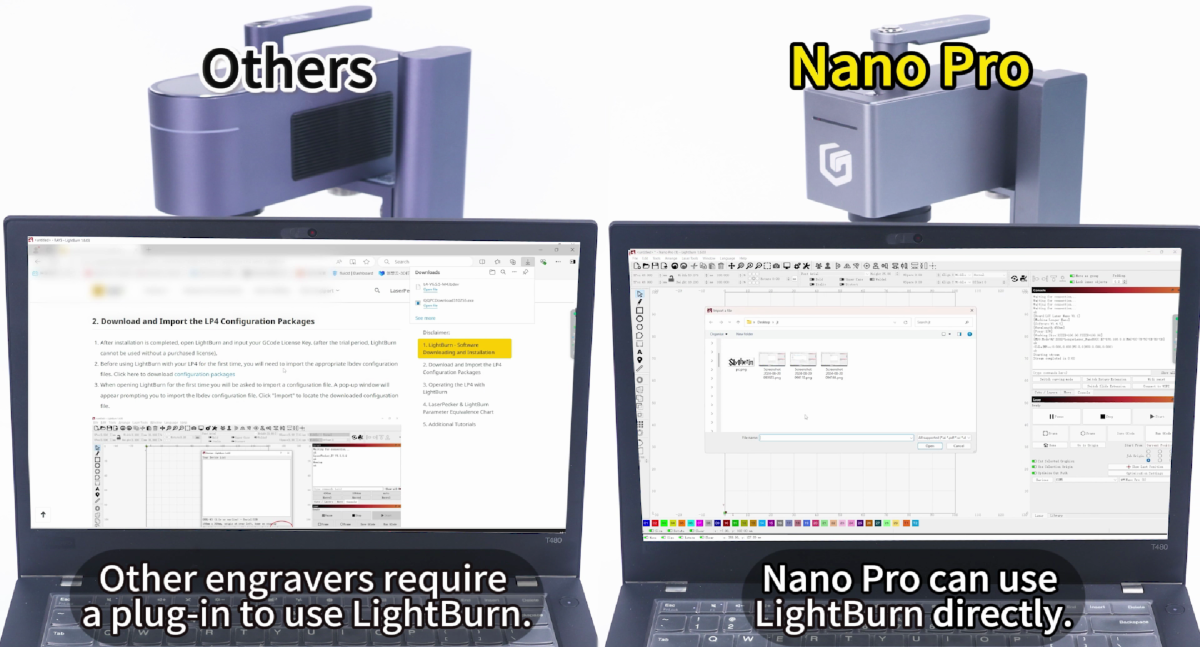
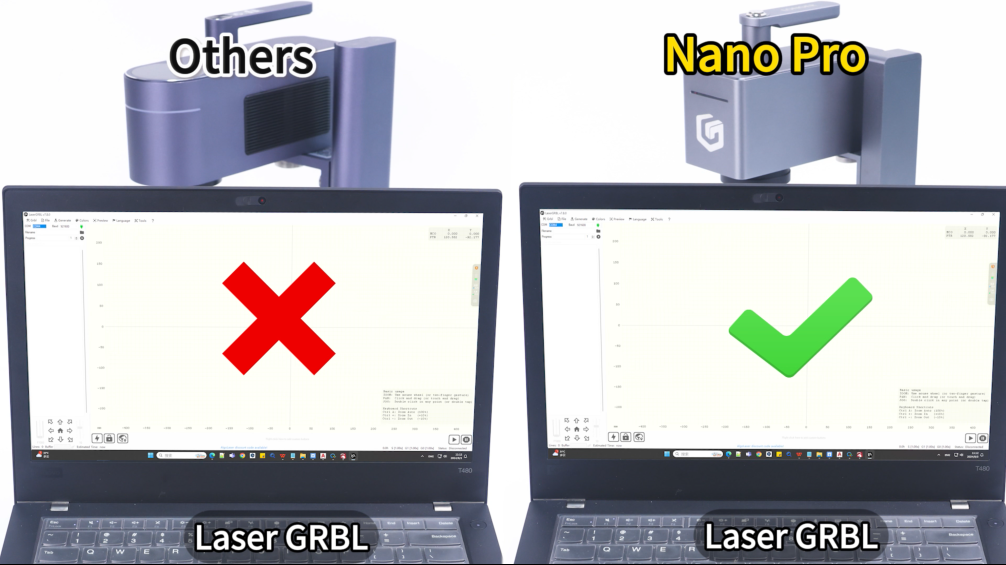
The Longer Nano series delivers exceptional user-friendliness, suitable for both beginners and experts. Notably, it’s the first portable laser engraver with seamless support for LightBurn and LaserGRBL, a feature officially recognized by Diego, LaserGRBL’s developer. With the LaserBurn app, created by LONGER, users can manage the Nano effortlessly from their devices, making the engraving process more efficient and enabling endless creative possibilities.
LONGER Nano Pro stands out from the competition by offering professional-grade features in a compact, affordable package. Its ability to engrave curved surfaces without distortion opens up new creative possibilities for personal and commercial use. Whether you’re engraving on flat materials or crafting on rounded surfaces, the Nano Pro is designed to handle it all with precision and ease.

With the Nano Pro, LONGER continues to push the boundaries of what’s possible in laser engraving, making it the ideal tool for anyone looking to add detailed, professional-quality engravings to their projects.
LONGER continues to innovate with the Nano Series, Nano 6W& Nano Pro 12W flagship portable laser engraver. Not only does it offer powerful engraving capabilities, but it is also the first machine in its class to seamlessly support LightBurn, LaserGRBL, as confirmed by Diego, the mastermind behind LaserGRBL. Whether you’re just starting out or a seasoned expert, the Longer Nano series is incredibly easy to operate.
LaserGRBL Support: For those who prefer using the free, open-source LaserGRBL software, Nano offers seamless compatibility. LaserGRBL is a fantastic tool for laser engraving and cutting, known for its simplicity and versatility, ensuring that the Nano Pro can handle projects of all scales.
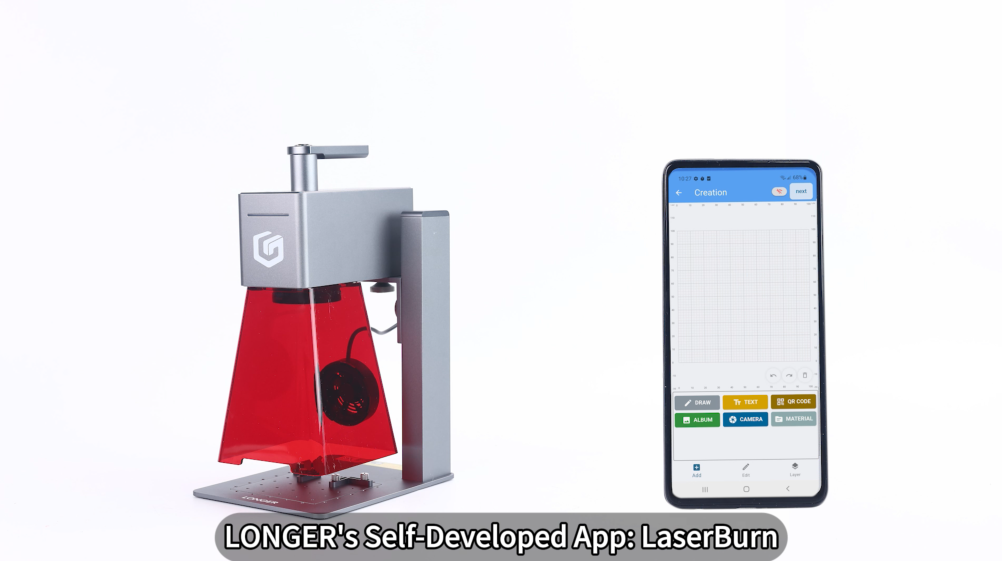
LONGER also offers the LaserBurn app, providing seamless control over Nano, which makes the entire engraving experience smoother and helps fulfill all creative visions. Nano series can be Connected by Wifi, USB, APP. This unique combination allows users unparalleled flexibility in choosing their preferred software, catering to both beginners and seasoned professionals.
Wide Compatibility with Industry-Leading Software
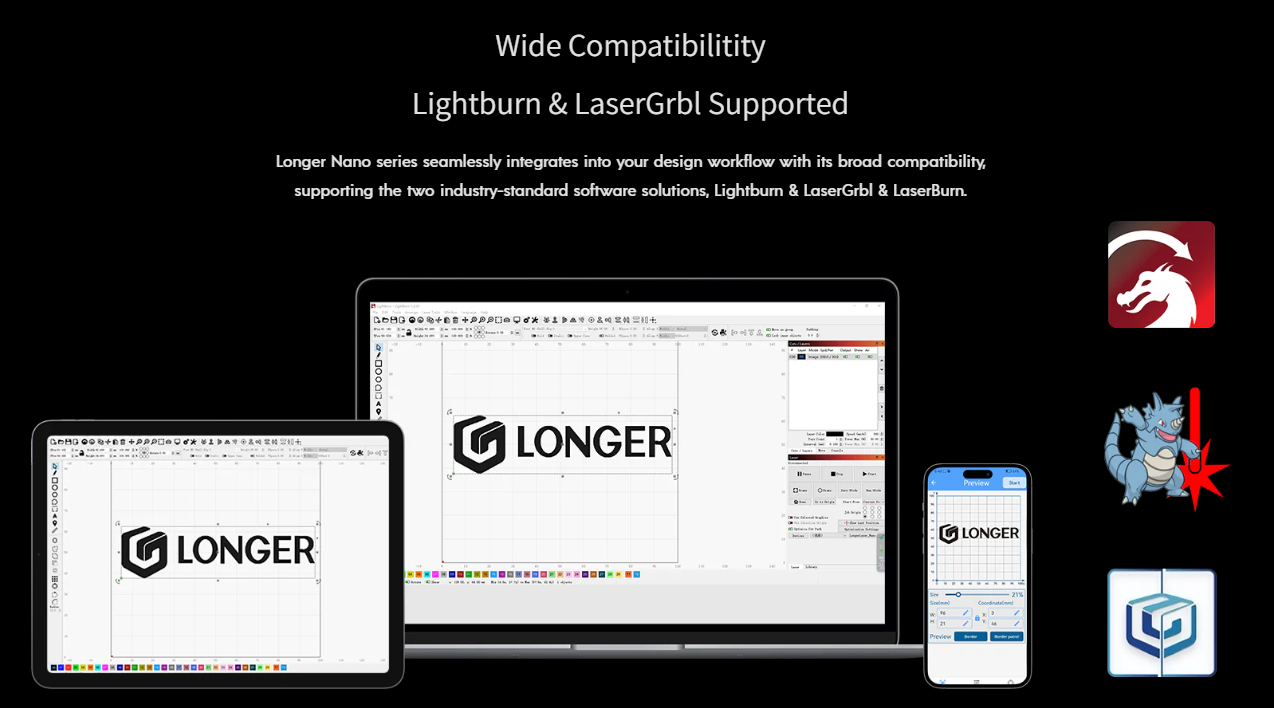
LightBurn Compatibility: Longer Nano offers full integration with LightBurn, widely regarded as the best laser engraving software available today. LightBurn’s user-friendly interface and powerful editing tools make it ideal for both intricate designs and simple projects, giving Nano users the flexibility to create high-precision engravings.
LaserGRBL Support: For those who prefer using the free, open-source LaserGRBL software, Nano offers seamless compatibility. LaserGRBL is a fantastic tool for laser engraving and cutting, known for its simplicity and versatility, ensuring that the Nano Pro can handle projects of all scales.
LaserBurn: LONGER's Self-Developed App for Total Control
In addition to its compatibility with the two industry-standard software tools, LONGER has created its very own app, LaserBurn. Specifically designed to work with the Nano, LaserBurn provides an intuitive interface that makes the engraving process easier than ever, offering step-by-step guidance, wireless connectivity, and real-time adjustments.
With LONGER’s attention to detail and commitment to delivering user-friendly experiences, the Longer Nano offers wide compatibility, giving you the flexibility to choose from three robust options to suit your workflow. Whether you’re a hobbyist or running a small business, the ability to seamlessly switch between LightBurn, LaserGRBL, and LaserBurn makes the Nano an unbeatable choice for laser engraving enthusiasts.
For years, laser engraving machines have been associated with bulky structures and fixed workspaces, limiting mobility and creative flexibility. The launch of the LONGER Nano Series on September 17th, 2024 redefines this category by introducing a new standard in portable laser engraving—combining compact design with professional-grade performance.
Weighing just 1.2 kg, roughly equivalent to a pair of sports shoes, the Nano Pro 12W is engineered for maximum portability without compromise.
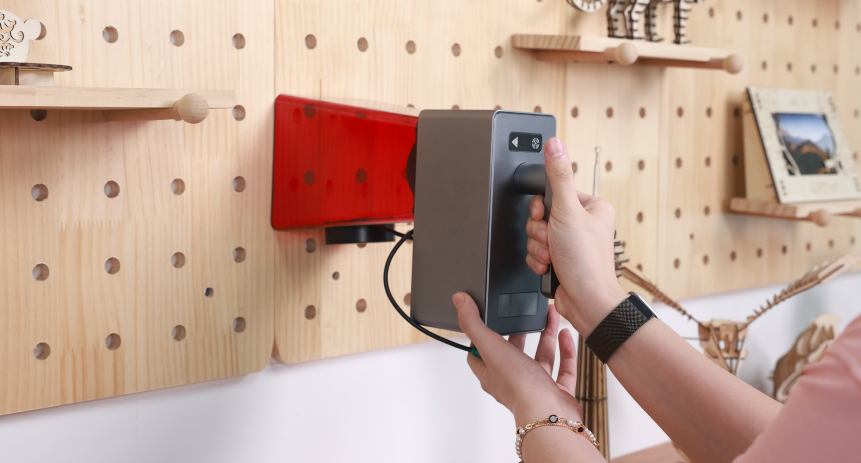
Its compact form factor allows creators to carry it between locations easily, enabling engraving workflows outside of traditional workshop environments. Whether used in a home studio, maker space, retail environment, or live event setup, the Nano Series delivers unmatched flexibility.
This portability removes the long-standing requirement for a dedicated engraving station, giving creators the freedom to work wherever inspiration strikes.
Despite its lightweight design, the Nano Pro 12W delivers performance comparable to much larger laser systems.
At its core, the machine integrates an advanced galvo scanning system, enabling:
This combination allows users to achieve both fine detail engraving and high-speed production without sacrificing quality.
The LONGER Nano Series is built to solve key limitations commonly found in traditional laser engraving systems:
From hobbyists to small business owners and professional designers, the Nano Pro adapts to a wide range of creative workflows.
To ensure a smooth user experience, the Nano Series offers broad software compatibility, including support for:
In addition, LONGER provides its own dedicated application, LaserBurn, designed to simplify workflow control and improve accessibility for new users.
This multi-platform ecosystem allows users to choose the workflow that best fits their experience level and production needs.
The LONGER Nano Pro 12W is more than just a compact engraving tool—it represents a shift in how laser engraving is performed.
By combining portability, precision, and high-speed performance, it eliminates traditional limitations and enables creators to work freely across different environments.
Whether for personal projects, commercial production, or live demonstrations, the Nano Pro delivers a balance of mobility and professional capability that was previously unavailable in this category.
The LONGER Nano Pro 12W redefines portable laser engraving by delivering a lightweight yet powerful solution designed for modern creators. With its advanced galvo system, high-speed performance, and cross-platform software support, it empowers users to create with precision anytime and anywhere.
For creators seeking flexibility without compromising performance, the Nano Pro 12W sets a new benchmark in portable laser engraving technology.
LONGER, a leading innovator in the laser engraving and cutting industry, on 2024.9.17, proud to introduce the Longer Nano Series, a portable laser engraver designed to redefine power and precision in a compact device. What sets the Longer Nano Pro 12W apart is its impressive laser cutting power. Available in 12W and 6W options, the Nano Pro 12W boasts 20% more power than most similar devices on the market, allowing for smoother, faster cuts with exceptional precision.
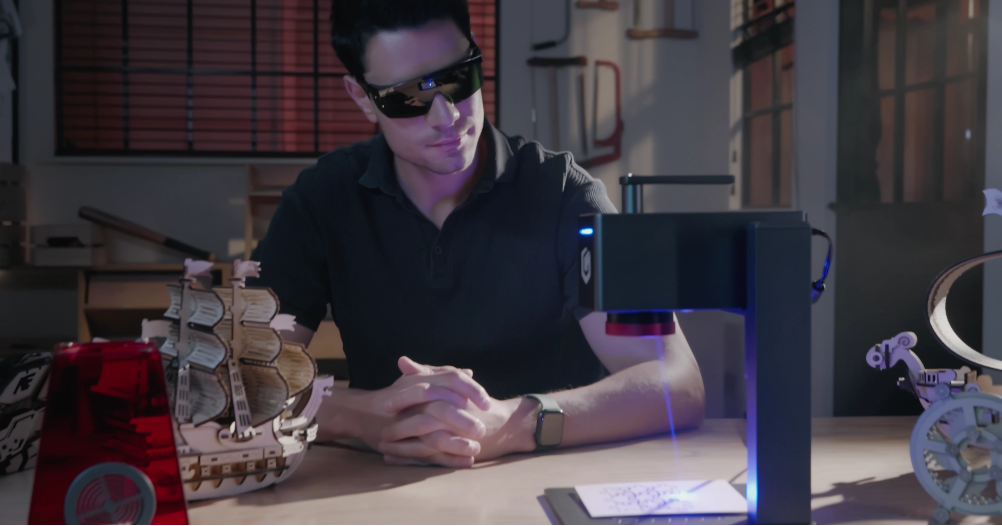
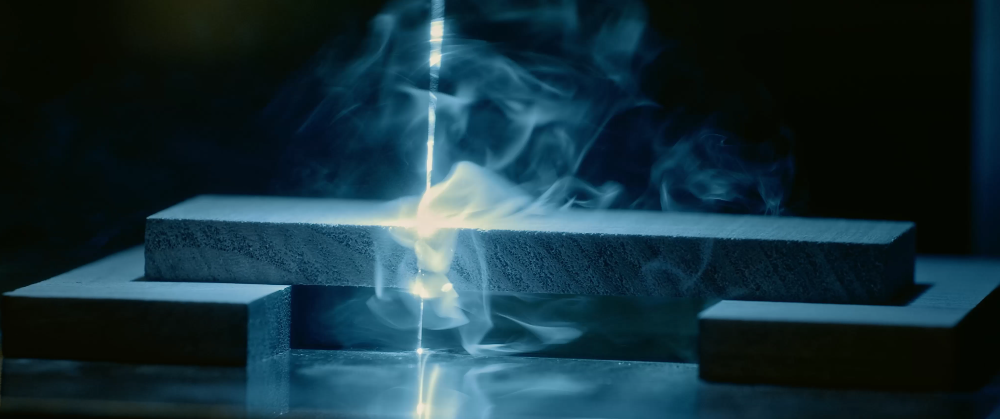
The Longer Nano's cutting capabilities stand out in the laser engraving machine category. Nano Pro's can cut through wood up to 10mm thick—a remarkable feat for a portable engraver of this size. This makes it a perfect tool for anyone looking to work with thicker materials like wood, leather, paper, or even acrylic, all while delivering professional-grade results. Although Nano Series have powerful performance, the Nano Pro is designed with portability in mind. Weighing just 1.2kg, it’s easy to carry, making it ideal for creators on the go, whats more Nano even support handheld Engraving engraving, and the security features are very powerful.
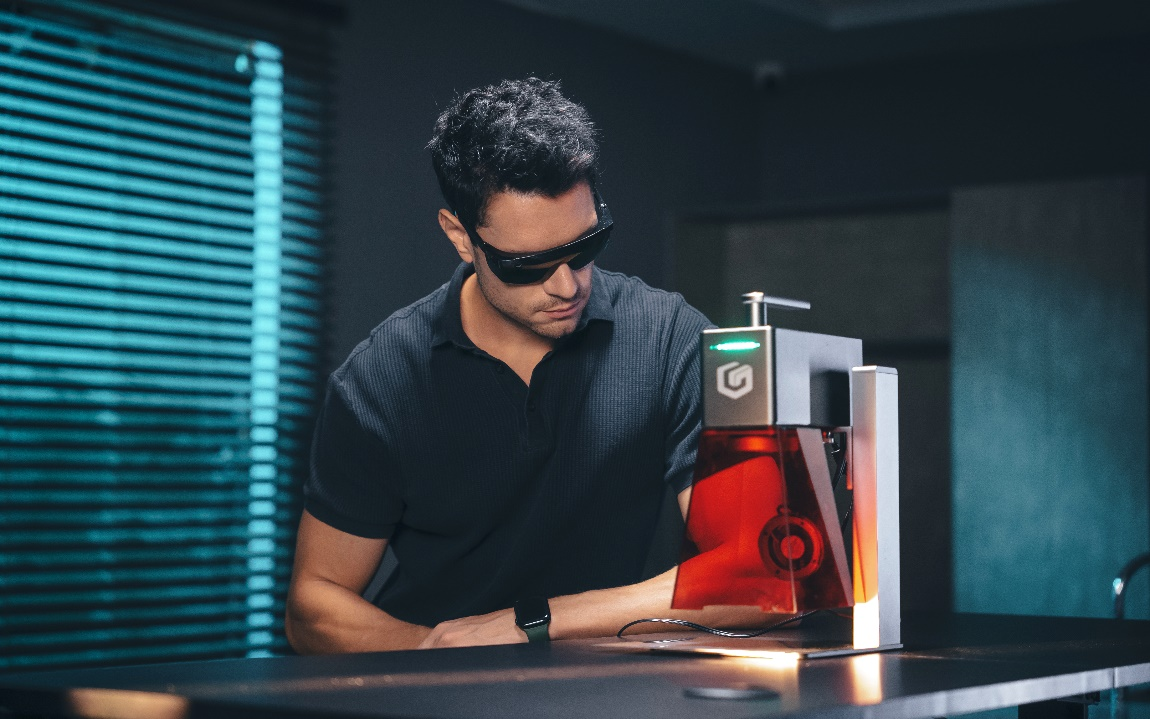
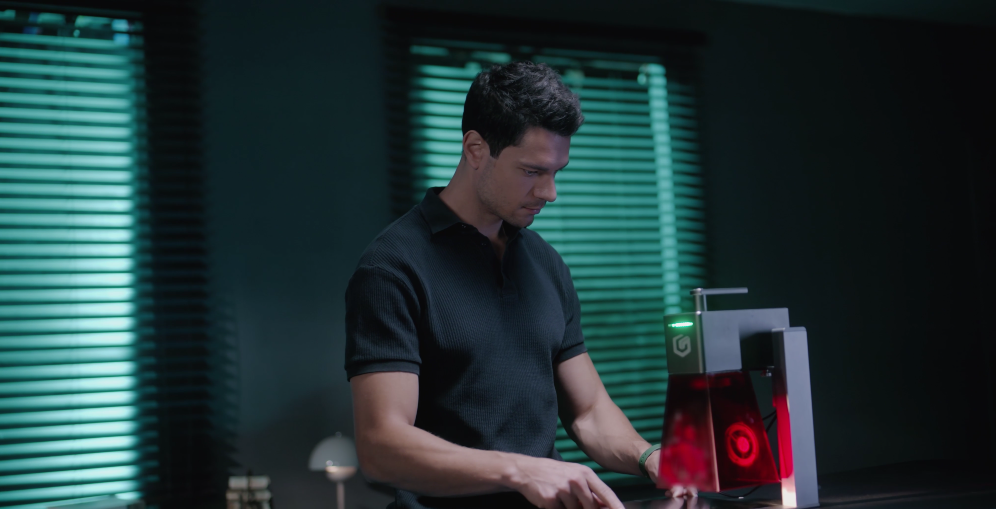
Protective Cover: Filters blue light and is flame-retardant (red cover).
Thermistor: Detects the internal temperature of the laser and triggers an over-temperature warning, when the temperature is too high, it will rese.
Gyroscope: The laser head includes a safety device that detects changes in the engraving angle. If the laser head TILTS or SHIFTS, it will immediately STOP WORKING to prevent any issues.
Watchdog: Automatically recovers if the program malfunctions.
Data Monitoring: The machine stops when the USB cable is disconnected (not immediately; it will complete any sent commands before stopping).
Longer Nano’s compact size does not compromise on quality, offering the convenience of a portable device with the performance of a professional machine. From creating intricate designs to crafting custom, the Nano Pro opens up endless possibilities for users. Whether you’re working on home projects, crafting bespoke products for clients, or diving into detailed DIY work, this powerful laser engraver is versatile enough to handle the most demanding tasks.
Nano Pro with high 0.01 precision, double high than other product, and increased 20% power, is engineered to deliver detailed cuts and engravings. Designed with both novices and pros in mind, the Longer Nano series offers unmatched user-friendliness. As the first portable laser engraver to flawlessly support LightBurn and LaserGRBL, its capabilities have been verified by LaserGRBL’s developer, Diego. In addition, LONGER introduced the LaserBurn app, enabling creators to manage the Nano conveniently through the app, simplifying the workflow and accommodating all engraving concepts.
The Longer Nano is a must-have for those seeking a portable laser engraver with professional-level cutting capabilities. This device promises to empower creators, entrepreneurs, and hobbyists with the tools they need to bring their visions to life—cutting deeper, faster, and more precisely than ever before.
!