Blog de grabador láser

LONGER How To: Make a Custom Rubber Stamp with the Ray5 10W Laser Engraver

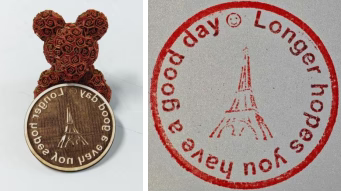
This guide shows how to create a personalized rubber stamp using the LONGER Ray5 10W laser engraver and 3mm basswood. From designing curved text and icons in LightBurn, to engraving and cutting with optimized laser settings, the process is straightforward and fun. By mirroring the design and ensuring deep engraving, users can produce high-quality stamps ideal for crafts, packaging, and personalized branding. A great DIY project to showcase creativity and precision with laser technology.

By Blog de grabador láser | July 3, 2025
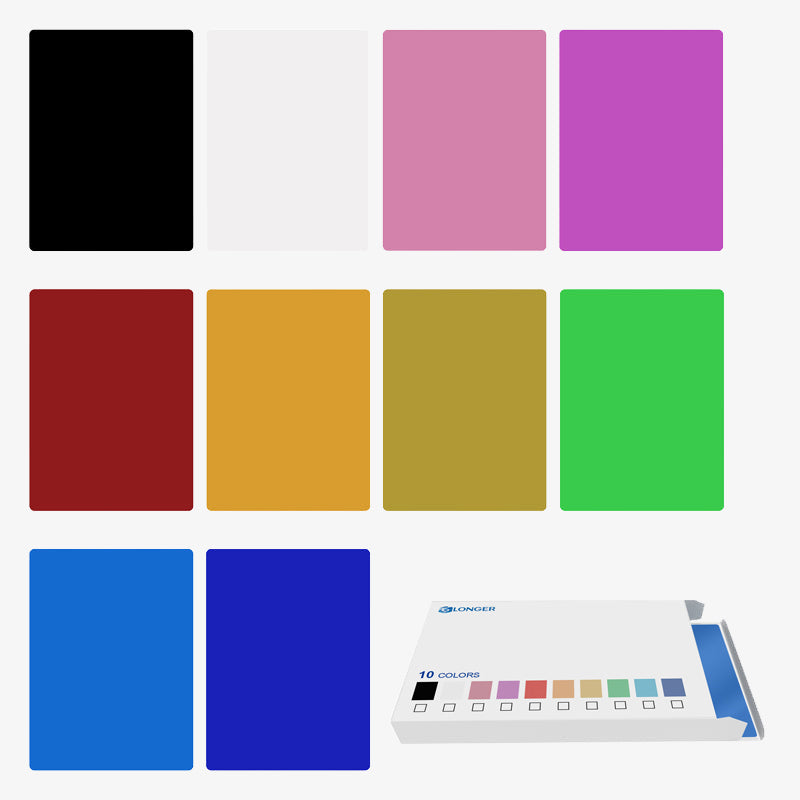
LONGER How to:Techniques for engraving black anodized aluminum plates with RAY5 series laser engraving machines

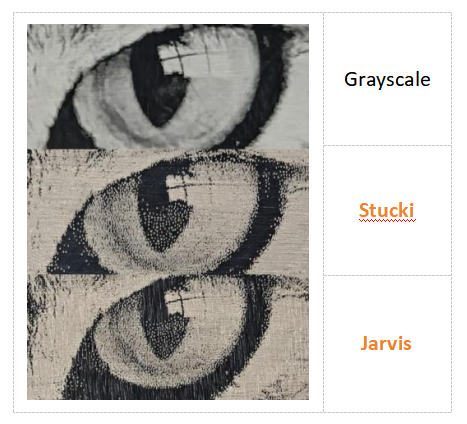
This guide demonstrates how to engrave grayscale images on black anodized aluminum using the RAY5 laser engraver. It covers parameter settings, image mode selection (recommending Grayscale), and fine-tuning image properties like brightness, contrast, and Gamma in LightBurn. With the RAY5's high stability and large engraving area, users can achieve detailed, high-quality results. Optimal parameters (e.g., 7000mm/min speed, 100% power) are provided as a reference, with advice on adapting settings for best outcomes across various images.

By Blog de grabador láser | May 7, 2025
Protective Lens Replacement for Longer Ray5 10W

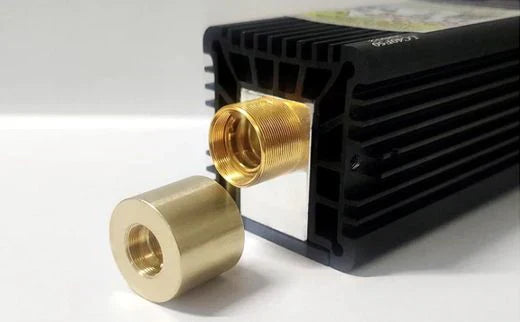
When engraving with the Longer Ray5 10W, smoke buildup can cloud the protective lens, reducing laser power. This guide shows you how to replace the protective lens to restore performance. Regular replacement or cleaning ensures efficient cuts and extends the life of your laser. If the lens is damaged or remains blurry after cleaning, a new one can be purchased directly from the official LONGER website.

By Blog de grabador láser | April 19, 2025
How to Get Colored Shades Engravings with Longer Ray5 & B1

Longer laser engravers like Ray5 and B1 series can create brilliant multicolor engravings on metal, starting from just 10W of power. Using LightBurn's Material Test, users can easily identify the best settings to unlock vibrant shades. Even with lower-power lasers, up to 90 distinct colors are possible, making metal engraving both creative and accessible. Learn how to test, tweak, and master color engraving with your Longer machine.

By Blog de grabador láser | April 18, 2025
Shaking Effects Solving for Longer Ray5

Longer Ray5 is an innovative and powerful laser engraver, available in 5w, 10w, 20w and now even 30w versions. Depending on the type of laser module with which it is equipped, Longer Ray5 can perform various types of processing on various materials, but one feature is always in common, namely the absolute accuracy in the execution of the processes. 
Sometimes, however, strange effects can occur, similar to those present in the image below; in these cases, it is necessary to fine-tune your machine, so as to obtain maximum performance. 

Usually, this problem is due to a poor installation of the belts and eccentric wheels, so it is necessary to proceed with a more accurate installation. 

First, completely disconnect all the connectors of the Longer Ray5, then remove the connection cable. 

Once this is done, squeeze the belt as shown in the figure. The belt must be hard, resistant to pressure. If, on the other hand, it is soft, then it is necessary to put it under tension. 

In order to tension the belt, unscrew the T-nut as shown in the figure, then pull the belt with your hand. Keeping the strap under tension with your hand, continue to pull and simultaneously screw the T-nut tightly to secure the strap in place. 

Repeat the belt tension operation in the same way for the other side of the Longer Ray5 frame. 

Finally, make sure that the sync wheel is perfectly in line with the belt. To do this, unscrew the Sync Wheel latch as shown in the figure, then put the Sync Wheel in line and secure the latch. 

At this point, check the wheel eccentrics as well. The wheels equipped with an eccentric nut are the lower ones. With your finger, try to rotate the wheel; If but wheel slip, you need to tighten the eccentric nut of the wheel. 

Gradually tighten the eccentric nut of the wheel, gradually checking that the wheel no longer slips. Do not tighten the eccentric nut too much, but stop as soon as the wheel no longer slips. 

Do these for both the left and right sides of Longer Ray5. 

At this point, the installation has been successfully completed for the Y-axis of Longer Ray5. However, you also need to check the status of the X-axis, which is the axis that moves the laser module. 

Following the steps above, first check the X-axis belt, tightening it if necessary. After that, also check the eccentric nut of the wheel, as shown above. 

Once the tuning has been successfully completed for both the Y-axis and the X-axis, Longer Ray5 will have correctly acquired its reliability and accuracy, and therefore it will be possible to obtain precise and dimensionally correct engravings and cuts for a long time.  
Periodically, always check the belts and eccentric nuts, so as to keep the reliability of Longer Ray5 constant over time. 

By Blog de grabador láser | March 4, 2025
Ray5 5w-10w-20w, which one is better for you?

Ray5 5w-10w-20w, which one is better for you?

The Longer Ray5 Laser Engravers are versatile tools that allow you to engrave and cut a wide range of materials with precision and speed; the powers currently available for Longer Ray5 are 5W, 10W and 20w (also available in 30W laser head). This comparison will explore the key differences between these three models, helping you choose the one that best suits your needs. 

Laser Module Power
One of the factors to take into account is the laser power, measured in watts (W), which is important to consider when choosing a Laser Engravers, as power determines the cutting capacity and processing speed of the laser. 
a) Longer Ray5 5W is ideal for beginners and engraving projects on thin materials such as wood, metal, leather and acrylic and many more. The 5W power is sufficient for most home engravings and offers high accuracy thanks to its ultra-fine spot compression of 0.08mm x 0.08mm.
b) Longer Ray5 10W offers more power, allowing you to cut thicker materials and work faster. This module is suitable for projects that require a little more power than the 5W model, but still remains accessible for home use.
c) The Longer Ray5 20W is a more powerful model, ideal for cutting materials up to 15mm thick and for jobs that require a higher cutting speed. This laser module is perfect for advanced users and professionals who work with more resistant materials and need greater efficiency, so it is a valuable ally both in the home and in professional environments with mass production

Working speed
Working speed is another crucial aspect to consider. All three Longer Ray5 models reach a speed of 10,000 mm/min, but the power of the laser affects the actual cutting and engraving speed. The 20W model, thanks to its higher power, can complete projects faster than the 5W and 10W models, also reducing the number of passes during the cutting phase. 

Workspace
The workspace is another important feature. All three models offer a working area of around 400 x 400 mm, which means that all models are suitable for projects of similar size, but the 20W model allows you to make more use of the area as it can carry out extensive machining in less time. 

Variety of materials
Each Longer Ray5 model is designed to work with a variety of materials, but the power of the laser determines which materials can be cut and engraved more or less effectively. The 5W model is ideal for materials such as wood, metal and acrylic, while the 10W model can handle the same materials but with greater thickness when cutting. On the other hand, the 20W model increases the processing possibilities, as it is perfect for very thick and resistant materials, such as wood up to 15 mm, aluminum, glass, stainless steel, leather, and many other materials typical of the professional field.

Engraving accuracy
The accuracy of the engraving is another factor to consider. All three models offer high accuracy; in particular, the 5W model turns out to be a good compromise between quality and price, but the 10W model is particularly appreciated for its ability to emit a laser beam with an ultra-fine spot of 0.06 mm x 0.06 mm, excellent for detailed engravings. On the other hand, the 20W model, thanks to its greater power, can easily obtain engravings on tough materials such as stainless steel, and expresses its full potential during cutting operations. 

In conclusion, the choice between the Longer Ray5 5W, 10W, and 20W Laser Engravers depends on your specific needs. For a beginner, the 5W model is a good option to start this hobby. For greater power and processing speed, the 10W model is a good option and certainly the most recommended in the home. On the other hand, for more demanding jobs and thick materials, the 20W model is the ideal choice, especially for professional use. 

By Blog de grabador láser | February 17, 2025
Power vs Speed Test with LaserGRBL for Longer Ray5 & B1

Longer Ray5 5W and Longer B1 allow you to engrave and cut different types of materials, quickly and easily. However, for each type of processing it is necessary to set different parameters regarding power and speed, precisely because each type of material reacts differently to the laser beam.

In detail, some materials such as metal react differently depending on the speed and power of the laser beam with which it is hit. This means that by varying power and speed it is possible to obtain different shades of color on the engraved metal; This technique is the secret behind multicolored creations on metal.

Both Longer Ray5 5W and Longer B1 can both engrave metal, however the best performance is obtained by using Longer B1, which is much more suitable for multicolor engravings on metal.


In order to obtain the correct parameters for a multicolor engraving on metal, LaserGRBL has a powerful Power vs Speed Test tool, which allows you to quickly determine the most specific and correct parameters. From the LaserGRBL home screen, select Generate – Power vs Speed Test:


This screen will open:


First, set the Power(S) value range, remembering that LaserGRBL adopts S-10 for 1% power and S-1000 for 100% power; for example, a good idea is to set power range from 100 to 1000 with 10 steps. After this, it is possible to set the values for Speed(F), for example from 3000 to 9000 for wood, or from 100 to 1500 for metal & steel (with 7 steps and low step size).
Next, proceed with editing the Quality with a recommended value from 8000 to 12000 lines/mm. Adjust the speed and power about the engraving of labels (you can use the recommended parameters from the parameters tables, for example 1000 and 500 values could be ok).

Once done, click “Create!”.


This screen shows the result of the sample test created.

At this point, press File - Save (Advanced Option) to export the test file as Gcode, copy it to the microSD and start the Power vs Speed Test on Longer Ray5 and Longer B1.


When Ray5 or B1 has completed the job, examine accurately the result and you can determine which parameters are best to set.

Note that, before exporting the Gcode, you can always run the Cutting Test using the USB cable connection, if you prefer.


By Blog de grabador láser | October 18, 2024
LONGER Research: Personalized Stationery with the Ray5 5W Laser Engraver

The world of personalized stationery has been transformed by laser engraving technology, providing unparalleled precision and customization options. The LONGER Ray5 5W laser engraver stands out as an excellent tool for creating unique stationery items, offering a range of features that cater to both hobbyists and small businesses.


Introduction


The Ray5 5W's powerful and user-friendly design makes it ideal for creating a variety of personalized stationery items. The Ray5 5W utilizes diode laser technology, delivering a laser power output of 5W and operating at a wavelength of 450nm. Its working area measures 400x400mm (15.75x15.75 inches), providing ample space for engraving larger items like invitations, notebooks, and greeting cards. The laser spot size of 0.08x0.08mm ensures fine detail, making it perfect for intricate designs on various materials such as wood, paper, plastic, and leather.


Laser Cut Greeting Cards:

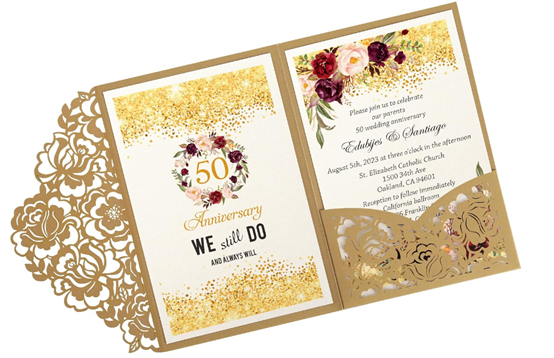
Laser cutting elevates the creation of customized greeting cards, allowing for unique designs that stand out from mass-produced options. You can personalize these cards by adding customers' names, logos, or special messages, catering to individual preferences. This makes laser-cut greeting cards an excellent choice for small businesses looking to differentiate themselves with appealing and unique gifts.


Laser-Engraved Stationery:

Laser engraving is also versatile enough for notecards, envelopes, gift tags, and other stationery items. The precise detail achievable with laser engraving allows for elegant monograms, inscriptions, and decorative elements, enhancing the visual appeal of your stationery products. This added sophistication can attract customers seeking customized, high-end stationery.


Laser-Cut Stationery Accessories:

Beyond paper, laser cutting can create thin and intricate items like bookmarks, paper clips, and desk organizers. These accessories can be designed to complement your greeting cards and stationery, featuring matching colors or patterns. Offering a coordinated set of laser-cut products can provide customers with a cohesive and visually pleasing collection.


One of the key advantages of owning a Ray5 5W laser engraver is the ability to work with a wide range of image formats, including JPG, PNG, BMP, and vector files like SVG and DXF. This versatility allows for the engraving of special messages, company logos, or unique designs, making each piece truly personalized.


The Ray5 5W also offers the convenience of offline engraving. Its built-in controller and 3.5-inch full-color touch screen enable users to store or import files directly to a TF card, allowing for engraving without needing a computer. This feature is particularly useful for small-scale projects or when engraving small numbers on specific items, such as wedding stationery.


Safety is a priority with the Ray5 5W, which includes features like thermal control, a motion sensor, and an emergency stop button. These measures protect both the user and the machine, ensuring a safe and efficient engraving process. Additionally, the laser head is replaceable, with an option to upgrade to a 10W laser for more demanding projects.


Overall, the LONGER Ray5 5W laser engraver offers significant advantages for creating personalized stationery. Its precision, versatility, and safety features make it an excellent choice for those looking to produce high-quality, custom items. Whether for personal use or as a unique product offering for a small business, the Ray5 5W enables users to craft beautiful, personalized stationery that stands out in the market.


By Blog de grabador láser | September 26, 2024
LONGER Research: Ray5 10W A Game-Changer in Aerospace Laser Engraving

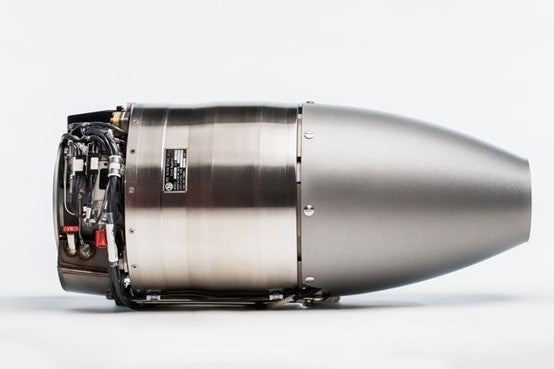
In the aerospace industry, precision and reliability are paramount. The LONGER Ray5 10W laser engraver is an exceptional tool that meets these demands with advanced features and capabilities. The Ray5 10W utilizes Dioser Technology, offering a robust working area of 400x400mm (15.75x15.75 inches) and a laser wavelength of 450nm. Its fixed focus of 50mm and a laser spot size of 0.06x0.06mm provide unmatched precision, essential for engraving detailed components.

Introduction

One of the primary advantages of owning a Ray5 10W laser engraver is the enhanced control and accuracy it offers. With an optical output power of 10W and a maximum consumption of 60W, it efficiently cuts through materials such as 20mm basswood and 30mm acrylic. The engraver also supports a wide range of materials commonly used in aerospace applications, including non-reflective metals, wood, plastic, leather, and PCB boards. This versatility is crucial for the aerospace sector, where different materials are used depending on the component's function.

The Ray5 10W's impressive speed, reaching up to 10,000mm/min, significantly enhances production efficiency. This high speed, combined with the ability to engrave offline using the built-in controller and TF card interface, makes it ideal for varied manufacturing environments, including those that are remote or have restricted access to computers. This feature is particularly beneficial in aerospace settings, where production lines may require constant, uninterrupted operation.


Safety features

Safety features are another critical aspect of the Ray5 10W, especially given the sensitivity of aerospace components. The engraver includes overheat protection, movement protection, and an emergency stop button, ensuring safe operation during the engraving process. These features are essential for preventing damage to valuable parts and maintaining high safety standards in the workplace.


Laser Part Marking

The Ray5 10W laser engraver also offers significant benefits in terms of part marking and traceability. In the aerospace industry, it is crucial to mark parts with serial numbers, part numbers, and other identifying information for traceability throughout the supply chain. The Ray5 10W excels in this area, allowing for detailed and durable markings that withstand the harsh conditions often encountered in aerospace environments.

Additionally, the ability to perform on-site customization and personalization is a major advantage of owning a laser engraver like the Ray5 10W. Whether its adding logos, custom designs, or specific markings, the engraver enables quick and precise modifications without needing constant computer access. This flexibility is invaluable in meeting the diverse and often unique requirements of aerospace clients.


Aerospace maintenance and repair

For maintenance and repair, the Ray5 10W provides a practical solution for engraving critical information directly onto components. This includes service dates, repair histories, or other relevant data, which can be vital for maintaining detailed records and ensuring that all parts are correctly identified and tracked.


Conclusion

In summary, the LONGER Ray5 10W laser engraver stands out as a highly efficient and versatile tool for the aerospace industry. Its precision, speed, and robust safety features make it an excellent choice for manufacturers looking to improve productivity and maintain high standards. The engraver's capability to handle a wide range of materials and perform offline operations ensures it can meet the complex needs of aerospace production. Owning a Ray5 10W provides a significant advantage in producing high-quality, reliable components, distinguishing it from the limitations of traditional engraving methods.


By Blog de grabador láser | September 26, 2024
LONGER Fans Share: Help STARS children regain confidence with using Ray5 20W Laser Engraver in the Classroom
As the new school year approached, Mrs. Thompson, a dedicated special education teacher at a secondary school in Seattle, Washington, was eager to find innovative ways to engage her students. Her classroom was a diverse and dynamic environment, filled with students who from Stars and faced various challenges, including physical disabilities and learning differences. Mrs. Thompson believed in the power of creativity and hands-on learning to inspire her students, helping them discover their unique strengths and talents.

One day, during a staff meeting, Mrs. Thompson learned about the Ray5 20W Laser Engraving Machine. A colleague mentioned its versatility and how it could be used for a wide range of projects, from personalized gifts to intricate designs. Intrigued by the possibilities, she decided to propose the purchase of the machine as a back-to-school gift for her classroom. The school administration, always supportive of innovative teaching methods, agreed to fund the purchase (After learning about this, LONGER waived the purchase fee).

The Ray5 20W laser engraver arrived just in time for the start of the school year. With its advanced diode laser technology, a working area of 450x440mm, and a laser wavelength of 450nm, the machine was perfect for a variety of educational projects. Mrs. Thompson was especially impressed by the fixed focus of 50mm and the laser spot size of 0.1x0.15mm, which promised detailed and precise engravings. The powerful 20W output made it capable of cutting through a wide range of materials, including wood, acrylic, and even soft metals.

Mrs. Thompson introduced the Ray5 20W to her students, explaining how they could use it to create personalized items and learn about design and technology. One of her students, Alex, who had limited mobility in his hands due to cerebral palsy, was particularly excited. Alex loved art but often struggled with traditional tools. The idea of using the laser engraver to create detailed artwork without physical strain thrilled him.

With the help of Mrs. Thompson and the Ray5 20W, Alex began working on his first project: a custom-designed nameplate for his desk. The machine's intuitive software and precise controls allowed him to design his piece with ease. As the laser engraved his name onto a piece of polished wood, Alex watched in awe as the letters took shape, each stroke flawless and exact.

The Ray5 20W's fastest working speed of 36000mm/min ensured that the engraving process was swift, but it was the emotional impact that was truly significant. When Alex held the finished nameplate in his hands, his eyes sparkled with pride and accomplishment. For the first time, he felt like he had created something truly his own, something that showcased his abilities rather than his limitations.

Word of the Ray5 20W's impact quickly spread throughout the school. Mrs. Thompson used the machine to introduce various projects that catered to her students' interests and abilities. They made personalized bookmarks, keychains, and even small plaques with inspirational quotes. Each project was not only a lesson in design and technology but also an opportunity for the students to express themselves and feel a sense of accomplishment.

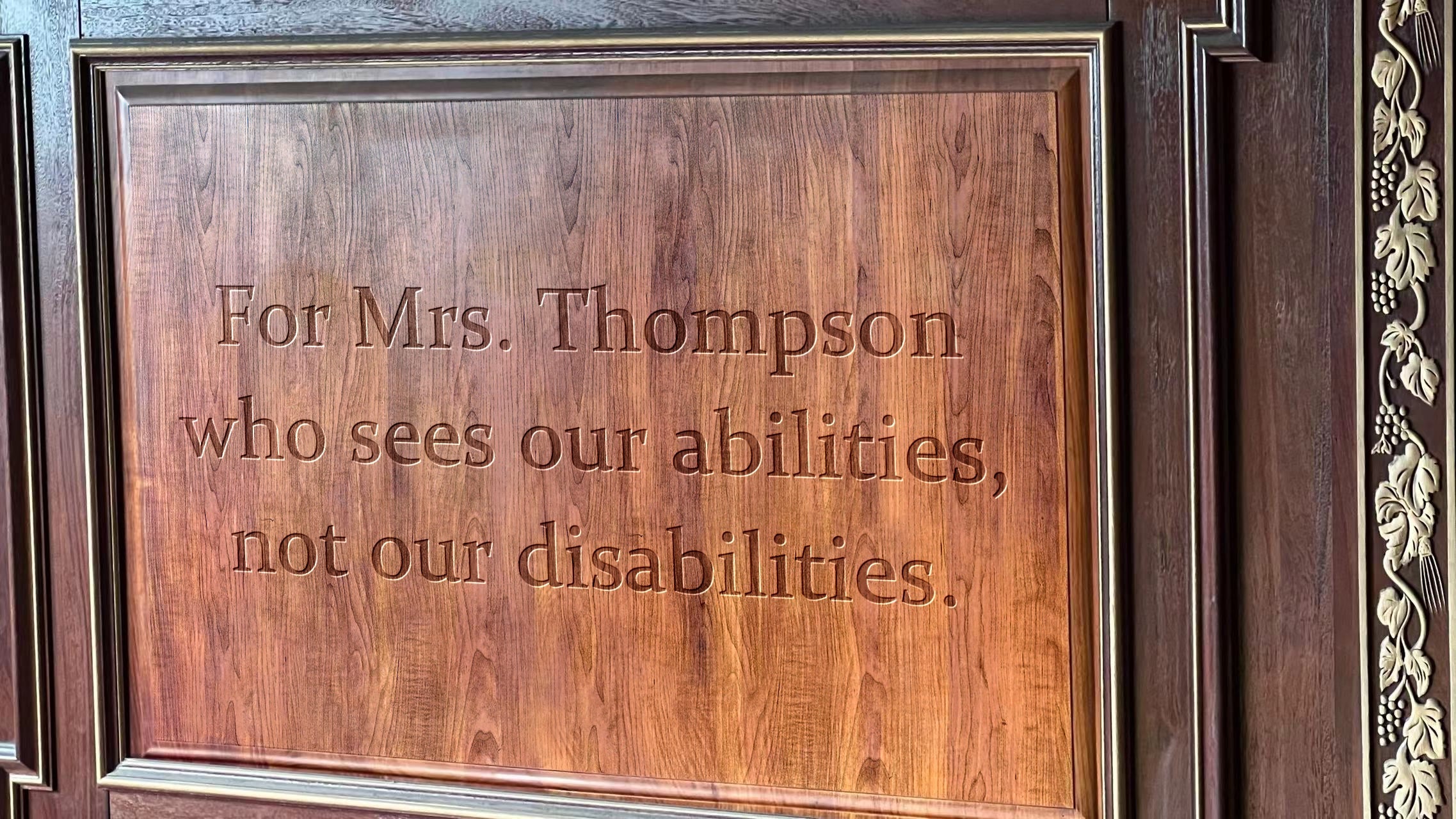
One of the most touching moments came when the students decided to create a thank-you plaque for Mrs. Thompson. They worked together to design a beautiful piece with a heartfelt message: "For Mrs. Thompson, who sees our abilities, not our disabilities." The Ray5 20W laser engraver brought their design to life, engraving the message in elegant script onto a polished piece of cherry wood.

When the students presented the plaque to Mrs. Thompson, she was moved to tears. "This means more to me than you can imagine," she said, hugging each student in turn. "You have all shown such creativity and determination. I'm so proud of each and every one of you."

The Ray5 20W laser engraving machine had become more than just a tool in Mrs. Thompson's classroom; it had become a bridge to creativity and self-expression for her students. It empowered them to explore their potential, celebrate their achievements, and feel proud of their unique talents.

For teachers looking to inspire their students, especially those with disabilities, the Ray5 20W laser engraving machine is a powerful and versatile tool. It opens up new avenues for learning, creativity, and self-expression, making it an invaluable addition to any classroom. This back-to-school season, consider investing in a Ray5 20W laser engraver—a gift that can transform the educational experience and leave a lasting impact on students' lives.
By Blog de grabador láser | August 1, 2024