Blog de grabador láser

How to Enable Framing Mode on Lightburn for Longer Laser Engravers

LightBurn Framing Mode is essential for accurate laser engraving with Longer machines like Nano, B1, and Ray5. It lets users preview the engraving area before starting the job, minimizing material waste and errors. This guide walks you through enabling Framing Mode in LightBurn—just activate the laser fire button, set framing power to 2%, and you're ready to frame with precision. Perfect your setup and avoid costly mistakes with this simple yet crucial step in the engraving process.

By Blog de grabador láser | April 18, 2025
How to Get Colored Shades Engravings with Longer Ray5 & B1

Longer laser engravers like Ray5 and B1 series can create brilliant multicolor engravings on metal, starting from just 10W of power. Using LightBurn's Material Test, users can easily identify the best settings to unlock vibrant shades. Even with lower-power lasers, up to 90 distinct colors are possible, making metal engraving both creative and accessible. Learn how to test, tweak, and master color engraving with your Longer machine.

By Blog de grabador láser | April 18, 2025
Shaking Effects Solving for Longer Ray5

Longer Ray5 is an innovative and powerful laser engraver, available in 5w, 10w, 20w and now even 30w versions. Depending on the type of laser module with which it is equipped, Longer Ray5 can perform various types of processing on various materials, but one feature is always in common, namely the absolute accuracy in the execution of the processes. 
Sometimes, however, strange effects can occur, similar to those present in the image below; in these cases, it is necessary to fine-tune your machine, so as to obtain maximum performance. 

Usually, this problem is due to a poor installation of the belts and eccentric wheels, so it is necessary to proceed with a more accurate installation. 

First, completely disconnect all the connectors of the Longer Ray5, then remove the connection cable. 

Once this is done, squeeze the belt as shown in the figure. The belt must be hard, resistant to pressure. If, on the other hand, it is soft, then it is necessary to put it under tension. 

In order to tension the belt, unscrew the T-nut as shown in the figure, then pull the belt with your hand. Keeping the strap under tension with your hand, continue to pull and simultaneously screw the T-nut tightly to secure the strap in place. 

Repeat the belt tension operation in the same way for the other side of the Longer Ray5 frame. 

Finally, make sure that the sync wheel is perfectly in line with the belt. To do this, unscrew the Sync Wheel latch as shown in the figure, then put the Sync Wheel in line and secure the latch. 

At this point, check the wheel eccentrics as well. The wheels equipped with an eccentric nut are the lower ones. With your finger, try to rotate the wheel; If but wheel slip, you need to tighten the eccentric nut of the wheel. 

Gradually tighten the eccentric nut of the wheel, gradually checking that the wheel no longer slips. Do not tighten the eccentric nut too much, but stop as soon as the wheel no longer slips. 

Do these for both the left and right sides of Longer Ray5. 

At this point, the installation has been successfully completed for the Y-axis of Longer Ray5. However, you also need to check the status of the X-axis, which is the axis that moves the laser module. 

Following the steps above, first check the X-axis belt, tightening it if necessary. After that, also check the eccentric nut of the wheel, as shown above. 

Once the tuning has been successfully completed for both the Y-axis and the X-axis, Longer Ray5 will have correctly acquired its reliability and accuracy, and therefore it will be possible to obtain precise and dimensionally correct engravings and cuts for a long time.  
Periodically, always check the belts and eccentric nuts, so as to keep the reliability of Longer Ray5 constant over time. 

By Blog de grabador láser | March 4, 2025
Ray5 5w-10w-20w, which one is better for you?

Ray5 5w-10w-20w, which one is better for you?

The Longer Ray5 Laser Engravers are versatile tools that allow you to engrave and cut a wide range of materials with precision and speed; the powers currently available for Longer Ray5 are 5W, 10W and 20w (also available in 30W laser head). This comparison will explore the key differences between these three models, helping you choose the one that best suits your needs. 

Laser Module Power
One of the factors to take into account is the laser power, measured in watts (W), which is important to consider when choosing a Laser Engravers, as power determines the cutting capacity and processing speed of the laser. 
a) Longer Ray5 5W is ideal for beginners and engraving projects on thin materials such as wood, metal, leather and acrylic and many more. The 5W power is sufficient for most home engravings and offers high accuracy thanks to its ultra-fine spot compression of 0.08mm x 0.08mm.
b) Longer Ray5 10W offers more power, allowing you to cut thicker materials and work faster. This module is suitable for projects that require a little more power than the 5W model, but still remains accessible for home use.
c) The Longer Ray5 20W is a more powerful model, ideal for cutting materials up to 15mm thick and for jobs that require a higher cutting speed. This laser module is perfect for advanced users and professionals who work with more resistant materials and need greater efficiency, so it is a valuable ally both in the home and in professional environments with mass production

Working speed
Working speed is another crucial aspect to consider. All three Longer Ray5 models reach a speed of 10,000 mm/min, but the power of the laser affects the actual cutting and engraving speed. The 20W model, thanks to its higher power, can complete projects faster than the 5W and 10W models, also reducing the number of passes during the cutting phase. 

Workspace
The workspace is another important feature. All three models offer a working area of around 400 x 400 mm, which means that all models are suitable for projects of similar size, but the 20W model allows you to make more use of the area as it can carry out extensive machining in less time. 

Variety of materials
Each Longer Ray5 model is designed to work with a variety of materials, but the power of the laser determines which materials can be cut and engraved more or less effectively. The 5W model is ideal for materials such as wood, metal and acrylic, while the 10W model can handle the same materials but with greater thickness when cutting. On the other hand, the 20W model increases the processing possibilities, as it is perfect for very thick and resistant materials, such as wood up to 15 mm, aluminum, glass, stainless steel, leather, and many other materials typical of the professional field.

Engraving accuracy
The accuracy of the engraving is another factor to consider. All three models offer high accuracy; in particular, the 5W model turns out to be a good compromise between quality and price, but the 10W model is particularly appreciated for its ability to emit a laser beam with an ultra-fine spot of 0.06 mm x 0.06 mm, excellent for detailed engravings. On the other hand, the 20W model, thanks to its greater power, can easily obtain engravings on tough materials such as stainless steel, and expresses its full potential during cutting operations. 

In conclusion, the choice between the Longer Ray5 5W, 10W, and 20W Laser Engravers depends on your specific needs. For a beginner, the 5W model is a good option to start this hobby. For greater power and processing speed, the 10W model is a good option and certainly the most recommended in the home. On the other hand, for more demanding jobs and thick materials, the 20W model is the ideal choice, especially for professional use. 

By Blog de grabador láser | February 17, 2025
Power vs Speed Test with LaserGRBL for Longer Ray5 & B1

The LONGER Ray5 and LONGER B1 laser engravers are capable of engraving and cutting a wide range of materials with high precision and efficiency. However, achieving optimal results requires careful adjustment of processing parameters—particularly laser power and engraving speed, as different materials respond uniquely to laser energy.

Understanding Material Response to Laser Settings

Materials react differently when exposed to laser energy. For metals in particular, variations in power output and movement speed can significantly affect the engraving outcome.

By fine-tuning these parameters, users can achieve different surface oxidation levels and heat effects, which can produce subtle color variations on metal surfaces. This controlled thermal interaction is the foundation of multicolor laser engraving on metal, a technique widely used in decorative and industrial applications.

Both the LONGER Ray5 (5W) and LONGER B1 are capable of metal engraving. However, the B1 offers superior stability and higher power capability, making it more suitable for advanced applications such as multicolor metal engraving.

Using LaserGRBL for Parameter Optimization

To achieve precise and repeatable results, LaserGRBL provides a built-in tool called Power vs Speed Test, which allows users to quickly identify optimal engraving parameters for specific materials.

Step 1: Access the Power vs Speed Test Tool

From the LaserGRBL main interface:

Select:

Generate → Power vs Speed Test

This will open the parameter configuration window.

Step 2: Configure Power Settings

LaserGRBL uses a scaled power system:

  • S-10 = 1% power
  • S-1000 = 100% power

For testing purposes, it is recommended to define a power range such as:

  • Minimum: 100
  • Maximum: 1000
  • Step size: 10

This allows fine-grained control over laser output for accurate material testing.

Step 3: Configure Speed Settings

Next, define engraving speed based on material type:

  • Wood: approximately 3000–9000 mm/min
  • Metal & steel: approximately 100–1500 mm/min

A recommended configuration is to use 7 steps for balanced testing coverage.

Step 4: Set Line Density (Quality)

The engraving resolution can be adjusted using line density settings:

  • Recommended range: 8000–12000 lines/mm

Higher values result in finer detail but longer processing time.

Step 5: Generate the Test File

After configuring parameters, click:

“Create!”

LaserGRBL will generate a test pattern combining multiple power and speed combinations for evaluation.

Step 6: Export and Run the Test

To proceed:

  1. Select File → Save (Advanced Option)
  2. Export the generated file as G-code
  3. Transfer it to a microSD card or device storage
  4. Run the test on the LONGER Ray5 or B1

Alternatively, the test can also be executed directly via USB connection using the Cutting Test mode, if preferred.

Step 7: Analyze Results and Optimize Settings

After completion, carefully inspect the engraved test pattern. The variations in tone, depth, and clarity will help determine the most suitable combination of power and speed for your specific material and desired effect.

This calibration process is essential for achieving consistent high-quality results, especially in advanced applications such as metal marking and multicolor engraving.

Conclusion

By leveraging the Power vs Speed Test in LaserGRBL, users of the LONGER Ray5 and B1 can efficiently identify optimal engraving parameters for different materials. While both machines are capable of metal engraving, the B1 provides enhanced performance and stability, making it the preferred choice for precision-driven and multicolor metal engraving applications.


By Blog de grabador láser | October 18, 2024
LONGER Research: Personalized Stationery with the Ray5 5W Laser Engraver

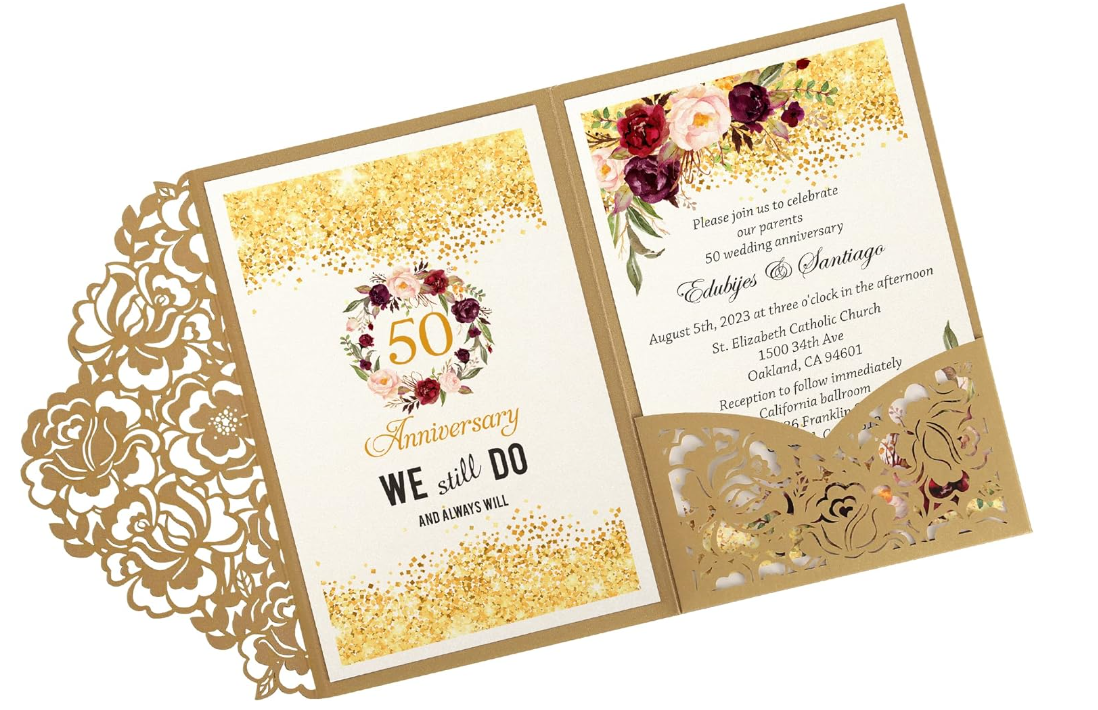
The Ray5 5W's powerful and user-friendly design makes it ideal for creating a variety of personalized stationery items. The Ray5 5W utilizes diode laser technology, delivering a laser power output of 5W and operating at a wavelength of 450nm. Its working area measures 400x400mm (15.75x15.75 inches), providing ample space for engraving larger items like invitations, notebooks, and greeting cards. The laser spot size of 0.08x0.08mm ensures fine detail, making it perfect for intricate designs on various materials such as wood, paper, plastic, and leather.


Laser Cut Greeting Cards:

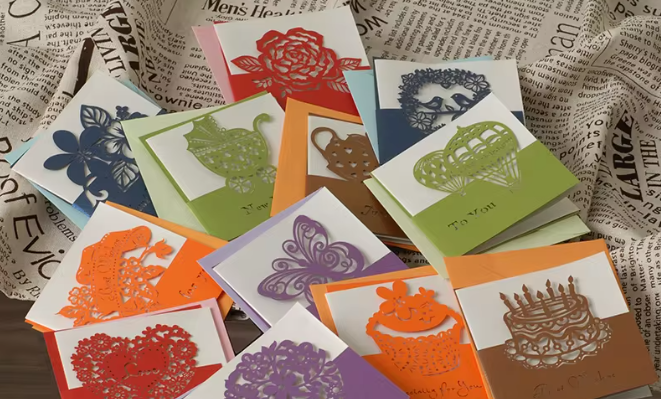
Laser cutting elevates the creation of customized greeting cards, allowing for unique designs that stand out from mass-produced options. You can personalize these cards by adding customers' names, logos, or special messages, catering to individual preferences. This makes laser-cut greeting cards an excellent choice for small businesses looking to differentiate themselves with appealing and unique gifts. 


Laser-Engraved Stationery:

Laser engraving is also versatile enough for notecards, envelopes, gift tags, and other stationery items. The precise detail achievable with laser engraving allows for elegant monograms, inscriptions, and decorative elements, enhancing the visual appeal of your stationery products. This added sophistication can attract customers seeking customized, high-end stationery.


Laser-Cut Stationery Accessories:

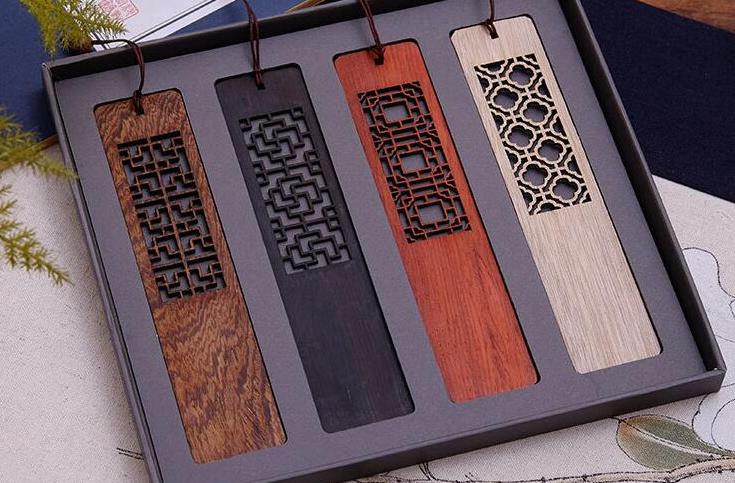
Beyond paper, laser cutting can create thin and intricate items like bookmarks, paper clips, and desk organizers. These accessories can be designed to complement your greeting cards and stationery, featuring matching colors or patterns. Offering a coordinated set of laser-cut products can provide customers with a cohesive and visually pleasing collection.

One of the key advantages of owning a Ray5 5W laser engraver is the ability to work with a wide range of image formats, including JPG, PNG, BMP, and vector files like SVG and DXF. This versatility allows for the engraving of special messages, company logos, or unique designs, making each piece truly personalized.

The Ray5 5W also offers the convenience of offline engraving. Its built-in controller and 3.5-inch full-color touch screen enable users to store or import files directly to a TF card, allowing for engraving without needing a computer. This feature is particularly useful for small-scale projects or when engraving small numbers on specific items, such as wedding stationery.

Safety is a priority with the Ray5 5W, which includes features like thermal control, a motion sensor, and an emergency stop button. These measures protect both the user and the machine, ensuring a safe and efficient engraving process. Additionally, the laser head is replaceable, with an option to upgrade to a 10W laser for more demanding projects.


Conclusion

Overall, the LONGER Ray5 5W laser engraver offers significant advantages for creating personalized stationery. Its precision, versatility, and safety features make it an excellent choice for those looking to produce high-quality, custom items. Whether for personal use or as a unique product offering for a small business, the Ray5 5W enables users to craft beautiful, personalized stationery that stands out in the market.

By Blog de grabador láser | September 26, 2024
LONGER Research: Ray5 10W A Game-Changer in Aerospace Laser Engraving

One of the primary advantages of owning a Ray5 10W laser engraver is the enhanced control and accuracy it offers. With an optical output power of 10W and a maximum consumption of 60W, it efficiently cuts through materials such as 20mm basswood and 30mm acrylic. The engraver also supports a wide range of materials commonly used in aerospace applications, including non-reflective metals, wood, plastic, leather, and PCB boards. This versatility is crucial for the aerospace sector, where different materials are used depending on the component's function.

The Ray5 10W's impressive speed, reaching up to 10,000mm/min, significantly enhances production efficiency. This high speed, combined with the ability to engrave offline using the built-in controller and TF card interface, makes it ideal for varied manufacturing environments, including those that are remote or have restricted access to computers. This feature is particularly beneficial in aerospace settings, where production lines may require constant, uninterrupted operation.


Safety features

Safety features are another critical aspect of the Ray5 10W, especially given the sensitivity of aerospace components. The engraver includes overheat protection, movement protection, and an emergency stop button, ensuring safe operation during the engraving process. These features are essential for preventing damage to valuable parts and maintaining high safety standards in the workplace.


Laser Part Marking

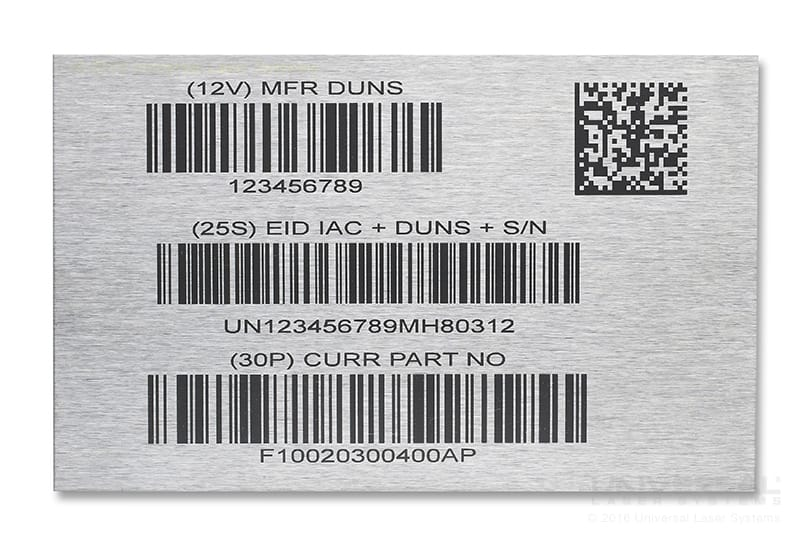
The Ray5 10W laser engraver also offers significant benefits in terms of part marking and traceability. In the aerospace industry, it is crucial to mark parts with serial numbers, part numbers, and other identifying information for traceability throughout the supply chain. The Ray5 10W excels in this area, allowing for detailed and durable markings that withstand the harsh conditions often encountered in aerospace environments.

Additionally, the ability to perform on-site customization and personalization is a major advantage of owning a laser engraver like the Ray5 10W. Whether it’s adding logos, custom designs, or specific markings, the engraver enables quick and precise modifications without needing constant computer access. This flexibility is invaluable in meeting the diverse and often unique requirements of aerospace clients.


Aerospace maintenance and repair

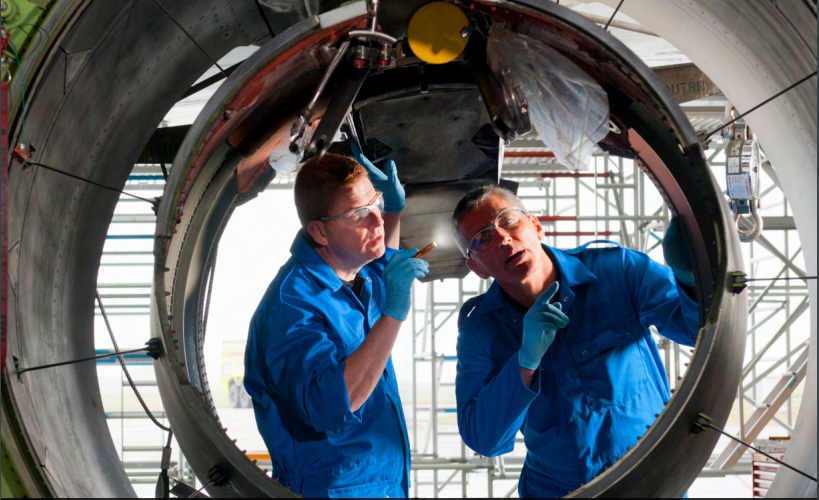
For maintenance and repair, the Ray5 10W provides a practical solution for engraving critical information directly onto components. This includes service dates, repair histories, or other relevant data, which can be vital for maintaining detailed records and ensuring that all parts are correctly identified and tracked.


Conclusion

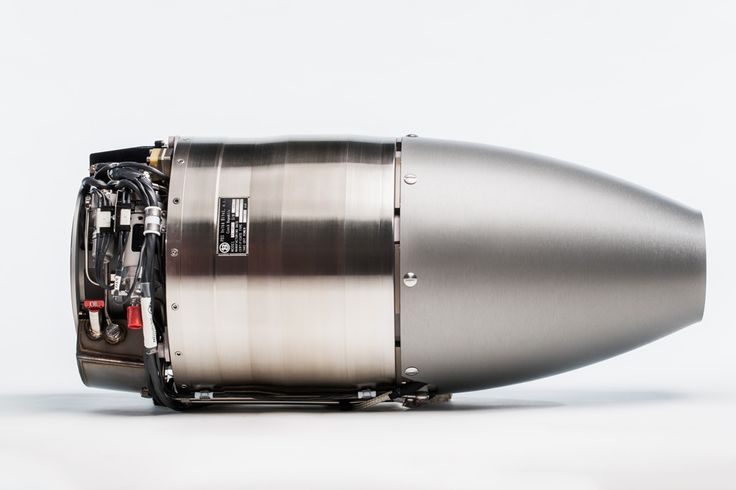
In summary, the LONGER Ray5 10W laser engraver stands out as a highly efficient and versatile tool for the aerospace industry. Its precision, speed, and robust safety features make it an excellent choice for manufacturers looking to improve productivity and maintain high standards. The engraver's capability to handle a wide range of materials and perform offline operations ensures it can meet the complex needs of aerospace production. Owning a Ray5 10W provides a significant advantage in producing high-quality, reliable components, distinguishing it from the limitations of traditional engraving methods.

By Blog de grabador láser | September 26, 2024
LONGER Fans Share: Help STARS children regain confidence with using Ray5 20W Laser Engraver in the Classroom

As the new school year approached, Mrs. Thompson, a dedicated special education teacher at a secondary school in Seattle, Washington, began searching for new ways to engage her diverse classroom. Her students came from different backgrounds and abilities, including learners with physical disabilities and varying learning needs.

She believed strongly in hands-on, creative learning—an approach that helps students express themselves, build confidence, and discover their strengths beyond traditional academic methods.

Discovering a New Teaching Tool

During a staff meeting, Mrs. Thompson learned about the LONGER Ray5 20W Laser Engraving Machine. A colleague shared how the device could be used for educational projects ranging from personalized items to intricate design work.

Intrigued by its potential, she proposed integrating the machine into her classroom as a creative learning tool. The school administration, known for supporting innovative teaching methods, approved the initiative, allowing the project to move forward.

Bringing Digital Fabrication into the Classroom

The Ray5 20W arrived just in time for the start of the semester. Equipped with diode laser technology and a large working area of 450 × 440 mm, the machine offered both flexibility and precision for classroom use.

Key technical features included:

  • 20W laser output suitable for a wide range of materials
  • 450nm laser wavelength for stable engraving performance
  • 50mm fixed focus for consistent accuracy
  • High-resolution laser spot size of 0.1 × 0.15mm
  • Engraving speed up to 36,000 mm/min for efficient production

These capabilities made it possible for students to work on meaningful projects with professional-level results.

A Student’s Breakthrough Moment

Among the students was Alex, a learner with cerebral palsy who experienced limited hand mobility. While he had a strong interest in art, traditional tools often made creative expression difficult.

The introduction of the Ray5 changed that.

Using intuitive design software and assisted control systems, Alex was able to create his first project—a custom-designed wooden nameplate for his desk. The laser precisely engraved his design onto the surface, translating his digital creation into a tangible object with remarkable clarity.

For Alex, the experience was transformative. It was not just about making something—it was about realizing that his ideas could take physical form without being limited by physical constraints.

Creativity Spreads Across the Classroom

As students became more familiar with the machine, the classroom quickly evolved into a small creative workshop. Projects expanded to include:

  • Personalized bookmarks
  • Custom keychains
  • Inspirational quote plaques
  • Decorative classroom items

Each project combined elements of design, technology, and self-expression, helping students develop both technical and creative skills.

The Ray5 20W became more than a tool—it became a medium for inclusion, collaboration, and confidence-building.

A Meaningful Gesture of Gratitude

One of the most memorable moments of the semester came when the students worked together on a surprise project for Mrs. Thompson.

They designed a wooden plaque engraved with the message:

“For Mrs. Thompson, who sees our abilities, not our disabilities.”

When presented with the finished piece, carefully engraved by the Ray5 20W, Mrs. Thompson was deeply moved. The project reflected not only what the students had learned, but also how they had grown as individuals and as a community.

Conclusion: Technology with Educational Impact

The LONGER Ray5 20W Laser Engraving Machine proved to be far more than a fabrication tool in Mrs. Thompson’s classroom. It became a bridge between creativity and accessibility, enabling students of all abilities to participate equally in design-based learning.

By integrating laser engraving technology into education, teachers can open new pathways for expression, engagement, and skill development—helping students turn ideas into reality.

For educators seeking innovative tools for inclusive and hands-on learning environments, the Ray5 20W represents a powerful opportunity to enrich the classroom experience and inspire lasting impact.

By Blog de grabador láser | August 1, 2024
LONGER Laser Engraver Back to School Sale: Buy 1 Get 1 Free with Exclusive Gifts!

1. Overview

From August 1st to August 8th, don't miss out on LONGER's exclusive Back to School Sale! Whether you're a hobbyist, a professional, or someone looking to explore the world of laser engraving, our range of laser engravers offers exceptional performance and versatility at unbeatable prices.

Our laser engravers are designed to handle a variety of materials with ease, providing precise and efficient results. With advanced features and robust build quality, they are perfect for creating personalized gifts, intricate designs, and professional-grade projects. 

2. Main Promotion Highlights

Celebrate the Back to School with LONGER:

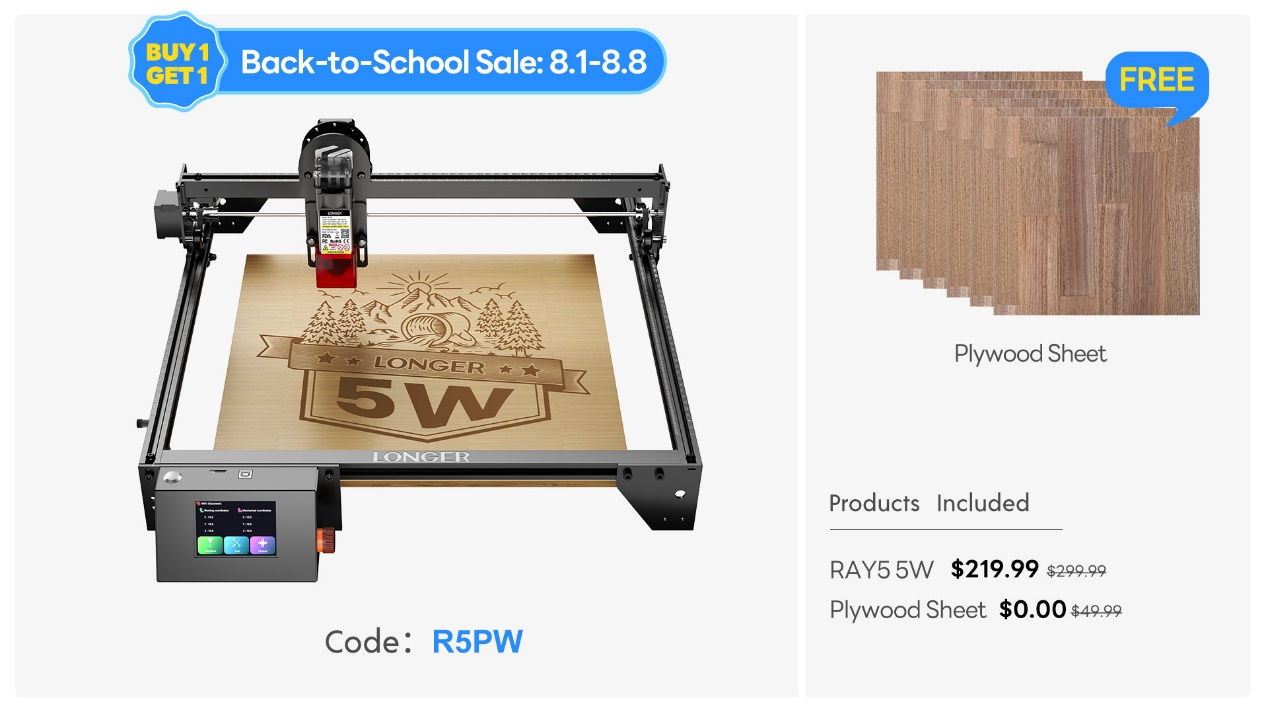
Laser Ray5 5W  
Use Code: R5PW  
Free Gift: Plywood Sheet


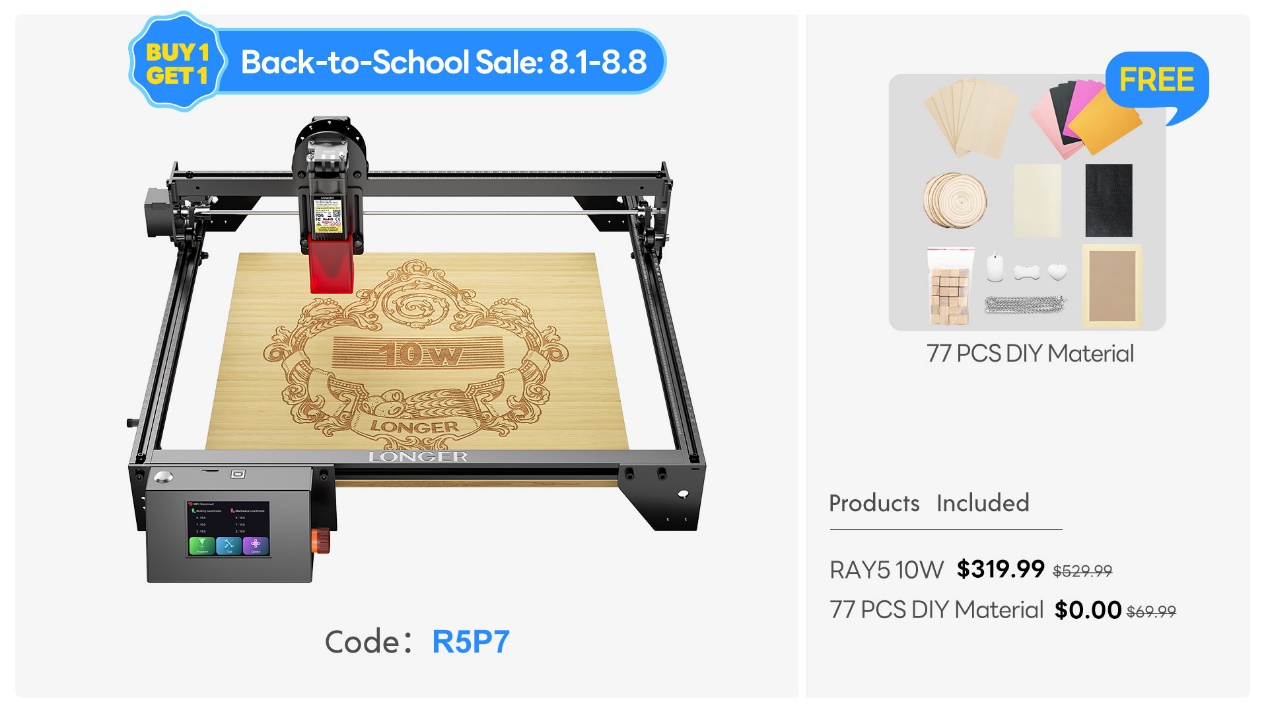
Laser Ray5 10W  
Use Code: R5P7  
Free Gift: 77 Pcs DIY Material Kit

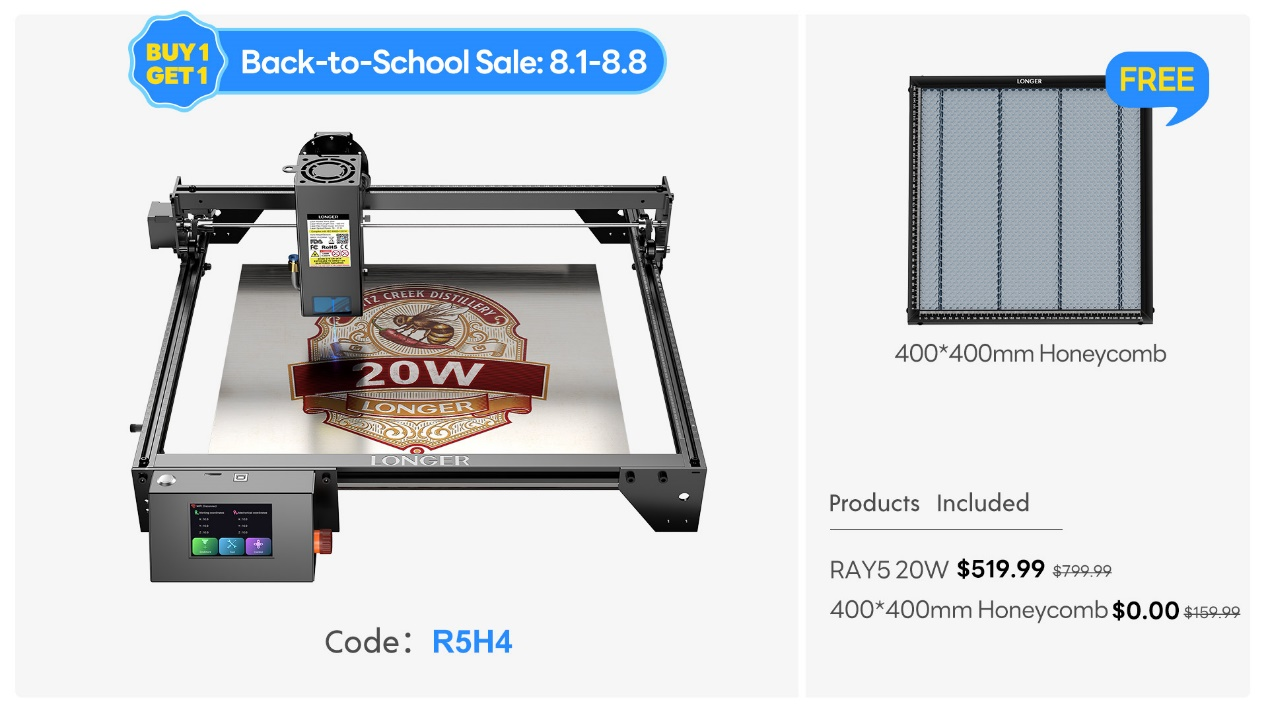
Laser Ray5 20W  
Use Code: R5H4  
Free Gift: 400*400 Honeycomb


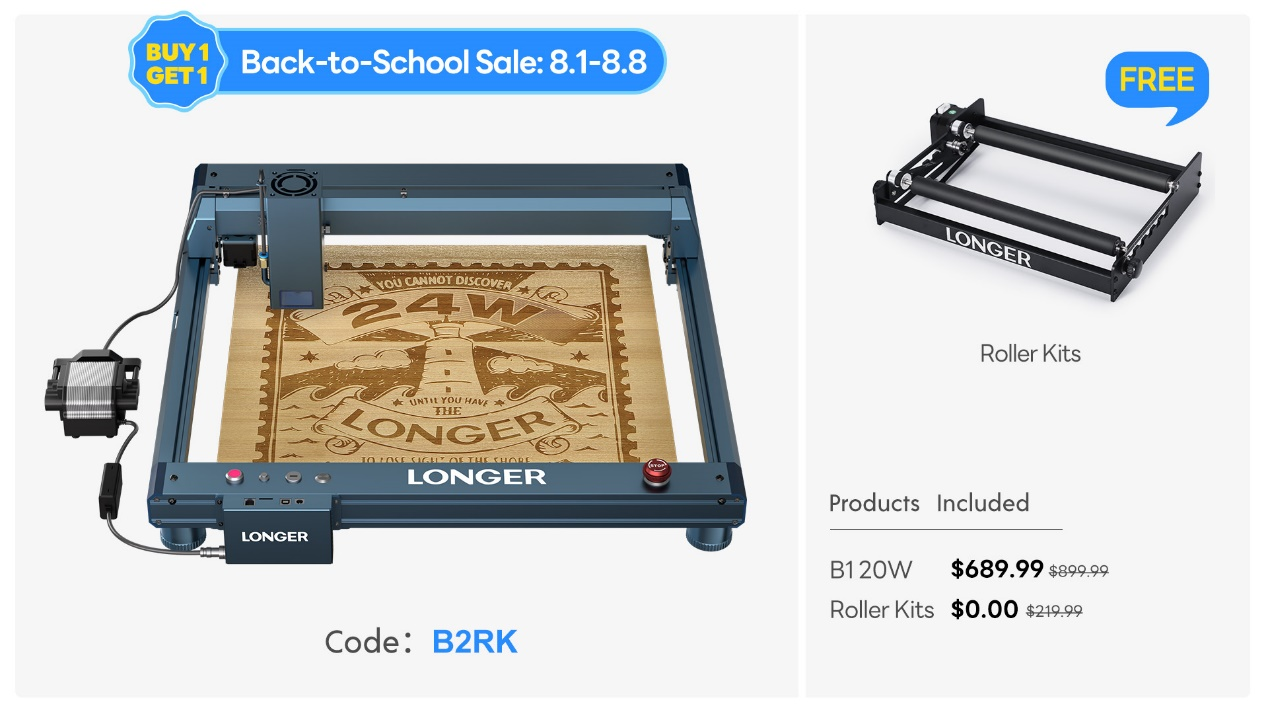
Laser B1 20W  
Use Code: B2RK  
Free Gift: Roller Kits


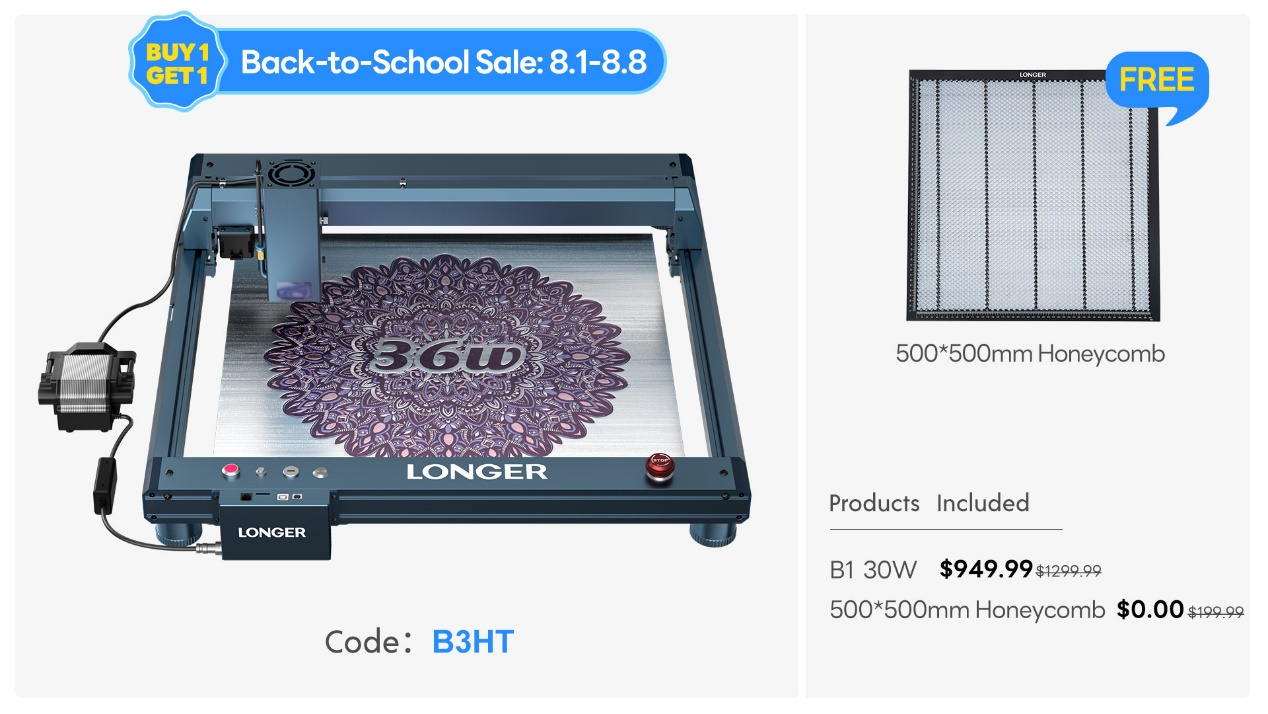
Laser B1 30W  
Use Code: B3HT  
Free Gift: 500*500 Honeycomb


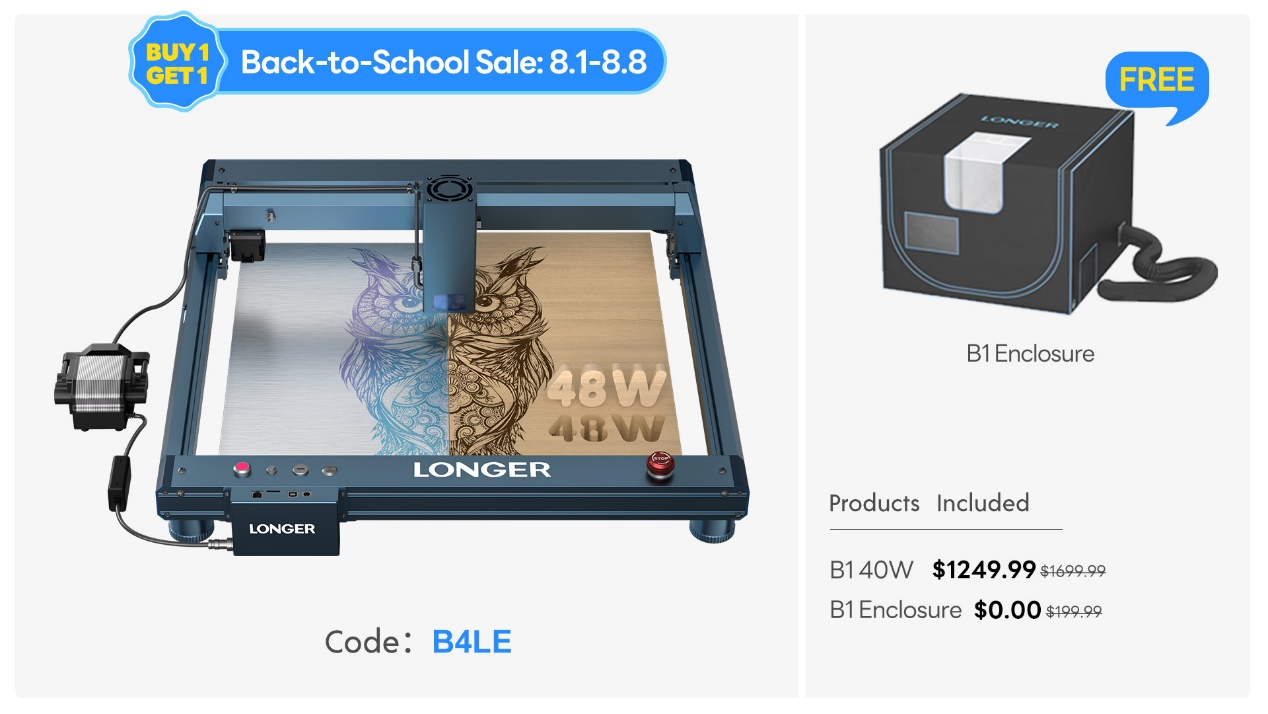
Laser B1 40W  
Use Code: B4LE  
Free Gift: B1 Enclosure

3. Why Choose LONGER Laser Engravers


Precision: Achieve detailed and accurate engravings on various materials.
Versatility: Suitable for a wide range of projects, from crafts to professional designs.
Enhanced Features: Each model comes with unique accessories to expand your creative possibilities.
User-Friendly: Easy to set up and operate, making it ideal for both beginners and experienced users.

4. Creative Possibilities


Imagine the possibilities with LONGER laser engravers. You can create custom gifts, unique home décor, intricate artwork, and much more. Our engravers allow you to unleash your creativity and produce high-quality results with every project.
5. Shop Now Section


LONGER Ray5 5W: Free Plywood Sheet
LONGER Ray5 10W: Free 77 Pcs DIY Material Kit
LONGER Ray5 20W: Free 400*400 Honeycomb
LONGER Laser B1 20W: Free Roller Kits
LONGER Laser B1 30W: Free 500*500 Honeycomb
LONGER Laser B1 40W: Free B1 Enclosure

6. Promotion Period


Discount Period: August 1st to August 8th
Don't Miss Out!

7. Final CTA Section


These LONGER Back to School Sale deals are available for a limited time only. Upgrade your engraving capabilities with our laser engravers and take advantage of these incredible offers. Whether for personal use or as a thoughtful gift, LONGER laser engravers are a fantastic investment in creativity and precision.

Elevate your engraving projects with LONGER this Back-to-School season. With unbeatable offers and exceptional features, it's the perfect time to invest in a high-quality laser engraver. Get yours now and start creating stunning, personalized designs!

By Blog de grabador láser | August 1, 2024
LONGER Research: Exploring Ray5 10W Laser Engraving Applications in the Food Industry

The Ray5 10W laser engraver, featuring Dioser Technology, boasts a working area of 400x400mm (15.75x15.75 inches) and a laser wavelength of 450nm. With a fixed focal length of 50mm and a laser spot size of 0.06x0.06mm, it offers exceptional precision. The 10W optical output power ensures efficient engraving and cutting, with a maximum consumption of 60W. The engraver can cut up to 20mm basswood and 30mm acrylic, making it versatile for various applications. The fastest working speed of 10000mm/min and compatibility with multiple operating systems and devices further enhance its functionality.


One of the primary benefits of laser engraving in the food industry is its ability to create intricate and precise designs on food products. This technology allows for the customization of food items, making them unique and visually appealing. For instance, laser engraving can be used to add designs or messages on chocolate, biscuits, and cakes, enhancing their aesthetic value and appeal to consumers.

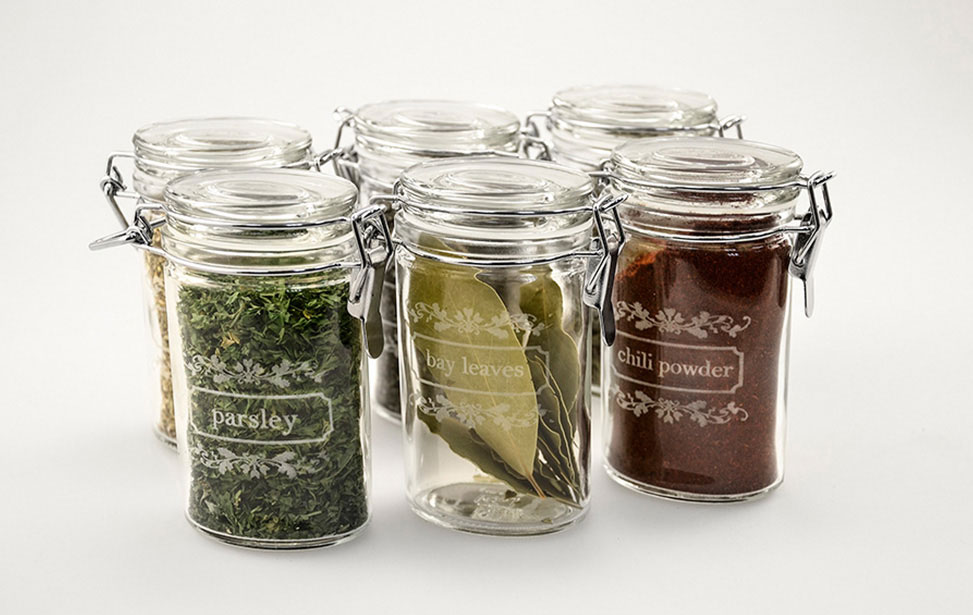
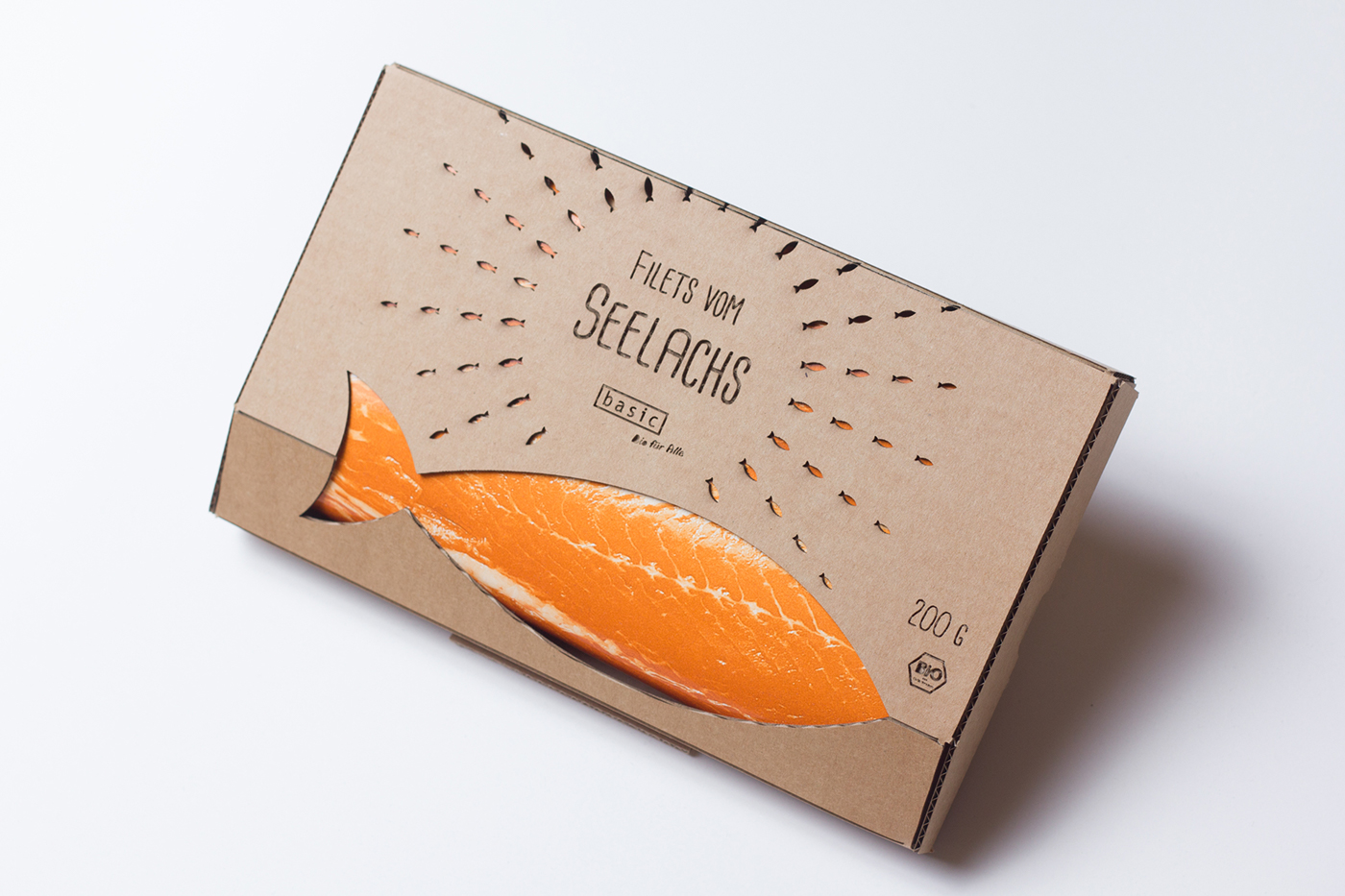
Laser engraving also plays a crucial role in food packaging. It allows for the engraving of barcodes, expiry dates, and other important information directly onto the packaging material. This makes the information permanent and resistant to fading or peeling, unlike traditional ink or labels. Engraving on plastics, glasses, papers, and other materials ensures the longevity and clarity of the information.

The future of laser engraving in the food industry is promising. Potential developments include laser pretreatment to improve adhesion properties, microbial deactivation to minimize foodborne diseases, and laser-assisted cooking to enhance the taste, texture, and nutritional value of food. These advancements will add significant value to food processing, packaging, and testing.


Laser engraving on fruits and vegetable

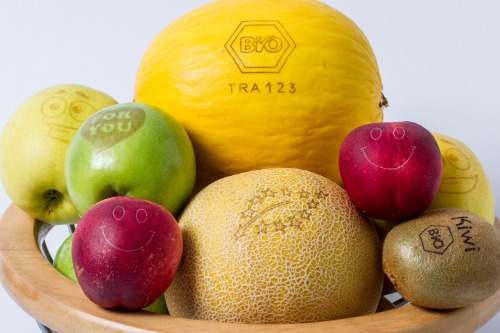
Laser engraving on fruits and vegetables creates natural stickers, eliminating the need for traditional packaging materials. This process is environmentally friendly, reducing plastic waste and offering a non-toxic alternative. Laser marking on food is energy-efficient, quick, and hygienic, allowing for complex patterns and high throughput. It ensures product legitimacy and quality by eliminating the use of plastic, paper, or glue.
 

Laser ablation clean

Laser ablation, a process that removes material from the surface of food, can be used for cleaning, decontamination, or designing patterns on food products. This non-destructive testing method helps in maintaining the quality and composition of food items. Trends in laser engraving technology are continually evolving, benefiting the food industry in terms of precision, speed, and safety.


Examples of laser engraving applications in the food industry include natural branding, food packaging, customized food products, and personalized packaging. Natural branding involves marking fruits, vegetables, and other food products with barcodes, serial numbers, and expiry dates without affecting their taste, shelf life, or aroma. This technique is suitable for various food items, including apples, bananas, bread, cucumbers, and avocados.


Food packaging

Laser engraving on food packaging materials, such as plastics, glasses, and papers, ensures that important information remains intact and legible. Customized food products, like chocolates, biscuits, and cakes, can be engraved with intricate designs or messages, making them unique and appealing to consumers. Personalized packaging allows for the addition of names, messages, or logos on food packages, making them ideal for gift items like wine bottles, cheese platters, and food baskets.


Conclusion

In conclusion, owning a laser engraver like the Ray5 10W offers significant advantages in the food industry. Its precision, versatility, and eco-friendly nature make it an invaluable tool for food producers. The ability to create intricate designs, ensure product quality, and reduce environmental impact highlights the importance of laser engraving technology in modern food production and packaging.

By Blog de grabador láser | July 29, 2024