Laser Engraver Blogs

LONGER Fans share: Restore postpartum mood with Ray5 20W

As Mother's Day approaches, it's a time to celebrate the unconditional love and resilience of mothers everywhere. And for this special time, LONGER's support mailbox received a healing message from Sarah in Spain, which a powerful women beat postpartum depression. For one extraordinary mother, her journey through postpartum depression was transformed into a tale of love, healing, and creativity.

After the birth of their daughter, Emma, Sarah found herself struggling with the weight of postpartum depression. Every day felt like a battle, and the once-vibrant colors of motherhood seemed to fade into darkness. As an craft painter, her once dexterous hands became bloated and she could no longer do delicate carvings. Desperate to find a way to comfort his wife, Sarah's husband, Jack, decided to gift her something special – the Longer Ray5 20W laser engraving machine.


At first, Sarah was skeptical. How could a machine help her overcome the overwhelming feelings of sadness and anxiety? However, Jack gently encouraged her to give it a try, assuring her that it might offer a creative outlet and a sense of purpose. And so, Sarah tentatively began her journey with the Ray5 20W. 

With each engraving, she poured her love and affection for Emma into every piece she created – from personalized spoons and pencil holders to intricate bookshelves adorned with whimsical designs. The act of crafting these items became a form of therapy for Sarah, allowing her to channel her emotions into something tangible and beautiful.


As the years passed, Sarah's skills with the engraving machine grew, and so did her confidence. She found solace in the rhythmic hum of the machine and the delicate dance of light as it etched her designs into wood and metal. Slowly but surely, the fog of postpartum depression began to lift, replaced by a newfound sense of purpose and joy.

But perhaps the most profound moment came when Emma, now is in the kindergarten, decided to use the Ray5 20W with her father Jack to create a special Mother's Day gift for Sarah. With careful precision and unwavering love, Emma crafted a pair of jeans for her mother, adorned with designs ‘The best mother in the World‘. It was a testament to the bond between mother and daughter, a symbol of love and resilience that had endured the test of time. As Sarah slipped into the jeans, she realized just how far she had come – from the depths of despair to the pinnacle of happiness and fulfillment. And it was all thanks to the enduring love of her family and the transformative power of creativity.

By Laser Engraver Blogs | May 9, 2024
10 Personalized Presents with LONGER Ray5 20W in Mother's Day

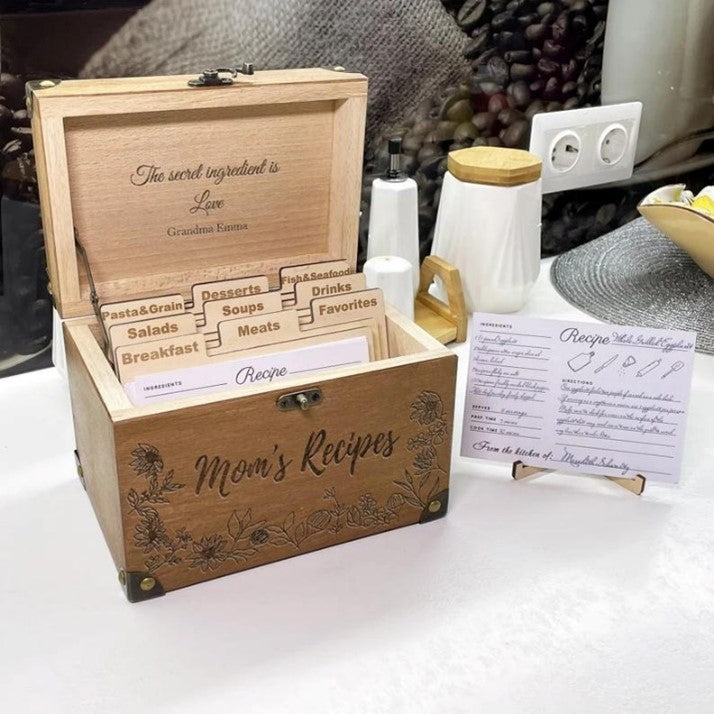
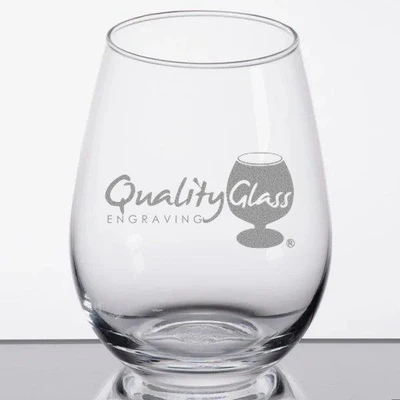
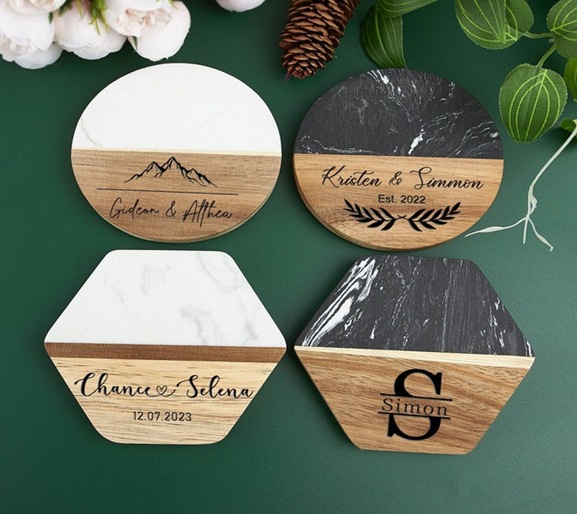
Engrave a wooden cutting board, jewelry, photo frame, recipe box, wine glasses, phone case, coasters, tablet stand, wall art, or keychain with your mother's name or message to customize her cooking journey. Engrave a necklace or a bracelet with her initials, birthdate, or a meaningful symbol. Make a unique photo frame which incorporate a special photo and a sincere note of appreciation. Carve a wooden coaster with your mom's initials or a decorative design to fit with her interior.

Introduction
Mother's Day is the time to add sweetness to this beautiful bond by letting your mother know how much you love and cherish her. One our cake can be the most memorable thing, would be to include Laser Engraver instead short as an item because of its ability to craft personalized gifts. With this superb laser engraver, you can explore and create groovy designs, leave mark on multiple materials, and make-you-gifts-stand-out-from-the-crowd. Here are 10 personalized present ideas that you can make with the LONGER Ray5 20W Laser Engraver for Mother's Day:

Personalized Wooden Photo Frame: 

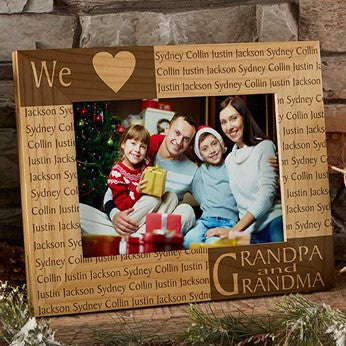
Engrave a sentimental message and/or your mother’s name on the base of the wood framed picture to display a memorable family picture.

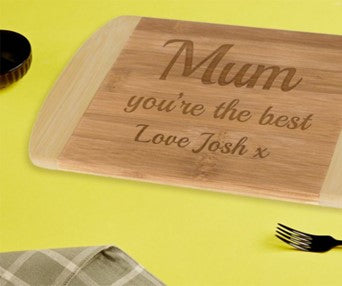
Customized Cutting Board: 

Becoming involved in a DIY project by engraving the name of your mom or a special message on wood or acrylic plate is a great idea.

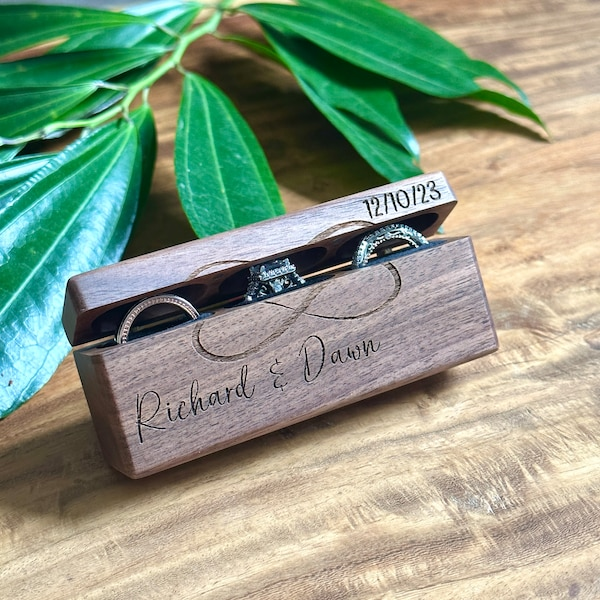
Engraved Jewelry Box:

Come up with a jewelry box for your mom inscribed with her initials and/or an inscription on the lid image.

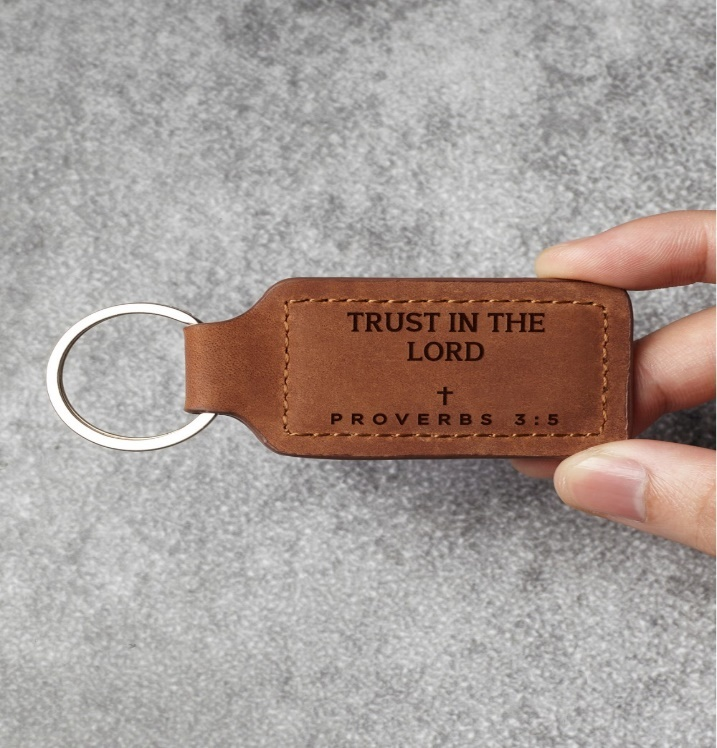
Customized Leather Keychain:

Engrave your mom's initials or a short message for her on a leather key chain with the Ray5 20W Laser Engraver.

Personalized Wine Glasses:

Delineate in a chic manner wine glasses with either your mum's name or a heartfelt message by having the line engraved on the glass. 

Engraved Wooden Coasters:

Personally designed wooden coasters incorporating your mom's monogram or a stunning pattern through the engraving.

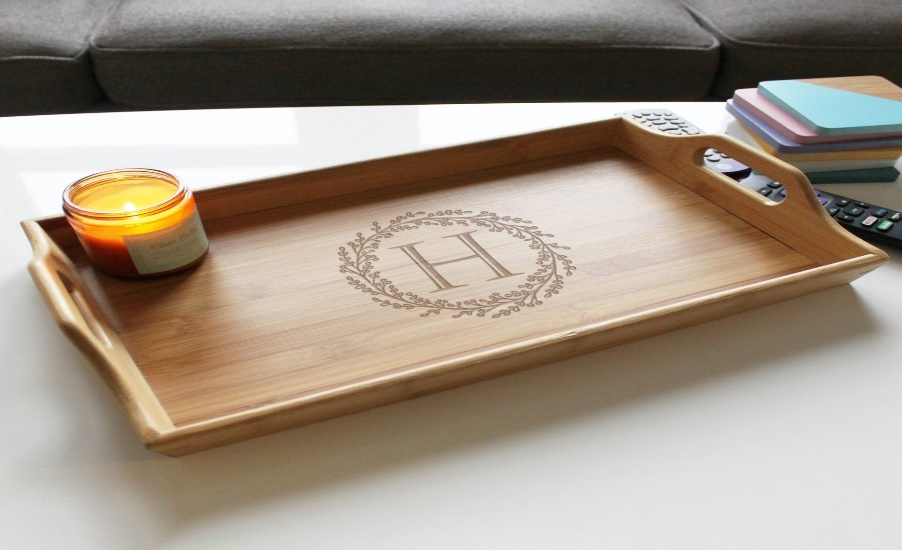
Customized Wooden Serving Tray: 

Design and engrave a personal gift on the LORGER Ray5 20W Laser Engraver's surface and decorate the wooden serving tray with a vibrant message or unique design.

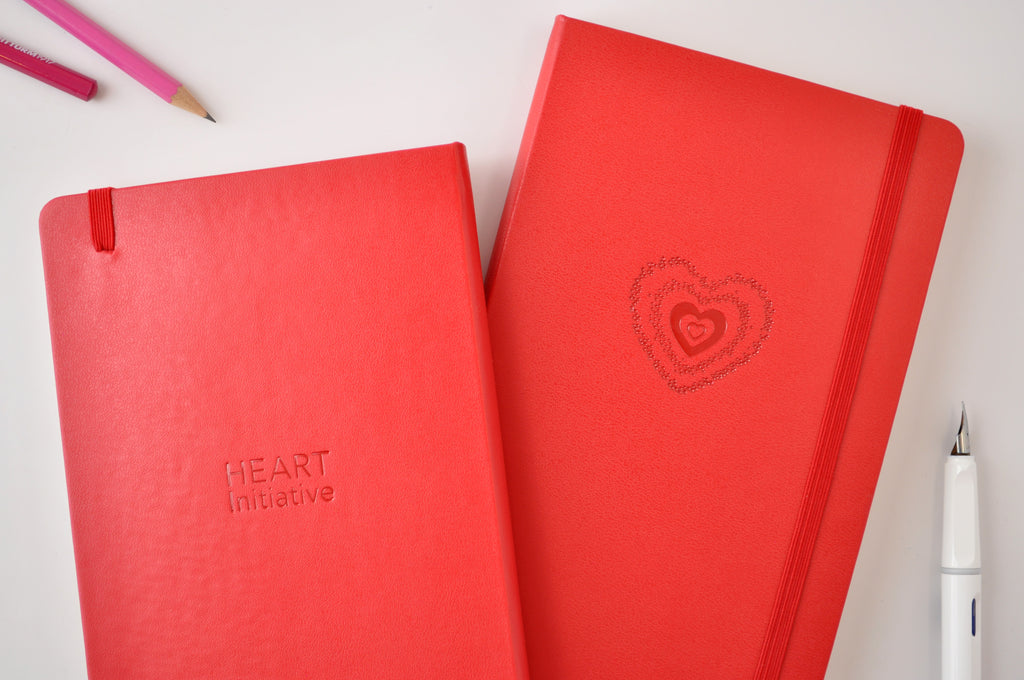
Personalized Leather Journal: 

The mother can have a leather-based journal with a tattoo of the name or the special message imprinted on the top.

Engraved Acrylic Wall Art: 

Make a wonderful surprise to your mom by engraving her favorite quote or a lovely design on the acrylic sheets with the LONGER Ray5 20W engraver this year, a glorious piece of wall art for her everyday life.

Engraved Jewelry: 

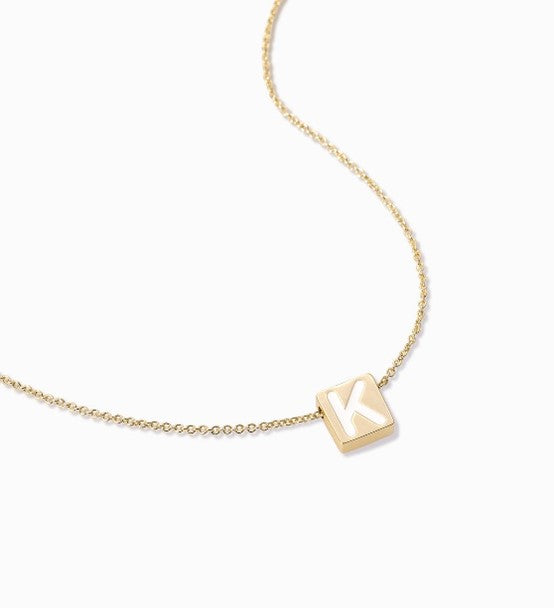
Have a special piece of jewelry made with your mother's initials or a special message engraved on a pendant, bracelet, or ring.

Summary: 

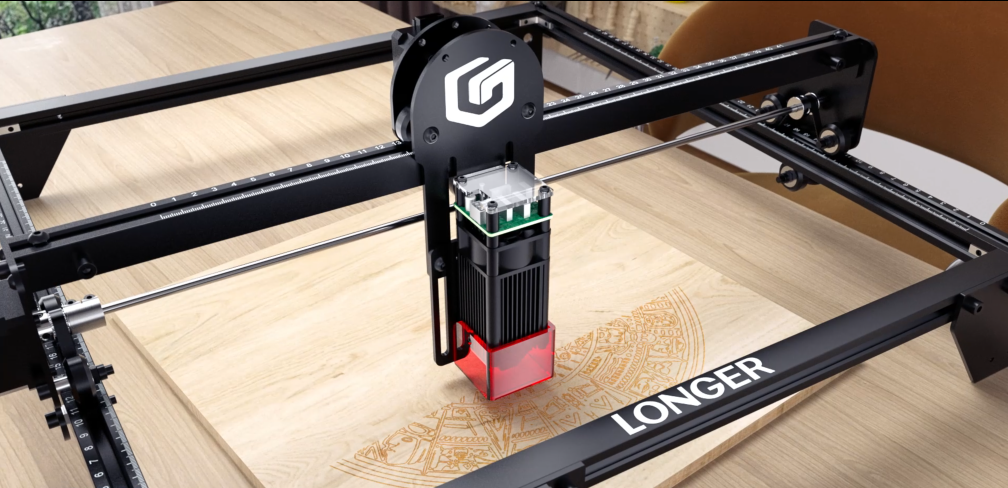
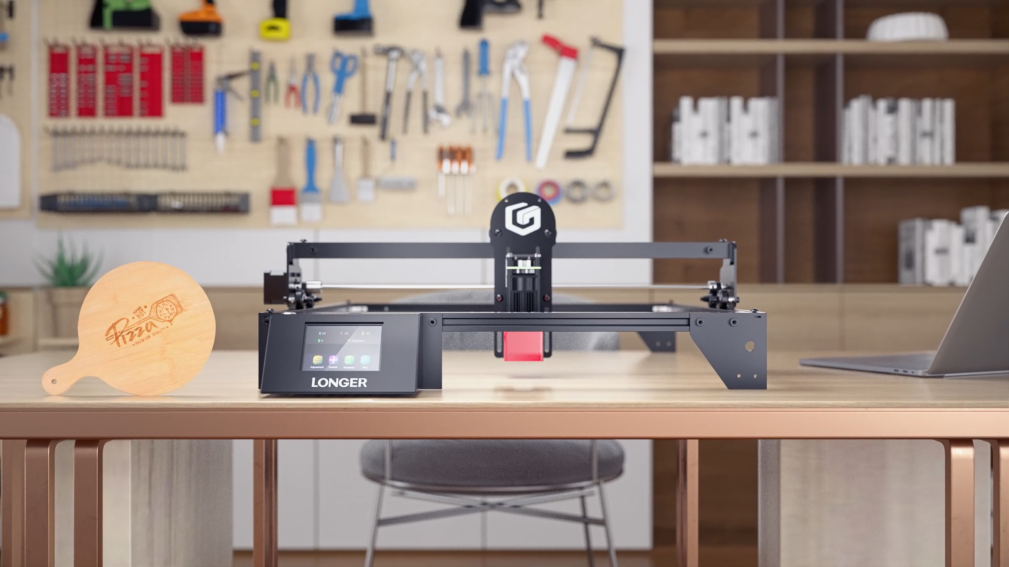
The Dioser Technology Ray5 20W laser engraver is the perfect tool for creating custom Mother's Day gifts. With its compact size of 400 x 365 mm (15.7 x 14.4 inches) and powerful 20W laser, it can easily engrave on various materials such as plywood, pine, acrylic, and even stainless steel with precision. Compatible with LaserGRBL, LightBurn, and MKS APP software, it supports a wide range of file formats including JPG, PNG, BMP, GIF, SVG, AI, etc. Whether it's engraving heartfelt messages or intricate designs, the Ray5 20W offers versatility and reliability to create personalized gifts that will be cherished on Mother's Day and beyond.


Do not forget to use all necessary security measures while using the laser engraver, it's crucial to prioritize safety. Along with wearing protective eyewear, the machine itself comes equipped with several safety features to ensure a secure working environment. These include Flame detection, Movement detection, Motionless protection, and an Emergency Stop Button, providing added layers of protection during operation. Remember to adhere to the manufacturer's guidelines for safe usage. Happy Mother's Day!


By Laser Engraver Blogs | May 8, 2024
Longer Laserburn App – Multiple Work Layer

Using LaserBurn multiple work layers is one of the easiest ways to speed up laser projects and combine different operations into one workflow. Instead of running separate engraving and cutting jobs, LaserBurn allows users to create multiple tasks inside a single project using layers.

For Longer B1 users and beginners learning laser workflows, this feature can reduce setup time, improve efficiency, and simplify project management.


Table of Contents


Quick Answer

LaserBurn multiple work layers allow you to assign different operations to different objects inside the same project. Each layer can use its own processing parameters and operation type, such as engraving or cutting, so the machine can automatically complete multiple jobs in sequence during one run. LaserBurn supports up to 10 layers.


What This Guide Covers

This tutorial explains:

  • What LaserBurn work layers do
  • How to assign multiple layers
  • How to combine engraving and cutting jobs
  • How Longer B1 processes layer-based tasks
  • Common issues and solutions
  • Helpful tips for beginners

Why LaserBurn Multiple Work Layers Matter

Laser projects often contain different operations.

For example:

  • Engraving logos
  • Cutting outlines
  • Creating text effects
  • Producing multi-color metal engravings
  • Combining decorative elements with cut shapes

Without layers, users would typically:

  1. Run engraving
  2. Stop the machine
  3. Reload files
  4. Reposition materials
  5. Run cutting

This takes more time and increases the possibility of alignment errors.

With LaserBurn multiple work layers:

  • Multiple jobs run continuously
  • Material stays in place
  • Workflow becomes easier
  • Production time decreases

LaserBurn was designed specifically for LONGER laser machines and includes integrated layer management functions.


Before You Start

Requirements

Hardware:

  • Longer B1 laser engraver
  • Compatible LONGER laser machine
  • Suitable engraving material

Software:

  • LaserBurn application
  • Existing design file or imported artwork

Knowledge:

  • Basic LaserBurn navigation
  • Understanding of engraving and cutting operations

If additional machine settings are required:

Follow official machine specifications or instructions.


Precautions

Before beginning:

  • Verify that the laser is properly focused
  • Confirm your material is secured
  • Ensure airflow or air assist functions properly
  • Double-check object placement
  • Review assigned layer settings before starting

Common beginner mistake:

Assigning multiple objects to the same layer unintentionally can apply incorrect processing parameters.


Step-by-Step: How to Use LaserBurn Multiple Work Layers

Step 1: Create or Import Images

Action:

Open the Creation menu and create or import the images you want to process.

The example workflow uses:

  • "Longer"
  • "B1"

Expected Result:

Both designs appear in the project workspace.

Important Notes:

Objects can be newly created or imported from existing files.


Step 2: Open the Layers Menu

Action:

Locate the Layers menu.

For each imported image, select a different layer.

Click different layer colors to assign unique layers.

Expected Result:

Each object changes color according to its assigned layer.

Important Notes:

Layer colors are visual indicators that help distinguish operations.

LaserBurn supports up to 10 separate layers


Step 3: Assign Processing Parameters

Action:

Set processing parameters for each layer independently.

Example:

  • "Longer" → wood engraving parameters
  • "B1" → wood cutting parameters

Expected Result:

Each layer now contains independent settings.

Important Notes:

Different layers can contain:

  • Engraving settings
  • Cutting settings
  • Speed settings
  • Power settings
  • Processing behaviors

Do not modify settings unless your material specifications require changes.

Follow official machine specifications or instructions.


Step 4: Position Material Under the Laser Module

Action:

Place the wooden panel beneath the Longer B1 laser module.

Expected Result:

Material is positioned and ready for processing.

Important Notes:

Do not move the material after setup.

Movement may affect alignment between operations.


Step 5: Start the Job

Action:

Start the created project in LaserBurn.

Expected Result:

The machine processes tasks automatically:

  1. Engraves "Longer"
  2. Cuts "B1"

The operations run continuously without interruption.

Important Notes:

The machine processes operations according to layer sequence.

Do not interrupt the machine unless necessary.


LaserBurn Multiple Work Layers for Metal Color Engraving

One useful application of multiple layers involves colored metal engraving.

Laser interaction with metal can create different visible colors depending on:

  • Laser power
  • Speed
  • Processing conditions

Multiple layers allow different settings to be applied across sections of the design.

This creates multi-tone visual effects while remaining inside a single project.

If processing metal materials:

Follow official machine specifications or instructions.


Common Problems and Solutions

Problem Requirements Solution
Objects use identical settings unexpectedly Check layer assignment Verify objects are assigned to separate layers
Design colors do not change Review Layers menu Reassign layer colors
Engraving starts but cutting does not Verify operation settings Confirm cutting parameters are assigned correctly
Alignment appears incorrect Material positioning Do not move material after setup
Wrong parameters applied Check selected layer Review settings before starting the job

Tips for Better Results

1. Use descriptive project organization

Name files clearly before saving projects.

Examples:

  • Wood_Engrave_Cut
  • Metal_Color_Test

2. Keep engraving and cutting separated

Assign different operations to different layers rather than mixing them.

This improves workflow clarity.


3. Start with simple projects

Beginners should first test:

  • Text engraving
  • Basic cutting shapes

Complex designs can be introduced later.


4. Double-check material placement

Multiple operations rely on consistent positioning.

Even small movements can affect results.


5. Preview work before processing

Review layer assignments and processing order before starting.


Frequently Asked Questions

Q: How many LaserBurn multiple work layers can be used?

A: LaserBurn supports up to 10 layers, allowing up to 10 independent jobs in one project.


Q: How do I use LaserBurn multiple work layers for beginners?

A: Create or import objects, assign different layers using layer colors, and configure parameters separately for each layer.


Q: Can engraving and cutting happen in one project?

A: Yes. LaserBurn can engrave and cut sequentially during the same process.


Q: Can I assign different parameters to each layer?

A: Yes. Each layer supports separate processing settings.


Q: Can multiple layers be used for metal engraving?

A: Yes. Multiple layers can help create varying engraving effects on metal materials.


Q: Why are all my objects using the same settings?

A: Objects may have been assigned to the same layer accidentally.


Q: Is LaserBurn available for LONGER laser machines?

A: LaserBurn is designed specifically for compatible LONGER laser engravers.


Related Tutorials

For building a complete LONGER workflow, explore:


Final Thoughts

LaserBurn multiple work layers make project creation significantly easier by combining several operations into one workflow. Instead of separating engraving and cutting into individual runs, users can create a single project and allow Longer B1 to process everything automatically.

For beginners, mastering layer management is one of the fastest ways to improve workflow efficiency and reduce project setup time. Continue exploring LONGER guides and tutorials to build more advanced engraving skills. 

By Laser Engraver Blogs | May 6, 2024
Design File, Calibration and Focus to LONGER Laser engraver

LONGER laser engravers are equipped with advanced technology that enables precise cutting using focused laser beams. This process is essential in both development and production phases. To achieve effective laser cutting, it's imperative to understand key principles, select suitable materials, design appropriately, operate the machine correctly, and adhere to safety protocols. The LaserB1 and Ray5 series are highly regarded for their exceptional performance in laser cutting. Operating a LONGER laser cutting machine involves a series of important steps:
 

Design File Preparation:


Theming relies on the accuracy and replicability of the design. Whether designing in software like Illustrator or CorelDRAW, vector formats like AI or DXF are crucial for preserving geometry and dimensions. Determine cutting speed and power levels, considering material details simultaneously.
 

  • Use compatible design software such as Adobe Illustrator, CorelDRAW, or Inkscape.
  • Save files in SVG or DXF formats.
  • Develop a comprehensive design concept from sketches or design software.
  • Maintain design style and line detail integrity.
  • Utilize laser processing for color or layer applications.
  • Organize layers or groups for easy navigation.
  • Ensure fonts are in vector format for versatility.
  • Follow technical documentation for dimensions and scale.
  • Avoid confusing file structures.
  • Double-check design files for accuracy before laser processing.


Machine Calibration and Focus

Machine calibration and focus are critical aspects of ensuring optimal performance from your LONGER laser cutting machine. Before beginning any cutting operation, it's essential to calibrate the machine properly. This involves adjusting the laser beam focus and aligning the mirrors according to the LONGER's guidelines or user manual instructions. Using a focus tool to determine the focal plane and adjusting the focal point based on material type, thickness, and processing goals can help optimize cutting performance.


In addition to calibration, beam alignment is another crucial step in the setup process. Properly directing the laser beam along the intended path is essential for achieving accurate cuts. Utilizing alignment tools provided by the LONGER’s and regularly inspecting and adjusting the laser beam alignment can help maintain cutting precision over time.


Furthermore, conducting test cuts or sample runs on scraps and test materials allows you to fine-tune the focus settings and ensure the quality of the cuts. By recording the best focus setting based on the results of these test cuts, you can streamline future cutting operations and minimize material waste.


Regular maintenance and monitoring are essential for preserving the performance and longevity of your LONGER laser cutting machine. Cleaning and inspecting optical components regularly, monitoring machine performance and consistency, and following manufacturer-recommended maintenance and calibration procedures are essential practices for ensuring continued cutting precision and efficiency.

By Laser Engraver Blogs | April 26, 2024
Setup LONGER Laser engraver and material selection

LONGER laser engravers employ highly accurate technology, using focused laser beams to cut various materials with precision. This process is vital in both development and production. To effectively execute laser cutting, one must understand the principles, material selection, design, machine operation, and safety measures. The LaserB1 and Ray5 series, are renowned for their performance in laser cutting. Operating a LONGER laser cutting machine involves several key steps:

Machine Setup: 
Start with put LONGER laser engraver in right place. Make sure the area can provide sufficient space for air access to the device and that it also stands on solid ground. The device can go on working at full capacity under such conditions. Attach the machine to the power source and test any fail-safe features like the emergency stop button and guard lock by pressing the emergency stop button and confirming the machine's reaction. 


The laser must be placed in an acceptable environment to reduce unintentional or unplanned disasters. The environment should be well-ventilated, stable, and clean to prevent shaking/vibration of the machine. The electrical source should be a per the maker's standards whereas it has to be earth and insulation grounded. The machine set up process should be carried out within the actual configuration of its laser beam deliver components and these components should be cleaned regularly. Software such as LaserGRBL LaserBurn LightBrun, MKS app and controls need to compatible to the operating system. First step of calibration and test of machine should be performed by adopting steps defined in machine manual.

Material Selection and Preparation: 
Choose the most compatible option out of many options for your laser cutting task in a proper way. The laser cutter machine (WEED) is very versatile since it can handle different materials like wood, acrylic, leather, metal, and fabric, just to name a few. The initial step involves preparing the front assembly by removing dust, smoothing out any imperfections, and securely mounting it onto the operating area board. Utilize masking tape to protect the surface and the soot from accidental damage.


The rectification of laser machining involves defining the material's characteristics, including its reaction to laser wavelength and energy level, and ensuring safety measures. Material properties like hardness, melting point, and thermal conductivity influence the process outcome. Thicker materials may require multiple passes. Proper material surface preparation, such as cleaning and degreasing, is crucial for effective laser processing. Safety considerations include adherence to laser safety protocols, the use of approved personal protective equipment (PPE), hazard awareness, and implementing ventilation or filtration systems. Refer to the LONGER laser machine's specifications, guidelines, and standards for material selection and processing operations.


By Laser Engraver Blogs | April 25, 2024
LONGER Research: Exploring Home Laser Engraving Machines

Home laser engraving machines have transformed from specialized industrial equipment into practical tools for creators, hobbyists, DIY makers, educators, and small businesses. Whether you want to customize gifts, engrave artwork, create products for online sales, or explore hands-on projects, modern home laser systems provide a compact and accessible solution without requiring industrial experience.

As laser technology becomes more affordable and user-friendly, users now have more flexibility, portability, and creative freedom than ever before. LONGER research demonstrates how compact laser systems are opening new opportunities for home manufacturing and personalized production.


Table of Contents


What Are Home Laser Engraving Machines?

Quick Answer

A home laser engraving machine is a compact laser-based device designed to engrave patterns, text, graphics, and designs onto different materials using concentrated laser energy. These machines are intended for personal creative projects, workshops, education, and small-scale production environments.

Unlike traditional industrial laser systems, home machines prioritize:

  • Smaller footprints
  • User-friendly operation
  • Software compatibility
  • Lower entry barriers
  • Creative flexibility

They are suitable for:

  • DIY enthusiasts
  • Designers
  • Artists
  • Small businesses
  • Educators
  • Beginners entering laser engraving

Key Features and Benefits of Home Laser Engraving Machines

Compact and User-Friendly Design

LONGER home laser engraving machines are designed with portability and accessibility in mind.

According to LONGER research:

RAY5 Series dimensions

  • 61 × 67 × 20 cm
  • 24.0 × 26.4 × 7.9 inches

LaserB1 dimensions

  • 727 × 668 × 239 mm
  • 28.6 × 26.3 × 9.4 inches

LONGER Nano offers an even more portable design and can be handheld.

Why this matters:

  • Easier transportation
  • Less workspace requirement
  • Better flexibility
  • Suitable for home environments

User benefits:

  • Work from home
  • Move equipment between locations
  • Create projects wherever inspiration appears

Broad Material Compatibility

Modern home laser engravers support a wide range of materials.

Supported examples include:

  • Acrylic
  • Leather
  • Fabric
  • Glass
  • Wood
  • Curved surfaces
  • Irregular surfaces

LONGER machines support engraving on curved and non-flat materials, expanding customization opportunities.

Benefits include:

  • More project possibilities
  • Personalized products
  • Expanded business opportunities

Examples:

  • Customized tumblers
  • Wooden signs
  • Leather wallets
  • Decorative artwork
  • Personalized gifts

Software Compatibility and Connectivity

One of the major barriers for beginners is software complexity.

LONGER laser engravers support compatibility with:

  • LaserGRBL
  • LightBurn
  • MKS
  • LONGER LaserBurn app

Users can import designs and begin engraving efficiently.

Benefits:

  • Reduced learning curve
  • Easier workflow
  • Faster design transfer

Built-In Safety Features

Safety is critical when operating laser equipment.

LONGER home laser engravers include:

  • Flame detection
  • Movement detection
  • Motionless protection
  • Emergency stop button
  • Eye protection

These safety systems help create safer operating environments.

User advantages:

  • Reduced risk during operation
  • Better protection for beginners
  • Improved reliability

Compatible Models and Applications

Supported LONGER Models

According to the source research:

RAY5 Series

  • Compact desktop design

LaserB1 Series

  • Larger working structure

LONGER Nano

  • Portable handheld option

Follow official product specifications for detailed compatibility information.


Material Applications

Home laser engravers can be used with:

  • Acrylic
  • Leather
  • Fabric
  • Glass
  • Wood
  • Curved objects

Follow official product specifications for material compatibility limits.


Usage Scenarios

Common applications include:

For creators

  • Artwork
  • Personalized gifts
  • Decorations

For small businesses

  • Product customization
  • Batch personalization
  • Handmade product sales

For education

  • Design learning
  • Engineering projects
  • STEM activities

For home users

  • DIY projects
  • Decorations
  • Hobby crafting

Why Users Need Home Laser Engraving Machines

Improve Creative Freedom

Traditional manufacturing methods often limit personalization.

Laser engraving allows:

  • Custom names
  • Unique graphics
  • Personalized products
  • Artistic experimentation

Improve Workflow Efficiency

Laser systems automate detailed work.

Benefits include:

  • Faster production
  • Repeatable results
  • Reduced manual labor

Support Small Businesses

Many creators use laser systems to sell:

  • Personalized gifts
  • Wedding decorations
  • Product labels
  • Handmade products

Home manufacturing trends continue growing because compact systems reduce barriers to entry.


Reduce Space Requirements

Industrial machines require large spaces.

Home systems:

  • Occupy less room
  • Fit workshops
  • Fit studios
  • Fit apartments

Expand Material Possibilities

Instead of limiting projects to paper or printing, users can create:

  • Wood products
  • Acrylic designs
  • Decorative items
  • Custom accessories

How to Use a Home Laser Engraving Machine

The original workflow from LONGER emphasizes software compatibility and safe operation.

Step 1: Prepare Your Design

Create or import artwork into supported software:

  • LaserGRBL
  • LightBurn
  • MKS
  • LaserBurn app

Expected result:

Design ready for engraving.


Step 2: Position Material

Place material securely in the machine workspace.

Expected result:

Stable positioning for accurate engraving.


Step 3: Configure Settings

Adjust:

  • Speed
  • Power
  • Position

Expected result:

Machine prepared for operation.


Step 4: Start Engraving

Begin processing using the selected software.

Expected result:

Laser transfers design onto material.


Step 5: Monitor Safety Features

Watch for:

  • Flame detection alerts
  • Motion detection
  • Emergency situations

Expected result:

Safer operating conditions.


Common Questions and Issues

Question/Issue Explanation Recommendation
Software not connecting Software settings may not match machine configuration Verify supported software
Material not engraving correctly Material settings may vary Follow official specifications
Uneven engraving results Material positioning may shift Secure material placement
Safety alert triggered Detection systems identify possible risk Review operating conditions
Unsure about material compatibility Different materials react differently Follow official product specifications

Tips for Better Results

  • Keep work surfaces stable
  • Use supported software
  • Test settings on sample materials first
  • Clean the workspace regularly
  • Monitor machine safety systems
  • Secure materials before engraving
  • Follow official operating recommendations

Frequently Asked Questions

Is this a good laser engraver for beginners?

Yes. Home laser engraving machines prioritize accessibility and simplified operation for users entering laser engraving.


Does a portable laser engraver have advantages?

Portable designs improve mobility and allow users to work in multiple environments.


Can I engrave wood and acrylic?

The source indicates support for a range of materials including acrylic and other common creative materials.


Do I need additional accessories?

Accessory requirements vary depending on projects. Follow official product specifications.


Can I use third-party design software?

LONGER machines support LaserGRBL, LightBurn, MKS, and LaserBurn app compatibility.


Is laser engraving suitable for a home business?

Many users adopt compact laser systems for customized products and small-scale production.


Are safety systems important?

Yes. Safety systems help identify potential risks and support safer operation.


Final Thoughts

Home laser engraving machines continue making creative manufacturing more accessible than ever before. LONGER research highlights several important advantages: compact designs, broader material support, software compatibility, and integrated safety features.

For creators, educators, hobbyists, and small businesses, these systems help solve several common challenges:

  • Limited creative flexibility
  • Space constraints
  • Manual production inefficiency
  • Entry barriers for beginners

Before choosing a system, remember:

  • Follow official product specifications
  • Verify material compatibility
  • Prioritize safety
  • Select a machine that matches your project goals

As home manufacturing continues evolving, laser engraving technology is becoming an increasingly practical tool for turning ideas into finished products.

By Laser Engraver Blogs | April 20, 2024
Unlock Endless Creative Possibilities with the LONGER NANO

Ever feel like your stuff just lacks...pizazz? You know, that extra something special that makes it truly yours? Your phone case, your water bottle, maybe even a gift for a friend? Laser engraving is here to make that happen! It lets you put your own personal mark on almost anything, with super clean and precise designs. Although this technology has been used by crafters and artists for years, most businesses are now getting immense benefits from it.


The only hurdle? Traditional laser engravers are these bulky beasts that take up more space than your entire craft room. But fear not, creative soul! That's where the LONGER NANO 6W & 12W Laser Engraver swoops in to save the day! This portable powerhouse is like having a mini laser studio you can take anywhere. Our team at LONGER designed it to be portable and powerful, so you can take your creativity anywhere!

Ditch the Desk, Unleash the Longer Nano!
Ever dream of taking your laser engraving skills on the road? Well, pack your bags because the LONGER NANO is here! Select between the 6W or 12W versions to handle anything, whether you want to make a bold statement or the tiniest detail. We know portability shouldn't mean giving up on quality, so the NANO packs the same punch and precision as those bulky workshop monsters. So, whether you're a pro artist on the go or a hobbyist itching to create, the NANO is your portable partner in personalized perfection!
Ditch the bulky machines and embrace the freedom of the LONGER NANO – your personal passport to the exciting world of portable laser engraving! The LONGER NANO will deliver excellent precision and power that you desire from a bigger engraving machine. So, whether you're a seasoned artist or a hobbyist hungry for creative freedom, the NANO is your portable powerhouse for personalized perfection, wherever inspiration strikes!


Unleashing Creativity with Lightning-Fast Engraving Speed
Are you looking for a laser engraver that will perform faster than your imagination? You can achieve this with LONGER NANO’s 2200mm/s incredible engraving speed. This compact marvel boasts a high-tech galvo system that turns it into a laser engraving speed demon. The NANO's advanced galvo system, means you get both speed and quality. So unleash your creativity and ditch the wait – the NANO has you covered!
With the LONGER NANO, you can ditch the frustration and get ready to express yourself faster than ever before! Our portable laser engraver and cutter will quickly bring your innovative ideas to life speedier than ever, allowing you to explore more possibilities and take additional projects. With the LONGER NANO, you will have more than just a tool. You will have a catalyst that will enhance your productivity and innovation in the laser engraving field.


Versatility at Its Best: Engraving on Almost Any Material
The NANO: Your Pocket-Sized Playground for Personalized Perfection!
Forget bulky machines that limit your creativity – the LONGER NANO laser engraver is a testament to how awesome modern tech can be! This little wonder isn't picky – it can etch designs on a crazy range of materials, from wood and leather to even metal and glass. Want to create a cool sign for your Etsy shop? No problem! With the NANO, you can seamlessly add any unique touch to all your creations.
Remember those clunky Swiss Army Knives? The LONGER NANO portable laser engraver is like the sleek, modern version for creative minds! This makes it an ideal tool for all your personal and business projects. So ditch the limitations and get ready to personalize the world with the NANO!


Forget Fuzzy Lines, the NANO Delivers Razor-Sharp Results!
Want laser engraving that looks like it was made by a tiny robot artist? Look no further than the LONGER NANO! This machine delivers incredible precision. We're talking about a mind-blowing 0.02mm accuracy, which means those detailed designs and projects that require laser focus are no sweat for the NANO. Every tiny line and millimeter will be etched with incredible detail, just like you imagined.
Plus, the undistorted edges feature ensures your creations come out looking like works of art, not messy doodles. So ditch the wobbly lines and blurry results – with the NANO, you can achieve crystal-clear engravings that will leave you speechless! With the NANO, you can take on any project that demands laser focus and bring your creative vision to life with incredible precision!


NANO: Your Creative Canvas, Big or Small, Flat or Curved!
The LONGER NANO laser engraver is more than just a machine – it's a canvas for your wildest creative ideas! We know limitations can stifle your imagination, so the NANO offers an extended workspace to handle even your most ambitious projects. But it gets even better! Feeling stuck on flat surfaces? The NANO lets you unleash your inner artist on curved objects too, like mugs, glasses, or phone cases. Plus, the field lens ensures consistent engraving quality across the entire area, so your creations will look flawless. These features combined make the NANO your ultimate tool for pushing the boundaries of laser engraving and unlocking a world of creative possibilities, no matter the size or shape of your project!


Seamless Integration with Industry-Standard Software
NANO: Plays Well with Others (Especially Your Favorite Software!)
No Software Struggles, Just Seamless NANO Creation!
The LONGER NANO laser engraver isn't just about the machine – it's about the entire creative journey! We know switching software can be a hassle, so the NANO plays nicely with industry favorites like Lightburn and LaserGrbl. These programs are loaded with features to supercharge your engraving experience, from crafting your dream design to etching it onto any material. No matter your skill level, the NANO's compatibility makes laser engraving easy and efficient. This commitment to working with industry-standard software shows we take your needs seriously – the NANO goes beyond expectations by letting you use your favorite creative tools!


Unlocking New Dimensions in Laser Engraving

Don't Just Engrave, Create: The NANO's Invitation to a Laser Wonderland!

Forget boring, limited tools!

Is your creativity stuck in sketchpad purgatory? The LONGER NANO laser engraver is your bridge to laser engraving paradise! Forget bulky, complicated tools – the NANO is like a tiny laser genie, ready to make your creative wishes come true. The LONGER NANO laser engraver is basically a magic laser wand for unleashing your inner artist! If you are looking for a machine that can handle most materials, has laser-sharp precision and incredible speed, the NANO is your ultimate partner. Unleash your imagination, explore uncharted creative territories, and let the NANO be your partner in creating something truly special!

So, are you an entrepreneur with product personalization dreams, or a hobbyist with artistic visions itching to be brought to life? The NANO is here to make it happen! And the best part? It's easier to use than your phone (almost)! Plus, it plays nice with all your favorite software, so you can focus on what truly matters – creating something awesome! Forget limitations, the NANO is your ticket to exploring uncharted creative territories. Let's ditch the ordinary and create some laser masterpieces that will blow everyone's mind! Are you ready to join the NANO revolution?


Conclusion: 

NANO: The Tiny Tool with Big Creative Potential!
Bid farewell to bulky machines and hello to the LONGER NANO laser engraver – your ticket to precision on the move! Don't let the size fool you, the LONGER NANO 6W & 12W Laser Engraver is a giant leap for portable laser engraving! This compact wonder doesn't just work fast, it creates stunningly detailed designs on a whole range of materials, including leather, glass, or wood. Modern tech keeps getting cooler, and the LONGER NANO laser engraver is proof! So ditch the limitations and embrace the NANO – your tiny companion with big creative potential!
Get ready to explore a world of creative possibilities with the LONGER NANO! Thinking of personalizing gifts that truly stand out? Crafting unique products that grab attention? Or maybe you're just itching to explore new artistic frontiers? The LONGER NANO is your ideal partner. Let's ditch the limitations and make something truly awesome together!

By Laser Engraver Blogs | April 19, 2024
From Trash to Treasure: Use LONGER Engraving Crafting for Earth Day

Plastic pollution has become one of the most serious environmental challenges in the modern world. Plastic bags, bottles, and packaging materials are now found everywhere in daily life, causing long-term harm to ecosystems.

However, through creativity and technology, these discarded materials can be given a new life. With the help of laser engraving, waste plastics can be transformed into meaningful and valuable creations.

For example, used plastic bottles can be cut and reshaped, then engraved with detailed patterns using laser tools to create artistic items such as vases, decorative ornaments, or functional household objects. In this way, plastic waste is no longer an environmental burden, but becomes a source of artistic expression and sustainable design.


Precision Matters in Laser Engraving

In laser engraving projects, selecting the right equipment is essential for achieving high-quality results.

The LONGER RAY5 20W is well-suited for small-scale projects that require high precision and fine detail. It delivers engraving speeds of up to 10,000 mm/min with an accuracy of up to 0.01 mm, making it ideal for intricate designs and delicate surface work.

With reliable precision and stable performance, it provides creators with an efficient and accessible entry into laser-based recycling and crafting.


Expanding Beyond Plastics: Metal Recycling in Creative Work

In addition to plastics, discarded metals such as tin sheets and aluminum cans can also be repurposed through engraving and fabrication.

After proper cleaning, cutting, and surface preparation, these materials can be transformed into artistic objects. For example, waste tin can be engraved into decorative panels or small sculptures, adding both aesthetic value and environmental meaning.

This process not only reduces metal waste but also raises awareness of resource recycling and sustainable living.


High-Performance Tools for Advanced Projects

For more demanding materials and larger-scale creations, high-performance laser machines significantly improve both efficiency and output quality.

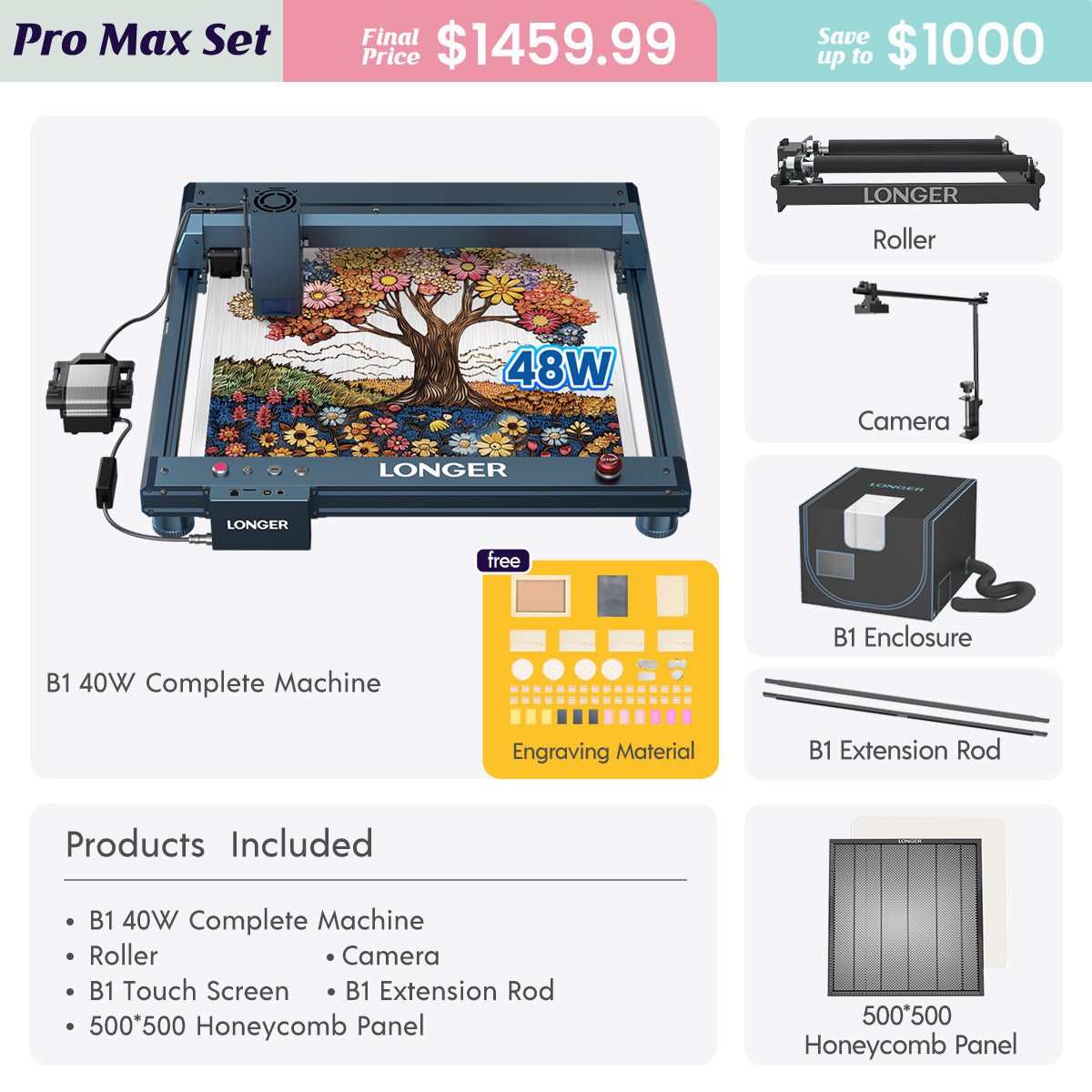
The LONGER Laser B1 40W is designed for powerful and fast engraving tasks. Equipped with a 32-bit motherboard, it supports engraving speeds of up to 36,000 mm/min, making it up to four times faster than standard machines.

Its high-density laser beam increases cutting efficiency by approximately 20%, enabling it to cut materials such as 40 mm basswood and 50 mm acrylic. This strong performance allows users to process not only wood and acrylic but also certain scrap metal applications with improved precision and stability.


Creativity Across Multiple Materials

Beyond plastic and metal, materials such as glass bottles, cardboard, and other recyclables can also be creatively reused through laser engraving.

By combining imagination with technology, waste materials can be transformed into unique artistic works. This approach not only reduces environmental waste but also encourages greater awareness of sustainability and responsible consumption.


Laser Engraving and Earth Day: A Sustainable Vision

Laser engraving is more than a creative tool—it is a bridge between technology and environmental responsibility. It allows individuals to turn discarded materials into valuable creations, supporting a more sustainable future.

To celebrate Earth Day, LONGER is hosting a special event from April 15 to April 30 under the theme “Earth Day”, offering discounts of up to 44% off and savings of up to $830.

This initiative provides more creators with the opportunity to explore laser engraving and participate in environmentally conscious making.


Final Thought

With the right tools and mindset, waste materials can be transformed into something meaningful, artistic, and sustainable. LONGER laser engraving machines empower creators to bring ideas to life while contributing to environmental protection.

This Earth Day, let’s turn creativity into action—transform waste into art and help build a more sustainable planet.

By Laser Engraver Blogs | April 18, 2024
LONGER Laser in Sustainable Development and Environmental Conservation


By Laser Engraver Blogs | April 18, 2024
LONGER Laser Engraver-Choosing the Right laser engraving machine

When deciding on the right LONGER laser engraving machine for your home, it's crucial to consider your needs and preferences, especially when distinguishing between standard and portable models. Here are several factors to consider when choosing the ideal tool.


Size and Portability

When considering a laser engraving machine, the size and portability factor play a crucial role, especially if you need to transport the machine easily or have limited workspace. In such cases, opting for a portable engraving machine is the ideal choice. LONGER Nano, known for its compact size and lightweight design, is perfect for projects where space is limited or for on-the-go tasks. However, if you require more professional-grade cutting capabilities, the LONGER LaserB1 40W is the optimal choice. 

Decoding the differences:portable vs desktop laser engraving machines - LONGER

LONGER LASERB1 40W : Business Opportunities in Personalized Consumer Market

LONGER Nano: 12W Portable Laser Engraver


Power and Engraving Versatility

The laser engraving machine's cutting power and depth control capability are key factors determining its versatility and performance across various tasks. LONGER's diverse range of laser engraving machines, including the Ray5 series with options ranging from 5W to 20W and the LaserB1 series with power outputs from 20W to 40W, offer unparalleled cutting power and precise depth control.

LONGER RAY5 10W Laser Engraver | 10W Laser Cutter

LONGER B1 30W Laser Engraver Machine for Small Business - LONGER


APP Support

Ensure compatibility with your operating system and design software when selecting a laser cutter. Our machines are designed to work seamlessly with LaserBurn, LaserGRBL, MKS and LaserBurn, which have been independently researched by LONGER. Therefore, choose a laser cutter that aligns with your project requirements and preferred software to optimize performance and achieve the best results.

LONGER Download Page 


Product Safety


Safety is among the things to consider when using a laser engraver. By utilizing machines equipped with advanced safety features such as flame detection, movement detection, motionless protection, emergency stop buttons, and eye protection, you can significantly reduce the risk of accidents.

When choosing a laser engraving machine, prioritize user experience. Factor in the brand's reputation and the quality of after-sales service to ensure a positive overall experience. LONGER offers machines equipped with intuitive user interfaces, straightforward controls, and user-friendly engraving software, guaranteeing a seamless and efficient engraving process.

LONGER Contact Page


Customer service

To ensure a smooth customer experience, it's crucial to inquire about the type of customer service offered by the company and whether they provide warranties for technical issues with their products. LONGER provides customer support via email at support@LONGER.net, ensuring prompt assistance in case of any malfunctions or technical problems with the device. This ensures peace of mind for customers, knowing that they can rely on timely support and resolution of any issues that may arise.

Shipping and Warranty Policy - LONGER


Conclusion

With LONGER's eight years of professional research in laser engraving machines, seeking advice from other users with LONGER laser engraving machine experience and reading reviews are also beneficial. By considering these factors, you can make an informed decision and choose the best tool for your needs and preferences.

By Laser Engraver Blogs | April 17, 2024