Laser Engraver Blogs

How to make an object positioning grid for Longer Nano & Longer Nano Pro

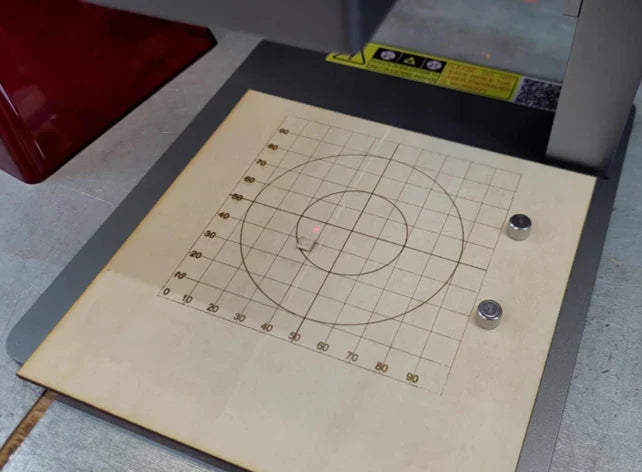
The Longer Nano and Nano Pro offer precision engraving via Galvo technology, but due to manual calibration, users may find the laser misaligned with the machine’s metal base. This guide walks you through creating a custom object positioning grid using plywood and LightBurn to ensure perfect alignment with the laser head. The engraved grid provides a consistent reference point for placing materials like business cards, improving accuracy, repeatability, and reducing material waste. Just be sure not to move the plywood after engraving, as it serves as the fixed alignment guide.

By Laser Engraver Blogs | July 5, 2025
How to engrave black acrylic with Nano series engraving machine

This guide explores black acrylic engraving with the LONGER Nano Pro laser engraver, highlighting differences between cast and extruded sheets, and demonstrating optimal LightBurn settings (speed 10000 mm/min, power 30%) to achieve sharp image quality on cast acrylic surfaces.

By Laser Engraver Blogs | May 7, 2025
LONGER How to: Batch Engraving Business Cards with LONGER Nano Series: A Smarter Way to Personalize Your Brand

Batch engraving anodized aluminum business cards has never been easier or more precise. With the LONGER Nano Series laser engraving machine, creative professionals and business owners can produce sleek, customized cards that leave a lasting impression. This guide walks through the complete process—from setup and positioning to design import and laser parameter adjustment—ensuring efficient and professional-grade results every time.

By Laser Engraver Blogs | April 23, 2025
Safety First: Exploring the Advanced Safety Features of the LONGER Nano Series Engraving Machines

LONGER’s Nano Series laser engravers combine precision and safety with features like real-time temperature monitoring, tilt detection, and flame-retardant shielding. This article details how these safety systems work together to deliver a secure and reliable engraving experience for creators at all levels.

By Laser Engraver Blogs | April 23, 2025
LONGER Research: How can the Nano Series Combines Lightweight Design with High Performance for the Best Laser Engraving Experience?

LONGER Research: How can the Nano Series Combines Lightweight Design with High Performance for the Best Laser Engraving Experience?

ABSTRACT
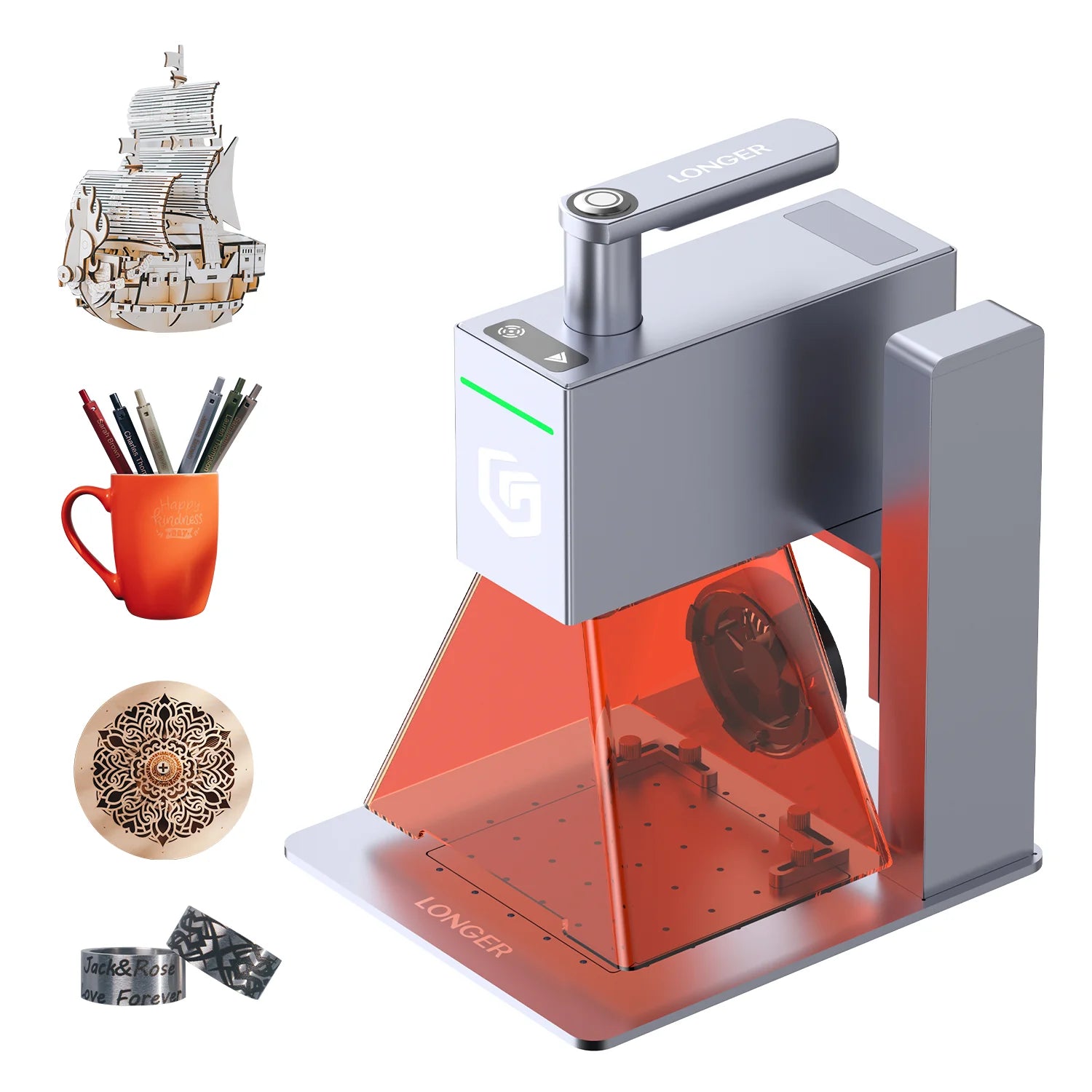
In today’s fast-paced world, efficiency and convenience are essential, especially for those seeking the best laser engraver to handle diverse engraving projects. The Nano series laser engraver, known for its compact and portable laser engraving machine design, exemplifies a balance of lightweight build and high functionality. Here, we’ll explore how this engraver cutter laser model achieves impressive portability while maintaining powerful performance, making it ideal for everything from wood engraving to intricate stone engraving.

1. Lightweight Design of the Nano Series

From the outset, the Nano series was designed as a portable laser engraver, with a focus on a streamlined layout that reduces unnecessary components and weight without compromising functionality. By integrating components like the main board, laser head, lenses, sensors, and galvanometer motors into a compact structure, the Nano series achieves the power of a full-sized laser cutter and engraver in a much smaller, lighter form. 

Constructed from lightweight but high-strength aluminum alloy, this portable engraver prioritizes durability alongside weight reduction, creating an engraving machine for jewelry, glass, wood, and other materials. At a fraction of the weight of traditional frame lasers, the Nano series still provides outstanding power and precision, earning it a place among the best laser engravers for portability without sacrificing quality.

2. High Performance Capabilities of the Nano Series
The high-performance aspects of the Nano series cover several key features:

(1) Laser Power
Equipped with high-power imported diode laser heads, the Nano series laser cutter offers significant power advantages. For example, the Nano Pro incorporates two high-performance laser chips, reaching up to 12W, providing a 20% increase over the more common 10W laser heads. This power boost enables the Nano Pro to cut wood up to 10mm thick and engrave color on stainless steel, making it a top choice as a laser engraver for wood and other materials.

(2) Engraving Speed
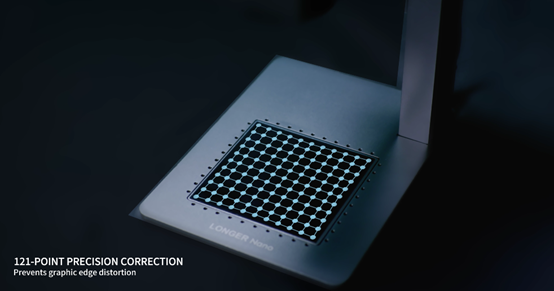
Using a high-speed galvo system, the Nano series enables engraving speeds that exceed those of traditional frame-based machines. Additionally, its unique distortion correction algorithm ensures precise laser beam positioning, making it highly effective for detailed wood engraving, glass engraving, and stone engraving applications. With speeds up to 5000mm/s and a preview speed of 32000mm/s, the Nano series stands out as a fast, reliable handheld laser engraver.

(3) Safety Measures 
Prioritizing user safety, the Nano series laser engraver includes temperature sensors and accelerometers. The laser engraver automatically shuts off if it detects sudden tilting or drops, providing peace of mind during operation. Additionally, the protective enclosure, made from a flame-resistant material, intercepts over 99.5% of blue light, protecting users’ eyes from potential harm (although proper laser goggles are always recommended during operation).


Conclusion
Combining portability, high performance, and safety, the Nano series is truly the best laser engraver for users who need a reliable, portable laser engraver and cutter for various materials and applications. Whether you’re setting up a little machine shop store or crafting intricate designs at home, the Nano series is the versatile, powerful solution you’ve been looking for.

By Laser Engraver Blogs | February 17, 2025
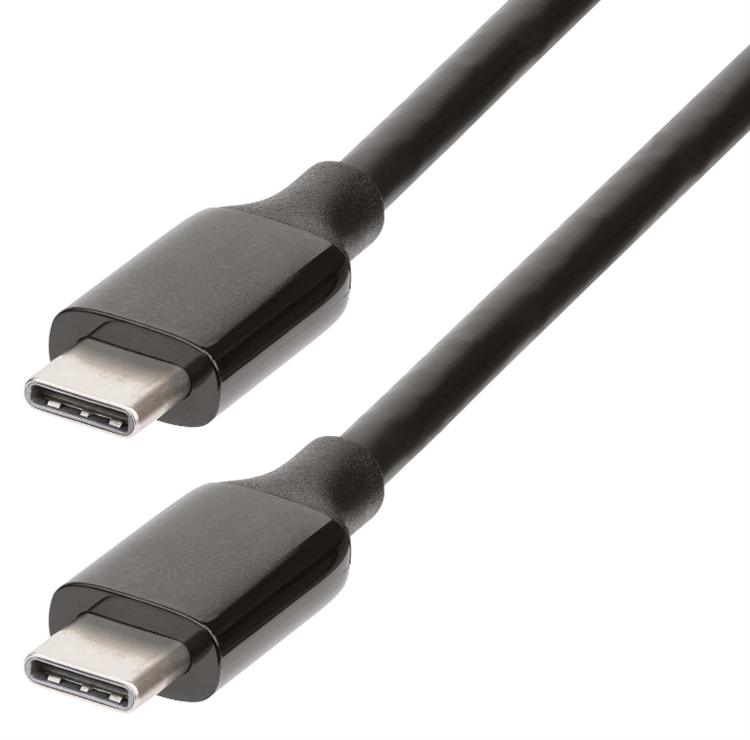
Type-C cables for Longer Nano

Longer Nano Series (Longer Nano Pro 12W and Nano 6W) is a powerful and versatile laser engraver, as it allows you to engrave multiple types of materials anywhere thanks to its compact size. Adopting the latest technologies, it allows it to be used in a practical and simple way, and for this reason all its connections are made via USB Type-C cables. Type-C cables allow a stable and secure connection, but at the same time they are easily usable cables even without particular problems; however, not all Type-C cables are created equal, and the differences are often not easily recognizable. Therefore, if one of the Type-C cables in your Longer Nano needs to be replaced as a result of loss or damage, you should carefully choose a Type-C cable that does not cause any problems.

USB Type-C cables have become a common standard for charging and data transfer in many modern devices, from mobile phones to laptops. However, their specifications can vary greatly, affecting performance and type of use. One of the most important aspects to consider in Type-C cables is their voltage and current capacity. Some cables only support 5V and a few milliamps (mA), making them only suitable for charging low-power devices such as earbuds. Other cables, on the other hand, can support much higher currents, up to 5A, allowing fast charging of devices such as smartphones and laptops. In addition, some cables are designed to support higher voltages of up to 20V, which is essential for fast charging. Fast charging is a feature of Type-C cables that adopt Power Delivery (PD) technology, which can provide up to 240W of power, allowing you to quickly charge devices such as laptops and tablets. Due to the great power, it is important that the cable is certified for fast charging, to avoid compatibility and safety issues.

When a device is connected to a PD-compatible power source, these two communicate with each other to determine the amount of power needed. Then both the voltage and current are adjusted according to the needs of the device, providing exactly the amount of energy required. PD technology supports various voltage levels, ranging from 5V up to 20V, in intermediate increments of 9V and 15V, allowing it to adapt to different power needs.

Another issue to keep in mind is that some cables are designed for charging only and do not support data transfer. Only cables certified to the USB 3.1 Gen 2 standard can transfer data at very high speeds of up to 10Gbps, so if you need to transfer large amounts of data, it's essential to choose a cable that supports fast transfer speeds.

So, based on these premises, when it is necessary to replace one of the Type-C cables of Longer Nano it is good to choose a cable compatible with PD and USB 3.1, so as to be sure that everything works at its best. When choosing, keep in mind that thicker cables can support higher currents without overheating, they also use better materials for connectors and internal wires, reducing resistance and improving the efficiency of charging and data transfer. Certifications are also important, so a cable from a certified brand, which ensures full compatibility with PD and USB 3.1 can be a good choice. Usually cables equipped with these characteristics also integrate a display that indicates the instantaneous power supplied, and which can therefore guarantee their full compatibility with the assigned task.


By Laser Engraver Blogs | October 19, 2024
LONGER Research: Engrave everywhere with Longer Nano

Engrave everywhere with Longer Nano

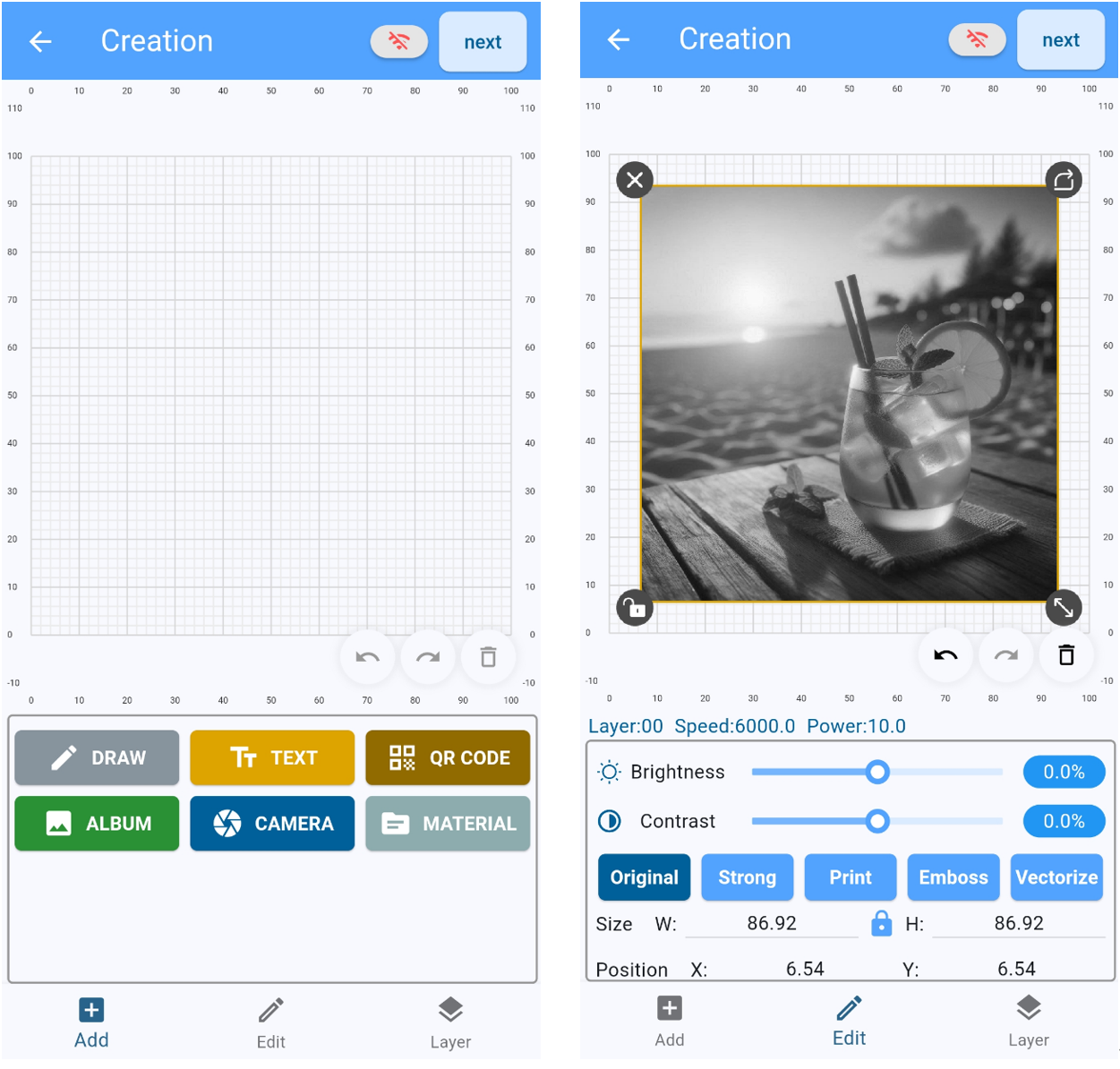
Longer Nano is an innovative and powerful laser engraver, capable of engraving various types of materials quickly and anywhere. The strength of Longer Nano, based on its portability and ability to make engravings anywhere, is ensured by the Longer Laserburn smartphone App; This app is able to process various types of images, both graphic and vector, and depending on the type of image chosen it is possible to choose different engraving methods.

Engraving of graphic images
Graphic images are those in jpg, png, etc format, and are the most common type of images.
Within Longer Laserburn you just need to select the Creation menu, then just upload a graphic image from your smartphone's gallery.

After importing the graphic image you can choose various types of effects, change the size, as well as change the brightness and contrast of the photo. Keep in mind that graphic images are greatly affected by resizing, as they are composed of pixels, and excessive magnification can result in a loss of resolution.

Finally, in the Layers menu, you can set the engraving parameters. As far as graphic images are concerned, the ideal Processing Method is Engrave, which results in a series of lines engraved one after the other, until the image is completely realized. The number of lines per mm can be set via "Accuracy" according to your preference, keeping in mind that more lines to be engraved takes longer.

Engraving vector images
Vector images are those in svg format, and are a less common type of image than graphic ones, however they are widely used to make logos and are usually presented in black and white.
Within Longer Laserburn you just need to select the Creation menu, then just upload a vector image from your smartphone's gallery. An excellent website to retrieve vector images can be https://www.freepik.com/.

After importing the vector image, you can only change the size, as vector images do not have any editable graphic properties. On the other hand, vector images are not affected by scaling, so they can be scaled infinitely without ever losing in terms of definition.

Finally, in the Layers menu, you can set the engraving parameters. For vector images, you can choose whether to keep only the perimeter of the image or to insert a fill as well, so as to obtain various types of engraving effects.
In addition, it is also possible to choose between two different Processing Method methods, namely Engrave or Cut; as mentioned, Engrave results in a series of lines engraved one after the other, until the image is completely realized, while Cut follows exactly the perimeter of the image. Therefore, it can be deduced that Cut is better suited to engrave vector images without fill, composed only of the perimeter, while Engrave is more suitable for engraving vector images for which it has been decided to add a fill as shown above.


By Laser Engraver Blogs | October 14, 2024
LONGER Research: Introduction to Color Engraving on Stainless Steel with Nano Pro 12W
Principle of Laser Color Engraving
The technology behind color laser engraving varies by material but primarily relies on two core methods: first, the natural generation of color through oxidation reactions; second, the use of coloring agents to achieve the desired color effects.

For color laser engraving on stainless steel, the techniques are mainly divided into two categories: the first involves the laser beam instantaneously heating the metal surface, triggering physical or chemical reactions that alter the surface color. The second involves the formation of colored oxides on the metal surface or the generation of a transparent, colorless oxide layer, which displays various colors through thin-film interference effects.
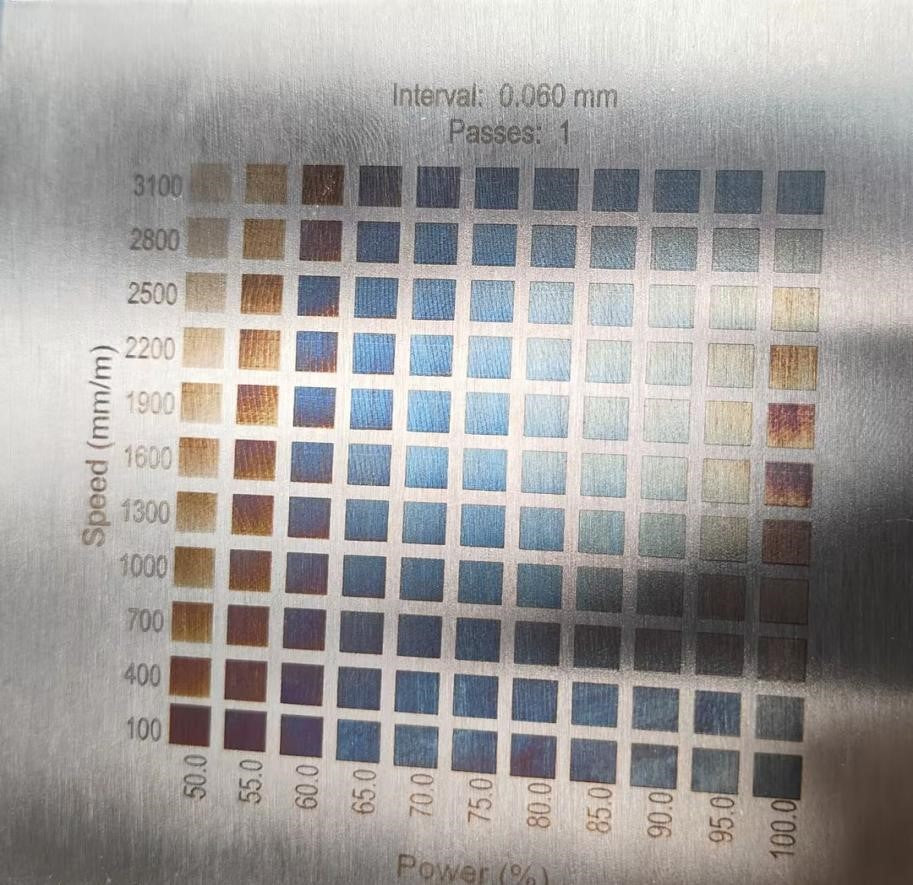
By precisely adjusting key parameters such as laser power, engraving speed, spacing, and the number of passes, users can effectively control the reaction depth on the metal surface, achieving a variety of color effects to meet different processing needs.

Engraving Parameters for Color Engraving on Stainless Steel
How to Use Nano Pro to Test Parameters for Different Colors on Stainless Steel?

This color engraving parameter guide is based on the LONGER Nano Pro model, using stainless steel as the metal material.

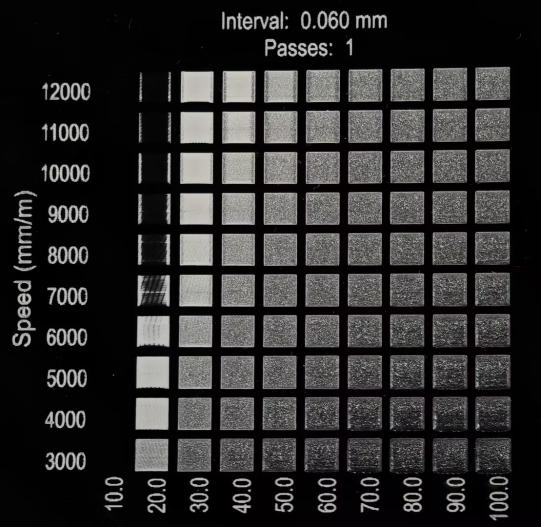
With the "Material Test" function in LightBurn software, the preparation process for engraving parameter test files is significantly simplified. Users can enter relevant parameter ranges in the "Material Test Generator" to automatically generate test files. Key parameters include Power, Speed, Interval, and Passes; these combinations directly affect the resulting colors after engraving. By setting appropriate parameter ranges based on the specific dimensions of the material, users can generate the corresponding engraving test files.

The operation process is illustrated as follows: first, launch the LightBurn software, import the configuration file, select the correct COM port, and load the Nano Pro machine configuration. When the console displays "Nano Pro connected successfully," click "Laser Tools" in the toolbar to continue.

In the second step, as shown in the image, after clicking "Laser Tools" in the toolbar, select the "Material Test" function. The system will pop up the matrix parameter settings interface. Here, users can set the required matrix parameters for testing. For the Nano Pro model, the recommended parameter range is Power 50% to 100%, Speed 1000 mm/min to 3000 mm/min, using an 11x11 matrix layout. Ensure all parameters are set correctly, then click "Start" to initiate the engraving test.


After the engraving test is complete, the system will generate a colorful matrix (as shown in the image). Users can select their desired color from the matrix and find the corresponding laser power and speed. The horizontal axis of the matrix represents the power parameters, while the vertical axis represents the speed parameters, allowing users to easily determine the required engraving settings by matching coordinate positions.


How to Create Colorful Engravings

Open LightBurn software, click File -> Import to import the layered image file into LightBurn, and then connect to the Nano Pro machine.

As illustrated, we import the image and perform layer separation on the vector image:
1. First, select the part of the vector image to be engraved.
2. Click in the lower right corner to set Layer 1.

3. As shown in the image, we set the butterfly part as a layer.
4. Next, set Layer 2.

5. As shown in the image, select the central part of the butterfly.
6. Then, set Layer 3.

Finally, we obtain the complete layered vector of the butterfly, as shown in the image. We then match the corresponding parameters for the desired colors. Once completed, engraving will yield the desired colorful image.

We end up with a blue butterfly.


Precautions for Nano Pro Color Engraving on Stainless Steel
Minimum Power
It is crucial to note that when engraving stainless steel, the power must be maintained at over 50%. Power below 50% may result in colors that are too faint, with the engraving primarily yielding a single yellow color. The engraving effect is closely related to laser power, making precise adjustment essential for achieving the ideal color.

Minimum Thickness and Surface Finish of Stainless Steel**
During the engraving process, overly thin stainless steel plates may deform due to heat accumulation. It is recommended to choose stainless steel plates with a thickness of at least 2 mm. Additionally, for surface treatment, it is advisable to use matte or brushed stainless steel for better engraving results. Industrial-grade stainless steel plates or mirror-finished stainless steel are not recommended, as these materials may not perform optimally in laser engraving.

Ensure Engraving is Level
When using the recommended engraving parameters, ensure the laser is accurately focused and that the Nano Pro device is placed level. If the focus height is incorrect, it will directly impact the uniformity and accuracy of the engraving colors. Therefore, it is essential to calibrate the focus height before each operation to ensure the best engraving results.
By Laser Engraver Blogs | October 12, 2024
From Desktop to Handle: LONGER Laser Nano - LONGER
From Desktop to Handle: LONGER Laser Nano

LONGER, a well-established brand known for its diverse range of desktop engraving machines, has expanded its portfolio to include portable laser engraving machines. These portable devices offer a multitude of advantages over their desktop counterparts, making them increasingly popular among users. Here are some key benefits of LONGER portable laser engraver-Longer Nano.

By Laser Engraver Blogs | October 11, 2024
LONGER Nano: Revolutionizing Curved Surface Engraving with Distortion-Free Precision

LONGERs Nano Pro 12W is not just another laser engraver its a groundbreaking tool equipped with advanced technology that takes precision to new heights. Designed for professionals and hobbyists alike, the Nano Pro is capable of curved surface engraving and ensures distortion-free results thanks to an algorithm developed exclusively by LONGER. Whether you're engraving cups, bottles, or any other uneven surfaces, the Nano Pro handles the job with ease and perfection.


Nano Pro 12Ws standout feature is its ability to engrave on curved surfaces without distortion. The exclusive LONGER-developed algorithm makes this possible by adjusting the laser in real-time to follow the curvature of the material, delivering clean, sharp engravings even at the edges where distortion is often a problem with traditional machines. Whether you're working with cylindrical objects like cups or mugs, Nano Pro ensures every detail is captured with stunning clarity.

Nano seires has the only engraver equipped with LONGER's proprietary algorithm, which intelligently adjusts for surface irregularities to maintain flawless accuracy across curved and uneven surfaces. Nano excels at engraving not only flat materials like wood, leather, and metal, but also a wide range of curved surfaces, expanding the possibilities for creative projects. The distortion-free edge engraving is perfect for intricate designs that extend to the outermost areas of the material, ensuring uniformity and precision from center to edge.

Weighing just 1.2kg, the Longer Nano is perfect for creators on the move. Its lightweight design allows for both portability and handheld engraving. Available in 12W and 6W power options, Nano Series cuts through wood up to 10mm thick, making it one of the most powerful compact laser engravers in its class. Along with its exceptional precision 0.01*0.01, the Nano Pro 12W sets new standards for speed, operating at an impressive 5000mm/s. As the fastest portable laser engraver on the market, it allows users to finish projects in significantly less time compared to other devices. This remarkable speed, combined with its precision, positions the Nano Pro 12W as a breakthrough for those seeking efficiency without sacrificing quality.


The Longer Nano series delivers exceptional user-friendliness, suitable for both beginners and experts. Notably, its the first portable laser engraver with seamless support for LightBurn and LaserGRBL, a feature officially recognized by Diego, LaserGRBLs developer. With the LaserBurn app, created by LONGER, users can manage the Nano effortlessly from their devices, making the engraving process more efficient and enabling endless creative possibilities.


LONGER Nano Pro stands out from the competition by offering professional-grade features in a compact, affordable package. Its ability to engrave curved surfaces without distortion opens up new creative possibilities for personal and commercial use. Whether youre engraving on flat materials or crafting on rounded surfaces, the Nano Pro is designed to handle it all with precision and ease.


With the Nano Pro, LONGER continues to push the boundaries of whats possible in laser engraving, making it the ideal tool for anyone looking to add detailed, professional-quality engravings to their projects.


By Laser Engraver Blogs | September 26, 2024