

Trending searches
大车 ($0)
Longer B1 30W & 40W has a laser module capable of engraving and cutting multiple types of materials. However, depending on the type of work that is carried out, it is possible that a fair amount of smoke is produced, which can inevitably settle on the lens of the laser module and therefore blur it. Once the lens of the laser module is dirty or clouded, the laser beam can no longer pass through it and therefore the emission of the laser module is drastically reduced. As a consequence, more and more power will be needed to engrave the same materials already engraved previously, until it will be practically impossible to engrave any type of material even setting 100% power. This problem occurs most when an air assist system is installed but not enabled; In fact, an Air Assist system allows you to create air pressure in the vicinity of the lens, thus preventing smoke and dust from settling easily on the lens.
In order to solve this problem, it is necessary to proceed to cleaning the lens of the laser module; Once the lens is cleaned, the laser beam can pass through it without suffering losses and therefore the materials will be engraved or cut again to perfection.
To proceed with the cleaning of the lens of the laser module of Longer B1 30W & 40W it is necessary first to completely disassemble the laser module. After separating the laser module from the rest of the machine, remove the four screws shown in the figure:
Once the four screws have been removed, the protective shield will be removed from the laser module, which will appear as shown in the figure. At this point, to remove the air assist nozzle, unscrew the small screw located on the side of the nozzle.
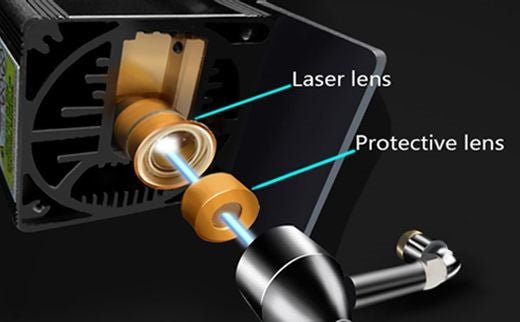
The laser module of the Longer B1 30W & 40W has a factory-installed protective lens, which can be unscrewed and cleaned separately from the laser module. This lens is a simple protective glass, and has no focusing function, for this reason it can be removed and cleaned/replaced. After removing the protective lens, you can proceed to clean the lens with the use of a cotton swab soaked in alcohol. Be careful to prevent alcohol from entering the inside of the lens.
Use one or more cotton swabs soaked in alcohol, until the lens is completely clean and free of dirt; at this point, therefore, you can proceed to screw it to the laser module and reassemble the laser module of Longer B1 30W & 40W. At the end of the cleaning procedure, you can proceed to engrave a sample file contained in the microSD card of Longer B1 30W & 40W, so you can evaluate the total restoration of the functionality of the laser module. If the lens is too much dirty and cannot be cleaned, you can contact us for buying a replacement spare part. In order to keep the lens always clean, remember to keep enabled the air assist, this will help the engraving quality.
As Mother's Day approaches, the familiar question arises: what gift will truly capture the essence of our appreciation for Mom? A beautiful dress? Or perhaps an exquisite watch? While these gifts are undoubtedly popular, have you ever felt that they're too commonplace to fully express your gratitude and love for your mom on Mother's Day?
In fact, no matter how exquisite store-bought gifts may be, they can't compare to the significance of handmade gifts from children in a mother's heart. Whether it's a handmade three-dimensional photo, a ceramic mug, or a handcrafted necklace, these gifts can make a mother feel something beyond monetary value—your love can be fully showcased before her.
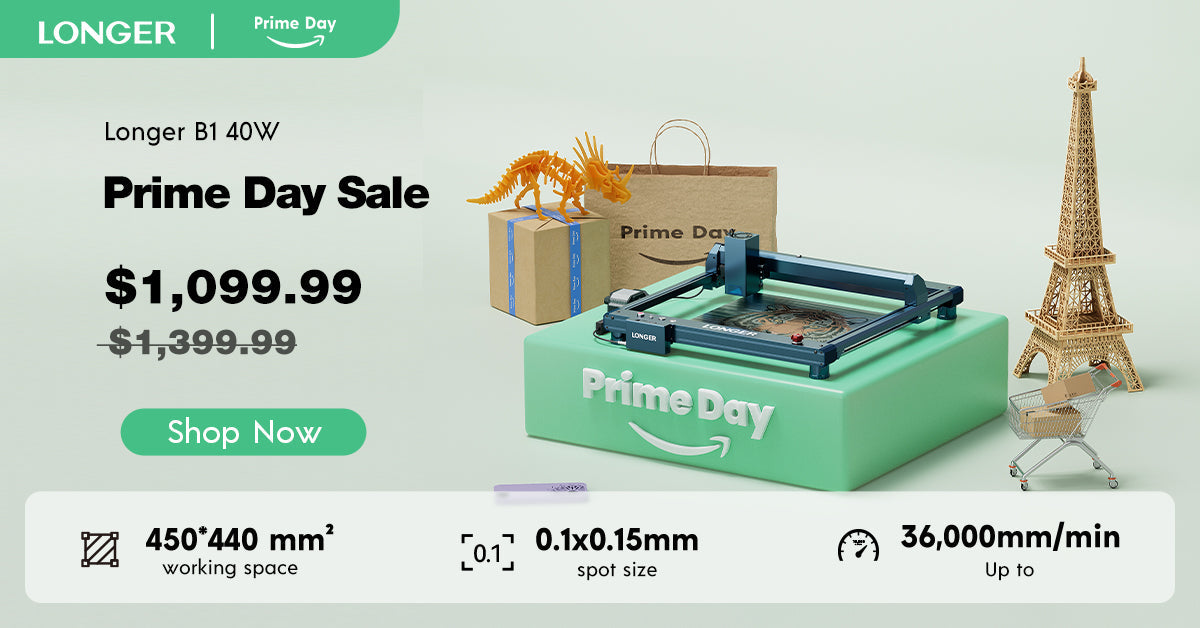
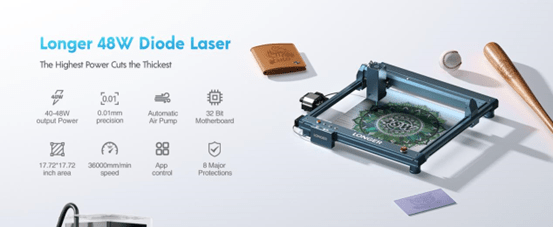
And now, the Longer LaserB1 40W is a product that perfectly caters to your needs. Improved with the latest spot compression technology, it can effortlessly engrave on materials like 0.15mm thick stainless steel plates or 50mm thick black acrylic. With an engraving speed of up to 36,000 millimeters per minute, it can help you swiftly complete tasks while maintaining quality. The engraving area reaches 450mm*440mm, 27% larger than before, allowing your creativity to flourish whether it's a big or small gift. You can also use it together with your mom to create gifts, enjoying the collaboration between parent and child and crafting pieces that embody mutual effort, adding even more sentimental value. And rest assured, the LongerB1 40W boasts eight layers of safety protection, with a sturdy framework ensuring high safety standards.
Mothers often play the role of selfless givers in our lives, offering unwavering support and love. When we sincerely offer gifts made with our thoughts and time, her happiness at that moment will likely surpass anyone else's.
In summary, the Longer LaserB1 40W won't disappoint you, and your mom won't be disappointed either. If you're interested in purchasing, don't miss the LONGER Mother's Day event from May 9th to May 24th. Apart from the LongerB1 40W, there are more laser engraving and 3D printing machines that will bring happiness to both you and your mom, with discounts of up to $1000! Give her a gift that will be remembered for many years, letting your mom feel your most unique sincerity.
On Mother's Day, let us take the time to appreciate the hard work and sacrifices of our mothers. Whether it's through a special gift or a warm message, let's express our deep love and respect for them. May all mothers feel our boundless love and admiration on this special day, as they are the most precious beings in our lives. Let your creativity shine with the Longer LaserB1 40W, and celebrate the love and appreciation you hold for your mother in a truly unforgettable way.
LONGER laser engraving machines combine quality, affordability, and user-friendly features, making them the preferred choice for home users, hobbyists, and small businesses seeking precision and ease of use in their engraving and cutting projects.
Laser engraving machines, as an efficient and precise product of modern technology, are gradually gaining attention from entrepreneurs. So how can you achieve business success with a laser engraver? In this article, we will take the LONGER LaserB1 40W as an example, to provide you with an in-depth analysis, to seize the opportunity of the personalized consumer market.
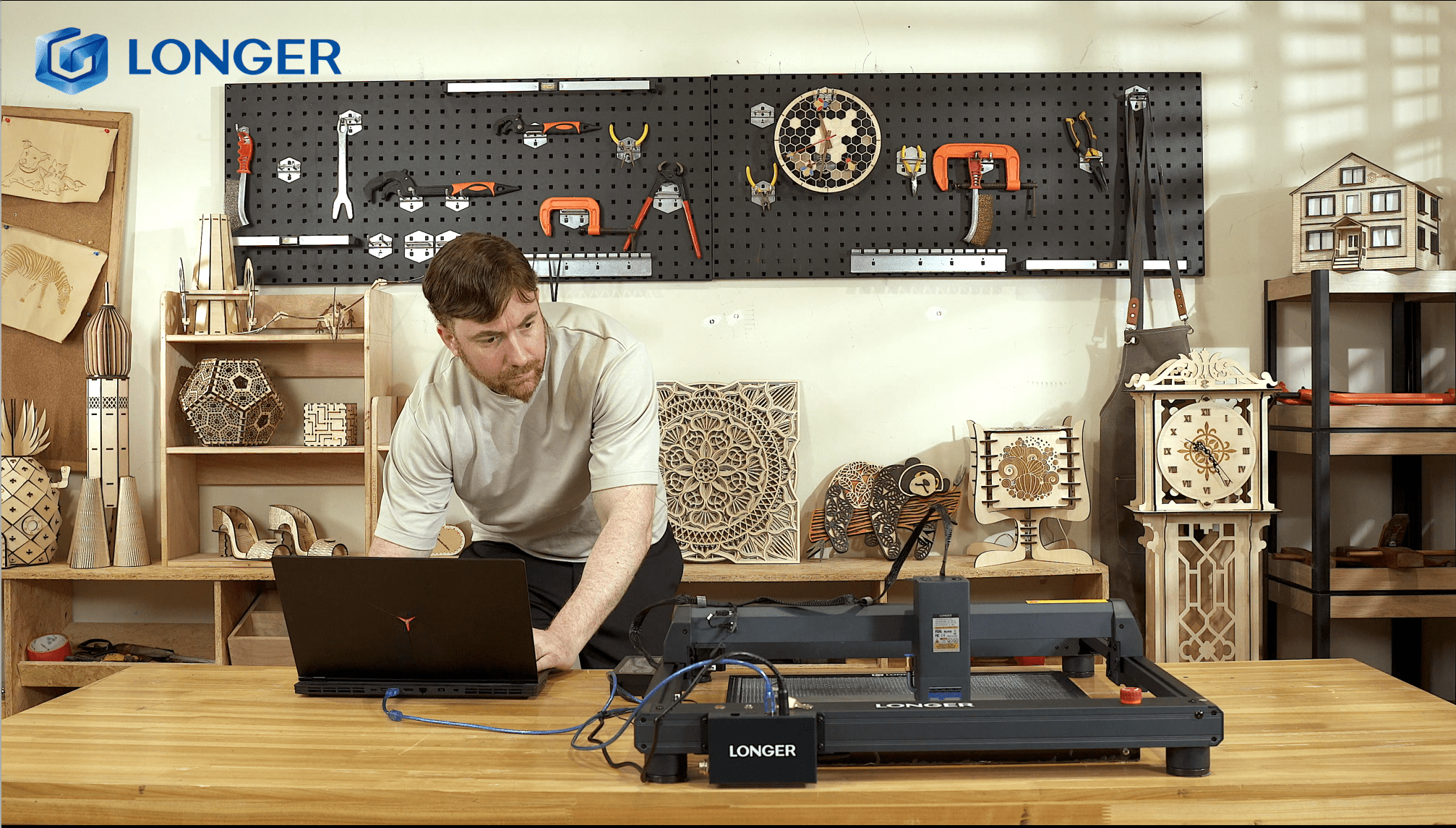
In the previous Longer Academy article, it was seen how to properly connect the Longer B1 with the Longer Laserburn app. After successfully completing the connection, you can start using the app to control the laser engraving and process the files to be engraved.
Longer Laserburn allows you to move the laser within the work area, switch the laser beam on and off, define the homing position, transfer files, start an engraving, monitor engraving information, enable air assist and so on. Thanks to Longer Laserburn, your Smartphone becomes not only a remote display for Longer B1, but also a powerful device for processing your work. After the connection is successful, remote use can be operated.

The Longer Laserburn Home screen shows at the top the current X/Y coordinates and the S intensity of the laser, while at the bottom there are some buttons to access the corresponding submenu.
1. Creation
It allows you to process an existomg image or create new image file, and slicing for engraving, exactly as you do when using desktop Lightburn, in an easy and comfortable way from your smartphone. The section “material” contains some sample images, to use as test engraving or test cutting; also, “text” will allow you to create some personalized messages, and it’s also possible build some QRcodes directly from app.
A.Import an image or create your personalized image file directly in app.
B.In the next step you can edit the image by manually setting brightness, contrast and other effects, including the dimensions and positions.
C.In the last step you can configure file engraving speed, laser power, M3/M4 mode and more, as fill or line mode, air assist, and many other settings exactly as you usually do with Lightburn for laptop. Like for Lightburn, you can set different Layer settings in Laserburn app, in order to set different parameters for each image to engrave.

D.After finishing adjusting the parameters, you can slice and upload it via WiFi to the B1 microSD. After B1 has received it successfully, you will enter the engraving page from which you can monitor the progress of the processing status.

2. Control
It allows you to move the laser module within the processing area and different steps and speed of movement can be set; you can also go back to homing, define a new homing position, turn the laser beam on and off, etc.

3. Material
There are some graphic samples to be used to determine the best parameters for engraving or cutting on different materials. Once you have chosen the image to carry out the various tests, set the various parameters (please refer to the "Creation" paragraph).

4. Files
The list of files on the microSD card inserted inside Longer B1 is shown, and you can select a file to engrave again.

5. History
This is the record of the files engraved or cut previously. You can monitor which files you engraved or cut already, and how many times you processed them already.

Longer B1 adopts a mainboard characterized by wireless technology, microSD card reading, touchscreen display with graphic interface (you can buy it separately) and total interaction with your smartphone through the MKSLaser application by default.
However, recently we released a new and more powerful phone app, Longer Laserburn. This app, available for Android and iOS, allows you to emulate the screen of Longer B1 directly on the screen of your smartphone, and also allows you to create and edit files exactly like Lightburn does on PC. In fact, similar to Lightburn, Laserburn allows you to create and edit image files and vector files, and it is possible to set different parameters of power and speed of cutting and engraving, with the possibility of differentiating the work process in various layers. To simplify, the processing method with Laserburn is very similar to that of lightburn, so it is really easy and intuitive.
In order to be able to use Longer Laserburn, you must first update the firmware of your Longer B1.
NOTE: After the firmware update, MKSLaser App and Web Browser Interface cannot be used anymore, but this firmware will allow you to use our newer Longer LaserBurn App.
Therefore, you need to do the following steps.
1) First, download the following package for Longer B1. This package includes respectively the new firmware and the configuration file to import using LaserGRBL:
2) Next, download the MKSLaserTool update software, install and launch the application.
https://drive.google.com/file/d/1KXFudeke1sTATLbbrk4EyCvNW9mEteq7/view?usp=sharing
3) After starting MKSLaserTool, click on MKS ESP32 Download Tool, then select the right port, baud rate 921600 and for last the .bin update firmware downloaded previously. Once ready, click Start and wait for the whole process, until it will prompt "firmware successfully flashed" after the update is completed.

4) At the end of the firmware update process, close MKSLaserTool and open LaserGRBL (if you don't have it installed on your computer please download and install it first from LaserGRBL website). Once ready, select the Configuration File downloaded before, import it, and for last write it over Longer B1. After these steps, the configuration file update will be completed automatically.

At this point, the Longer B1 has been successfully updated and now it's possible to use the Longer LaserBurn, with your smartphone. Longer Laserburn can be downloaded in a stable version from Google Play Store (Android) and Apple App Store (iOS) by simply searching for "Laserburn" and proceeding to download.
For Android, you can also preview beta releases, which gradually include new features: https://www.pgyer.com/1rJgnv
After installing Longer Laserburn, there are three connection methods.
Power on Longer B1 and connect your phone to the Wi-Fi network named 'LongerLaser_'.
The Wi-Fi password is: 12345678. Open the Longer Laserburn app, click "Not Connected", device management, then input the IP address 192.168.0.1 to connect to the app.

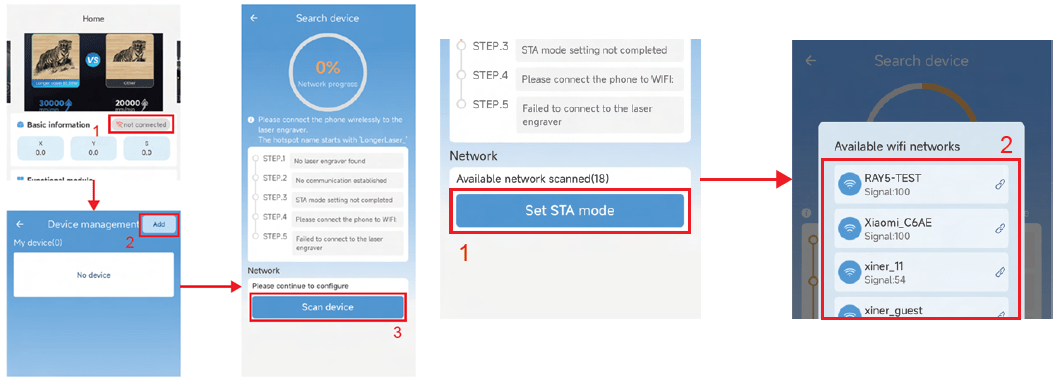
Open the LaserBurn app, click "Not Connected", then click "Add" to scan and add the device. First, connect your phone to the Wi-Fi network named 'LongerLaser_'. The Wi-Fi password is: 12345678.
After this, click "Set STA mode", select the Wi-Fi network you want to connect to, and establish the connection.

Longer B1 adopts a mainboard characterized by wireless technology, microSD card reading, and total interaction with your smartphone. Therefore, the Longer B1 can be controlled either via the classic USB interface using a laptop; but that's not all, as you can expand the functionality of the Longer B1 by adding a touchscreen display with graphic interface.

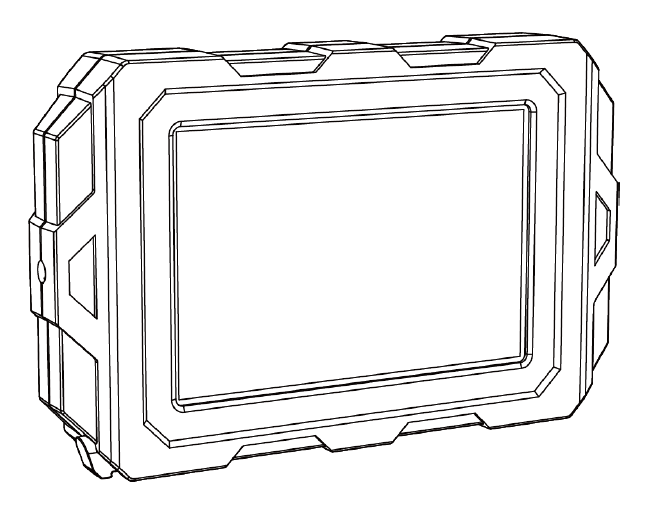
The touch screen for Longer B1 is easily connected to the machine thanks to its magnetic surface, and you simply need to plug its cable into the appropriate port of the Longer B1. Once properly connected, the display is equipped with an intuitive graphic interface, through which you can consult the list of working files on microSD, choose and start an incision, move the axes and fix the "homing" position, turn on and off the laser beam and establish the wireless connection between Longer B1 and your Wi-Fi internet connection. In this way, thanks to the display, you can control the machine more easily and quickly, without having to use complicated laptop software.

As mentioned, the touch display for Longer B1 is really plug & play, but in order to use it on the machine you may need to update the firmware of Longer B1 first.
NOTE: After the firmware update, MKSLaser App and Web Browser Interface cannot be used anymore, but this firmware will allow you to use our newer Longer LaserBurn App.
Therefore, after connecting the touch display, then you need to do the following steps.
1) First, download the following package for Longer B1. This package includes respectively the new firmware and the configuration file to import using LaserGRBL:
2) Next, download the MKSLaserTool update software, install and launch the application.
https://drive.google.com/file/d/1KXFudeke1sTATLbbrk4EyCvNW9mEteq7/view?usp=sharing
3) After starting MKSLaserTool, click on MKS ESP32 Download Tool, then select the right port, baud rate 921600 and for last the .bin update firmware downloaded previously. Once ready, click Start and wait for the whole process, until it will prompt "firmware successfully flashed" after the update is completed.

4) At the end of the firmware update process, close MKSLaserTool and open LaserGRBL (if you don’t have it installed on your computer please download and install it first from LaserGRBL website). Once ready, select the Configuration File downloaded before, import it, and for last write it over Longer B1. After these steps, the configuration file update will be completed automatically.

At this point, the Longer B1 has been successfully updated and the touch display will be successfully recognized, and will therefore be fully functional. Also, thanks to the new firmware, now it’s possible to use the Longer LaserBurn, in order to engrave using your smartphone.
The Touch Screen for Longer B1 Laser Engraver is available for sales at the following link:
Laser Engraver Touch Screen for Laser B1 – LONGER (longer3d.com)
Longer B1 is a Laser Engraver characterized by an output of 20w or 30w or 40w, depending on the user's preference, and a large working area of 450 x 440 mm. In this way, each customer can meet their own needs, both in terms of power and size.
However, in order for the entire work area to be fully usable, the surface on which Longer B1 has been placed must be totally flat and level. This, in fact, is very important as the laser module must always be at the same distance from the work surface, so as to always maintain the right focus distance. If the plane is irregular, there may be some points where the focus distance is correct, some points where the distance is too short, and some points where the distance is too great; Obviously, in places where the distance is too large or too small, it happens that the focus is lacking, and therefore the laser engraving inevitably loses quality at these points.

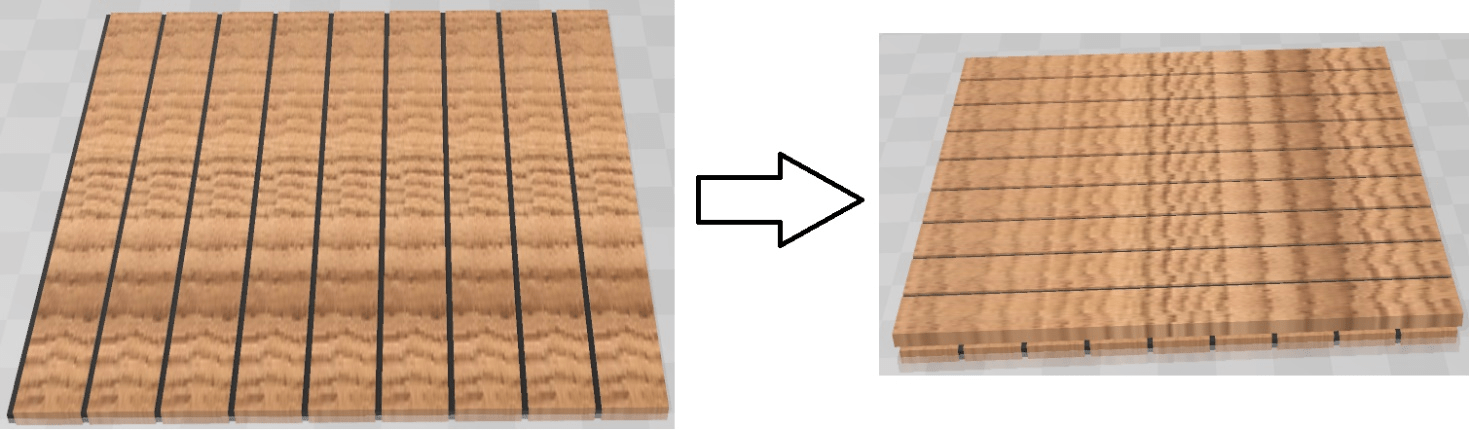
To effectively solve the problem, you can try to grind the work surface, especially when the worktop has only small irregularities, in the order of a few millimeters. To rectify the worktop, you can proceed in this way: using wooden boards (taking care to choose them perfectly flat and without curves) you proceed to create a first layer to be screwed onto the worktop. Then, again using other wooden boards, a new layer is created, to be screwed onto the previous layer in the opposite direction.

In this way, each layer tends to reduce the curvature error of the workplane, and the more layers are added, the greater the grinding of the workplane. Usually, for small irregularities, two rectified layers are sufficient to make the irregularities of the worktop negligible. At the end of the procedure, the surface will allow the laser module to always have the same distance at every point of its engraving area, and therefore the entire area of 450 x 440 mm can be used correctly without losing quality due to poor focusing.

Finally, to protect the newly created worktop from accidental damage caused by the laser beam, as well as improve the engraving and cutting quality, you can get the Longer Honeycomb Working Table. Its structure is similar to that of a honeycomb, and it is made of aluminum and steel. Thanks to the presence of regular holes, this surface allows the laser to pass through the machining and thus cut the material more easily, while also leaving gaps for gases and particles produced during the cutting process to escape. In addition, the honeycomb minimizes contact between the material to be cut and the worktop, reducing the risk of damage to the worktop itself; In addition, the honeycomb structure provides solid support to the material being processed, preventing the surface of the material from bending or deforming during laser cutting. Longer Honeycomb Working Table, available in various sizes, is certainly an essential accessory to complete the Longer B1 worktop in the best possible way.

Small businesses are ditching cookie-cutter products and embracing laser engraving, the once-secret weapon of giants. Now, entrepreneurs infuse their creations with individuality, thanks to brands like Longer, a leader in 3D printing and laser engraving innovation.
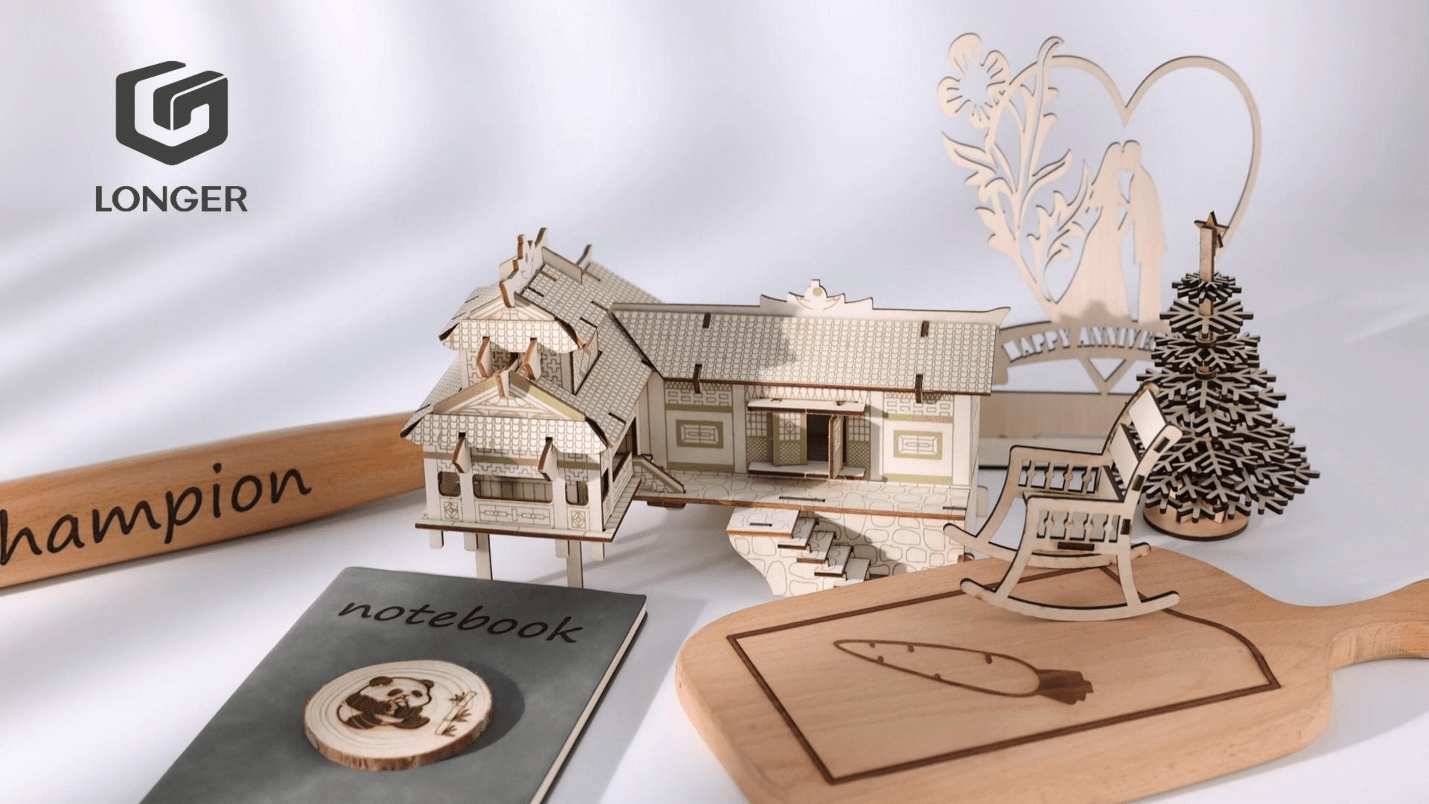
The Laser B1 isn't just a tool; it's a workshop revolution. This 30W powerhouse opens a world of possibilities: detailed logos on coasters, heartfelt messages on jewelry, and personalized phone cases that tell unique stories. It's the key to unlocking a future where every creation is a bespoke masterpiece, as distinctive as the artisan behind it.
Background of Longer
Longer was established in 2016 by two brilliant professionals Dr. Law from the Georgia Institute of Technology and Dr. He from the Massachusetts Institute of Technology. With their passion for technology, they wanted to make great changes in the 3D printing and laser engraving landscape. Their secret weapon? A deep understanding of these game-changing technologies and a bold vision – to make them accessible and affordable for everyone, not just big corporations.

Fast forward to today, and Longer's journey is nothing short of impressive. They've ripped RepRapPro, a leader in 3D printing, and unbridled a whole line of ground-breaking products. However, the Laser B1 is a pioneering product, a testament of the unwavering commitment of its founders in creating innovative technological products that can be used by creators, entrepreneurs, and makers from all walks of lives. So, next time you see something laser-etched that makes you say "wow," remember Longer – the name behind the magic, fueled by the dreams of two brilliant minds.
Introducing the Laser B1 Engraver: Your Small Business Superhero in a Box
Picture a machine that can bring your creative visions to life with the precision of a Swiss watch and the speed of a lightning bolt. Enter the Laser B1 30W engraver, the standout hero in our product lineup and the ultimate ally for small businesses like yours.
This is no ordinary laser engraver. It's a powerhouse, armed with a robust 6-Core diode and a laser delivering a punch of 33-36W. Need intricate designs on a delicate pendant? The Laser B1 has you covered. Craving to effortlessly slice through thick basswood? Consider it done. Its expansive A3 work area provides the flexibility to tackle projects of all sizes, from tiny treasures to wall-sized masterpieces.
Yet, the Laser B1 is more than just muscle. It's a speedster, fueled by a lightning-fast 32-bit chipset that races through engravings at up to 36,000 mm/minute. Less waiting time, more creating time, and the ability to produce even the most intricate designs in record time.
For small businesses, this means practical superpowers:
The Laser B1 isn't just a tool; it's a game-changer. It's a catapult for your business, a spark for creative freedom, and a ticket to a world of possibilities. So, break free from limitations and embrace the Laser B1 revolution.
Let the crafting begin!
Impact on Small Businesses
Double your output, halve your stress: The Laser B1 isn't just about fancy gadgets; it's about cold, hard numbers. Woodworking studios report a 50% increase in production thanks to the B1's high-speed engraving. Jewelry makers boast a 20% reduction in turnaround times, meaning happy customers and more orders rolling in. For small businesses, the Laser B1 is a productivity rocket, fueling growth and profitability one precise etch at a time.
Take, for instance, a small custom gift shop that recently incorporated the Laser B1 into their workflow. Prior to this, they relied on outsourced services for detailed engravings, which not only increased costs but also extended lead times. With the Laser B1, they now create intricate designs in-house, offering personalized items at a faster rate and lower cost. This shift has not only boosted their profitability but also enhanced their reputation for quality and creativity.
Unlike traditional methods and other products in the market, the Laser B1 engraver distinguishes itself through its precision, speed, and cost-effectiveness. This engraver allows businesses to handle projects that seemed costly or impractical with outdated technology. The efficiency and quality of the Laser B1 mean that small businesses can compete more effectively in the market, offering products that rival those of larger companies.
Innovative Features for Advanced Crafting
The Laser B1's innovative features are at the core of its success. Imagine a machine that whisks away smoke and heat, leaving behind crisp, clean cuts in its wake. That's the magic of the Laser B1's Auto-Air-Assist system, your very own mini-tornado at the command of the laser. No more singed edges or blurry lines, just pristine perfection that keeps your laser purring happily for years to come.
Think intricate 3D models or impossibly fine detailing on delicate materials. The Laser B1's lightning-fast 32-bit chipset tackles even the most complex designs with breathtaking precision. Forget pixelated messes, this tech wizard ensures your creations are the envy of the craft fair.
But fear not, even with all this power, safety comes first. The Laser B1 is as secure as a bank vault, with a sturdy enclosure and lightning-fast emergency stop functions. So, whether you're a seasoned maker or a curious newbie, you can craft with confidence.
And the best part? This isn't just a tool, it's a portal to your creative playground. From personalized keychains that melt hearts to jaw-dropping wall art, the Laser B1 sets your imagination free. With this device, your possibilities are endless whether you are etching leather, painting using light, or carving wood.
So, ditch the cookie-cutter creations and join the Laser B1 revolution. It's the best time to unbridle your inner artist and captivate your clients, and leave your competitors in the dust.
User Experience and Support
At Longer, we recognize that the user experience is as crucial as the product itself, a philosophy embedded in the design of our acclaimed Laser B1, celebrated as the best laser engraving machine for small business. Here's how we prioritize your experience:
The Laser B1's setup process is intentionally straightforward, accommodating both novices and experienced users. Beginners can seamlessly start their journey into laser engraving, ensuring a hassle-free introduction to this creative realm.
The Laser B1 boasts operational intuitiveness, featuring a gentle learning curve accessible to users of all skill levels. Our commitment to empowering customers is evident in the user-friendly design that reflects our dedication.
We've made substantial investments in developing extensive tutorials and guides, aiming to support users on their creative journey. These resources offer valuable insights, enabling every user to unlock the full potential of their Laser B1.
Our commitment goes beyond the sale; Longer's customer support and after-sales services are tailored for prompt and effective solutions.
We take pride in being responsive and helpful, ensuring every Longer user feels supported throughout their entire experience.
Longer has cultivated a vibrant community where users connect, share insights, exchange tips, and showcase creative ideas. With our online tutorials and forums, you will have rich resources that will help you in learning, inspiring you, and collaborating your efforts.
Joining the Longer community grants users access to a wealth of knowledge and a network of like-minded enthusiasts and professionals. This collaborative environment ensures that users can continuously learn and grow within a supportive community.
Conclusion
Looking ahead, it's evident that the Laser B1 surpasses being a mere tool; it stands as a catalyst for creativity and growth. We encourage you to envision how this remarkable machine could redefine your business, elevate your craft, and broaden the horizons of what's achievable. With Longer B1 engraver, you are assured of advanced technology and innovation that will bring even the most ambitious imaginations to life.
So, ditch the dream factory and step into the Laser Workshop. Ready to join the revolution? The B1 is waiting.
!