Laser Engraver Blogs

Fan Recovery & Replacement for Longer B1

Proper cooling is critical for maintaining laser performance and preventing damage to your laser module. The Longer B1 cooling fan continuously removes heat generated during engraving and cutting operations. Over time, smoke and dust can accumulate inside the fan, reducing airflow and cooling efficiency. In some cases, prolonged use may cause the fan to stop working entirely, making cleaning or replacement necessary.

Table of Contents

  • What Is This Product?
  • Key Features and Benefits
  • Compatible Models and Applications
  • Why Users May Need This Product
  • How to Use the Product
  • Common Questions or Issues
  • Tips for Better Results
  • Frequently Asked Questions
  • Final Thoughts

What Is This Product?

Quick Answer

The Longer B1 fan recovery and replacement process restores cooling performance for the laser module used in Longer B1 series laser engravers. It involves cleaning accumulated dust and smoke debris from the fan or replacing a damaged fan with the correct specifications.

The cooling fan serves an important role inside the laser module:

  • Removes heat generated during engraving
  • Maintains stable laser operation
  • Helps prevent overheating
  • Protects laser module components

This maintenance procedure is intended for:

  • Longer B1 owners
  • Users performing frequent engraving jobs
  • Users working with materials that generate heavy smoke or dust
  • Makers who want to maintain long-term machine reliability

Key Features and Benefits

Feature 1: Restores Cooling Efficiency

What it does

Cleaning removes smoke residue and wood dust from the fan and laser module.

Why it matters

Dust buildup restricts airflow and reduces cooling performance.

User benefit

  • Better heat dissipation
  • More stable operation
  • Reduced overheating risk

According to Longer's maintenance information, smoke and wood particles produced during engraving naturally enter the fan system over time and can eventually affect cooling performance.


Feature 2: Prevents Laser Module Damage

What it does

Replacing a failed fan restores proper airflow.

Why it matters

A non-functioning cooling fan can allow heat to accumulate.

User benefit

  • Helps protect internal laser components
  • Supports consistent machine operation
  • Reduces downtime

Longer notes that a fan that stops functioning should be replaced as soon as possible to avoid laser module damage.


Feature 3: Supports Routine Maintenance

What it does

Allows users to restore normal operating conditions through periodic cleaning.

Why it matters

Regular maintenance can help keep the machine running properly.

User benefit

  • Cleaner internal components
  • Reduced maintenance issues
  • More consistent engraving results

Feature 4: Uses Defined Replacement Specifications

What it does

The original procedure specifies fan requirements for replacement.

Why it matters

Using the wrong replacement component may affect cooling performance.

User benefit

  • Simplifies replacement selection
  • Helps maintain intended operation

Replacement specification:

  • Fan size: 60 mm × 60 mm
  • Voltage: 24 Volt
  • Current: 0.40 Ampere

Compatible Models and Applications

Supported Machines

The procedure applies to:

  • Longer B1 20W
  • Longer B1 30W
  • Longer B1 40W

Supported Materials

The laser module can engrave and cut various material types.

During processing, some materials may generate substantial smoke and dust.

Examples include:

  • Wood
  • Materials that produce engraving debris

Follow official product specifications for material compatibility.


Typical Usage Scenarios

  • High-volume engraving
  • Wood engraving projects
  • Frequent cutting operations
  • Long engraving sessions
  • Dust-heavy environments

Why Users May Need This Product

Users may require fan cleaning or replacement for several practical reasons.

Improve Engraving Stability

Proper cooling supports consistent laser operation.


Reduce Maintenance Problems

Dust accumulation can gradually affect performance.


Prevent Heat-Related Problems

Poor cooling may contribute to excessive heat buildup.


Extend Usable Component Life

Routine maintenance may help reduce stress on components.


Solve Common Issues

Examples include:

  • Reduced airflow
  • Visible dust accumulation
  • Fan noise changes
  • Fan not spinning
  • Overheating concerns

How to Use the Product

The following procedure preserves the original process described by Longer.

Step 1: Disconnect the Laser Module

Action

  • Disconnect the power cable of the laser module
  • Remove the air assist connection
  • Physically remove the laser module from the machine

Why it matters

This provides safe access to internal components.

Expected result

Laser module becomes ready for maintenance.


Step 2: Remove the Cover

Action

Unscrew the four screws from the laser module cover and remove the cover.

Why it matters

This allows access to the internal fan.

Expected result

Internal fan becomes visible.


Step 3: Disconnect the Fan

Action

  • Gently lift the fan
  • Carefully disconnect the fan connector from the laser module

Why it matters

Prevents damage during maintenance.

Expected result

Fan is separated from the module.


Step 4: Clean or Replace the Fan

Action

If cleaning:

  • Thoroughly clean the fan

If replacing:

Use:

  • 60 mm × 60 mm fan
  • 24 Volt
  • 0.40 Ampere specification

Why it matters

Restores proper airflow.

Expected result

Fan returns to operational condition.


Step 5: Reassemble the Laser Module

Action

  • Reconnect the fan connector
  • Position the fan
  • Close the metal cover
  • Reinstall the laser module
  • Reconnect all cables

Why it matters

Restores machine operation.

Expected result

System becomes ready for testing.


Step 6: Perform Testing

Action

Carry out ignition and engraving tests.

Why it matters

Confirms successful maintenance.

Expected result

Machine operates correctly.


Common Questions or Issues

Question/Issue Explanation Recommendation
Fan becomes noisy Dust accumulation may affect operation Clean fan thoroughly
Cooling seems weak Smoke and debris may restrict airflow Inspect laser module
Fan stopped spinning Prolonged use may lead to failure Replace fan immediately
Laser module becomes hot Cooling performance may be reduced Check fan condition
Unsure which fan to buy Replacement specifications are defined Use 60 mm × 60 mm, 24V, 0.40A

Tips for Better Results

  • Periodically inspect the laser module
  • Remove visible smoke residue early
  • Avoid allowing dust buildup over long periods
  • Verify cable connections after reassembly
  • Test engraving performance after maintenance
  • Follow official product specifications
  • Use caution when handling internal components

Frequently Asked Questions

1. Is this compatible with all Longer laser machines?

No. The source procedure specifically applies to:


2. Does cleaning the fan improve engraving quality?

Cleaning restores cooling effectiveness, which helps maintain stable laser operation.


3. Do I need additional accessories?

The original procedure only mentions disconnecting and reconnecting existing components.

Follow official product specifications.


4. How often should I replace the fan?

The source does not specify a replacement interval. Replacement is necessary if the fan becomes damaged or stops functioning.


5. Can beginners perform this maintenance?

Users can follow the documented procedure carefully. Handle internal components gently during disassembly.


6. What fan specifications should be used?

Replacement fan specification:

  • 60 mm × 60 mm
  • 24 Volt
  • 0.40 Ampere

7. What causes fan contamination?

Smoke and wood dust generated during engraving can enter the cooling system over time.


Final Thoughts

The Longer B1 fan replacement and recovery process addresses an important maintenance need: preserving proper laser module cooling. Dust and smoke accumulation can gradually reduce cooling performance, while a failed fan can potentially lead to overheating issues.

Users who frequently engrave materials that produce smoke or debris should consider regular inspection and maintenance. Key reminders include:

  • Follow the original maintenance procedure
  • Use the specified replacement fan requirements
  • Test operation after reassembly
  • Perform periodic cleaning

Maintaining proper airflow helps support reliable operation of Longer B1 20W, 30W, and 40W laser engravers.

By Laser Engraver Blogs | March 4, 2025
Longer B1 Enclosure Installation Guide

Installing a laser enclosure correctly is important for both safety and workspace cleanliness. This Longer B1 enclosure installation guide walks through the complete installation process in a beginner-friendly way while preserving the official assembly sequence.

A properly installed enclosure helps reduce smoke exposure, improve airflow, minimize dust, and create a cleaner engraving environment. If you recently purchased a Longer B1 enclosure, this guide explains exactly what happens during installation and what to expect at each stage. Information is based on official installation instructions.


Table of Contents


Quick Answer

The Longer B1 enclosure installation process involves assembling the frame using Beam 1, Beam 2, Beam 3, corner clips, hook clips, lighting components, fan brackets, silicone sheets, and the exhaust system.

The most important details are maintaining the official assembly order and ensuring the exhaust tube is connected to an outdoor ventilation path after installation.


What This Guide Covers

This tutorial explains:

  • Required components and preparation
  • Safety precautions before assembly
  • Complete enclosure installation steps
  • Fan and exhaust installation guidance
  • Common setup problems
  • Tips for improved airflow and usability

By the end of this guide, you should understand how to assemble the enclosure and prepare it for operation.


Why Longer B1 Enclosure Installation Matters

Laser engraving and cutting can generate:

  • Smoke
  • Fine particles
  • Odors
  • Airborne debris

The Longer B1 enclosure was designed to help direct fumes away from the workspace through an exhaust system and improve operating conditions. The enclosure also helps reduce smoke spread inside indoor environments.

Benefits include:

  • Cleaner working environment
  • Reduced smoke exposure
  • Better airflow
  • Reduced dust accumulation
  • Additional protection from stray light

For Class IV laser devices, controlled operating environments are strongly recommended.


Before You Start

Requirements

Prepare the following:

Hardware

  • Longer B1 enclosure kit
  • Beam 1 components
  • Beam 2 components
  • Beam 3 components
  • Corner clips
  • Hook clips
  • Lamp
  • Fan brackets
  • Fan
  • Silicone rubber sheets
  • Plastic connector
  • Exhaust pipe
  • Longer B1 laser engraver

Knowledge

  • Basic understanding of component identification
  • Workspace preparation

If component information is incomplete:

Follow official machine specifications or instructions.


Precautions

Before beginning installation:

⚠️ Work on a flat surface.

⚠️ Keep all parts organized before assembly.

⚠️ Do not force clips into position.

⚠️ Verify beam labels before installation.

⚠️ Ensure adequate workspace around the enclosure.

⚠️ Keep the laser disconnected during installation.

⚠️ Connect the exhaust system to an outside ventilation area after assembly.


Step-by-Step Longer B1 Enclosure Installation Guide


Step 1: Connect Beam 1 with Beam 2

Action:

Connect all "Beam 1" components with their respective "Beam 2" components.

Expected Result:

Individual Beam 1+2 assemblies are created.

Important Notes:

Make sure beam identification is correct before continuing. Incorrect identification may affect later steps.


Step 2: Form the First Square Frame

Action:

Take four Beam 1+2 assemblies and connect them with corner clips.

Expected Result:

A square base frame is formed.

Important Notes:

Check alignment before fully securing connections. 


Step 3: Install Vertical Beam 3 Components

Action:

Vertically engage four Beam 3 components.

Expected Result:

The frame begins forming its vertical structure.

Important Notes:

Ensure each beam sits securely.


Step 4: Form the Upper Square Frame

Action:

Connect corner clips and create another square using four Beam 1+2 components.

Expected Result:

The enclosure frame structure becomes complete.

Important Notes:

Avoid twisting the frame.


Step 5: Attach Hook Clips to Beam 3

Action:

Take a Beam 3 component and attach a hook clip to both ends.

Repeat four times.

Expected Result:

Four Beam 3 assemblies with hook clips attached.

Important Notes:

Ensure hook clips are fully seated.


Step 6: Connect Beam 3 with Hooks

Action:

Connect the four Beam 3 with hooks.

Expected Result:

Secondary support structure completed.

Important Notes:

Maintain even alignment.


Step 7: Attach Hook Assemblies to Beam 1+2

Action:

Connect hook clips to two Beam 1+2 ends and attach them to the frame.

Expected Result:

Hook-supported structure is attached.

Important Notes:

Do not force connections.


Step 8: Install Lamp Clips

Action:

Attach two metal clips to lamp ends.

Expected Result:

Lamp prepared for installation.


Step 9: Install Lamp onto Structure

Action:

Connect the lamp to the structure.

Adjust the distance between the vertical Beam 3 parts if necessary.

Expected Result:

Lamp installed correctly.

Important Notes:

Small spacing adjustments may be required.


Step 10: Install the Cover

Action:

Install the enclosure cover.

Pay attention to fan outlet position.

Expected Result:

Cover installed correctly.

Important Notes:

Incorrect orientation may affect airflow.


Step 11: Install Fan Brackets

Action:

Install fan brackets.

Expected Result:

Fan mounting position prepared.


Step 12: Install Silicone Rubber Sheet and Fan

Action:

Install silicone rubber sheet and fan outside the cover.

After fan installation, insert another silicone rubber sheet.

Expected Result:

Fan and sealing structure completed.

Important Notes:

Do not omit silicone components.


Step 13: Install Plastic Connector and Exhaust Pipe

Action:

Install plastic connector.

Connect the exhaust pipe.

Expected Result:

Ventilation system becomes operational.

Important Notes:

Connect the exhaust tube toward outdoor airflow.


Step 14: Place Longer B1 Inside Enclosure

Action:

Place the Longer B1 machine inside the enclosure.

Expected Result:

Installation completed.


Common Problems and Solutions

Problem Requirements Solution
Frame feels unstable Verify beam placement Check Beam 1, Beam 2, and Beam 3 orientation
Cover appears misaligned Verify installation sequence Recheck fan outlet orientation
Fan not fitting correctly Verify bracket installation Reinstall fan brackets
Poor smoke extraction Confirm ventilation path Connect exhaust tube outdoors
Lamp position incorrect Check beam spacing Adjust vertical Beam 3 distance

Tips for Better Results

  1. Assemble components in a spacious area.
  2. Organize clips and beams before beginning.
  3. Verify component labels before connecting.
  4. Keep the exhaust tube as straight as possible.
  5. Inspect fan installation before operation.

Frequently Asked Questions

Q: How to install Longer B1 enclosure for beginners?

A: Follow the official assembly sequence exactly. Start with Beam 1 and Beam 2 assemblies, create the frame, install supports, then complete fan and exhaust installation.


Q: Why does my Longer B1 enclosure have poor smoke extraction?

A: Check whether the exhaust tube is connected correctly and directed outdoors.


Q: Can I change the installation order?

A: No. The official installation sequence should be maintained.


Q: What should I do if some information seems missing?

A: Follow official machine specifications or instructions.


Q: What is the purpose of the silicone rubber sheets?

A: They help create proper sealing around the fan assembly.


Q: Is the Longer B1 enclosure necessary for indoor use?

A: The enclosure helps reduce smoke spread and improves air handling inside indoor environments.


Final Thoughts

Completing a Longer B1 enclosure installation is relatively straightforward when the official sequence is followed carefully. The enclosure helps create a cleaner operating environment and supports more effective smoke management.

For additional setup resources, explore related Longer guides:

  • Longer B1 firmware update guide
  • Longer B1 lens cleaning tutorial
  • Longer B1 camera installation instructions
  • Longer B1 rotary roller installation guide

For model-specific details or accessory information, follow official machine specifications and support documentation.

By Laser Engraver Blogs | March 4, 2025
LONGER Research: Enhancing Personal Electronics with the Laser B1 20W Engraver

Laser engraving technology has revolutionized the personalization of personal electronics, moving beyond industrial applications to become an accessible tool for individual use. LONGER has been at the forefront of this transition, developing compact and efficient laser engravers that allow users to customize their electronic devices with unique designs.

Introduction

The Laser B1 20W engraver is an excellent example of this advancement, offering a powerful 20W diode laser with a wavelength of 450nm. Its working area of 450x440mm (17.72x17.32 inches) provides ample space for engraving various devices, while the fixed focus length of 50mm and a precise laser spot size of 0.08x0.15mm ensure detailed and accurate engravings. This makes it ideal for customizing a wide range of materials, including wood, acrylic, and metals commonly used in electronics.

One of the standout features of the Laser B1 20W is its ability to work at a fast speed of 36,000 mm/min, powered by a rated power of 105W. This high-speed capability is particularly beneficial for businesses and hobbyists who need to produce intricate designs quickly and efficiently. Moreover, the engraver's compatibility with popular design software like LaserGRBL and LightBurn, as well as various image formats (JPG, PNG, BMP, GIF, SVG, AI, etc.), allows for seamless integration into existing workflows.

Owning a laser engraver like the Laser B1 20W offers significant advantages over traditional customization methods. For instance, it allows for the creation of highly personalized items, which can make electronic devices not only unique but also serve practical purposes, such as labeling for security or organization. The engraver can cut up to 25mm of pine wood and 35mm of acrylic, and even 0.05mm of stainless steel, making it versatile enough to handle a variety of projects.

Here are some applications of laser engraving in personal electronics:

Smartphone and Tablet Customization:

LONGER Research: Innovations in Ray5 20W Laser Engraving for Ceramic Art

Users can engrave distinctive patterns, logos, or personal designs on the back covers of smartphones and tablets, providing a unique look and feel that stands out.

Laptop and Notebook Personalization:

Engraving laptops and notebooks with custom artwork, monograms, or business logos not only enhances the aesthetic appeal but also adds a layer of security by making the devices easily identifiable.

LONGER Research: Innovations in Ray5 20W Laser Engraving for Ceramic Art

Wireless Earbuds and Headphones:

Laser engraving initials, designs, or text on the surfaces of wireless earbuds and headphones can create fashionable and personalized accessories.

USB Drives and Power Banks:

These everyday gadgets can be transformed into stylish accessories with engraved logos, messages, or images, making them perfect for gifts or promotional items.

LONGER Research: Innovations in Ray5 20W Laser Engraving for Ceramic Art

Smartwatch Customization:

Smartwatches, with their intricate designs and limited space, are ideal for laser engraving. Users can add personal numbers, favorite drawings, or other designs to the watch face or casing.

LONGER Research: Innovations in Ray5 20W Laser Engraving for Ceramic Art

Game Console Personalization:

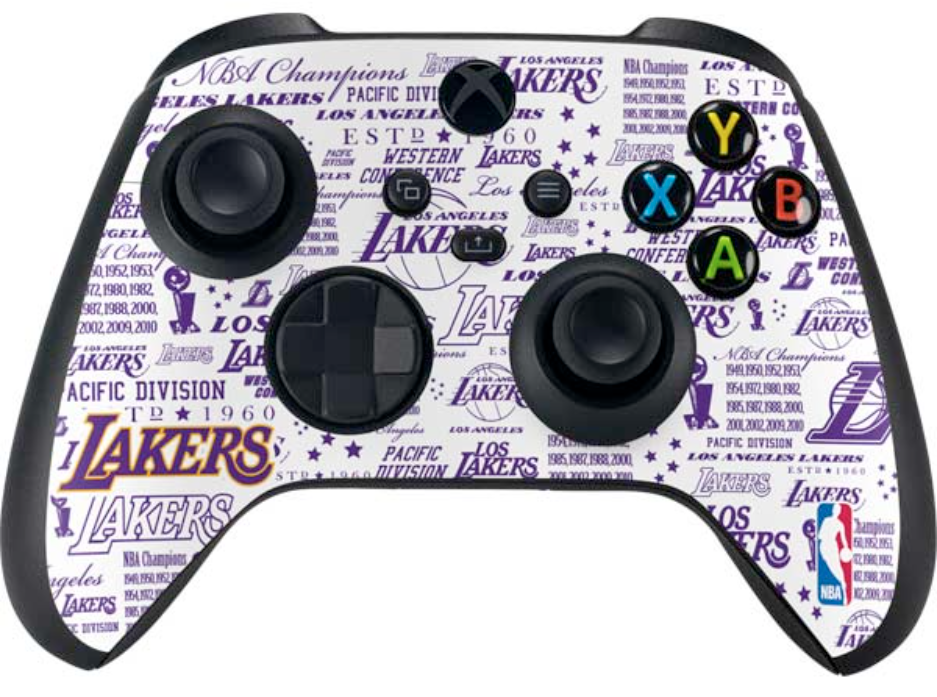
Gamers can engrave their consoles, controllers, and accessories with unique tags or designs, adding a personal touch to their gaming experience.

 LONGER Research: Innovations in Ray5 20W Laser Engraving for Ceramic Art

Laser-Etched Circuit Boards:

Although not as common, laser engraving can also be used by DIY enthusiasts and small-scale producers to create printed circuit boards (PCBs), offering a more precise and faster alternative to traditional chemical etching processes.

The Laser B1 20W engraver thus opens up numerous possibilities for personalization and customization in the realm of personal electronics. By enabling the creation of unique designs, it not only enhances the aesthetic appeal of devices but also adds practical benefits, such as easy identification and branding. As laser engraving technology continues to develop, we can expect even more innovative applications in the consumer electronics sector.


By Laser Engraver Blogs | October 25, 2024
Power vs Speed Test with LaserGRBL for Longer Ray5 & B1

The LONGER Ray5 and LONGER B1 laser engravers are capable of engraving and cutting a wide range of materials with high precision and efficiency. However, achieving optimal results requires careful adjustment of processing parameters—particularly laser power and engraving speed, as different materials respond uniquely to laser energy.

Understanding Material Response to Laser Settings

Materials react differently when exposed to laser energy. For metals in particular, variations in power output and movement speed can significantly affect the engraving outcome.

By fine-tuning these parameters, users can achieve different surface oxidation levels and heat effects, which can produce subtle color variations on metal surfaces. This controlled thermal interaction is the foundation of multicolor laser engraving on metal, a technique widely used in decorative and industrial applications.

Both the LONGER Ray5 (5W) and LONGER B1 are capable of metal engraving. However, the B1 offers superior stability and higher power capability, making it more suitable for advanced applications such as multicolor metal engraving.

Using LaserGRBL for Parameter Optimization

To achieve precise and repeatable results, LaserGRBL provides a built-in tool called Power vs Speed Test, which allows users to quickly identify optimal engraving parameters for specific materials.

Step 1: Access the Power vs Speed Test Tool

From the LaserGRBL main interface:

Select:

Generate → Power vs Speed Test

This will open the parameter configuration window.

Step 2: Configure Power Settings

LaserGRBL uses a scaled power system:

  • S-10 = 1% power
  • S-1000 = 100% power

For testing purposes, it is recommended to define a power range such as:

  • Minimum: 100
  • Maximum: 1000
  • Step size: 10

This allows fine-grained control over laser output for accurate material testing.

Step 3: Configure Speed Settings

Next, define engraving speed based on material type:

  • Wood: approximately 3000–9000 mm/min
  • Metal & steel: approximately 100–1500 mm/min

A recommended configuration is to use 7 steps for balanced testing coverage.

Step 4: Set Line Density (Quality)

The engraving resolution can be adjusted using line density settings:

  • Recommended range: 8000–12000 lines/mm

Higher values result in finer detail but longer processing time.

Step 5: Generate the Test File

After configuring parameters, click:

“Create!”

LaserGRBL will generate a test pattern combining multiple power and speed combinations for evaluation.

Step 6: Export and Run the Test

To proceed:

  1. Select File → Save (Advanced Option)
  2. Export the generated file as G-code
  3. Transfer it to a microSD card or device storage
  4. Run the test on the LONGER Ray5 or B1

Alternatively, the test can also be executed directly via USB connection using the Cutting Test mode, if preferred.

Step 7: Analyze Results and Optimize Settings

After completion, carefully inspect the engraved test pattern. The variations in tone, depth, and clarity will help determine the most suitable combination of power and speed for your specific material and desired effect.

This calibration process is essential for achieving consistent high-quality results, especially in advanced applications such as metal marking and multicolor engraving.

Conclusion

By leveraging the Power vs Speed Test in LaserGRBL, users of the LONGER Ray5 and B1 can efficiently identify optimal engraving parameters for different materials. While both machines are capable of metal engraving, the B1 provides enhanced performance and stability, making it the preferred choice for precision-driven and multicolor metal engraving applications.


By Laser Engraver Blogs | October 18, 2024
LONGER Research: Exploring The Power of Laser B1 40W Engraving for Custom Gaming Accessories

Laser engraving technology has revolutionized the creation of custom gaming accessories, allowing for precise and intricate designs that cater to individual tastes. The LONGER Laser B1 40W stands out as a powerful tool in this domain, offering advanced features that make it ideal for crafting unique and personalized gaming items.

Introduction

One of the significant advantages of owning a Laser B1 40W laser engraver is the ability to work with a wide range of materials, including biodegradable and recycled options like bamboo and recycled wood. This eco-friendly approach is particularly appealing to gamers and accessory makers who prioritize sustainability. The engraver's optical output power of 40W and rated power of 175W enable it to cut through materials such as 20mm plywood, 25mm Paulownia wood, and even 10mm acrylic in a single pass, making it versatile enough for various applications.

Gaming accessories

In the realm of gaming accessories, the ability to customize and personalize products is a significant using point. The Laser B1 40W excels in this area, offering various engraving techniques that enhance the aesthetics and functionality of gaming gear. For example, stackable engraving can add depth to designs on items like gaming coasters or phone cases, while defocused engraving creates thicker lines perfect for patterns or scripts.

Three-dimensional engraving
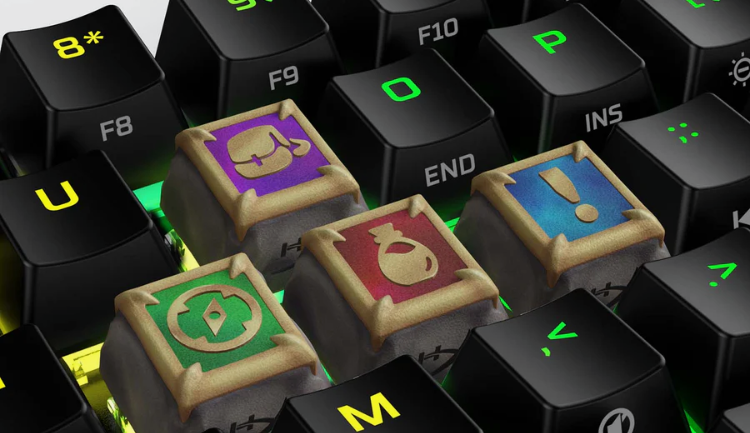
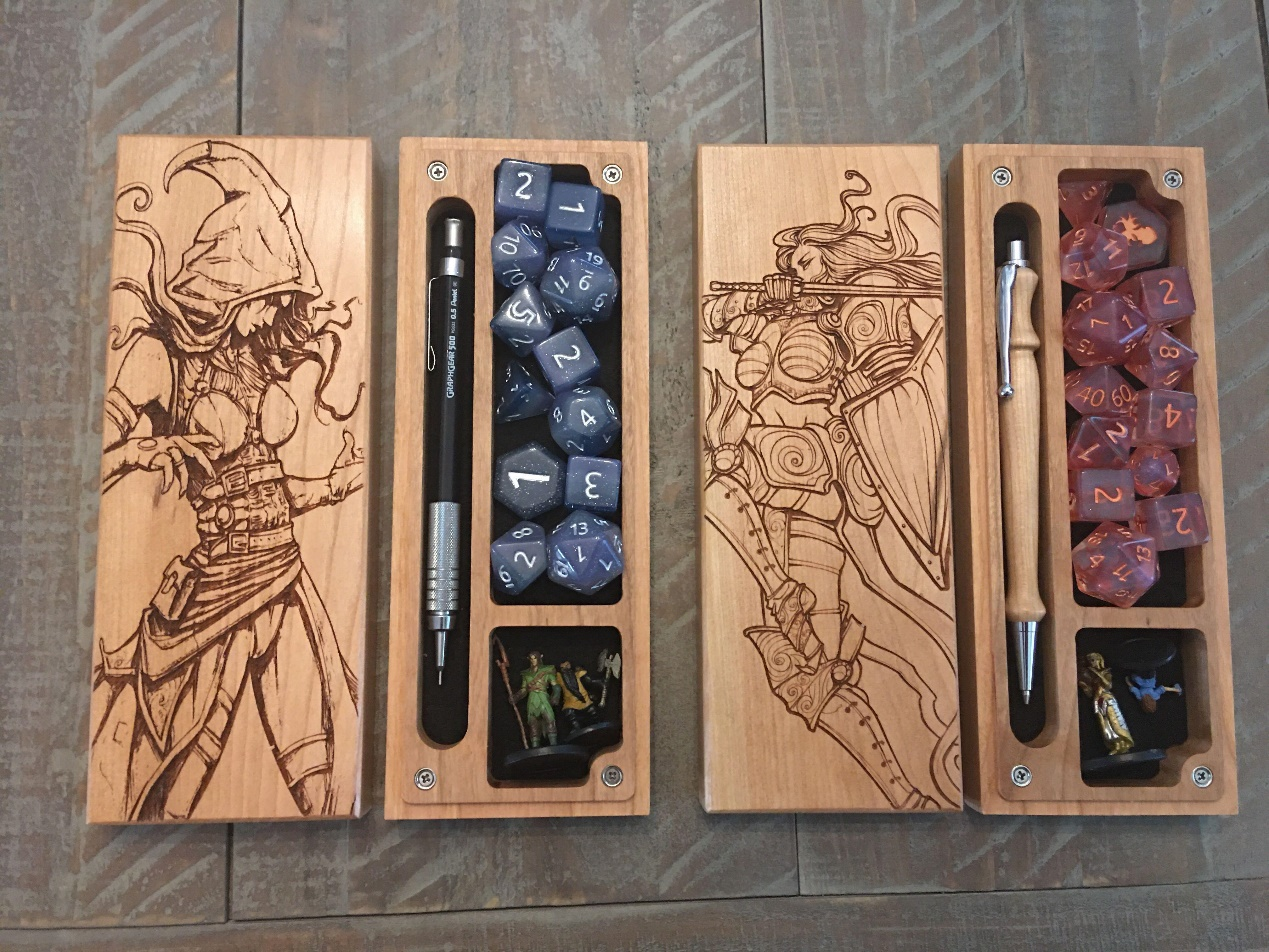
Three-dimensional engraving is another exciting feature, allowing for the creation of raised or recessed designs on keycaps, coasters, or gaming tokens. The combination of cutting and engraving enables multi-level designs, ideal for producing custom gaming pieces such as tokens or dice. This versatility in design options highlights the distinct advantages of owning a laser engraver like the Laser B1 40W over traditional manufacturing methods.

Custom controller designs
Custom controller designs are one popular application, where logos, graphical images, or personalized text can be engraved onto the controller's surface, making each piece unique. Laser-etched keycaps add a luxurious, customized touch to mechanical keyboards, enhancing the overall gaming experience. Similarly, engraved gaming mice, coasters, stands, headset plates, and desk mats all offer opportunities for gamers to express their individuality and preferences through their gaming setup.

The Laser B1 40W utilizes diode laser technology and boasts a spacious working area of 450x440mm (17.72x17.32 inches), allowing for the engraving of larger items. Its laser wavelength of 450nm, coupled with a fixed focus of 50mm and a laser spot size of 0.1x0.15mm, provides exceptional precision. This precision is crucial for creating detailed designs on gaming accessories, where every millimeter counts.


The Laser B1 40W's fastest working speed of 36,000mm/min dramatically reduces production time, allowing for quick turnaround on custom orders. This speed, combined with its offline engraving capabilities via USB, TF card, and WiFi, ensures flexibility and convenience. The engraver can operate independently of a computer, making it ideal for use in different settings, from professional workshops to home studios.

Safety is also a top priority with the Laser B1 40W, which comes equipped with numerous protective features, including thermal protection, flame detection, movement protection, an emergency stop button, bidirectional limit switches, eye protection, and a security lock. These features ensure that users can operate the machine safely while maintaining high precision and quality.

Conclusion

In conclusion, the LONGER Laser B1 40W laser engraver is a powerful and versatile tool that offers significant advantages for creating custom gaming accessories. Its precision, speed, eco-friendly material compatibility, and comprehensive safety features make it an excellent choice for both hobbyists and professional creators. By enabling detailed and unique designs, the Laser B1 40W elevates the gaming experience, providing a clear distinction between those who have access to such advanced technology and those who do not.

By Laser Engraver Blogs | September 26, 2024
LONGER Research: Laser B1 30W Engraving for Environmental Conservation Initiatives

One of the primary benefits of laser engraving is its high material utilization rate. Unlike traditional cutting and engraving methods, laser engraving uses a focused beam of light to achieve precise markings with minimal material waste. This efficiency is particularly valuable in reducing resource consumption and minimizing the environmental impact of manufacturing processes.

The flexibility of the Laser B1 30W, with an optical output power of 30W and the ability to cut through 20mm plywood and 10mm acrylic in a single pass, allows it to work with a wide range of sustainable materials. This includes biodegradable and recycled resources like bamboo and reclaimed wood, which are increasingly popular in eco-conscious industries. By supporting the use of these materials, laser engraving technology helps drive the shift towards more sustainable production practices.


Repurposing discarded plastics

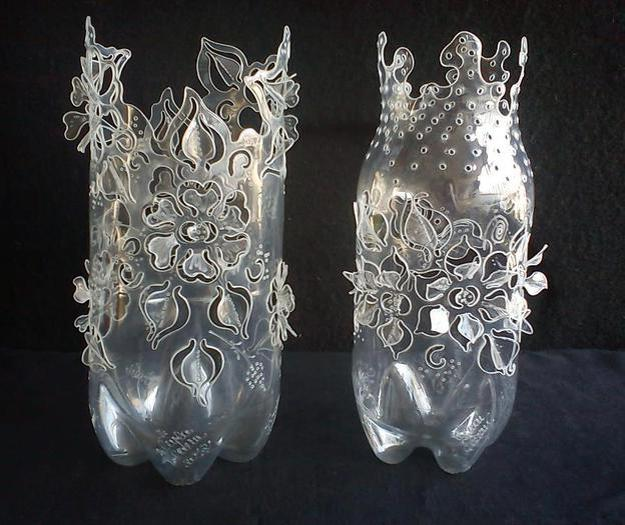
Repurposing discarded plastics is another area where laser engraving excels. By cutting and carving waste plastic bottles, it is possible to create intricate vases, ornaments, and other decorative items. This process not only reduces plastic waste but also transforms it into valuable products, demonstrating the potential for innovative recycling solutions. The Laser B1 30W’s capability to handle such tasks efficiently is a testament to its versatility and effectiveness.


Tin and aluminum cans

Similarly, laser engraving can be applied to repurpose discarded metals. Materials like tin and aluminum cans, often considered waste, can be transformed into artwork and sculptures through grinding, cutting, and carving. This not only recycles valuable metal resources but also enhances the aesthetic quality of the environment. The Laser B1 30W, with its ability to cut up to 25mm plywood, 50mm acrylic, and 0.1mm stainless steel, is well-suited for such applications.

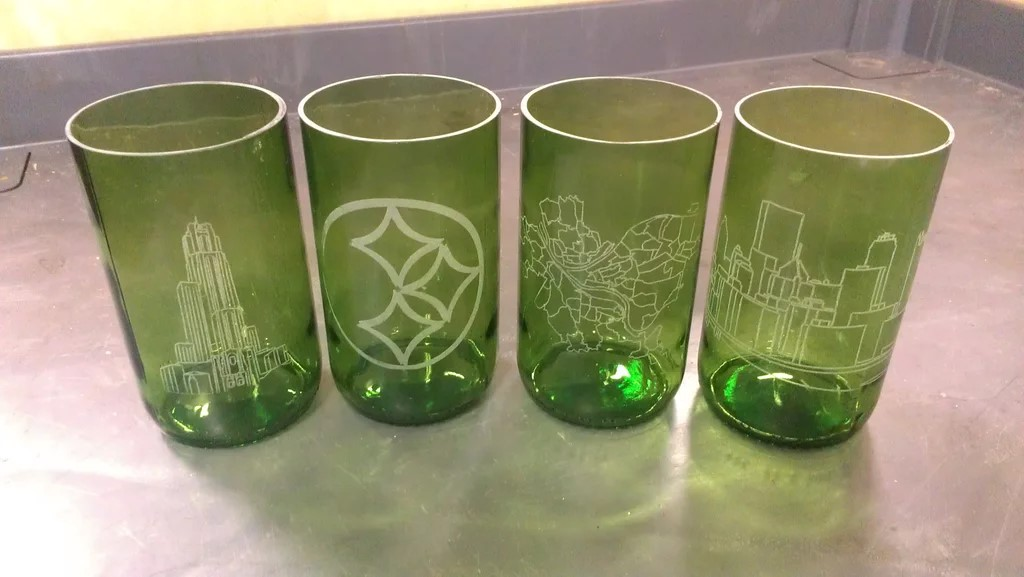
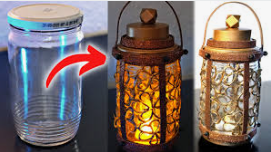
Creative use of other waste materials, such as glass bottles and cardboard, further highlights the environmental benefits of laser engraving. By designing and engraving on these materials, individuals can reduce environmental degradation and foster a culture of environmental awareness. The Laser B1 30W supports this creativity with its compatibility with various image formats (JPG, PNG, BMP, GIF, SVG, AI, etc.) and connection options (USB/TF Card/Wifi).


The high precision and efficiency of the Laser B1 30W are critical for achieving detailed and high-quality engravings. With a fastest working speed of 36000mm/min, this machine can handle intricate designs quickly and accurately. Its rated power of 145W and six diode lasers with FAC technology ensure consistent performance and long-lasting results, making it an ideal choice for environmental conservation projects.


In practice, laser engraving with the Laser B1 30W can be applied to numerous conservation efforts. For example, repurposing plastic waste by etching designs on bottles transforms them into attractive home decorations, reducing plastic pollution. Similarly, transforming discarded metals into sculptures prevents random disposal and promotes recycling. Engraving on other waste materials like glass and cardboard not only reduces waste but also raises awareness about environmental protection.


Conclusion

In conclusion, owning a laser engraving machine like the Laser B1 30W offers significant advantages for environmental conservation initiatives. Its precision, versatility, and efficiency enable the repurposing of waste materials, promoting recycling, and reducing resource consumption. By integrating this technology into conservation efforts, individuals and companies can make meaningful contributions to sustainability and environmental protection.

By Laser Engraver Blogs | September 26, 2024
LONGER Laser Engraver Back to School Sale: Buy 1 Get 1 Free with Exclusive Gifts!

1. Overview

From August 1st to August 8th, don't miss out on LONGER's exclusive Back to School Sale! Whether you're a hobbyist, a professional, or someone looking to explore the world of laser engraving, our range of laser engravers offers exceptional performance and versatility at unbeatable prices.

Our laser engravers are designed to handle a variety of materials with ease, providing precise and efficient results. With advanced features and robust build quality, they are perfect for creating personalized gifts, intricate designs, and professional-grade projects. 

2. Main Promotion Highlights

Celebrate the Back to School with LONGER:

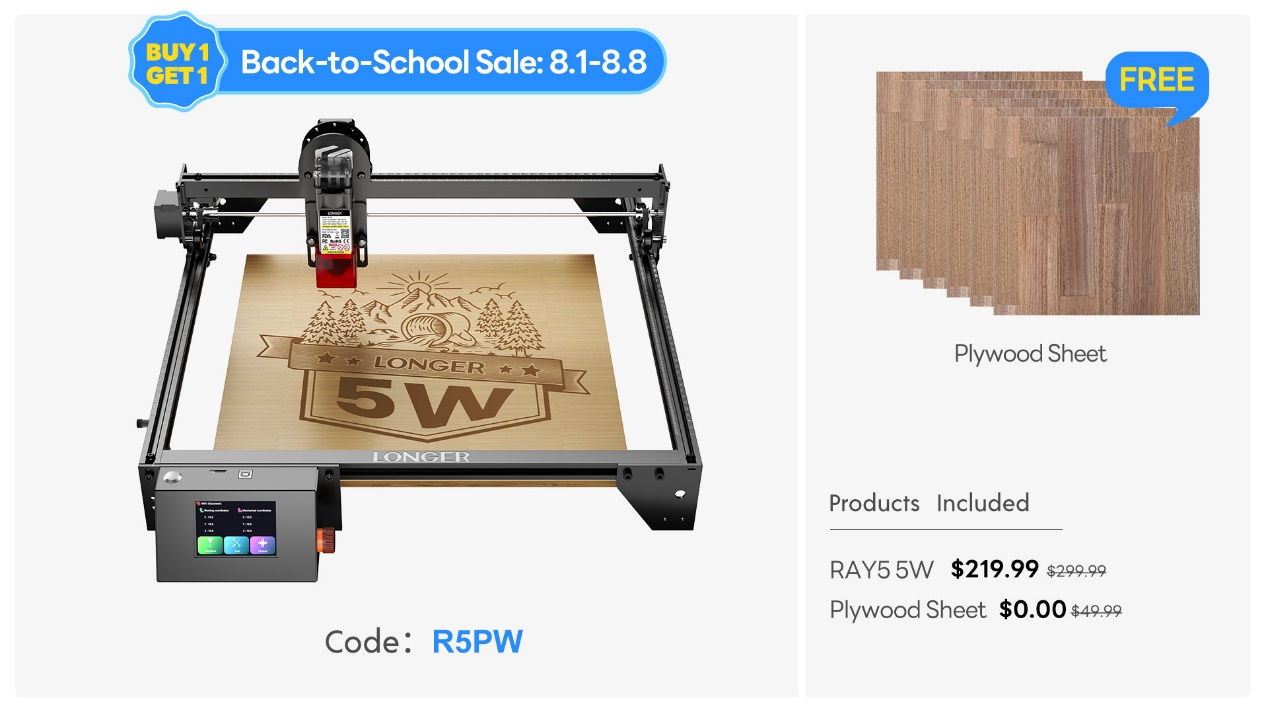
Laser Ray5 5W  
Use Code: R5PW  
Free Gift: Plywood Sheet


Laser Ray5 10W  
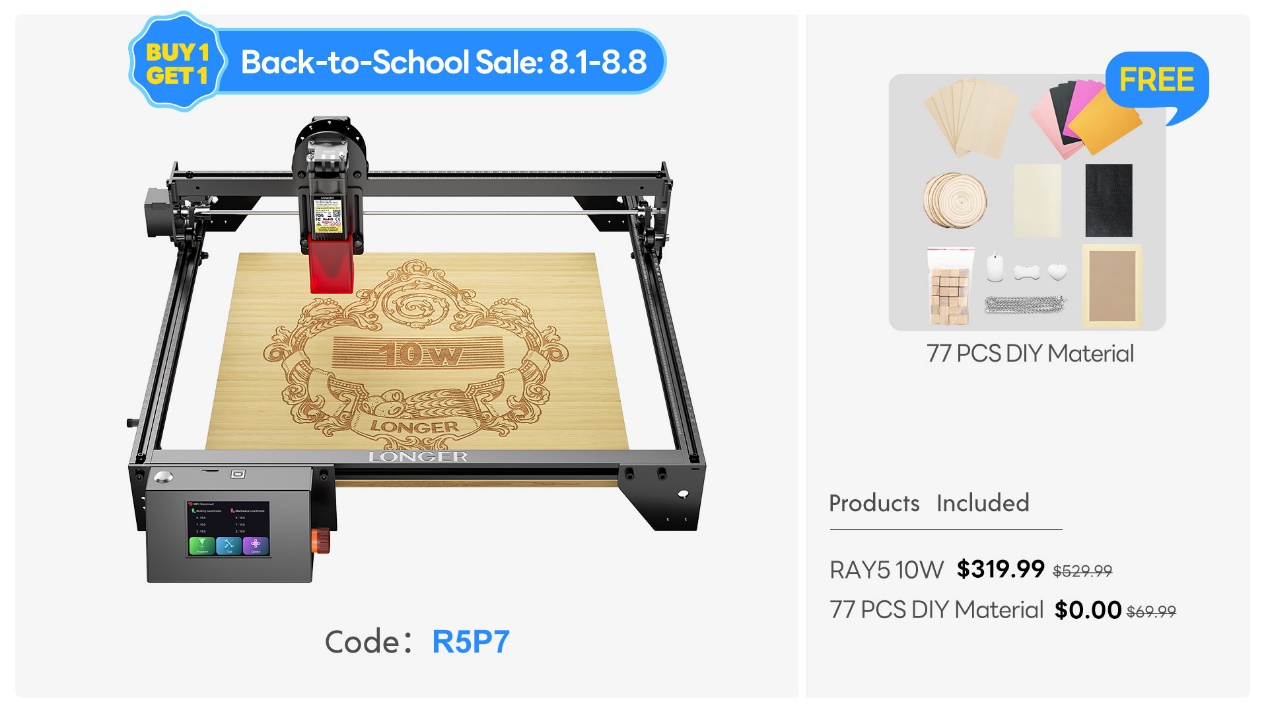
Use Code: R5P7  
Free Gift: 77 Pcs DIY Material Kit

Laser Ray5 20W  
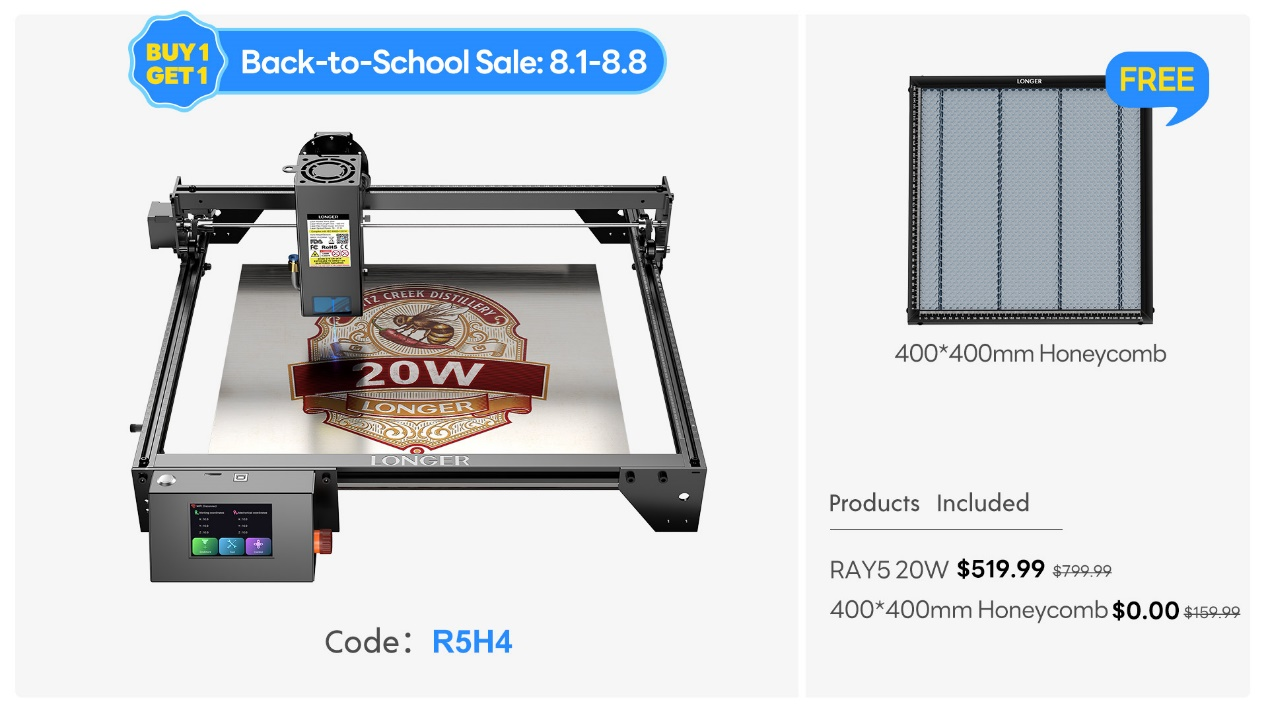
Use Code: R5H4  
Free Gift: 400*400 Honeycomb


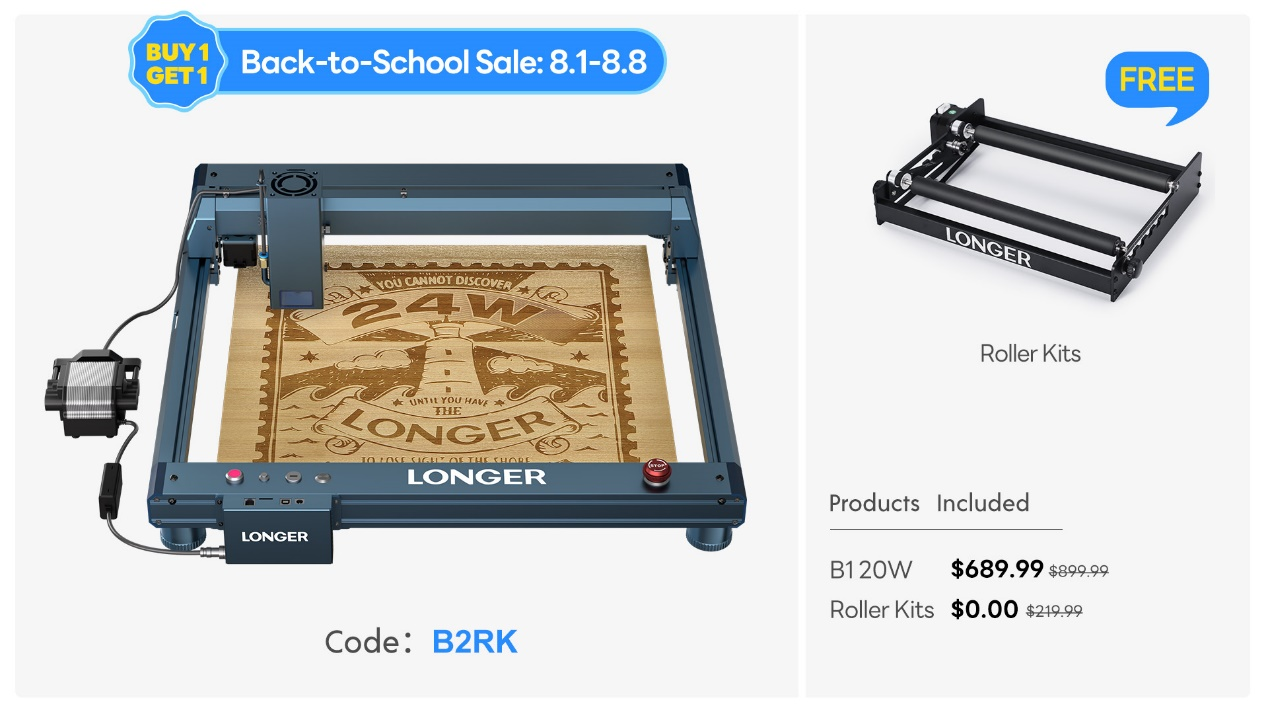
Laser B1 20W  
Use Code: B2RK  
Free Gift: Roller Kits


Laser B1 30W  
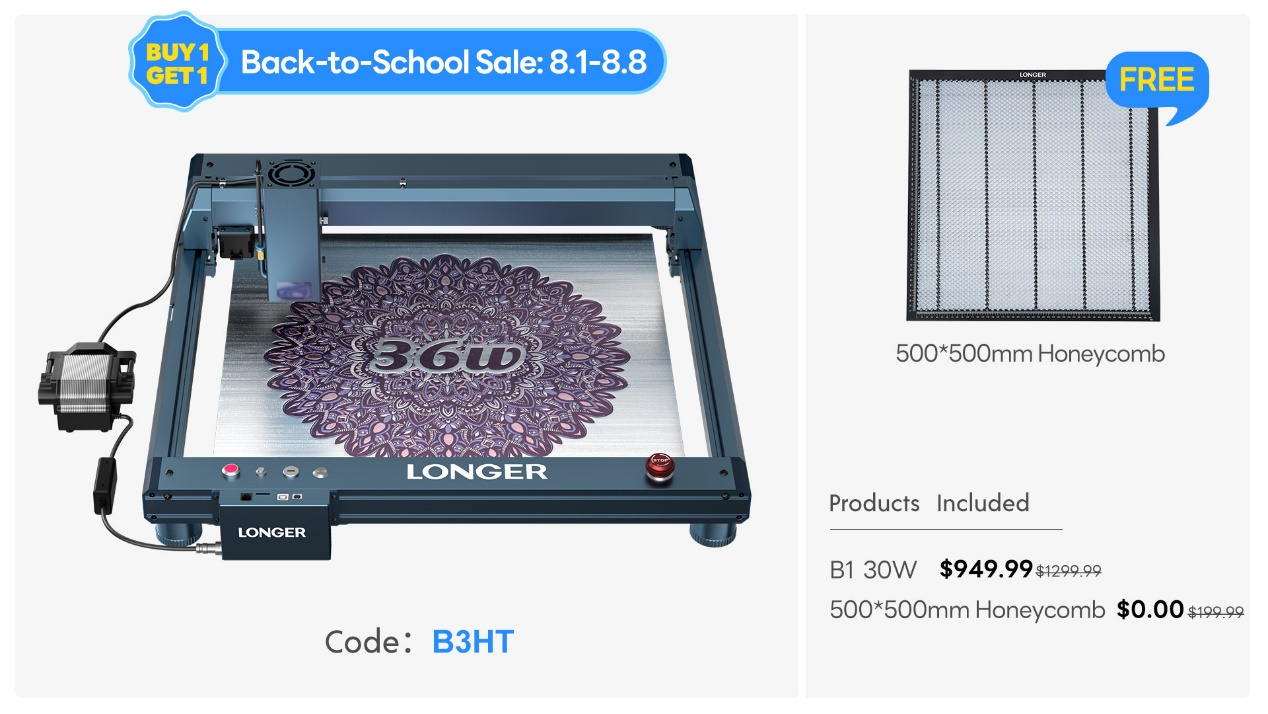
Use Code: B3HT  
Free Gift: 500*500 Honeycomb


Laser B1 40W  
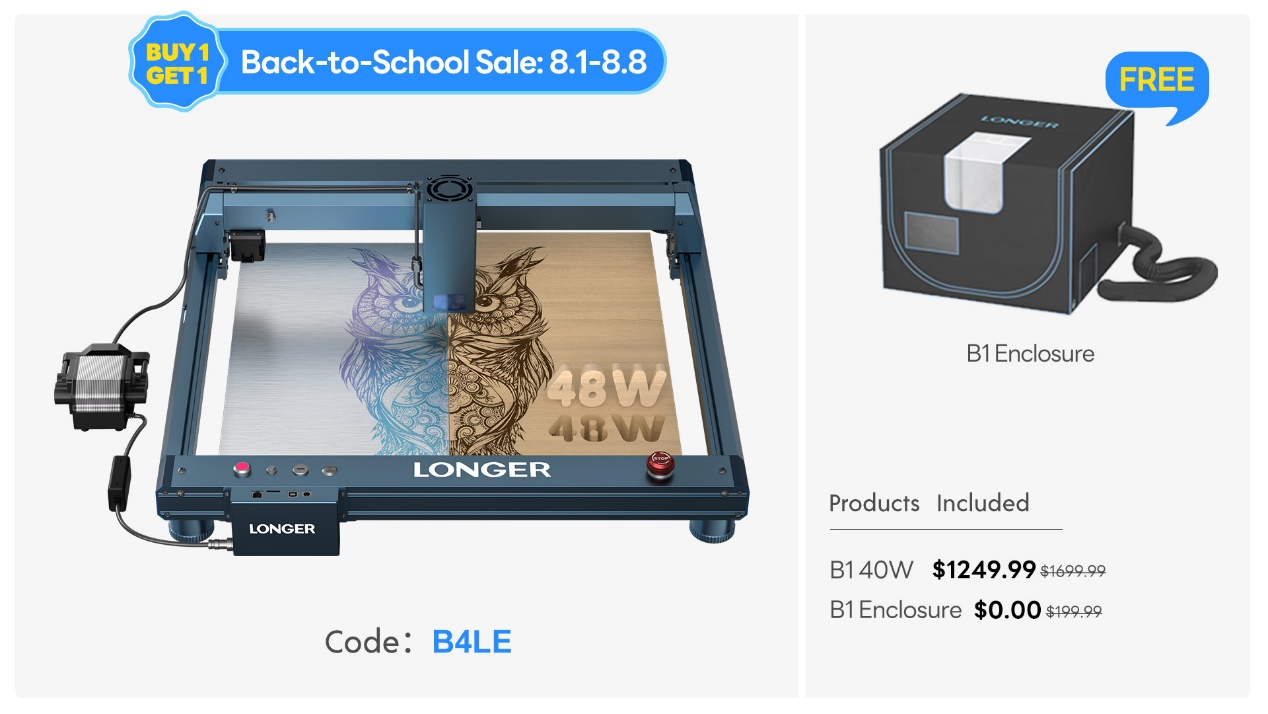
Use Code: B4LE  
Free Gift: B1 Enclosure

3. Why Choose LONGER Laser Engravers


Precision: Achieve detailed and accurate engravings on various materials.
Versatility: Suitable for a wide range of projects, from crafts to professional designs.
Enhanced Features: Each model comes with unique accessories to expand your creative possibilities.
User-Friendly: Easy to set up and operate, making it ideal for both beginners and experienced users.

4. Creative Possibilities


Imagine the possibilities with LONGER laser engravers. You can create custom gifts, unique home décor, intricate artwork, and much more. Our engravers allow you to unleash your creativity and produce high-quality results with every project.
5. Shop Now Section


LONGER Ray5 5W: Free Plywood Sheet
LONGER Ray5 10W: Free 77 Pcs DIY Material Kit
LONGER Ray5 20W: Free 400*400 Honeycomb
LONGER Laser B1 20W: Free Roller Kits
LONGER Laser B1 30W: Free 500*500 Honeycomb
LONGER Laser B1 40W: Free B1 Enclosure

6. Promotion Period


Discount Period: August 1st to August 8th
Don't Miss Out!

7. Final CTA Section


These LONGER Back to School Sale deals are available for a limited time only. Upgrade your engraving capabilities with our laser engravers and take advantage of these incredible offers. Whether for personal use or as a thoughtful gift, LONGER laser engravers are a fantastic investment in creativity and precision.

Elevate your engraving projects with LONGER this Back-to-School season. With unbeatable offers and exceptional features, it's the perfect time to invest in a high-quality laser engraver. Get yours now and start creating stunning, personalized designs!

By Laser Engraver Blogs | August 1, 2024
LONGER Research: The Role of Laser B1 30W Engraving in Promoting Cultural Heritage

Laser engraving is emerging as a state-of-the-art technology acclaimed for its efficacy in protecting and popularizing cultural heritage. Its accuracy, versatility, and non-contact nature make it ideal for restoring historical pieces and preserving cultural artifacts. This article explores how the Laser B1 30W can aid in the preservation of culture through practical applications.


Introduction

Laser engraving uses a focused laser beam to etch, engrave, or cut materials with precision. This technology is particularly useful in cultural heritage conservation, as it can interact delicately with surfaces without causing damage. For example, laser scanning and engraving can create precise replicas of deteriorated stone carvings in medieval cathedrals, while laser ablation techniques can remove layers of dirt and grime from ancient pottery without harming the original material.


Historical buildings and structures, such as ancient temples, palaces, castles, and fortresses, can benefit greatly from laser engraving. The Laser B1 30W, with its working area of 450x440mm (17.72x17.32 inches) and a laser spot size of 0.08x0.15mm, allows for the creation of detailed designs and patterns on walls, pillars, and ceilings. This not only enhances the aesthetic value of the structures but also helps in preserving their cultural significance. Additionally, laser-engraved plaques and signs can provide historical context and background information for visitors.

Artifacts and relics, including ancient sculptures and statues, can be restored or enhanced using laser engraving. The Laser B1 30W, with its optical output power of 30W and ability to cut up to 25mm plywood and 50mm acrylic in one pass, is perfect for replicating missing pieces or restoring damaged parts of sculptures. This helps in studying and appreciating these artifacts in their original form.


Historical monuments and memorials, such as war memorials and historical markers, also benefit from laser engraving. Memorial plaques or walls can be created using this technology to etch the names of soldiers or significant historical events. The durability and precision of laser engraving ensure that the information remains clear and legible for generations.

In promoting cultural heritage, laser engraving can be applied in various ways:


Preservation of Historical Architectural Details:

Laser engraving is used to mark hard-to-carve architectural designs on ancient buildings. For instance, in restoring a medieval cathedral in Europe, laser scanners and engravers were employed to recreate worn-out stone carvings.


Conservation of Ancient Artifacts:

Laser ablation cleaning techniques are less intrusive and effective for cleaning and restoring fragile items from antiquity. They remove layers of deposits without damaging the original material, enhancing the appearance of the artifacts.


Digitization of Cultural Heritage:

Laser engraving technology enables the creation of detailed copies and computer simulations of historical artifacts. This has applications in mapping archaeological sites, architecture, and other culturally significant objects for educational and tourism purposes.


Customization of Souvenirs:

Laser engraving adds value to souvenirs by creating personalized designs on keychains, mugs, or miniature pieces of art. The speed of the Laser B1 30W, with a fastest working speed of 36000mm/min, allows for quick execution, letting tourists take home customized souvenirs.


Interactive Exhibits:

Laser-engraved QR codes on exhibits can provide visitors with access to additional information, videos, or audio clips via their smartphones. Laser engraving can also create textured maps or braille descriptions for visually impaired visitors, enhancing their experience.


Conclusion

In conclusion, the Laser B1 30W is an invaluable tool in the preservation of cultural heritage. Its high accuracy, multifunctionality, and non-contact nature make it a revolutionary technology for protecting and restoring cultural values for future generations. As technology continues to evolve, laser engraving will play an increasingly important role in safeguarding and promoting cultural heritage.


By Laser Engraver Blogs | July 29, 2024
LONGER Prime Day: Laser B1 40W save up $1100 and + Spin The Wheel + Special $100 code!

As LONGER Prime Day 2024 approaches, it's the perfect opportunity to snag incredible deals on cutting-edge technology. If you've been eyeing a top-notch laser engraver, the LONGER Laser B1 40W is here to exceed your expectations. Whether you're a DIY enthusiast, a small business owner, or just looking for a unique way to create personalized gifts, this is the sale you've been waiting for.


Prime Day Deals:


Laser B1 40W Basic

Original Price: $1699.99

Prime Day Sale: $1099.99

Savings: $600 (35% discount)


Laser B1 40W Pro Max Set (Laser B1 40W+Air Pump Kits+ 400*400 Honeycomb Panel+Rotary Roller+ RAY5 Enclosure+ Camera Kits)

Original Price: $2459.99

Prime Day Sale: $1349.99

Savings: $1110 (45% discount)


Exclusive Prime Day Offer:

Special $100 code: LONGERb100

When you make a single order over $700, you'll receive a $39.99 beginner gift pack. Additionally, you can spin the wheel on LONGER official website to win consumables and discount coupons, adding even more value to your purchase.


The LONGER Laser B1 40W is renowned for its versatility and precision. With the latest spot compression technology, this laser engraver effortlessly handles a variety of materials, from 0.15mm thick stainless steel plates to 50mm thick black acrylic. Its impressive engraving speed of up to 36,000 millimeters per minute ensures that you can complete your projects quickly without compromising on quality. The generous engraving area of 450mm x 440mm provides ample space for both small and large creations, allowing your creativity to soar.


The LONGER Laser B1 40W is not only powerful but also safe and user-friendly. With eight safety protection and a robust framework, you can use it with confidence. This makes it an ideal choice for creating personalized gifts, home décor, business signage, and much more.


Imagine crafting a custom wooden plaque, a personalized leather wallet, or a unique keychain with your laser engraver. These handmade gifts carry a sentimental value that store-bought items simply can't match. With the LONGER Laser B1 40W, you can bring your creative ideas to life and make gifts that will be cherished for years to come.


Why Choose the LONGER Laser B1 40W?

Versatility: Engraves on a wide range of materials with precision.

Speed: Completes projects quickly with high-quality results.

Safety: Equipped with multiple safety features for peace of mind.

Creativity: Offers a large engraving area for diverse projects.


Don't miss out on these incredible Prime Day deals. Upgrade your creative toolkit with the LONGER Laser B1 40W and unlock endless possibilities. Whether you're new to laser engraving or a seasoned pro, this powerful tool will help you achieve your artistic and practical goals.


Act Now! These Prime Day discounts are available for a limited time only. Make sure to grab your LONGER Laser B1 40W while supplies last. Enhance your creativity and craftsmanship with this exceptional laser engraver and enjoy the satisfaction of creating truly unique and meaningful items.


Shop Now:

Laser B1 40W Basic:  $1099.99 (Save $600)

Laser B1 40W Pro Max Set: $1349.99 (Save $1110)


Celebrate Prime Day 2024 with the LONGER Laser B1 40W and take your projects to the next level. Whether for personal use or as a thoughtful gift, this laser engraver is a fantastic investment in creativity and quality.

By Laser Engraver Blogs | July 8, 2024
LONGER Research: Laser B1 20W Laser Engraving for Architectural Model Making

Laser engraving technology has become a critical tool in modern architectural model making. It offers a level of precision, repeatability, and material versatility that traditional manual fabrication methods cannot achieve.

The LONGER Laser B1 20W represents a high-performance solution in this field, combining large working area, high-speed processing, and fine-detail engraving capability, making it well-suited for architectural design workflows.

Introduction: A Professional Tool for Architectural Fabrication

The Laser B1 20W is built on advanced diode laser technology and designed for high-efficiency digital fabrication.

Key specifications include:

  • Working area: 450 × 440 mm (17.72 × 17.32 inches)
  • Laser wavelength: 450 nm
  • Fixed focus: 50 mm
  • Laser spot size: 0.08 × 0.15 mm
  • Optical output power: 20W
  • Maximum working speed: up to 36,000 mm/min

These parameters enable high-resolution engraving and efficient cutting performance across a wide range of architectural modeling materials.

Material Processing Capability

One of the key advantages of the Laser B1 20W is its ability to process diverse materials commonly used in architectural model making:

  • 12 mm plywood (single-pass engraving)
  • 15 mm pine wood
  • 8 mm acrylic
  • Cutting up to 25 mm pine wood
  • Cutting up to 35 mm acrylic
  • Engraving thin metals such as 0.05 mm stainless steel

This versatility allows architects to prototype and fabricate models using realistic material representations rather than simplified substitutes.

Advantages in Architectural Model Making

1. High Precision for Complex Geometry

Architectural models often require fine structural details such as façade lines, window grids, and contour mapping. The B1 20W’s high-resolution laser spot enables clean, accurate detailing that significantly improves model fidelity.

2. Enhanced Customization Capabilities

Unlike traditional cutting methods, laser engraving allows direct digital-to-material translation. This enables:

  • Custom façade designs
  • Decorative surface textures
  • Parametric architectural patterns
  • Material-specific detailing

These capabilities help architects iterate design concepts quickly while maintaining high visual quality.

3. Branding and Presentation Integration

The Laser B1 20W also supports engraving of branding elements directly onto architectural materials.

Applications include:

  • Company logos on model bases
  • Branding on presentation boards
  • Client identity integration into physical models
  • Decorative signage elements

This adds a professional presentation layer to architectural proposals.

Advanced Modeling Techniques Enabled by Laser Engraving

The B1 20W supports multiple advanced fabrication techniques used in architectural modeling:

  • Fine-line engraving: improves readability of structural details
  • Texture mapping: simulates materials such as brick, stone, or wood grain
  • Graphic engraving: adds symbols, labels, and signage
  • 3D layering effects: enhances depth perception in physical models

These techniques allow architects to move beyond basic representation and achieve highly expressive physical models.

Application Scenarios in Architecture

Architectural Concept Models

The system excels in producing early-stage concept models with high-speed iteration and precise geometric control.

Signage and Wayfinding Systems

Laser engraving enables accurate, scalable signage production for both models and real-world architectural prototypes.

Decorative Architectural Elements

Surface engraving can replicate real-world textures, improving realism in presentation models.

Custom Furniture and Interior Prototypes

Architects can prototype furniture and interior components with personalized patterns and material-specific engraving.

Conclusion

The LONGER Laser B1 20W provides a powerful combination of precision, speed, and material flexibility, making it a highly effective tool for architectural model making.

By bridging digital design and physical fabrication, it enables architects to produce highly detailed, customizable, and presentation-ready models with greater efficiency than traditional methods.

As architectural design continues to evolve toward digital fabrication workflows, laser engraving technology such as the B1 20W is becoming an essential component of modern architectural practice.


By Laser Engraver Blogs | July 6, 2024