Blog de grabador láser

Lens Cleaning for Longer B1 30W & 40W

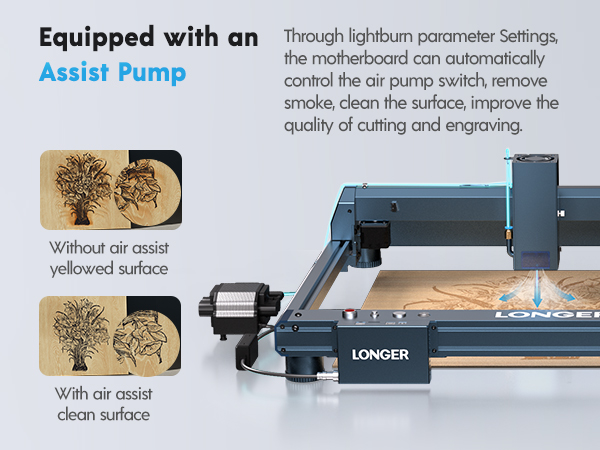
Longer B1 30W & 40W has a laser module capable of engraving and cutting multiple types of materials. However, depending on the type of work that is carried out, it is possible that a fair amount of smoke is produced, which can inevitably settle on the lens of the laser module and therefore blur it. Once the lens of the laser module is dirty or clouded, the laser beam can no longer pass through it and therefore the emission of the laser module is drastically reduced. As a consequence, more and more power will be needed to engrave the same materials already engraved previously, until it will be practically impossible to engrave any type of material even setting 100% power. This problem occurs most when an air assist system is installed but not enabled; In fact, an Air Assist system allows you to create air pressure in the vicinity of the lens, thus preventing smoke and dust from settling easily on the lens. 

In order to solve this problem, it is necessary to proceed to cleaning the lens of the laser module; Once the lens is cleaned, the laser beam can pass through it without suffering losses and therefore the materials will be engraved or cut again to perfection. 


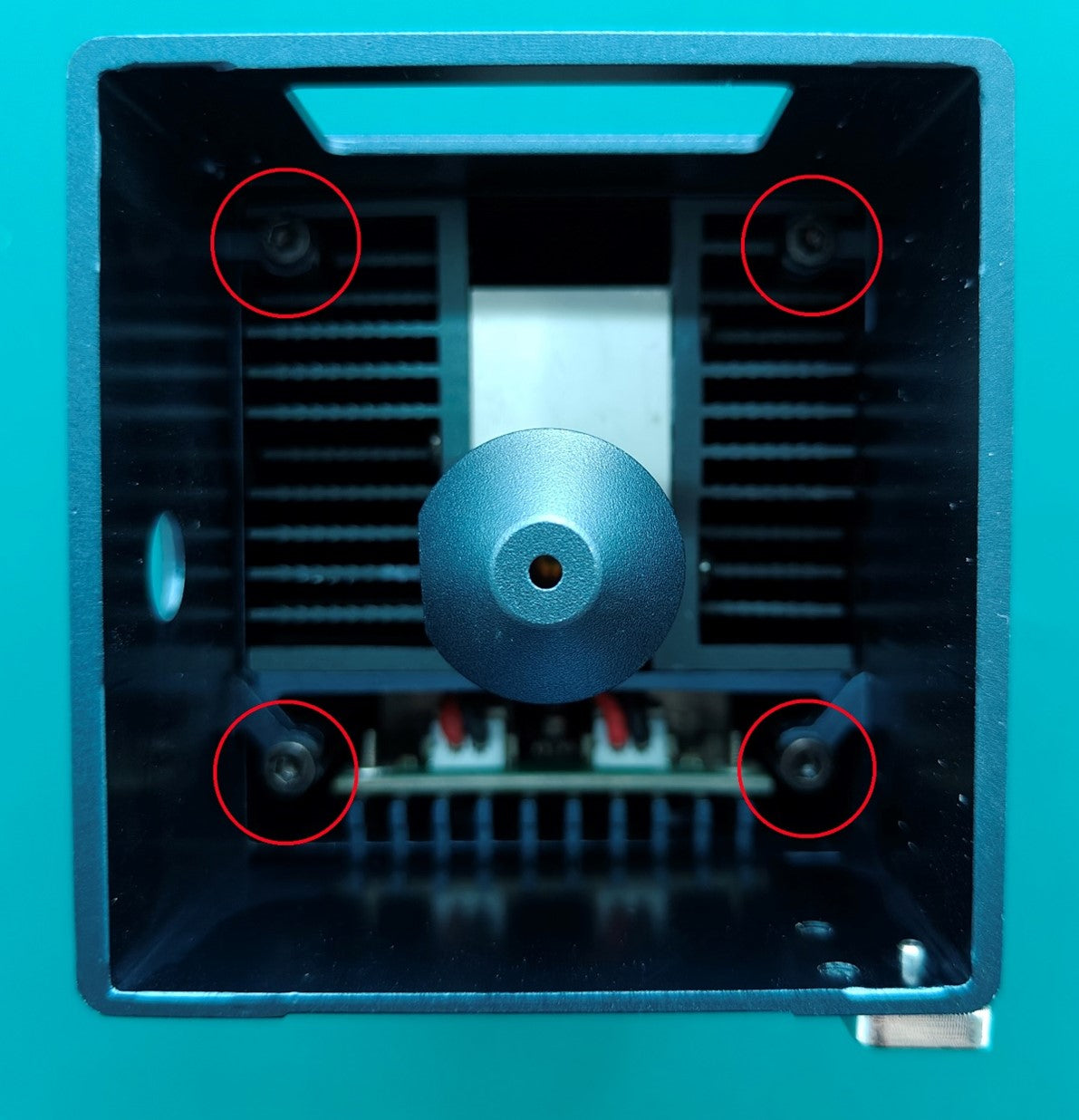
To proceed with the cleaning of the lens of the laser module of Longer B1 30W & 40W it is necessary first to completely disassemble the laser module. After separating the laser module from the rest of the machine, remove the four screws shown in the figure:

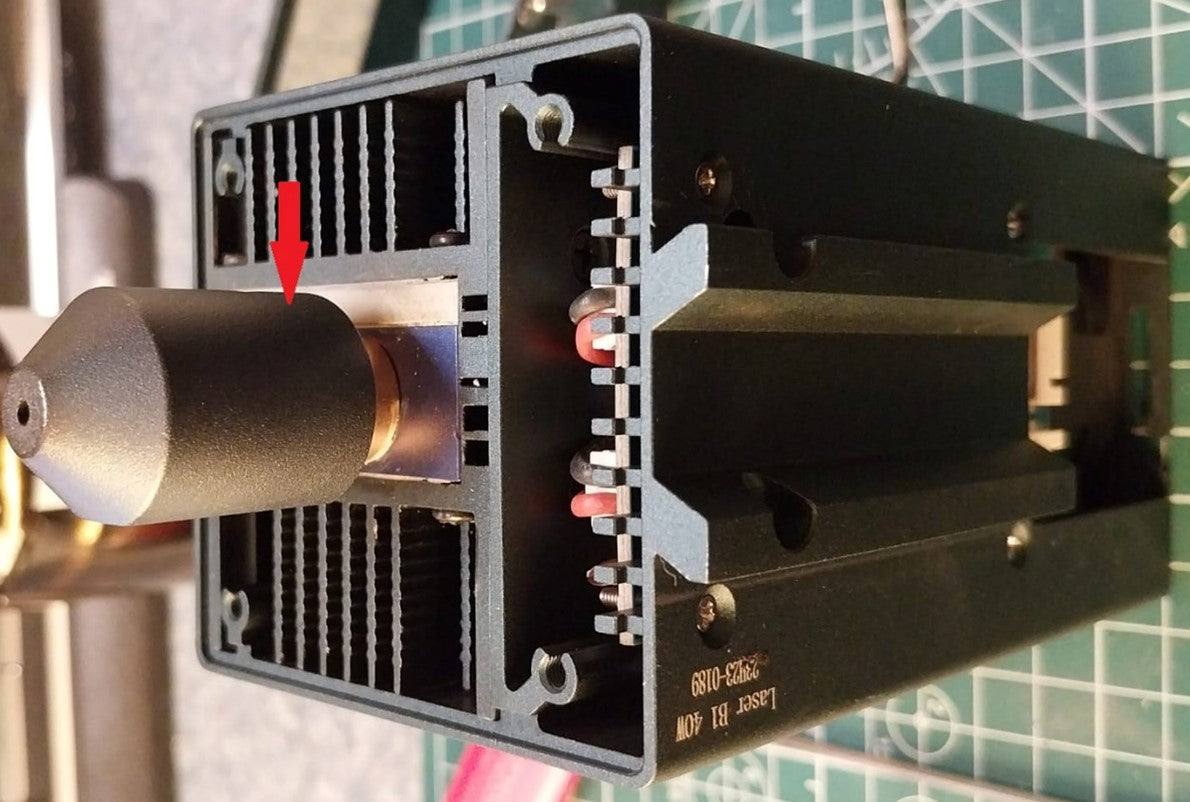
Once the four screws have been removed, the protective shield will be removed from the laser module, which will appear as shown in the figure. At this point, to remove the air assist nozzle, unscrew the small screw located on the side of the nozzle.

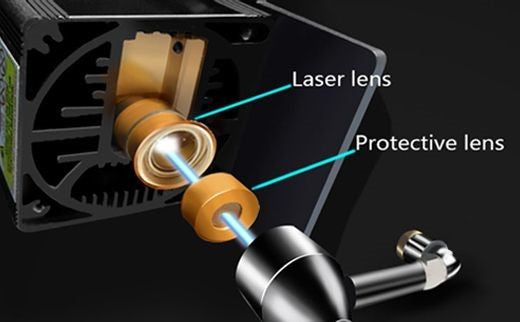
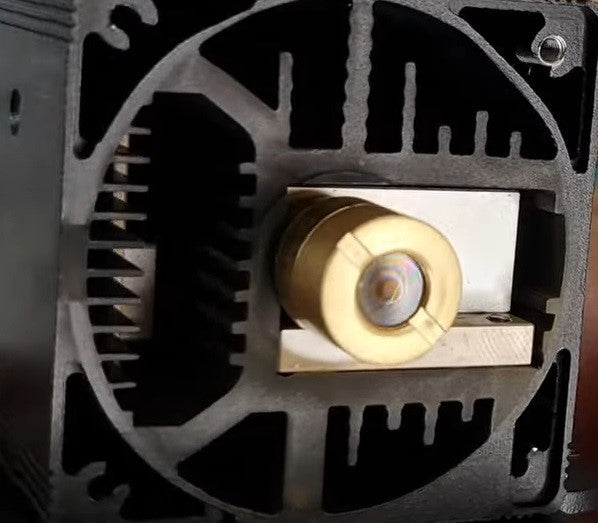
The laser module of the Longer B1 30W & 40W has a factory-installed protective lens, which can be unscrewed and cleaned separately from the laser module. This lens is a simple protective glass, and has no focusing function, for this reason it can be removed and cleaned/replaced. After removing the protective lens, you can proceed to clean the lens with the use of a cotton swab soaked in alcohol. Be careful to prevent alcohol from entering the inside of the lens. 

Use one or more cotton swabs soaked in alcohol, until the lens is completely clean and free of dirt; at this point, therefore, you can proceed to screw it to the laser module and reassemble the laser module of Longer B1 30W & 40W. At the end of the cleaning procedure, you can proceed to engrave a sample file contained in the microSD card of Longer B1 30W & 40W, so you can evaluate the total restoration of the functionality of the laser module. If the lens is too much dirty and cannot be cleaned, you can contact us for buying a replacement spare part. In order to keep the lens always clean, remember to keep enabled the air assist, this will help the engraving quality. 

By Blog de grabador láser | May 15, 2024
Crafting Love: The Perfect Mother's Day Gift with Longer LaserB1 40W

As Mother's Day approaches, the familiar question arises: what gift will truly capture the essence of our appreciation for Mom? A beautiful dress? Or perhaps an exquisite watch? While these gifts are undoubtedly popular, have you ever felt that they're too commonplace to fully express your gratitude and love for your mom on Mother's Day?


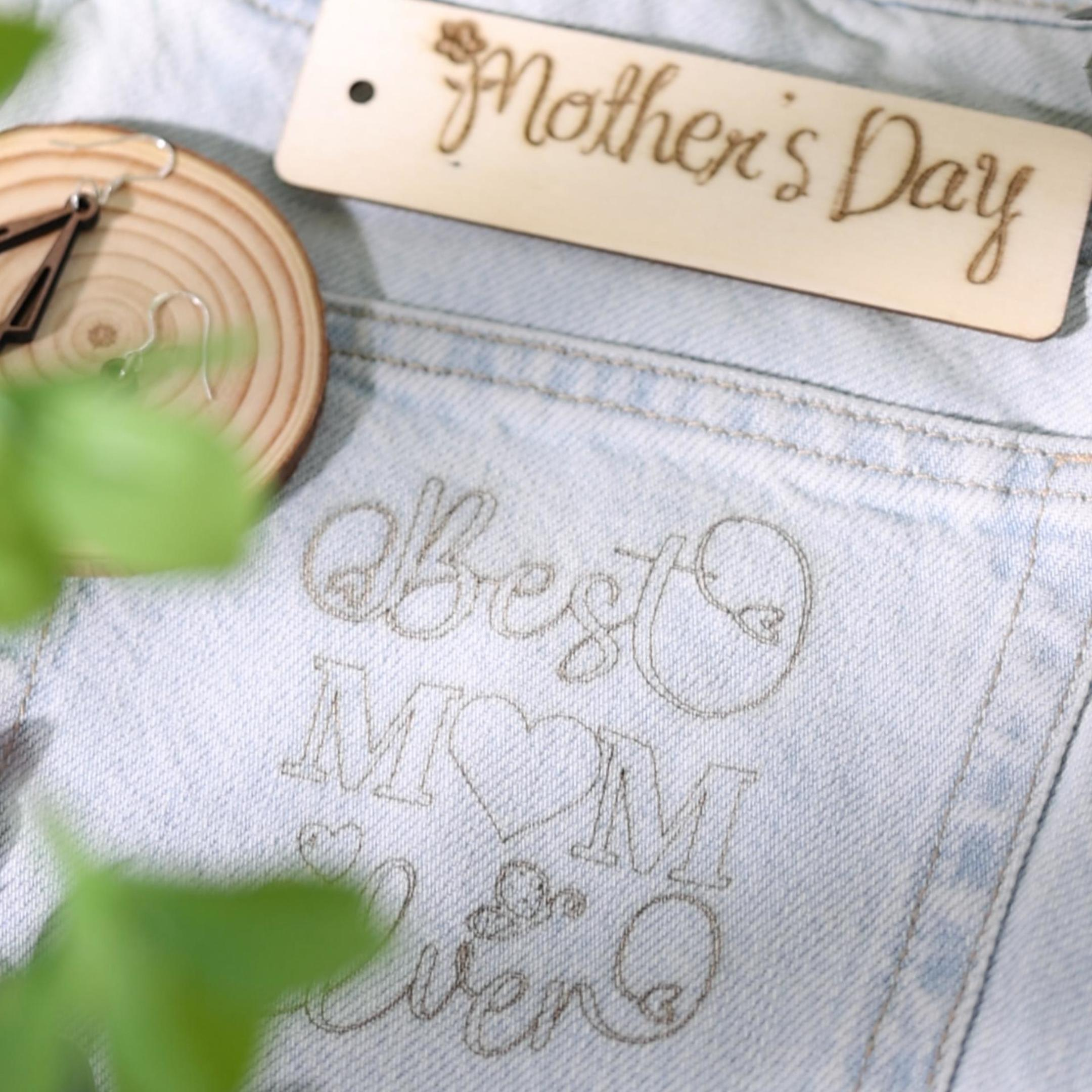
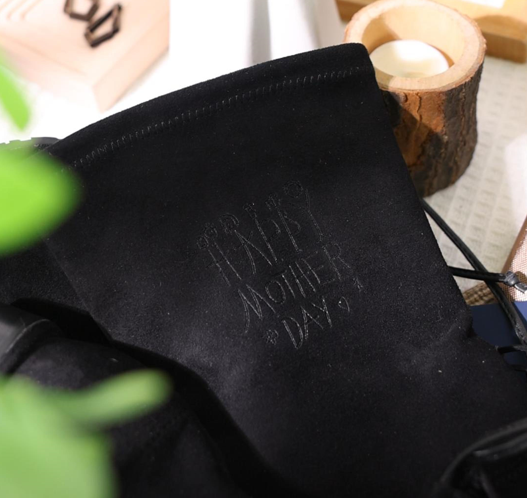
In fact, no matter how exquisite store-bought gifts may be, they can't compare to the significance of handmade gifts from children in a mother's heart. Whether it's a handmade three-dimensional photo, a ceramic mug, or a handcrafted necklace, these gifts can make a mother feel something beyond monetary value—your love can be fully showcased before her.

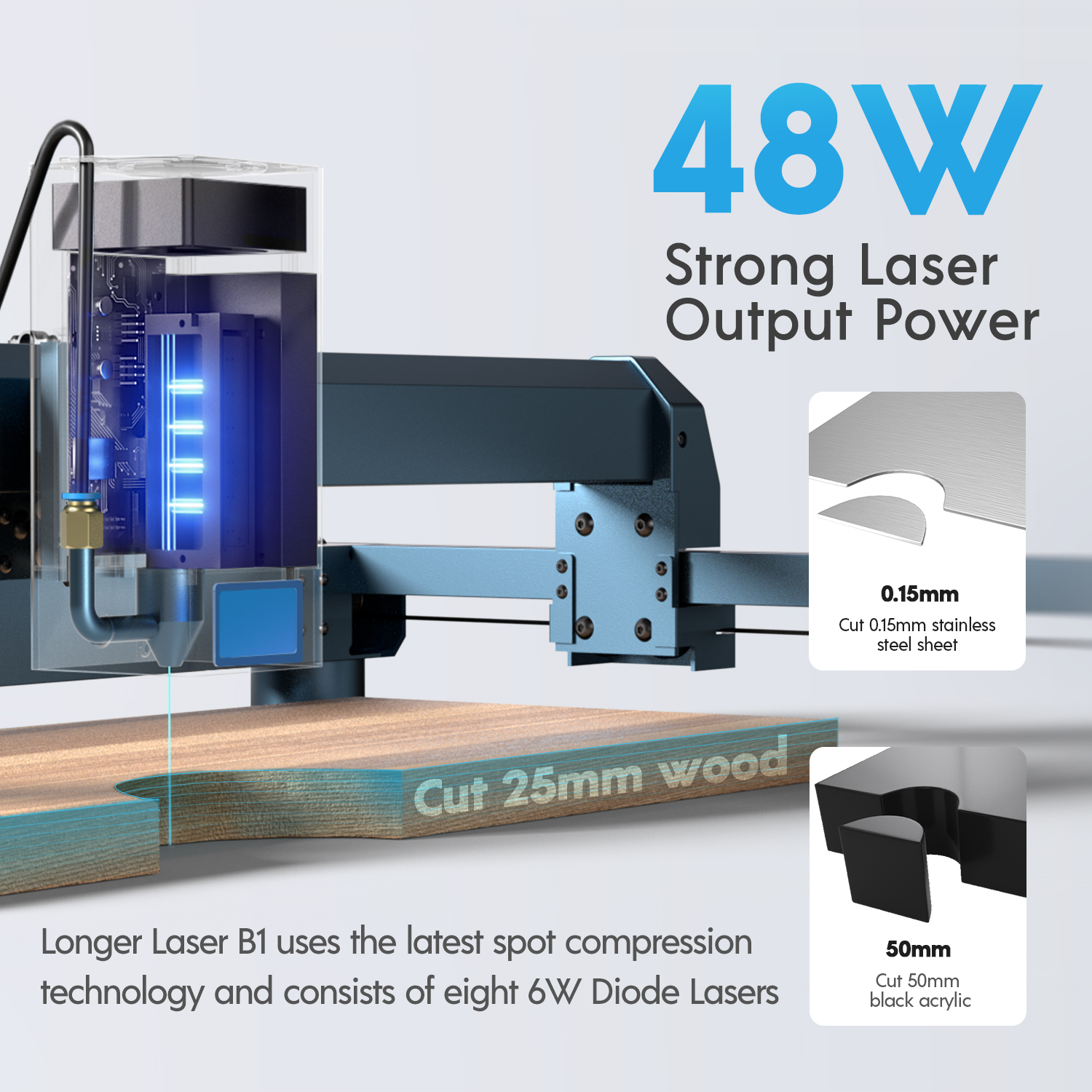
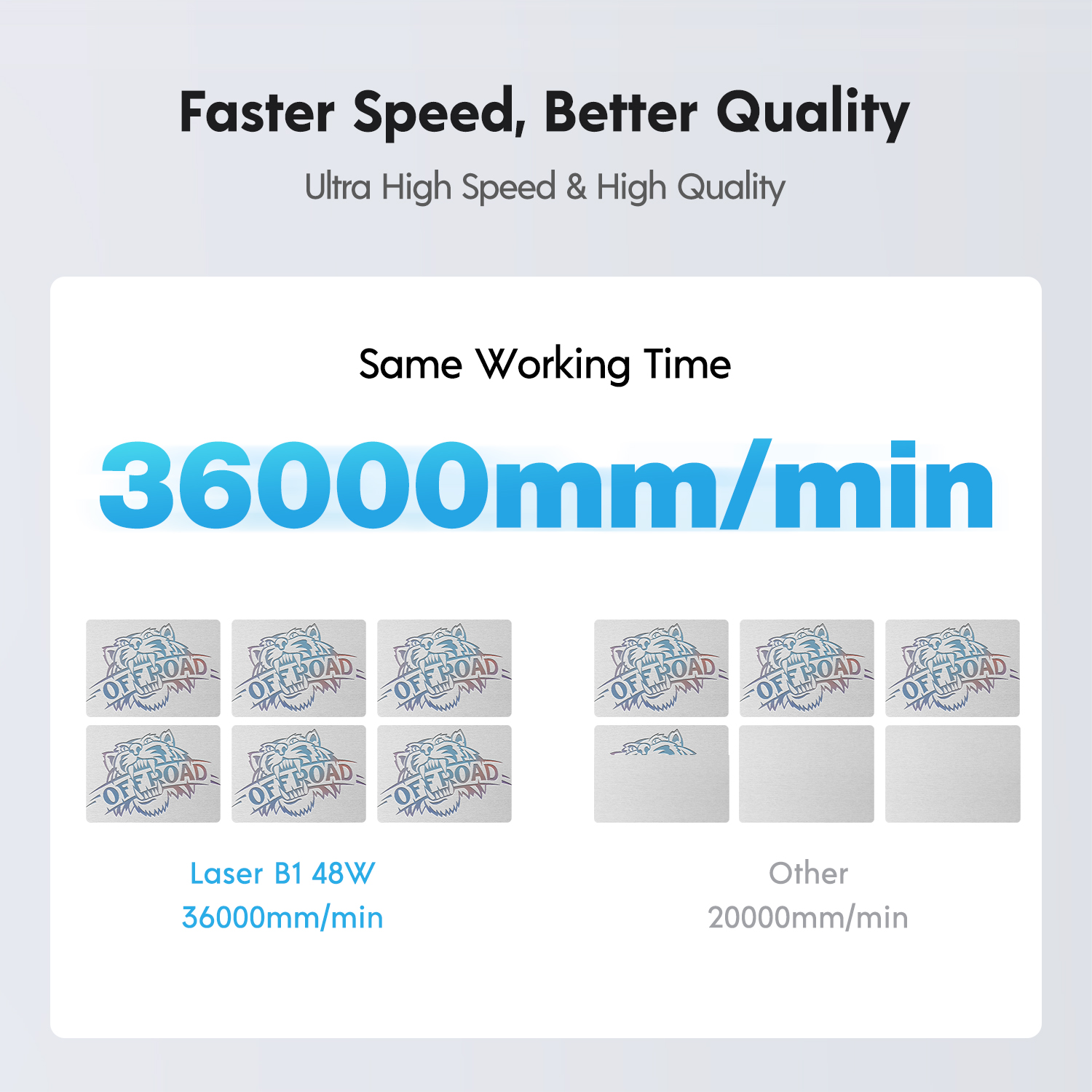
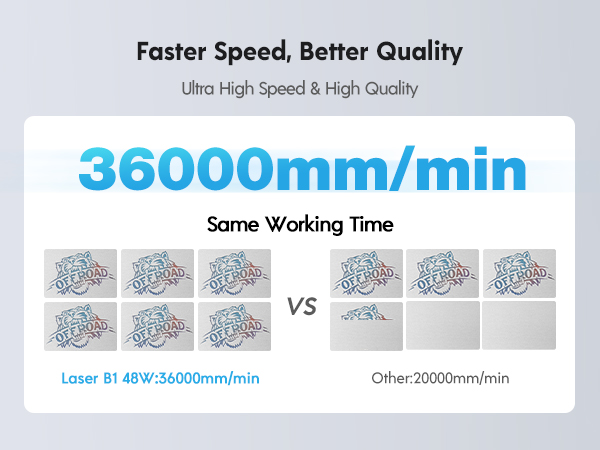
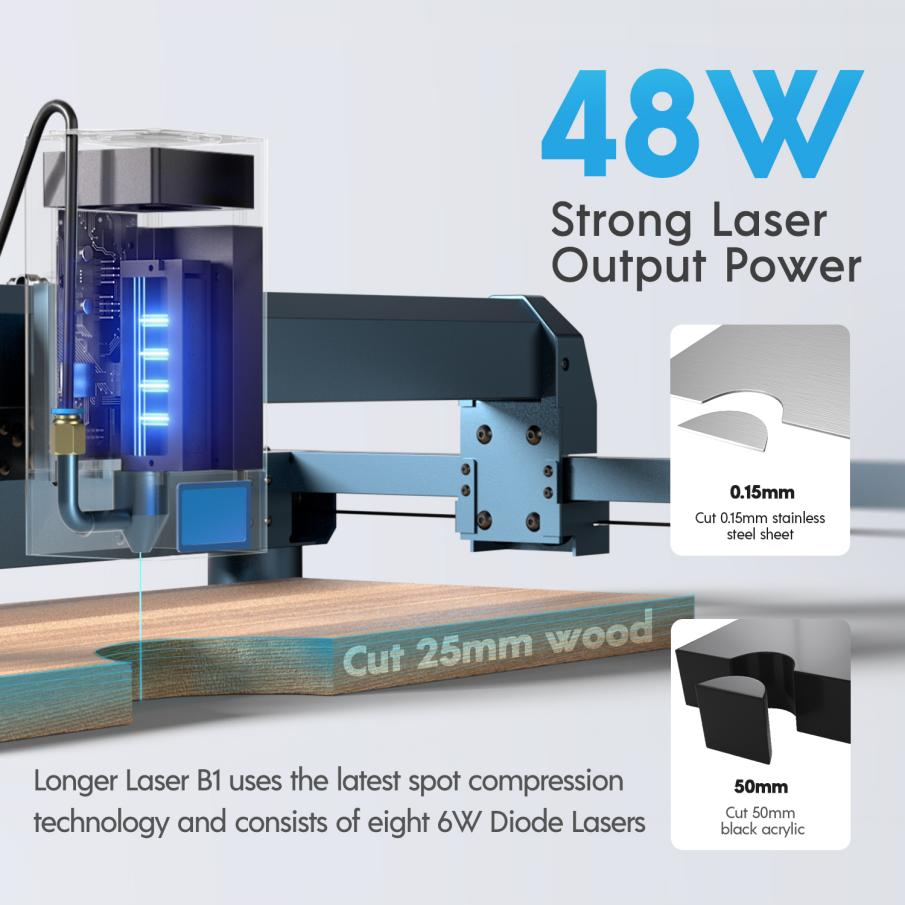
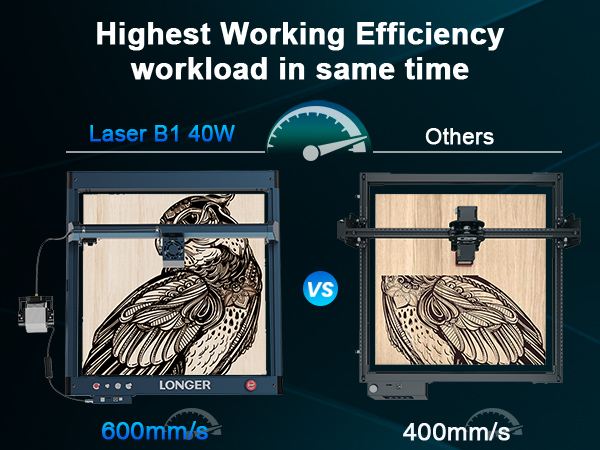
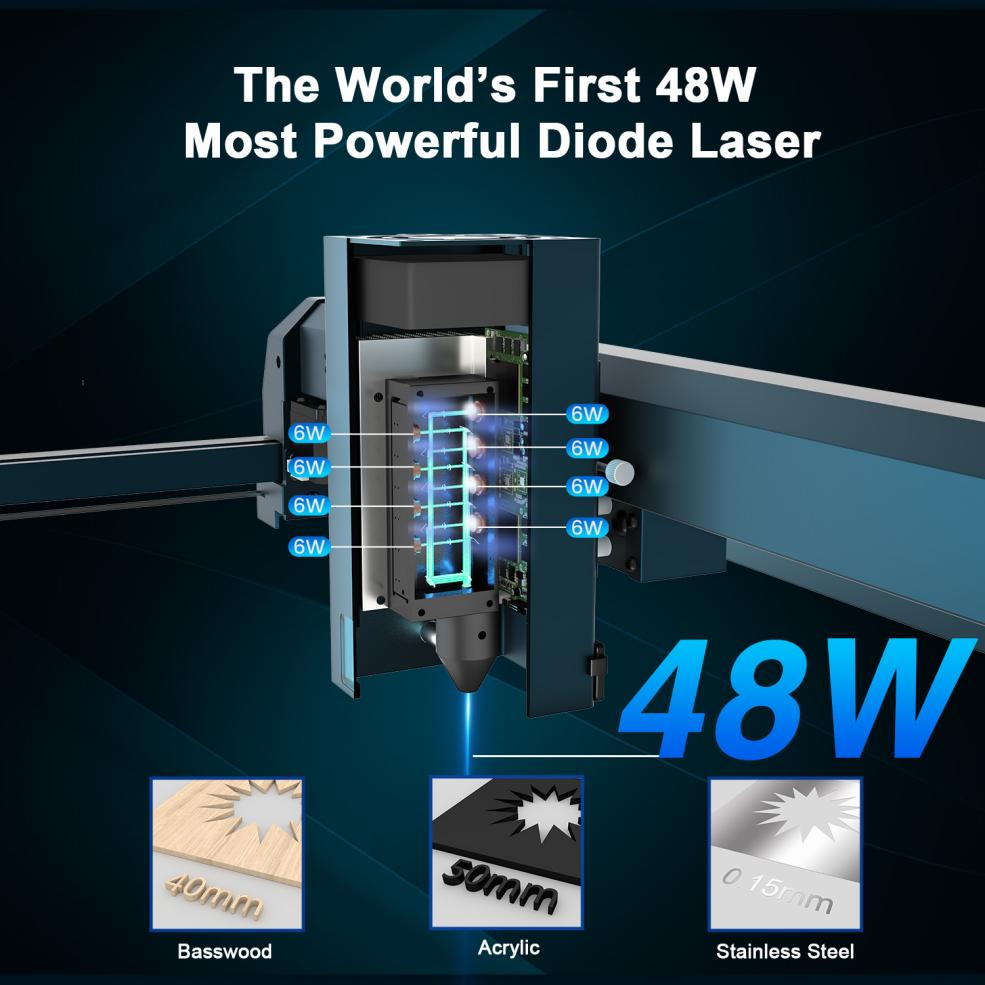
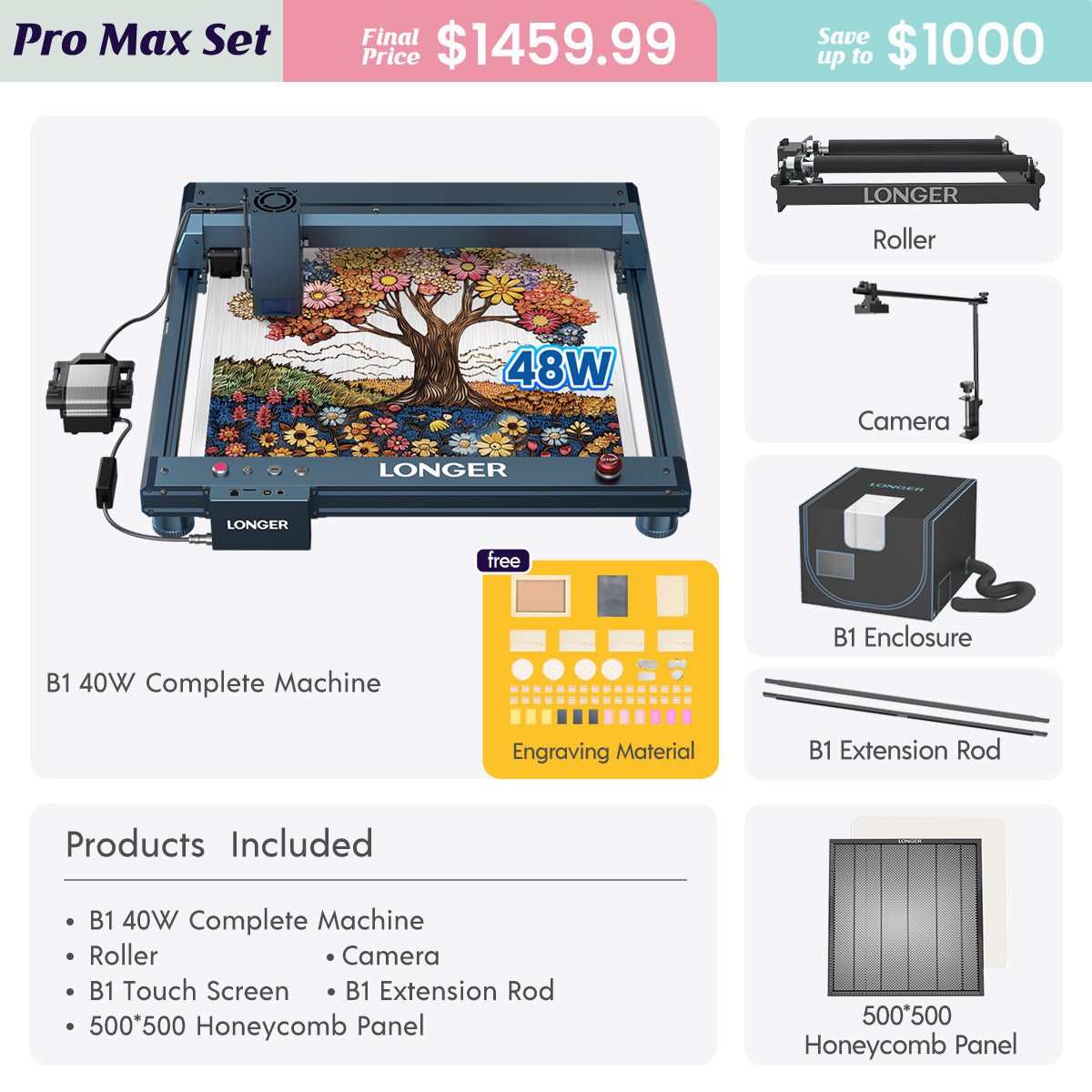
And now, the Longer LaserB1 40W is a product that perfectly caters to your needs. Improved with the latest spot compression technology, it can effortlessly engrave on materials like 0.15mm thick stainless steel plates or 50mm thick black acrylic. With an engraving speed of up to 36,000 millimeters per minute, it can help you swiftly complete tasks while maintaining quality. The engraving area reaches 450mm*440mm, 27% larger than before, allowing your creativity to flourish whether it's a big or small gift. You can also use it together with your mom to create gifts, enjoying the collaboration between parent and child and crafting pieces that embody mutual effort, adding even more sentimental value. And rest assured, the LongerB1 40W boasts eight layers of safety protection, with a sturdy framework ensuring high safety standards.

Mothers often play the role of selfless givers in our lives, offering unwavering support and love.  When we sincerely offer gifts made with our thoughts and time, her happiness at that moment will likely surpass anyone else's.

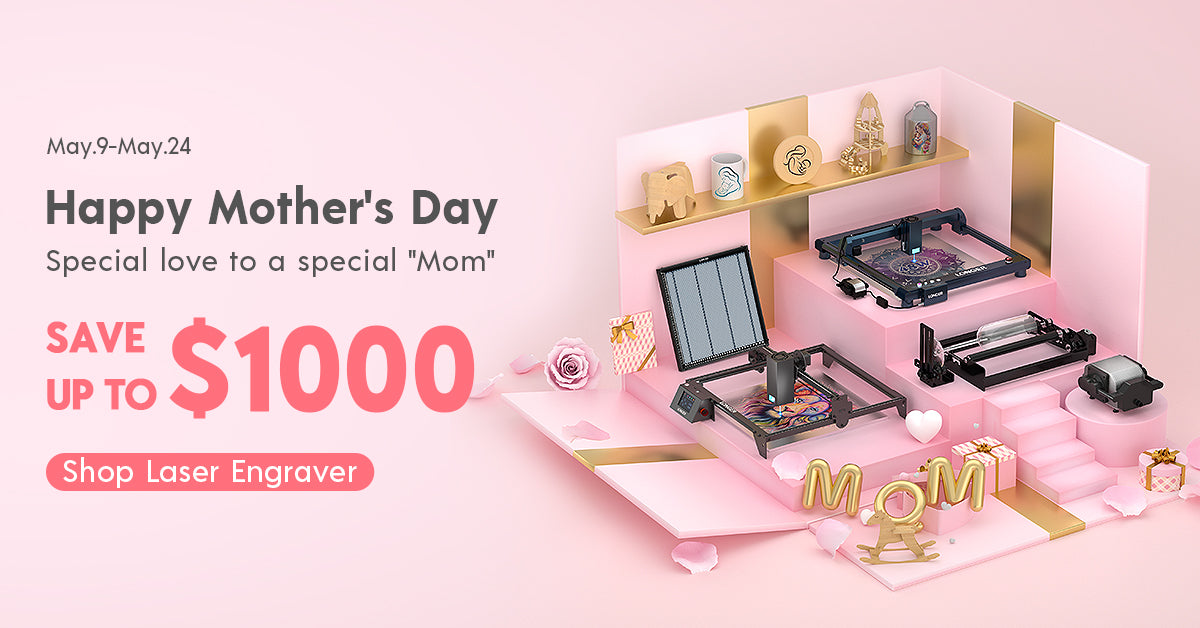
In summary, the Longer LaserB1 40W won't disappoint you, and your mom won't be disappointed either. If you're interested in purchasing, don't miss the LONGER Mother's Day event from May 9th to May 24th. Apart from the LongerB1 40W, there are more laser engraving and 3D printing machines that will bring happiness to both you and your mom, with discounts of up to $1000! Give her a gift that will be remembered for many years, letting your mom feel your most unique sincerity.


On Mother's Day, let us take the time to appreciate the hard work and sacrifices of our mothers. Whether it's through a special gift or a warm message, let's express our deep love and respect for them. May all mothers feel our boundless love and admiration on this special day, as they are the most precious beings in our lives. Let your creativity shine with the Longer LaserB1 40W, and celebrate the love and appreciation you hold for your mother in a truly unforgettable way.

By Blog de grabador láser | May 9, 2024
Longer Laserburn App – Multiple Work Layer

Using LaserBurn multiple work layers is one of the easiest ways to speed up laser projects and combine different operations into one workflow. Instead of running separate engraving and cutting jobs, LaserBurn allows users to create multiple tasks inside a single project using layers.

For Longer B1 users and beginners learning laser workflows, this feature can reduce setup time, improve efficiency, and simplify project management.


Table of Contents


Quick Answer

LaserBurn multiple work layers allow you to assign different operations to different objects inside the same project. Each layer can use its own processing parameters and operation type, such as engraving or cutting, so the machine can automatically complete multiple jobs in sequence during one run. LaserBurn supports up to 10 layers.


What This Guide Covers

This tutorial explains:

  • What LaserBurn work layers do
  • How to assign multiple layers
  • How to combine engraving and cutting jobs
  • How Longer B1 processes layer-based tasks
  • Common issues and solutions
  • Helpful tips for beginners

Why LaserBurn Multiple Work Layers Matter

Laser projects often contain different operations.

For example:

  • Engraving logos
  • Cutting outlines
  • Creating text effects
  • Producing multi-color metal engravings
  • Combining decorative elements with cut shapes

Without layers, users would typically:

  1. Run engraving
  2. Stop the machine
  3. Reload files
  4. Reposition materials
  5. Run cutting

This takes more time and increases the possibility of alignment errors.

With LaserBurn multiple work layers:

  • Multiple jobs run continuously
  • Material stays in place
  • Workflow becomes easier
  • Production time decreases

LaserBurn was designed specifically for LONGER laser machines and includes integrated layer management functions.


Before You Start

Requirements

Hardware:

  • Longer B1 laser engraver
  • Compatible LONGER laser machine
  • Suitable engraving material

Software:

  • LaserBurn application
  • Existing design file or imported artwork

Knowledge:

  • Basic LaserBurn navigation
  • Understanding of engraving and cutting operations

If additional machine settings are required:

Follow official machine specifications or instructions.


Precautions

Before beginning:

  • Verify that the laser is properly focused
  • Confirm your material is secured
  • Ensure airflow or air assist functions properly
  • Double-check object placement
  • Review assigned layer settings before starting

Common beginner mistake:

Assigning multiple objects to the same layer unintentionally can apply incorrect processing parameters.


Step-by-Step: How to Use LaserBurn Multiple Work Layers

Step 1: Create or Import Images

Action:

Open the Creation menu and create or import the images you want to process.

The example workflow uses:

  • "Longer"
  • "B1"

Expected Result:

Both designs appear in the project workspace.

Important Notes:

Objects can be newly created or imported from existing files.


Step 2: Open the Layers Menu

Action:

Locate the Layers menu.

For each imported image, select a different layer.

Click different layer colors to assign unique layers.

Expected Result:

Each object changes color according to its assigned layer.

Important Notes:

Layer colors are visual indicators that help distinguish operations.

LaserBurn supports up to 10 separate layers


Step 3: Assign Processing Parameters

Action:

Set processing parameters for each layer independently.

Example:

  • "Longer" → wood engraving parameters
  • "B1" → wood cutting parameters

Expected Result:

Each layer now contains independent settings.

Important Notes:

Different layers can contain:

  • Engraving settings
  • Cutting settings
  • Speed settings
  • Power settings
  • Processing behaviors

Do not modify settings unless your material specifications require changes.

Follow official machine specifications or instructions.


Step 4: Position Material Under the Laser Module

Action:

Place the wooden panel beneath the Longer B1 laser module.

Expected Result:

Material is positioned and ready for processing.

Important Notes:

Do not move the material after setup.

Movement may affect alignment between operations.


Step 5: Start the Job

Action:

Start the created project in LaserBurn.

Expected Result:

The machine processes tasks automatically:

  1. Engraves "Longer"
  2. Cuts "B1"

The operations run continuously without interruption.

Important Notes:

The machine processes operations according to layer sequence.

Do not interrupt the machine unless necessary.


LaserBurn Multiple Work Layers for Metal Color Engraving

One useful application of multiple layers involves colored metal engraving.

Laser interaction with metal can create different visible colors depending on:

  • Laser power
  • Speed
  • Processing conditions

Multiple layers allow different settings to be applied across sections of the design.

This creates multi-tone visual effects while remaining inside a single project.

If processing metal materials:

Follow official machine specifications or instructions.


Common Problems and Solutions

Problem Requirements Solution
Objects use identical settings unexpectedly Check layer assignment Verify objects are assigned to separate layers
Design colors do not change Review Layers menu Reassign layer colors
Engraving starts but cutting does not Verify operation settings Confirm cutting parameters are assigned correctly
Alignment appears incorrect Material positioning Do not move material after setup
Wrong parameters applied Check selected layer Review settings before starting the job

Tips for Better Results

1. Use descriptive project organization

Name files clearly before saving projects.

Examples:

  • Wood_Engrave_Cut
  • Metal_Color_Test

2. Keep engraving and cutting separated

Assign different operations to different layers rather than mixing them.

This improves workflow clarity.


3. Start with simple projects

Beginners should first test:

  • Text engraving
  • Basic cutting shapes

Complex designs can be introduced later.


4. Double-check material placement

Multiple operations rely on consistent positioning.

Even small movements can affect results.


5. Preview work before processing

Review layer assignments and processing order before starting.


Frequently Asked Questions

Q: How many LaserBurn multiple work layers can be used?

A: LaserBurn supports up to 10 layers, allowing up to 10 independent jobs in one project.


Q: How do I use LaserBurn multiple work layers for beginners?

A: Create or import objects, assign different layers using layer colors, and configure parameters separately for each layer.


Q: Can engraving and cutting happen in one project?

A: Yes. LaserBurn can engrave and cut sequentially during the same process.


Q: Can I assign different parameters to each layer?

A: Yes. Each layer supports separate processing settings.


Q: Can multiple layers be used for metal engraving?

A: Yes. Multiple layers can help create varying engraving effects on metal materials.


Q: Why are all my objects using the same settings?

A: Objects may have been assigned to the same layer accidentally.


Q: Is LaserBurn available for LONGER laser machines?

A: LaserBurn is designed specifically for compatible LONGER laser engravers.


Related Tutorials

For building a complete LONGER workflow, explore:


Final Thoughts

LaserBurn multiple work layers make project creation significantly easier by combining several operations into one workflow. Instead of separating engraving and cutting into individual runs, users can create a single project and allow Longer B1 to process everything automatically.

For beginners, mastering layer management is one of the fastest ways to improve workflow efficiency and reduce project setup time. Continue exploring LONGER guides and tutorials to build more advanced engraving skills. 

By Blog de grabador láser | May 6, 2024
Setup LONGER Laser engraver and material selection

LONGER laser engravers employ highly accurate technology, using focused laser beams to cut various materials with precision. This process is vital in both development and production. To effectively execute laser cutting, one must understand the principles, material selection, design, machine operation, and safety measures. The LaserB1 and Ray5 series, are renowned for their performance in laser cutting. Operating a LONGER laser cutting machine involves several key steps:

Machine Setup: 
Start with put LONGER laser engraver in right place. Make sure the area can provide sufficient space for air access to the device and that it also stands on solid ground. The device can go on working at full capacity under such conditions. Attach the machine to the power source and test any fail-safe features like the emergency stop button and guard lock by pressing the emergency stop button and confirming the machine's reaction. 


The laser must be placed in an acceptable environment to reduce unintentional or unplanned disasters. The environment should be well-ventilated, stable, and clean to prevent shaking/vibration of the machine. The electrical source should be a per the maker's standards whereas it has to be earth and insulation grounded. The machine set up process should be carried out within the actual configuration of its laser beam deliver components and these components should be cleaned regularly. Software such as LaserGRBL LaserBurn LightBrun, MKS app and controls need to compatible to the operating system. First step of calibration and test of machine should be performed by adopting steps defined in machine manual.

Material Selection and Preparation: 
Choose the most compatible option out of many options for your laser cutting task in a proper way. The laser cutter machine (WEED) is very versatile since it can handle different materials like wood, acrylic, leather, metal, and fabric, just to name a few. The initial step involves preparing the front assembly by removing dust, smoothing out any imperfections, and securely mounting it onto the operating area board. Utilize masking tape to protect the surface and the soot from accidental damage.


The rectification of laser machining involves defining the material's characteristics, including its reaction to laser wavelength and energy level, and ensuring safety measures. Material properties like hardness, melting point, and thermal conductivity influence the process outcome. Thicker materials may require multiple passes. Proper material surface preparation, such as cleaning and degreasing, is crucial for effective laser processing. Safety considerations include adherence to laser safety protocols, the use of approved personal protective equipment (PPE), hazard awareness, and implementing ventilation or filtration systems. Refer to the LONGER laser machine's specifications, guidelines, and standards for material selection and processing operations.


By Blog de grabador láser | April 25, 2024
LONGER Laser in Sustainable Development and Environmental Conservation


By Blog de grabador láser | April 18, 2024
LONGER Laser Engraver-Choosing the Right laser engraving machine

When deciding on the right LONGER laser engraving machine for your home, it's crucial to consider your needs and preferences, especially when distinguishing between standard and portable models. Here are several factors to consider when choosing the ideal tool.


Size and Portability

When considering a laser engraving machine, the size and portability factor play a crucial role, especially if you need to transport the machine easily or have limited workspace. In such cases, opting for a portable engraving machine is the ideal choice. LONGER Nano, known for its compact size and lightweight design, is perfect for projects where space is limited or for on-the-go tasks. However, if you require more professional-grade cutting capabilities, the LONGER LaserB1 40W is the optimal choice. 

Decoding the differences:portable vs desktop laser engraving machines - LONGER

LONGER LASERB1 40W : Business Opportunities in Personalized Consumer Market

LONGER Nano: 12W Portable Laser Engraver


Power and Engraving Versatility

The laser engraving machine's cutting power and depth control capability are key factors determining its versatility and performance across various tasks. LONGER's diverse range of laser engraving machines, including the Ray5 series with options ranging from 5W to 20W and the LaserB1 series with power outputs from 20W to 40W, offer unparalleled cutting power and precise depth control.

LONGER RAY5 10W Laser Engraver | 10W Laser Cutter

LONGER B1 30W Laser Engraver Machine for Small Business - LONGER


APP Support

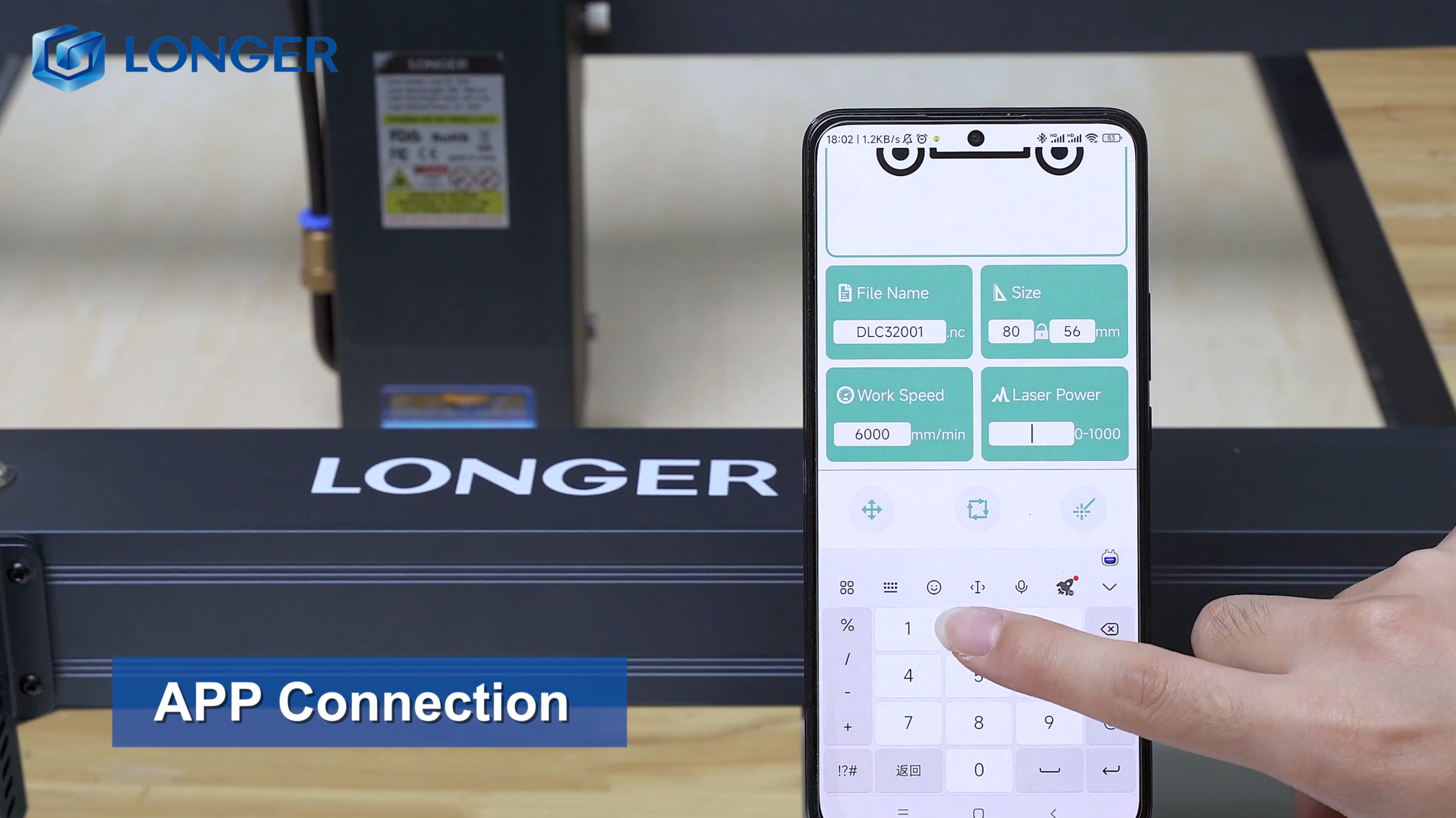
Ensure compatibility with your operating system and design software when selecting a laser cutter. Our machines are designed to work seamlessly with LaserBurn, LaserGRBL, MKS and LaserBurn, which have been independently researched by LONGER. Therefore, choose a laser cutter that aligns with your project requirements and preferred software to optimize performance and achieve the best results.

LONGER Download Page 


Product Safety


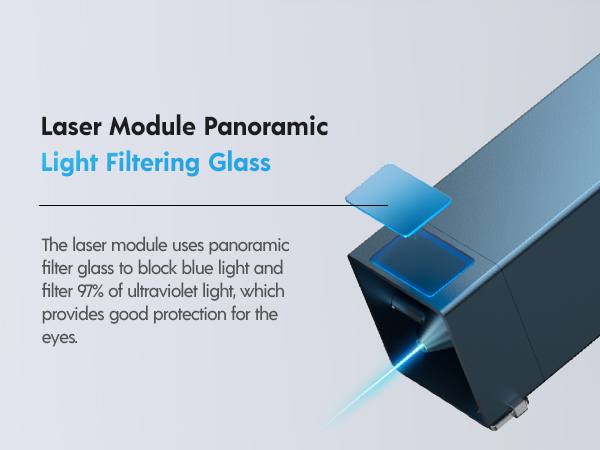
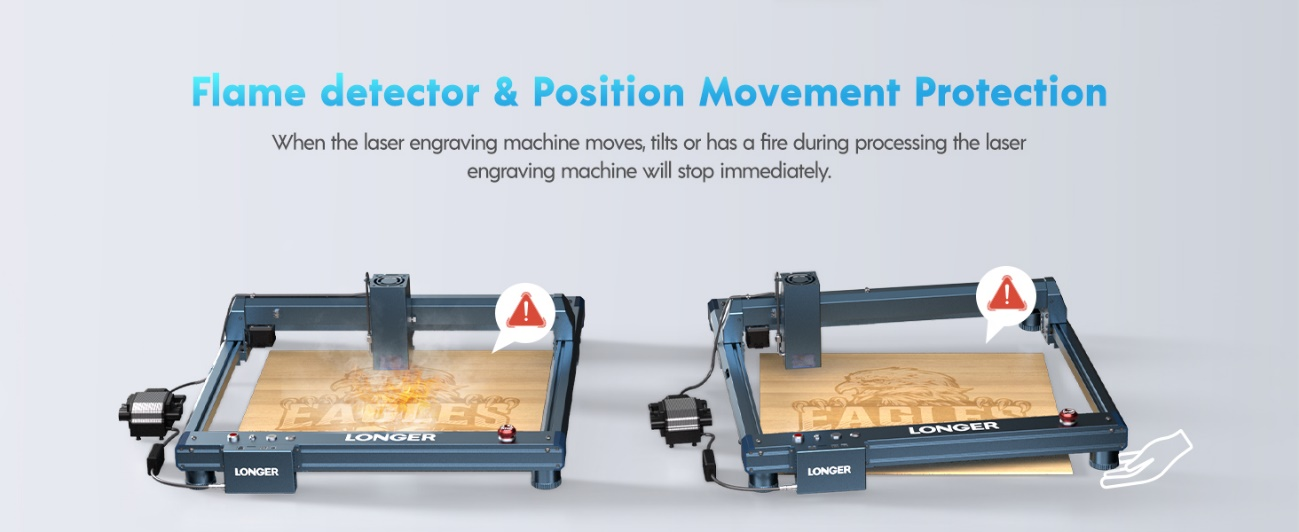
Safety is among the things to consider when using a laser engraver. By utilizing machines equipped with advanced safety features such as flame detection, movement detection, motionless protection, emergency stop buttons, and eye protection, you can significantly reduce the risk of accidents.

When choosing a laser engraving machine, prioritize user experience. Factor in the brand's reputation and the quality of after-sales service to ensure a positive overall experience. LONGER offers machines equipped with intuitive user interfaces, straightforward controls, and user-friendly engraving software, guaranteeing a seamless and efficient engraving process.

LONGER Contact Page


Customer service

To ensure a smooth customer experience, it's crucial to inquire about the type of customer service offered by the company and whether they provide warranties for technical issues with their products. LONGER provides customer support via email at support@LONGER.net, ensuring prompt assistance in case of any malfunctions or technical problems with the device. This ensures peace of mind for customers, knowing that they can rely on timely support and resolution of any issues that may arise.

Shipping and Warranty Policy - LONGER


Conclusion

With LONGER's eight years of professional research in laser engraving machines, seeking advice from other users with LONGER laser engraving machine experience and reading reviews are also beneficial. By considering these factors, you can make an informed decision and choose the best tool for your needs and preferences.

By Blog de grabador láser | April 17, 2024
Home use laser engraver LONGER Ray5 and LaserB1 series

Home users opt for LONGER laser engraving machines due to the combination of quality and affordability. LONGER has dedicated 8 years to professional research in laser engraving machines and 3D printers. The two co-founders are Ph.D. graduates from MIT and Georgia Tech, respectively, leading a team of researchers from top universities worldwide. Committed to harnessing cutting-edge technology, LONGER strives to produce the highest quality products at the best value for customers. Despite this commitment to excellence, LONGER operates with minimal profit margins, prioritizing customer satisfaction and affordability above all else.

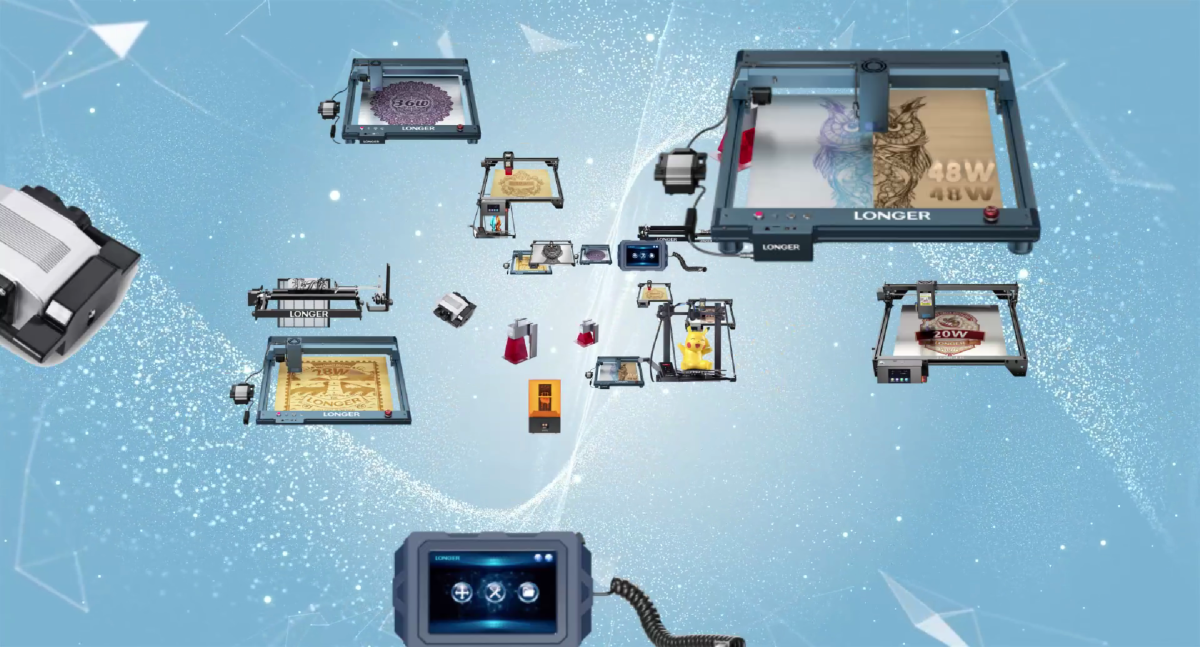
LONGER offers a range of laser engraving machines with different power levels, from the RAY5 5W to 20W, LaserB1 20W to 40W model. The power level of the laser is directly correlated with the speed of engraving or cutting, allowing users to adjust settings to achieve optimal results for their projects. One of the key features of LONGER laser engraving machines is their compatibility with a wide range of materials, including wood, fabrics, metal, paper, and anodized aluminum. However, it's important to note that materials like PVC should be avoided due to the emission of toxic fumes during engraving. 
These machines are capable of working with various materials such as metals, wood, and plastics, offering precise engraving with minimal setup time. LONGER’s machines are equipped with high-precision technology, enabling users to create intricate patterns, detailed lines, and precise shapes with 100% accuracy. Additionally, LONGER laser engraving machines come with user-friendly software that supports various file formats and allows for easy connectivity via USB or wireless interface. Safety measures are also incorporated into the design of LONGER machines, including safety covers, emergency stop buttons, and protective interlocks to prevent accidents during operation.


Conclusion

Despite their numerous benefits, it's essential to acknowledge the limitations of home laser engraving machines compared to industrial-grade equipment. However, for hobbyists, artists, and small businesses, LONGER laser engraving machines offer a cost-effective solution for exploring creative opportunities, provide home users with quality, affordability, precision, and ease of use, making them ideal for a wide range of engraving and cutting projects. With their versatility and user-friendly features, these machines open up a world of creative possibilities for enthusiasts and professionals alike.
 

By Blog de grabador láser | April 17, 2024
LONGER Research: How to choose Laser Engraving Efficiency

When it comes to choosing a laser engraving machine, the power output plays a crucial role in determining the efficiency and quality of the results. At LONGER, we offer a diverse range of laser engraving machines tailored to different power requirements, ensuring that there's an option to suit every need. From the compact yet versatile Ray5 series, available in 5W, 10W, and 20W models, to the robust and high-powered LaserB1 series, offering 20W, 30W, and 40W variants, our lineup caters to a wide spectrum of applications. Let's delve deeper into the unique opportunities and advantages offered by each of these options.
 

The RAY5 10W laser engraver is a versatile option, ideal for working with textured materials such as leather, paper, and thin plastic surfaces. Despite its lower power output compared to the B1 model, it still delivers excellent engraving capabilities for creative projects. Like other LONGER models, it comes with free shipping in the US and EU, providing convenience for customers.


On the other hand, the Long Time B1 30W Laser Engraving Machine offers a balanced power output of 30W, sitting between the B1 40W and RAY5 10W models. It's suitable for printing on materials like wood, acrylic, and rubber, offering manufacturers versatility in their applications. With a good compromise between speed and accuracy, this model delivers reliable performance. 


Choosing the right LONGER laser engraving machine based on power output is essential for boosting productivity and achieving desired results. Whether you need more power for faster engraving or less power for intricate designs, LONGER offers the options you need


When considering the optimal power output for a LONGER laser engraving machine, it's essential to evaluate your specific requirements, the materials you'll be working with, and the desired outcomes. LONGER offers a diverse range of laser engraving machines to suit various needs, including the Ray5 series with power options ranging from 5W to 20W, and the LaserB1 series with power options ranging from 20W to 40W. By carefully considering these factors and conducting thorough research, you can ensure that the machine you choose aligns perfectly with your needs. If possible, testing the machine before making a purchase can provide valuable insights into its suitability for your projects.


Conclusion

When selecting the best laser engraving machine for your needs, consider factors such as material compatibility, engraving speed, efficiency, depth, intensity, versatility, and cost. While higher power outputs can increase productivity, they may also impact engraving quality and precision. Evaluate the depth and intensity of the engravings you require, as higher power outputs are typically better suited for deep engravings with high contrast.

By Blog de grabador láser | April 16, 2024
LONGER LASERB1 40W : Business Opportunities in Personalized Consumer Market

Laser engraving machines, as an efficient and precise product of modern technology, are gradually gaining attention from entrepreneurs. So how can you achieve business success with a laser engraver? In this article, we will take the LONGER LaserB1 40W as an example, to provide you with an in-depth analysis, to seize the opportunity of the personalized consumer market.


The rise of personalized consumption

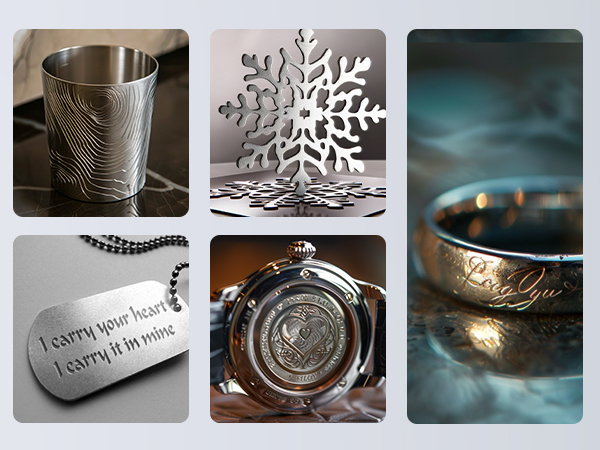
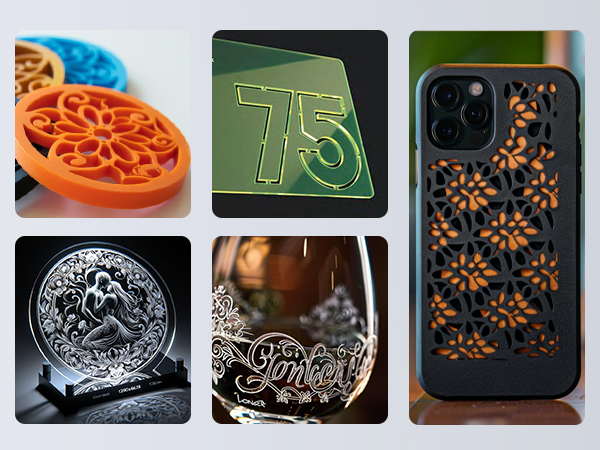
In today's consumer-driven market, the desire for personalized products is on the rise, driven by individuals seeking to express their unique tastes and preferences. The LaserB1 40W laser engraving machine caters to this demand by offering the capability to engrave personalized patterns and text on a diverse range of materials. Whether it's custom designs on wooden plaques, intricate artwork on metal surfaces, or personalized messages on glassware, the LaserB1 40W delivers with impressive precision, boasting an accuracy of 0.01mm. Moreover, its high-speed engraving capability, reaching up to 36,000 strokes per minute, ensures efficient production without compromising on quality. With the LaserB1 40W, consumers can transform ordinary items into cherished keepsakes that reflect their individuality, making it the perfect choice for anyone looking to add a personal touch to their belongings.

Wide range of applications

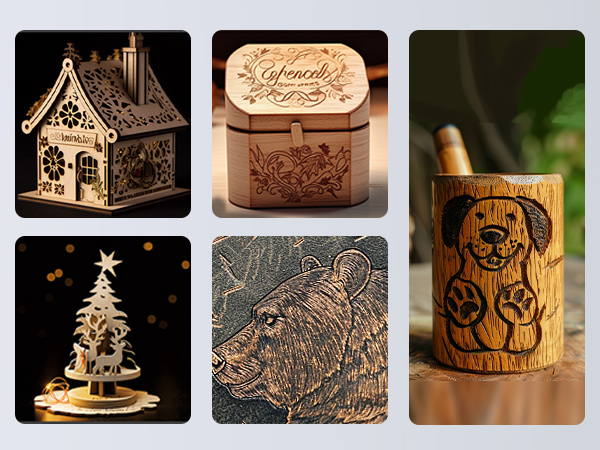
The LaserB1 40W isn't just limited to artwork and gifts; its versatility extends to various industries, including packaging, signage, architectural modeling, and more. This opens up a wide array of opportunities for entrepreneurs seeking to venture into different sectors. For instance, imagine using the LaserB1 40W to create custom-designed packaging for boutique products, eye-catching signs for businesses, or intricate architectural models for presentations. The possibilities are endless, allowing entrepreneurs to tailor their business ventures to their interests and the demands of the market. Whether you're passionate about design, marketing, or engineering, the LaserB1 40W offers a versatile platform to turn your ideas into profitable ventures. With its broad market applications, entrepreneurs can explore different niches and industries, ensuring flexibility and potential for growth in their business endeavors.

Technological innovation to help

With the continuous development of laser technology, laser engraving machine performance and functionality is also constantly improving. LaserB1 40W is an 8-core diode 44-48W power laser. The laser engraving machine increased by 20% of the cutting capacity, and the highly concentrated laser beam increased by more than 20% of the cutting capacity, can cut 40 mm basswood and 50 mm acrylic through multiple channels 17.72 x 17.32 " (450 x 440 mm) engraving area, especially suitable for A3 panel engraving. The 32-bit chipset is equipped with an intelligent air-assisted system automatically controlled by Lightburn8, major safety protection, and a sturdy frame. Entrepreneurs can take advantage of these technological innovations to provide better quality services and products and enhance competitiveness.
 

Learning and mastering the technology

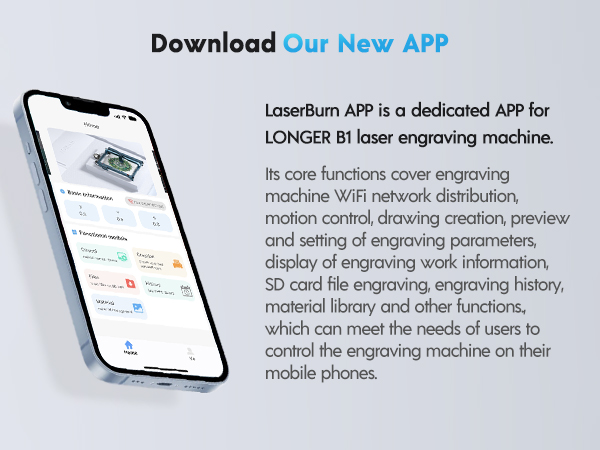
Laser engraving technology is high-end but not difficult to master. Entrepreneurs can quickly learn and master the laser engraving technology by attending training courses, reading related books, watching online tutorials, etc. You can also use LaserBurn, an APP developed by LONGER team, to make it easier and faster for you to get started. At the same time, pay attention to industry trends and technological innovation, and constantly improve their technical level.
 

Conclusion

As laser engraving machine entrepreneurs, to maintain a keen sense of market insight and innovation. By constantly developing new technologies and launching new products, we can lead the industry trend and meet the changing market demand. This will bring more business opportunities and development momentum for entrepreneurs. We believe that with your efforts and the assistance of LaserB1 40W, the road to starting a laser engraving machine business will be full of unlimited possibilities. LONGER will also continue to innovate and bring you more and better products!

By Blog de grabador láser | April 15, 2024
LONGER Research: Comparative Analysis of Red and Blue Laser Engraving

With the continuous advancement of technology, laser engraving technology has become an increasingly popular process. There are many types of laser engravers, including portable laser engravers and traditional desktop models. Convenience is an important consideration when choosing which type of laser engraver to use. This article will compare these two types of conveniences to help readers better understand their pros and cons.


Portability

Portable laser engraving machines obviously have advantages in terms of portability. They are usually smaller and lighter than traditional desktop models and can be easily carried to different places for use. Whether in the studio, at a trade show or at an outdoor event, portable laser engraving machines can be quickly deployed and put into use. This portability allows users to use laser engraving technology more flexibly to realize creative expression and production anytime and anywhere.


In comparison, traditional desktop models are often bulky and need to be fixed in one place for operation. While desktop laser engravers typically have larger work areas and more power, their mobility is greatly limited. Users need to transport materials to where the laser engraver is located, which can add time and cost, especially for projects that require handling large materials.


Setup and operation


Portable laser engraving machines are generally designed to be simpler and easier to use, making them relatively easy to set up and operate. They often come with simple and intuitive interfaces and operating guides that allow even inexperienced users to get started quickly. Additionally, due to their compact design, portable laser engravers typically require fewer installation and adjustment steps and can be put into use more quickly.


In comparison, traditional desktop models may require more time and skill to set up and adjust. Due to its complex structure and functions, users may need to spend more time learning and becoming familiar with the operating procedures. In addition, since desktop laser engraving machines usually have more functions and parameter setting options, users may need more technical knowledge to adjust and optimize to achieve the desired engraving effect.


Applicable scene

Portable laser engraving machines are suitable for scenarios that require flexible movement and rapid deployment. For example, artists can use portable laser engraving machines in different studios, exhibition venues or outdoor events to realize their creative ideas. In addition, portable laser engraving machines are also suitable for education and training fields, where students and teachers can easily carry the equipment for teaching and practical operations. Additionally, our Longer Nano boasts a powerful 12W of power and a fast speed of 2200mm/s, ensuring fast and efficient performance.


The traditional desktop laser engraving machine is more suitable for scenarios that require long-term continuous work and large-scale projects. For example, manufacturing companies may prefer to use desktop laser engraving machines to achieve mass production and efficient processing. Additionally, due to their larger work area and greater power, desktop laser engravers can often handle projects of larger sizes and thicker materials. Longer laser engravers are available on the desktop, such as the LaserB1 series and Ray5 series


Conclusion


In conclusion, Longer's portable laser engravers offer unparalleled advantages in terms of portability, flexibility, versatility, ease of use, and time-saving capabilities. These devices empower users to unleash their creativity and achieve superior engraving results with convenience and efficiency, making them an indispensable tool for various applications and industries.

By Blog de grabador láser | April 12, 2024