Academy

LONGER Research: Innovations in Ray5 20W Laser Engraving for Ceramic Art - LONGER
LONGER Research: Innovations in Ray5 20W Laser Engraving for Ceramic Art

Laser engraving has become a pivotal technique in producing intricate designs on ceramics. Historically, CO2 laser engraving machines, which operate at shorter wavelengths, were commonly used but often proved less effective on ceramics. LONGER will use Diode Ray5 20W continues to push the boundaries of what is possible in ceramic art and customization.


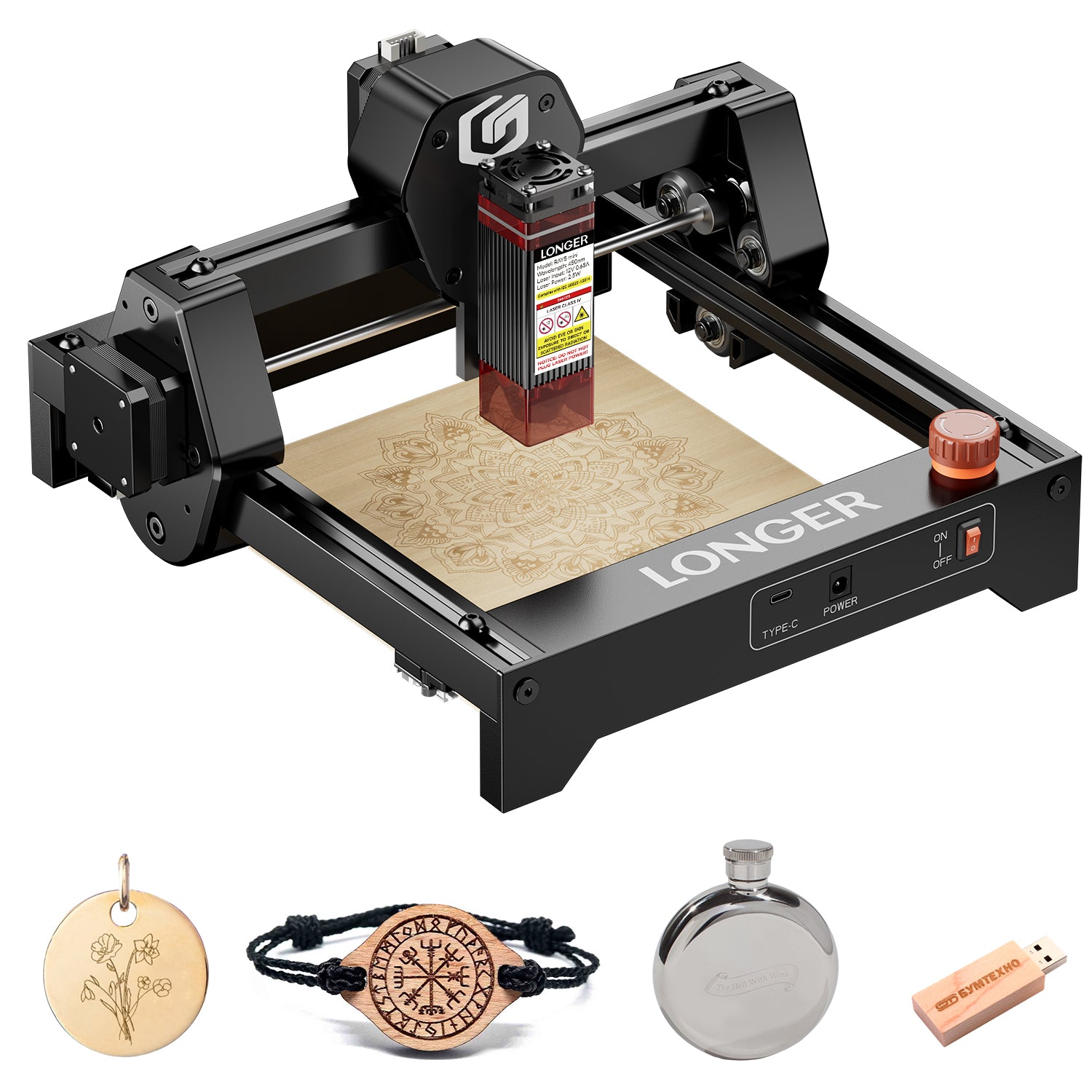
LONGER has been at the forefront of this innovation, offering powerful laser engraving machines like the Ray5 20W. This machine features a working area of 400 x 365 mm, making it well-suited for detailed and precise engravings on ceramics.


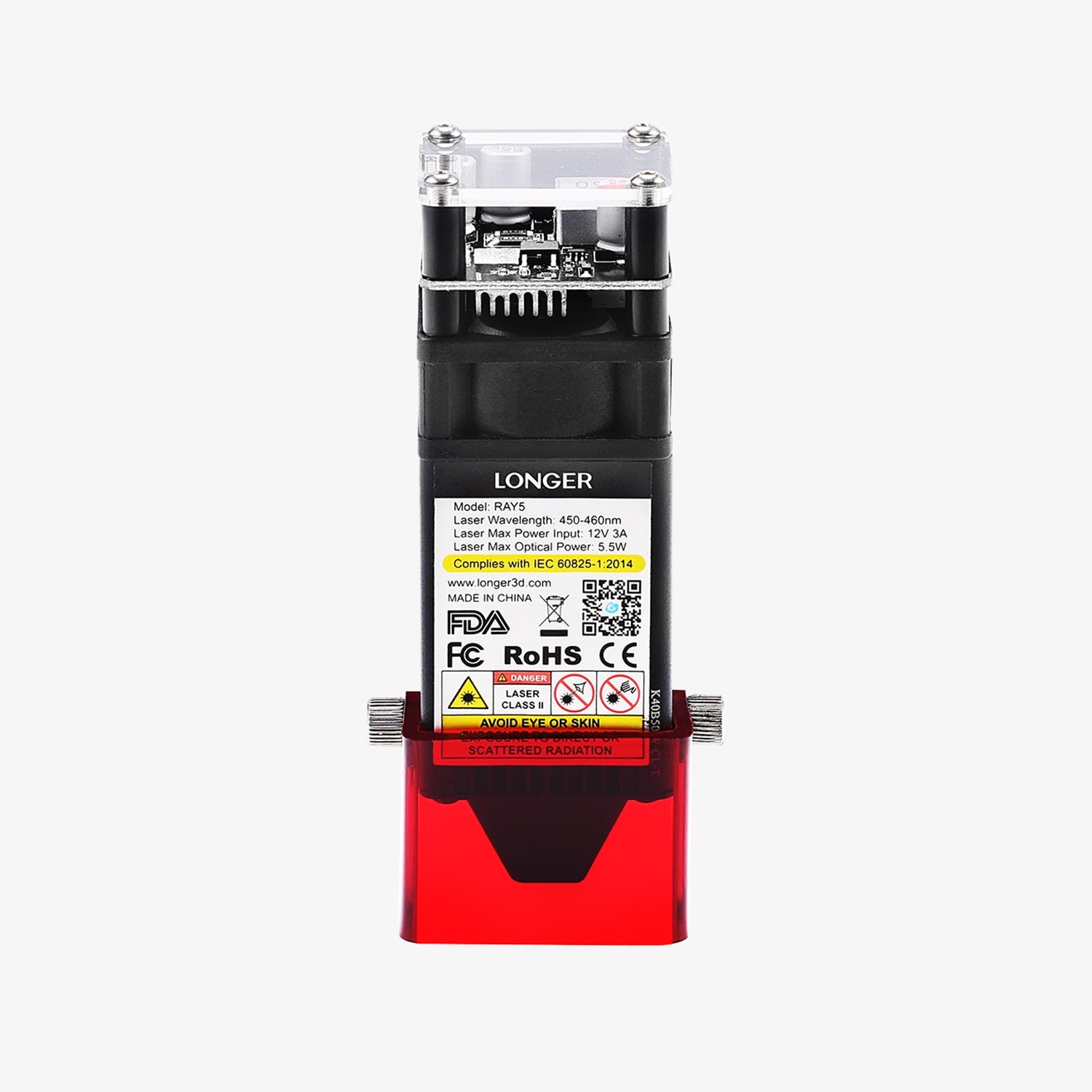
The Ray5 20W laser, with a wavelength of 450nm and a fixed focus of 40mm, was fine-tuned for optimal performance. Adjustments in laser power, pulse duration, and scanning speed were made to achieve the highest quality engravings on various ceramic surfaces, especially those with intricate surface profiles or glaze coatings.


The Ray5 20W, with its precise 0.08x0.1mm laser spot size and high engraving speed of up to 10000mm/min, produced detailed and deep engravings. Using Ray5 20W deeper and more detailed, and the engraved designs were harder and more wear-resistant. This makes them suitable for both aesthetic and practical applications, such as dishware, furniture components, and outdoor sculptures.


Ceramic material selection, including stoneware, bone china, and high-fire ceramics. The type of glaze and surface finish were key factors in determining the effectiveness of laser engraving. Additional surface treatments like glazing further improved the aesthetic and functional qualities of the engraved ceramics.


LONGER’s laser engraving machines, such as the Ray5 20W, enable extensive customization of ceramic tableware. Here are some examples of potential designs:


Personalized Text: Clear and precise text can be engraved on plates, mugs, and bowls, making them unique with names, initials, or dates.


Custom Patterns: Fine details and symbols, including geometric shapes, plant motifs, or abstract forms, can be intricately carved on ceramic surfaces.


Logos and Branding: Businesses and special events can benefit from laser engraving to create branded tableware or promotional items.


Artwork and Illustrations: Detailed artwork and illustrations, whether they depict specific scenes, facial features, or simple sketches, can be engraved on ceramic pieces.


Customized Designs: Laser engraving allows for limitless creativity. Any combination of text, images, or new designs can be brought to life on ceramic tableware, reflecting personal or thematic preferences.


By leveraging the capabilities of the Ray5 20W, LONGER continues to push the boundaries of what is possible in ceramic art and customization, offering tools that blend creativity with advanced technology. Longer Ray5 laser engraver is going to bring life to your ideas.

By Academy | June 24, 2024
Review about Longer Ray5 10W - LONGER
Review about Longer Ray5 10W

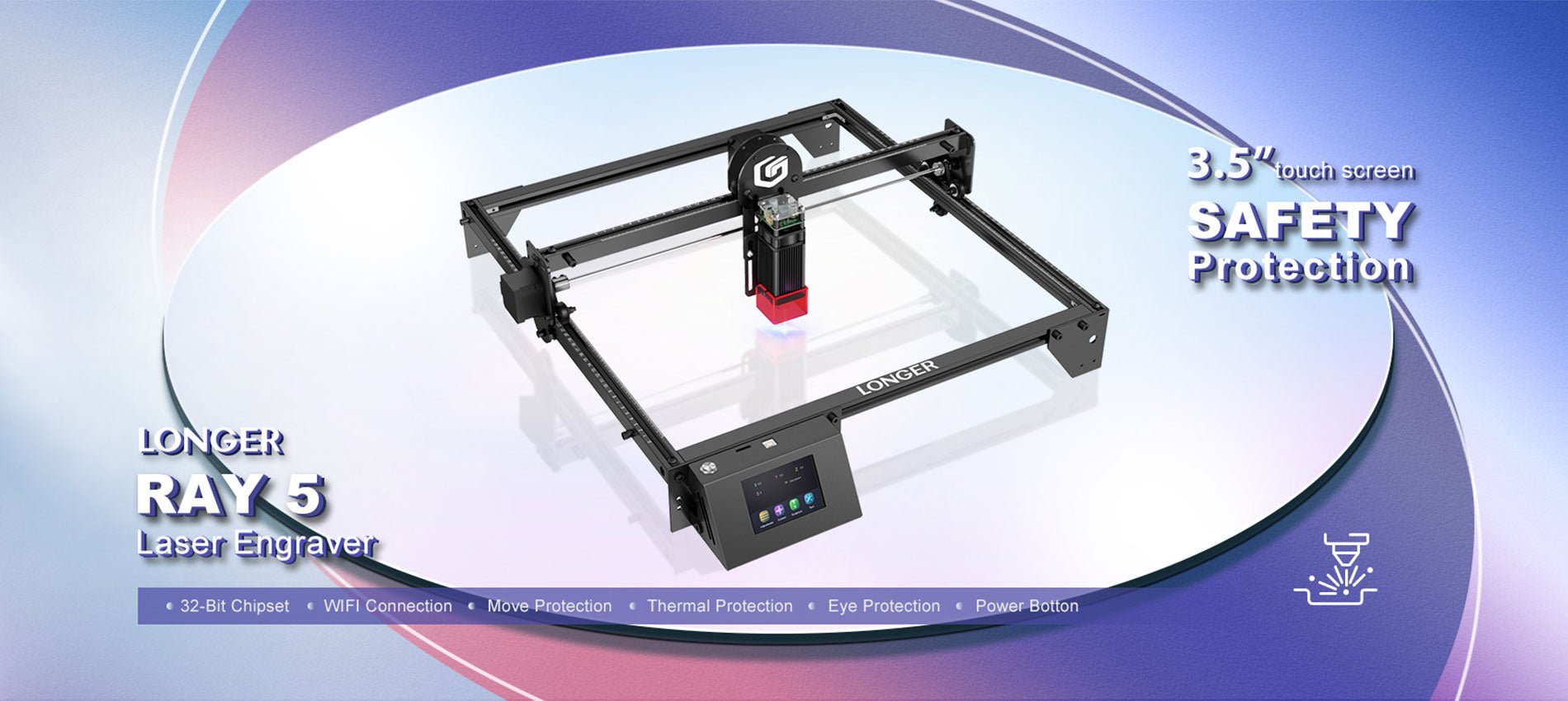
With its powerful 10–12W output, the Longer Ray5 10W laser engraver changes the game when of laser printing. In this full review we will go over all of the amazing features, and functions that make the Longer Ray5 10W the best choice for both professionals and hobbyists.

The Basics of How to Use the Longer Ray5 10W (10-12W Power)

When used for engraving, the Longer Ray5 10W is a technical marvel that will make both the quality and quantity of the work done much better. Because it has a powerful laser source, this engraving machine can perfectly engrave and cut a wide range of materials. Please let me break down how everything works with each other:

Laser Lighting Source:

The Ray5 10W, a very efficient laser light source that can make 10 to 12 watts of power, is the heart of the Longer Ray5.

Careful Attention to Pointing the Laser

The laser source sends out a wave of light that can be directed on the material's surface to do its job. A very precise control over where the focus is placed gives you the most accuracy, especially when working with complicated patterns.

A focused laser beam makes so much heat when it hits something that it either evaporates or burns. One thing that can be done with this method is engraving, and another is cutting. The results will be clean and accurate.

Precision and a sense of being in charge

With the 3.5-inch touchscreen, you will have full control over the engraving process. You can make sure that every job is done properly by fine-tuning the parameters, changing how fast the engraving is done, and managing a lot of different tasks.

The 10 watt power of the Longer Ray5 10W makes it better at working with a wider range of surfaces. The fact that it works with many materials, such as wood, plastic, metal, glass, leather, and more, makes it a useful tool for many tasks.

Features of Ray5 10W (10-12W) that stand out

One reason the Longer Ray5 10W is such a great choice for laser printing and cutting is its 32-bit chipset system, which makes it much easier to use and faster. The carving work you do will go much more quickly and easily now with computer.

The display screen is 3.5 inches wide.

The great thing about the 3.5-inch monitor is that i lets you see the cutting process very clearly. You have full control over the speed of the writing, as well as the settings and everything else.

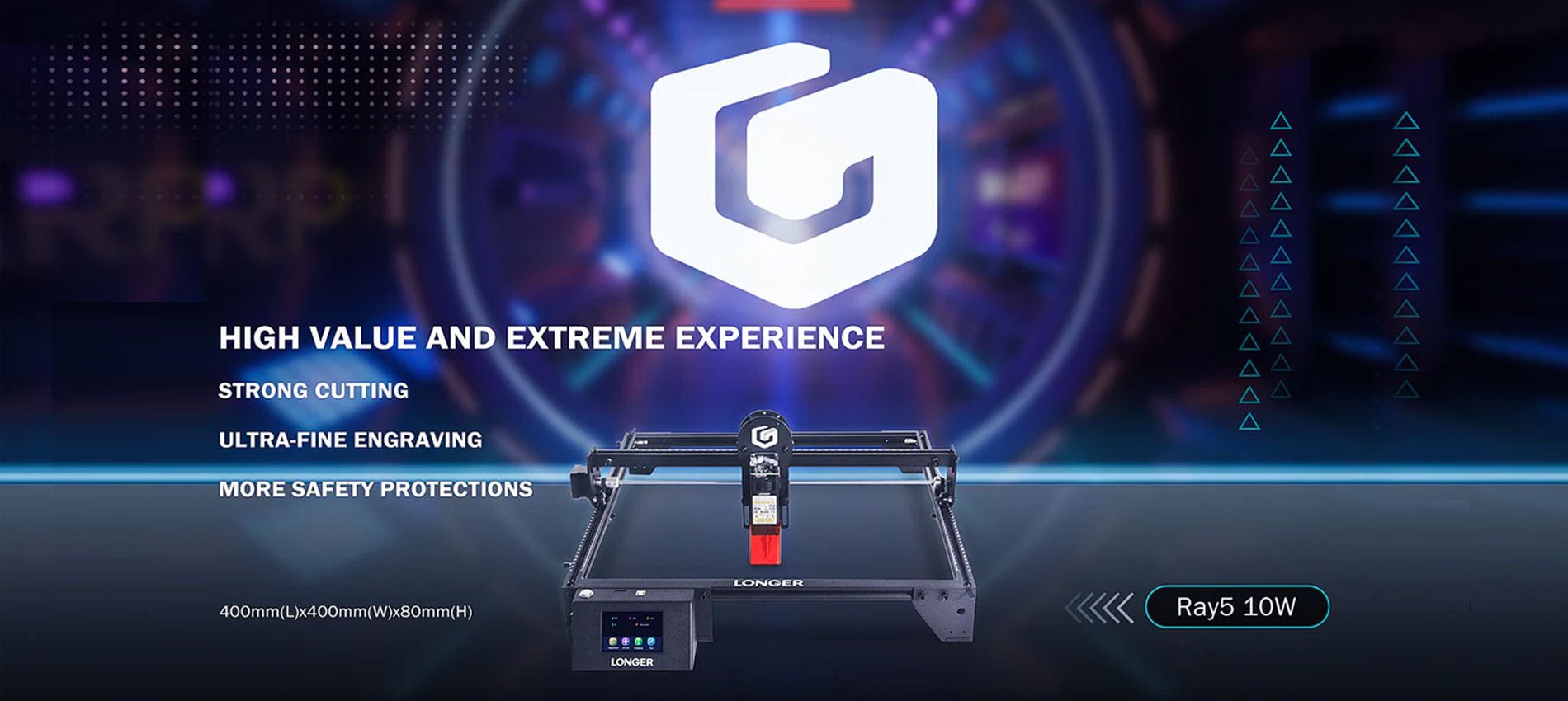
400x400 mm Work Area

The work area is 400 mm by 400 mm, which is not only big, but also strong and long-lasting. The metal alloy plates will cover your work better to make your work safe from any damages.

0.06x0.06 mm Laser Spot:

With a tiny laser spot that is only 0.06 by 0.06 millimeters, the Longer Ray5 10W is a precise tool that can be used for both engraving and cutting. It's easier to make complicated shapes with this tiny laser dot, which makes it possible to be very accurate.

Updated Compressed Laser Technology

10000 mm/min Work Speed:

The fast speed of 10,000 mm/min on this laser cutter makes sure that your projects will be finished quickly and correctly. The cuts are more accurate and shallower because the laser only touches a smaller part of the object for long span of time.

Powerful Cutting Capacity:

The Longer Ray5 10W has a heavy-duty cutting blade that can easily go through 20 mm of wood and 30 mm of plastic. It is a great choice for a lot of different cutting jobs because it uses a technology called Compression Spot.

Package Size:

The Longer Ray5 10W's case is 621 mm long, 299 mm wide, and 127 mm high, making it a small and easy-to-transport option. This makes sure that your engraver will get to you without any damage and in perfect working order.

Movement Protection:

To avoid mistakes, this machine has a feature called "Movement Protection" that turns it off right away if it is moved by accident during use. The addition of this extra protection step makes it less likely that something bad will happen.

Wide Compatibility:

The Longer Ray5 10W works great with many types of apps, such as the famous LaserGRBL and LightBurn. The MKSLaser app lets you handle and operate your laser from afar when you're on the same Wi-Fi network. This makes the printing process more flexible and easier.

Wide Compatibility

FAQs:

We'll answer some of the most important questions about the Longer Ray5 10W below.

What kinds of things can I use in the laser engraver?

The Longer Ray5 10W can cut many different materials, such as wood boards, acrylic, plastic, cardboard, non-woven fabrics, etc.

What does the technology called "compressed double-beam" do in the 10W form of the Longer Ray5?

Compressed double-beam technology is used in the Longer Ray5 10W's laser heads. This makes the laser stronger and more accurate. Even though the laser beam is much smaller than the spot, the spot itself is 0.6 mm across. Because the target length of its laser is longer than 50 mm, it has a high energy density and can cut very well.

What will the engraved material feel like?

The Longer Ray5 10W makes carvings that are accurate, smooth, delicate, and nice to look at.

Could you please tell me how fast the Longer Ray5 10W can go?

The fastest speed that the Longer Ray5 10W can work at is 10,000 mm per minute. Everything will go off without a hitch and exactly as planned because it's all set up so well.

Does the Longer Ray5 10W make noise or movements when it's in use?

The Longer Ray5 10W works in a way that is both quiet and free of noises to make sure that the engraving process is done correctly. With lines that are so straight and clean, engraving is a breeze.

Does the laser engraving tool work with Windows and other popular operating systems?

There are several pieces of software that can be used with the Longer Ray5 10W. Along with Mac and Linux, the LightBurn software works with several versions of Windows, such as XP, 7, 8, and 10. Another thing is that it works with the Windows version of LaserGRBL.

Laser Engraving Cases

Conclusion

The Longer Ray5 10W (10-12W Power) is the only laser engraving machine you need to go ahead with in the printing field. It is highly customized in a lot of ways; you can use it for both professional and formal work.

You give life to your creative ideas with the accuracy and detail they deserve because you have to work with so many different materials, from wood and plastic to metal and leather. It is possible to make exact drawings because the laser's focus point has a laser spot that is only 0.06 by 0.06 mm. According to our research, the Longer Ray5 10W is the most cost-effective laser engraving machine on the market.

By Academy | November 20, 2023
Lens Cleaning for Longer Ray5 10W

Longer Ray5 10W has a laser module capable of engraving and cutting multiple types of materials. However, depending on the type of work that is carried out, it is possible that a fair amount of smoke is produced, which can inevitably settle on the lens of the laser module and therefore blur it. Once the lens of the laser module is dirty or clouded, the laser beam can no longer pass through it, and therefore the emission of the laser module is drastically reduced. As a consequence, more and more power will be needed to engrave the same materials already engraved previously, until it will be practically impossible to engrave any type of material, even setting 100% power. This problem occurs most when an air assist system is not used; in fact, an air assist system allows you to create air pressure in the vicinity of the lens, thus preventing smoke and dust from settling easily on the lens.

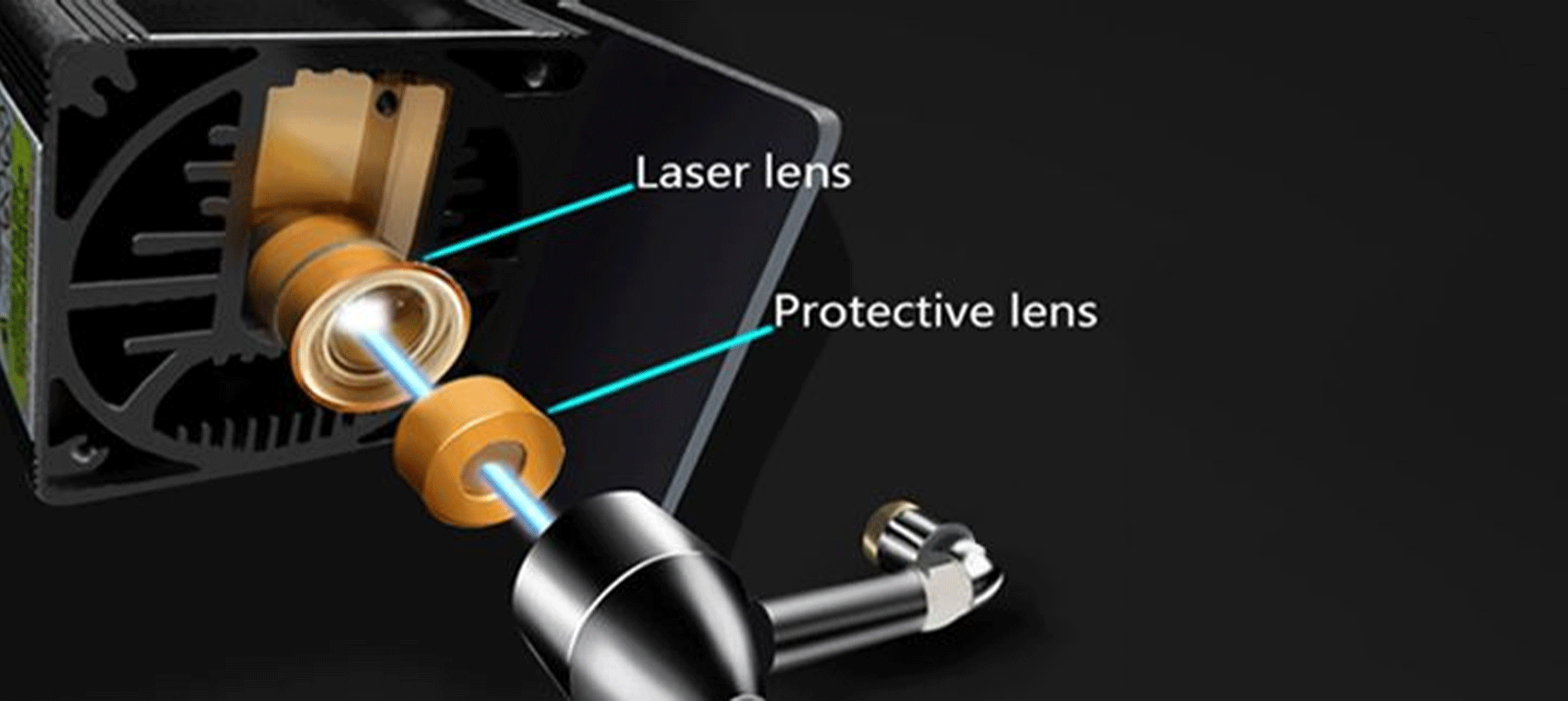
Laser lens and Protective lens

In order to solve this problem, it is necessary to proceed to cleaning the lens of the laser module; once the lens is cleaned, the laser beam can pass through it without suffering losses, and therefore the materials will be engraved or cut again to perfection.

To proceed with the cleaning of the lens of the laser module of Longer Ray5 10W, it is necessary first to completely disassemble the laser module, as shown in the figure:

completely disassemble the laser module

The laser module of the Longer Ray5 10W has a factory-installed protective lens, which can be unscrewed and cleaned separately from the laser module. This lens is a simple protective glass and has no focusing function. After removing the protective lens, you can proceed to clean the lens with the use of a cotton swab soaked in alcohol. Be careful to prevent alcohol from entering the inside of the lens.

completely clean and free of dirt

Use one or more cotton swabs soaked in alcohol until the lens is completely clean and free of dirt; at this point, therefore, you can proceed to screw it to the laser module and reassemble the laser module of Longer Ray5 10W. At the end of the cleaning procedure, you can proceed to engrave a sample file contained in the microSD card of Longer Ray5 10W so you can evaluate the total restoration of the functionality of the laser module.

By Academy | July 25, 2023
Lens Cleaning for Longer Ray5 5W - LONGER
Lens Cleaning for Longer Ray5 5W

Longer Ray5 5W has a laser module capable of engraving and cutting multiple types of materials. However, depending on the type of work that is carried out, it is possible that a fair amount of smoke is produced, which can inevitably settle on the lens of the laser module and therefore blur it. Once the lens of the laser module is dirty or foggy, the laser beam can no longer pass through it, and therefore the emission of the laser module is drastically reduced. As a consequence, more and more power will be needed to engrave the same materials already engraved previously, until it will be practically impossible to engrave any type of material, even at 100% power.

In order to solve this problem, it is necessary to proceed to cleaning the lens of the laser module; once the lens is cleaned, the laser beam can pass through it without suffering losses, and therefore the materials will be engraved or cut again to perfection.

To proceed with the cleaning of the lens of the laser module of Longer Ray5 5W, it is necessary to first completely disassemble the laser module, as shown in the figure:

The laser module of the Longer Ray5 5W has a factory-calibrated lens, so be careful not to unscrew or screw on the lens. Otherwise, the focus will be lost irreparably. Once the lens is accessible, with one hand you have to hold the whole laser module upside down, while with the other you can proceed to clean the lens with the use of a cotton swab soaked in alcohol. Be careful to prevent alcohol from entering the laser module.

Use one or more cotton swabs soaked in alcohol until the lens is completely clean and free of dirt; at this point, therefore, you can proceed to reassemble the laser module of Longer Ray5 5W. At the end of the cleaning procedure, you can proceed to engrave a sample file contained in the microSD card of Longer Ray5 5W so you can evaluate the total restoration of the functionality of the laser module.

By Academy | July 25, 2023
Text Layout Cutting with Lightburn and Longer Ray5 - LONGER
Text Layout Cutting with Lightburn and Longer Ray5

Longer Ray5 allows you to engrave and cut multiple types of materials. In particular, many users of Longer Ray5 prefer to create a custom text and then engrave or cut it on wood panels or similar material. Engraving a text using the laser beam is not a big problem, as it is sufficient to set the right parameters for the type of material chosen, and the result will be excellent. However, if you want to cut (e.g., on wood or paper) your custom text, then setting the right parameters may not be enough.

In fact, depending on the type of text chosen, it may be necessary to make manual changes to the text so that the cut can take place correctly. Analyzing the issue in detail, assuming you want to laser cut the word "NICE," then there is no problem; however, if the word is "HELLO," then it should be noted that the letter "O" consists of a closed surface, which when cut will fall away from the material and thus change the layout of the letter "O."

Specifically, this problem occurs with all letters that contain a closed surface within them, such as the letters "A – B – D – O – P – Q – R."

Using LightBurn software, you can solve this problem really easily and quickly. In detail, first you proceed with the creation of your own personalized text within LightBurn. After entering the text, you will visually check for any letters that have problems when cutting.

In the example given here, there are some letters that cannot be cut correctly and therefore need to be corrected first. The solution to this problem lies in eliminating the closed surface inside the letter: to do this, just create a "bridge" that connects this closed surface with the rest of the letter.

In this way, after making the cut, this closed surface will remain attached to the cut panel, and therefore the layout of the letter will not be changed.

In particular, you must manually create a small rectangle, which must be pasted inside each problematic letter in order to create a bridge between the closed surface of the letter and the letter itself, as shown in the example below. After that, you have to make a Boolean subtraction between the letter and the rectangle.

We proceed to insert a rectangle for each letter that needs to be corrected, then we proceed with the subtraction (the procedure must be repeated for each letter, one letter at a time). Finally, the end result will look like this:

At this point, you can make a cutting preview or proceed with the export of the G-code on the microSD of Longer Ray5 and perform the cut (always remembering to set the correct parameters first to be able to cut the type of material chosen).

This technique can also be applied when using different text layouts, such as italic text or number format, so that you always eliminate any closed surfaces that prevent you from making a correct laser cut.

By Academy | July 6, 2023
Engraving & Cutting with Lightburn and Longer Ray5 - LONGER
Engraving & Cutting with Lightburn and Longer Ray5

Longer Ray5 allows you to engrave and cut multiple types of materials. In particular, many users of Longer Ray5 prefer to carry out engraving and cutting work at the same time, especially when it comes to working with wood panels; however, engraving and cutting do not necessarily have to be two distinct processes, as using Lightburn, you can perform both machining operations in one operation.

In particular, after opening an image in LightBurn, proceed to set the engraving parameters in the window on the right of the screen. I know that the engraving parameters are those of the model image.

After setting the engraving parameters, right-click with the mouse on the imported image, then select Trace Image.

In the screen that opens, define the quality of the cutting perimeter by increasing or decreasing the Threshold value, then confirm by pressing OK.

The image will be superimposed by a perimeter, as set in the previous screen, and at the same time in the window on the right of the screen will appear a new entry relating to the cut to be made, indicated with Model Line. For Model Line, set image cropping parameters, such as speed, power, and number of passes.

At the end, press Save Gcode to export the working file to the microSD of Longer Ray5, then proceed to start working on Longer Ray5. Alternatively, before exporting the GCode, you can check the simulation of the engraving and cutting process by pressing Preview.

In this way, Longer Ray5 will engrave the selected image, after which it will cut the image following the perimeter set above.


Above is the introduction of the first layer calibration; I hope it can help you. If you still have any questions during the operation, please visit our Support Page. Our knowledgeable staff is happy to assist you and your team with any questions.

Want to learn more about RAY5 Laser Engraver? Check out the video below.

https://www.youtube.com/playlist?list=PLLz1z_0pXsW0rjYbC2V_upO1YlU4HeuAg

Step into a world of precision craftsmanship with LONGER RAY5 Series. These high-accuracy laser engravers and cutters redefine what's possible, effortlessly mastering materials with unparalleled precision and ease. Whether you seek to infuse your home with personalized charm or elevate your professional projects, these versatile machines seamlessly adapt to your needs. Their compact design makes them an excellent choice for home laser engravers and cutters, adding a touch of sophistication to your creative space. Meanwhile, their precision engineering makes them equally at home in the professional arena, where they serve as the quintessential desktop laser cutter, providing industrial-grade precision right at your fingertips. Explore limitless possibilities and unlock your creativity with Longer RAY5 Series.


Read more

By Academy | June 19, 2023
Material Testing for Longer Ray5 10W & 5W - LONGER
Material Testing for Longer Ray5 10W & 5W

Longer Ray5 5W and Longer Ray5 10W allow you to engrave and cut different types of materials, quickly and easily. However, for each type of processing it is necessary to set different parameters regarding power and speed, precisely because each type of material reacts differently to the laser beam.

To have a reference about what power and speed to adopt for each type of material, there is a fairly complete table accurately reporting the best parameters to use.

about what power and speed to adopt for each type of material

However, the table can only be understood as a general reference; in fact, assuming you want to cut the basswood with Longer Ray5 10W, the recommended parameter is 100% power & 350 mm/min speed, but there are various types of basswood, and each one reacts differently during cutting, so it is not said that these parameters are perfect for each type of basswood, since some basswood could be burned instead of simply cut or not cut at all.

In order to obtain the correct parameters for the type of basswood you intend to cut, Lightburn has a powerful material test tool, which allows you to quickly determine the most specific and correct parameters. From the Lightburn home screen, select Laser Tools – Material Test; this screen will open:

select Laser Tools – Material Test

First, set the Count value to 5 for Vertical and Count to 4 for Horizontal; Also, set Height and Width to 5.00 mm.

Since the recommended parameters for cutting the basswood are 100% power & 350 mm/min speed, you can set a range between 100 and 500 mm/min for speed and a range between 50% and 80% for power (so as to avoid stressing the laser with 100% power).

Next, proceed with Edit Text Setting:

Edit Text Setting

This screen is used to engrave the labels of the test table. Since it is an engraving, set 3000 mm/min speed and 50% Power; Also, set Mode Fill.
Confirm by pressing OK.

At this point, proceed with Edit Material Settings:

Edit Material Settings

In this screen you can set the method of processing the material; since it is a matter of cutting, select Mode Line, and possibly set Number of Passes to 1 or more.
Confirm by pressing OK.

Once back on the main screen, press Save Gcode to export the test file, copy it to the microSD, and start testing on Longer Ray5.

When Ray5 has completed the job, reviewing the table will help you determine which parameters are best to set.


Similarly, if you want to proceed with an engraving test instead of cutting, open the Material Test screen. Since the recommended parameters for engraving the basswood are 35% Power & 3000 mm/min speed, set the testing range as shown in the image below:

set the testing range

On the Edit Material Settings screen, since this is an engraving, select Mode Fill:

the Edit Material Settings screen select Mode Fill

Once back on the main screen, press Save Gcode to export the test file, copy it to the microSD and start testing on Longer Ray5.

When Ray5 has completed the job, reviewing the table will help you determine which parameters are best to set.


Note that, before exporting the Gcode, both for a cut test and for an engraving test, you can always select Preview, which allows you to see in advance how the final result will look.


Lightburn Preview

Above is the introduction of parameter settings and material testing , hope it can help you. If you still have any questions during the operation, please visit our Support Page. Our knowledgeable staff is happy to assist you and your team with any questions.


The Longer Laser RAY5 Series is capable of engraving a wide range of materials, including plywood, basswood, hardwood, pinewood, acrylic, kraft paper, stainless steel, aluminum alloy, ceramics, and more. Additionally, the Longer RAY5 can cut materials such as basswood, acrylic, bamboo, kraft paper, and more.


With its powerful engraving and cutting capabilities, it transcends boundaries to become the best engraving machine and the best laser cutter for a variety of materials. Seamlessly transition from a wood laser cutter to a metal laser engraver, or even become a master jewelry engraver. Discover boundless, unlimited potential with the Longer Laser RAY5 Series.


Read more

By Academy | May 30, 2023
Air Assist Kit installation for Longer Ray5 10W & 5W - LONGER
Air Assist Kit installation for Longer Ray5 10W & 5W

Visible light and laser beam have in common the same nature, as both are composed of photons, however the difference between them is in the fact that visible light has an optically isotropic propagation (that is, it propagates identically in all directions) while in the laser all the energy is concentrated within a single beam of very small section. Therefore, when the laser hits matter, it is instantly able to radiate a great power in a very small area, causing a sudden and rapid increase in temperature that alters the state of matter.

Laser engraving machines, such as Longer Ray5, are able to emit a laser beam that instantly transforms the state of matter by combustion, and the contrast between the laser-subjected surface and the surrounding surface creates the visual effect commonly called Laser Engraving. However, the energy hitting a single point is not limited to that point, but the heat generated is also transmitted to the areas surrounding the point, causing the typical burning effect of laser processing.

In order to avoid or reduce this effect, an air assist mechanism can be used, which consists of a compressor capable of continuously blowing pressurized air directly onto the area subjected to the laser. In this way, the heat exchanged between the laser area and the surrounding area is mitigated by the fresh air of the Air Assist compressor, thus avoiding the burnt effect around the laser engraving. In addition, the air blown on the engraving zone cancels the heat exchange with the surrounding areas but does not damage the engraving ability of the laser beam. A simple example to understand this phenomenon can be this: if on a summer day with the sun high in the sky you go to the sea, if there is wind, then you feel cool, while if there is no wind, then you feel hot, but in both cases the sun causes burns to the skin in the same way.


Longer Ray5 10W Air Assist installation

The longer Ray5 10W has an official Air Assist kit that consists of two parts, the nozzle kit and the air compressor, available at the following link: https://www.longer3d.com/products/air-assist-set .

Installing the Longer Air Assist on the 10W laser module is really easy; just follow the steps below:

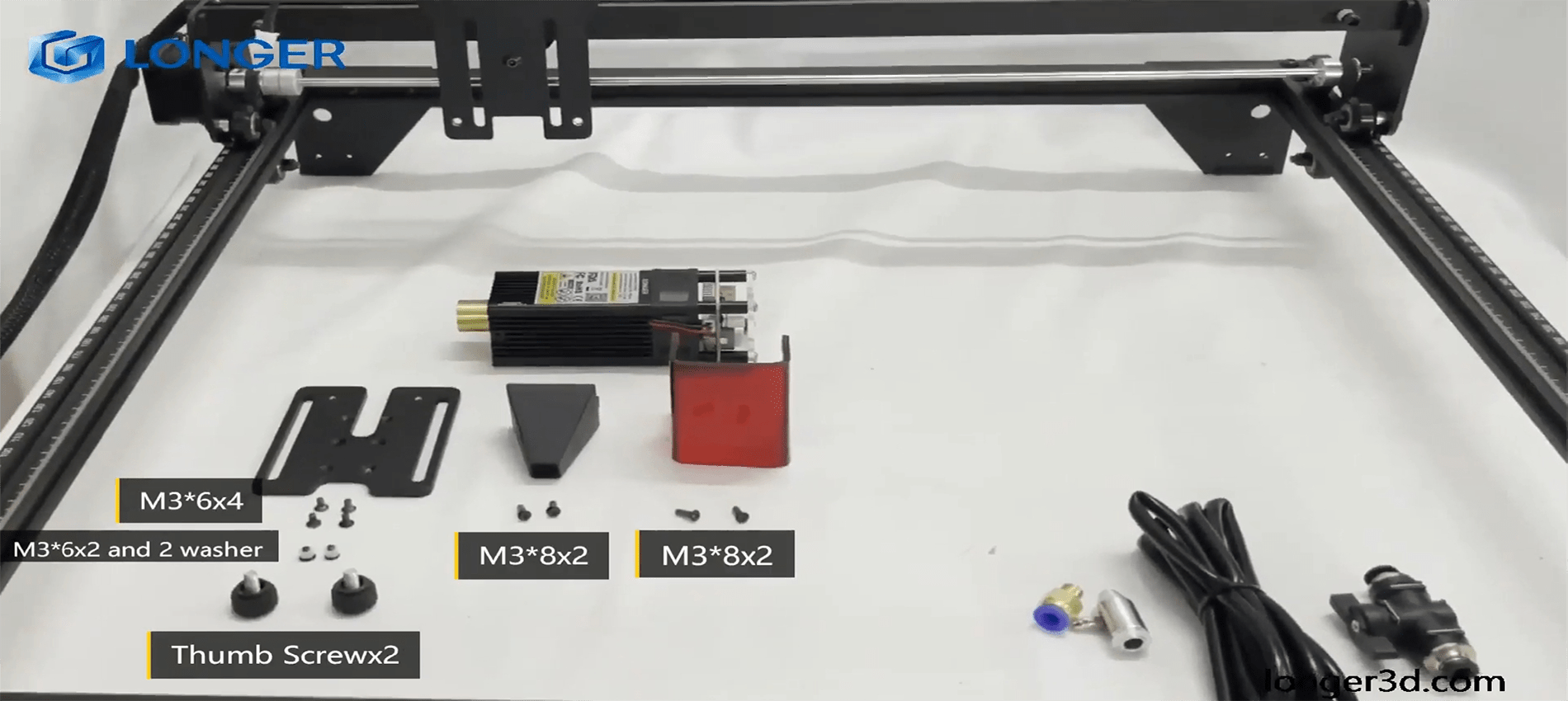
  • First, proceed to disassemble the laser module from the rest of the machine


  • Install the metal nozzle on the laser module


  • Connect a rubber hose between the metal nozzle and the pressure regulator, and connect another part of the rubber hose to the regulator inlet


  • Connect the inlet pipe of the regulator to the outlet of the air compressor


    • Finally, install the laser module on the Ray5, activate the compressor switch and start an engraving from the Longer Ray5 display


Longer Ray5 5W Air Assist installation

To proceed with the installation of the Air Assist kit on the Longer Ray5 5W, it is necessary to purchase, as for the 10W version, the kit consisting of the nozzle kit and the air compressor, available at the following link: https://www.longer3d.com/products/air-assist-set . However, the metal nozzle included inside the kit is compatible with 10W module only; therefore, it is necessary to have a 3D printer to print with PLA or PETG the following nozzle:https://www.thingiverse.com/thing:5585296 .


Installing the Longer Air Assist on the 5W laser module is really easy; just follow the same steps as the installing method for the 10W laser module, but install the 3D-printed nozzle on the laser module instead of the metal nozzle. After that, as mentioned, just follow the same steps as shown for installation on the 10W module.


Conclusions

The use of air assist not only increases the engraving quality but can also increase the laser's cutting capacity thanks to the possibility of removing smoke and combustion debris thanks to the continuous breath of air; without air assist, these would end up settling on the laser lens, hindering the output laser beam of the module. Whether for hobbyist or professional use, Longer Air Assist is absolutely recommended if you want to achieve the maximum performance offered by Longer Ray5 10W and Longer Ray5 5W.

https://www.longer3d.com/collections/laser-engraver

By Academy | May 9, 2023
LONGER RAY 5 Newest 20W vs. 10W vs. 5W, What's the Differences? Which One to Buy? - LONGER
Ray plus long 5 le plus récent 20W vs 10W vs 5W, quelles sont les différences? Lequel acheter?

Si vous voulez graver correctement quoi que ce soit, vous aurez besoin d'un graveur laser. En effet, les lasers sont extrêmement précis. Parce qu'ils vendent les graveurs Ray5 5W et Ray5 10W, les gens de plus sont un endroit fantastique pour commencer. La taille, la puissance et la distance focaux du faisceau sont les principales distinctions entre elles; Néanmoins, ils peuvent graver une quantité importante de matériel.

Si vous recherchez un outil pour graver votre objet sélectionné, vous devez choisir le modèle le plus adapté à vos besoins. Eh bien, ne vous inquiétez pas, car nous sommes ici pour vous parler des trois types de base de gravure laser, de leurs différences et d'un guide pour choisir celui qui vous convient en fonction de votre besoin. Sans plus tarder, plongeons-nous directement.

Qu'est-ce que la puissance laser?

Avant de découvrir les trois types de pouvoirs laser, étudions simplement ce qu'est la puissance laser. La force du laser est ce qui détermine la quantité d'énergie prise par la feuille de calcul. La règle de base est que lorsque la puissance laser augmente, l'angle de pliage se développe également, atteint un pic, puis recommence à tomber à mesure que la puissance laser augmente encore plus.

Plus la puissance laser est élevée, plus la chaleur est absorbée, ce qui entraîne une température de pointe plus élevée et, par conséquent, une quantité plus incroyable de déformation plastique à la surface numérisée. Cela entraîne une augmentation de l'angle de pliage. Après avoir atteint son maximum, l'angle de pliage commence à tomber en raison d'une augmentation de la puissance du laser.

C'est principalement le résultat de deux facteurs. Premièrement, la fusion se déroule dans la région qui est irradiée à une puissance supérieure, et l'énergie thermique appliquée est utilisée dans la transformation de phase plutôt que dans la flexion du matériau. Deuxièmement, lorsque la puissance augmente, la température de pointe de la surface du bas du vaisseau augmente également.

Il en résulte une réduction de la différence entre la déformation plastique à la surface supérieure et à la surface inférieure, ce qui entraîne à son tour une réduction de l'angle de pliage à une plus grande puissance.

En termes de puissance laser optique, la grande majorité des graveurs laser les plus populaires du marché ne s'intègrent désormais que dans deux catégories principales, à savoir la puissance optique 5W et 10W. Les modules de la première catégorie contiennent chacun une seule diode laser. En revanche, le Modules 10W Contiennent une optique ingénieuse qui combine la lumière laser à partir de deux sources de diodes laser différentes, ce qui entraîne une puissance de sortie deux fois plus forte que celle des modules à faible puissance.

Que représente exactement le "W"?

La puissance est l'un des aspects les plus importants à considérer lors de la discussion des coupeurs laser. C'est quelque chose que vous devrez spécifier lorsque vous achetez la machine pour la première fois, et c'est le facteur qui affecte la puissance de coupe finale et la vitesse de votre projet.

Lorsque la cote de puissance augmente, le flux d'énergie augmente également. En ce qui concerne les coupeurs laser, avoir un laser 20W plutôt qu'un laser 5W permettra à l'énergie de transférer à un rythme sensiblement plus rapide.

Vous pouvez voir une séquence de lasers à l'intérieur de la tête d'un Rayon plus long 5 Si vous le séparez et regardez le laser à l'intérieur. Cependant, nous vous conseillons fortement de faire cela. La tête du laser 20W est composée de quatre lasers 5W, qui sont tous pointés dans la même direction et concentrés à travers la tête du laser.

Pourquoi? Le but de cela est de générer plus de puissance et plus d'énergie à partir d'un seul faisceau laser.

Différences entre Rayon plus long 5  5W Vs. 10W Vs. 20W

Le rayon 5 W 5W, 10W et 20W plus long partage tous quelques caractéristiques en commun. D'un autre côté, il existe un nombre comparable de différences. Concentrons-nous sur ce qui différencie ces machines dans une série de comparaisons en tête-à-tête afin que vous puissiez rendre la décision la plus éclairée possible sur laquelle acheter.

Puissance de la tête laser

Avant d'aller plus loin, il y a quelque chose qui doit être clarifié: bien que la tête laser soit la seule différence entre les deux, cela a un impact significatif sur le fonctionnement de votre Graveur laser Ray 5, et nous passerons en revue ces différences en profondeur ici.

Quelle que soit l'option de wattage avec laquelle vous allez, le rayon 5 plus long vous fournira le même cadre, capteurs et pièces jointes à utiliser. La tête laser est le seul composant différent.

Le personnel de Ray 5 plus long le fait référence comme un "module de plug-and-play" dans leur explication. Vous n'avez besoin que de deux câbles et de dix minutes de votre temps pour passer d'un coupe-laser 5W ou 10W vers un modèle 20W, ce qui vous donne plus de puissance de coupe.

Les variations de la puissance laser dépendent de la tête laser que vous utilisez et des différents matériaux que vous pouvez couper. Vous pouvez améliorer la puissance de votre laser 5W ou 10W en achetant un Module 20W pour y ajouter.

Pour dire les choses d'une autre manière, si vous voulez un 20W, vous avez la possibilité d'en acheter un spécialement conçu à cet effet. Le seul choix à votre disposition si vous voulez un 5W ou 10W est d'acheter la machine dans son état actuel.

Les avantages sont importants même si l'ajustement est plutôt simple. Les sections suivantes concernent la différence que fait l'échange de tête simple.

Quickness de l'achèvement du projet

Le temps exact qu'il faudra pour terminer le projet dépend de quelques facteurs différents:

  • Quickness de l'itinéraire
  • Précision de la profondeur de coupe, sélection des matériaux et complexité dans la conception.
  • La profondeur de la gravure ou de la coupe.

Les trois autres de ces cinq paramètres ne dépendent en aucune façon de votre coupe-laser. La vitesse à laquelle votre coupe-laser complète votre travail dépend uniquement de la vitesse de routage et des paramètres de vitesse de coupe.

Dans cette compétition, les vitesses des différentes itinéraires ne diffèrent pas les unes des autres. La vitesse de routage du 5W, 10W, et 20W est tout 10000 mm / min, ce qui est beaucoup plus rapide que les générations précédentes.

Où sommes-nous maintenant avec la profondeur de coupe maintenant? Voici où vous verrez un écart important par rapport à la norme. Un laser avec 10 W de puissance peut couper presque exactement deux fois plus profond qu'un laser avec 5 W de puissance. Par rapport au 10W, le 20W a deux fois la profondeur de coupe.

Cela indique qu'il y a une différence théorique dans la profondeur de coupe qui équivaut à quatre fois plus élevée lorsque vous passez de 5W à 20W.

Le rayon plus long indique que la différence peut être très différente selon le matériau utilisé:

En ce qui concerne le temps, il faudra pour accomplir un projet. Un coupe-laser 20W fera le travail le plus rapide, suivi d'un coupe-laser 10W, et enfin, un coupe-laser à rayons 5W sera le plus lent.

Espace pour effectuer des coupes et une zone de travail plus longue Ray 5

Bien que le châssis de chaque rayon 5 plus long soit le même, les zones de coupe des différentes configurations sont également assez comparables. Le rayon plus long 5 5W et le rayon plus long 5 lasers 10W offrent précisément la même zone de coupe, mesurant 400x400 mm (15,75 × 15,75 pouces).

Bien que la tête laser sur le 20W soit significativement plus grande que celle trouvée sur le 10W, la zone de coupe est légèrement réduite. La zone de coupe pour un laser de 20 watts est de 375 × 375 mm (14,76 × 14,76 pouces).

Bien que la différence ne soit pas énorme, elle est néanmoins suffisamment importante pour indiquer que les coupeurs laser 5W et 10W ont un peu d'avantage dans cette catégorie.

Alternatives aux matériaux (capacité de coupe)

Un autre aspect du sujet qui est lié à la puissance laser est les nombreux types de matériaux avec qui peut être travaillé. Tout en tentant de graver ou de réduire certains matériaux, une force et une force significativement plus importantes sont nécessaires.

Vous pouvez travailler avec une plus grande sélection de matériaux lorsque vous avez un 20W. Vous pouvez également travailler avec des matériaux plus substantiels, ce qui ouvre encore plus de possibilités pour les types de projets que vous pouvez développer.

Le Ray5 20W est équipé d'un puissant module laser avec une sortie de 20 W. De plus, cette machine présente la génération la plus récente de technologie d'amélioration laser, ce qui augmente sa capacité de coupe. Il peut couper à 0,002 pouces (0,05 mm) d'acier inoxydable, ainsi que 0,59 pouces (15 mm) de bois de pin et 0,31 pouces (8 mm) d'acrylique en un seul passage.

En raison des progrès récents de la technologie laser comprimée, la tache laser peut désormais être aussi petite que 0,08 * 0,1 mm2, ce qui permet de graver des illustrations avec des lignes plus minces, une texture plus claire et des détails plus attrayants. Et l'interface assistée à l'air est réservée, ce qui permet à une grande variété de pompes à air facilement adaptées à des surfaces plus hygiéniques.

Bien que l'utilisation du coupeur 5W, du métal, de la céramique et de la pierre devienne beaucoup plus difficile à travailler avec, et en toute honnêteté, le réglage de la puissance 5W est plus couramment utilisé pour la gravure que pour la coupe. Lors de l'utilisation d'un coupe-laser 5W ou 10W, la plupart des gens adhèrent aux matériaux de coupe en bois, papier, plastique, cuir, planche PCB, oxyde d'aluminium, placage non réfléchi et métal laqué.

Pensez à obtenir le laser 20W si vous souhaitez travailler avec une variété de différents types de matériaux. Aux fins de nos projets, nous avons réussi à traverser même les Woodlands plus denses.

Précision

Que devez-vous faire si vous avez besoin de tracer des lignes sur un composant extrêmement mince et précis? Dans ce scénario, nous vous conseillons fortement d'éviter d'utiliser la tête laser 20W, même si le risque est encore relativement faible.

La taille du spot du laser 20W est de 0,08 × 0,10 mm. Imaginez que la tache laser est le point où un pointeur laser est pointé. Si le rayon utilise ce pointeur laser pour couper, vous voudrez que la pointe soit aussi petite que possible.

Les taches laser du 5W sont de 0,08 × 0,08 mm et les 10W sont des lasers 0,06 × 0,06 mm. La tache laser du laser 20W est nettement plus grande.

Donc, si vous avez besoin d'un composant précis, vous devez vous en tenir au 5W ou au 10W.

Différentes capacités de gravure

Les pièces peuvent également être gravées avec ce type de coupe-laser, qui est une autre fonction utile de ces machines. Une petite quantité de matériau est retirée de la surface supérieure pour produire des conceptions via la gravure. Parce que la gravure ne va pas aussi profondément que la coupe, la puissance requise n'est pas aussi importante.

Le Rayon 5WLa capacité de graver est considérablement améliorée grâce à un point laser plus petit et une précision plus élevée que son prédécesseur. Étant donné que le composant n'a besoin que d'une passe avec le laser et que la vitesse de routage est la même dans tous les domaines pour ces trois possibilités, le 5W est celui qui doit être choisi.

Si vous avez besoin de graver et de couper le même objet, aller avec le 10W laser Peut-être le meilleur choix pour vous. Il possède un excellent équilibre de la force de tranchage et de la précision.

Faire des créations colorées

La capacité de générer des gravures colorées sur le métal est une capacité spéciale qui est exclusive au Rayon de 20 W plus long 5 et ne peut être trouvé sur aucune autre machine. Quel est le mécanisme derrière cela? En raison de l'augmentation de la puissance fournie par le Laser 20W, il est capable d'oxyder le métal à divers taux. Il est difficile de croire quand vous le voyez en personne.

La modification de la puissance du laser entraîne l'oxydation du métal à des taux variables, produisant finalement une variété de couleurs. Il est efficace en laiton, en cuivre, en acier inoxydable et en titane en plus de l'aluminium. La seule différence est la gamme de couleurs qui vous sont disponibles (qui dépend du type de métal).

Les lasers avec les sorties 5W et 10W ne sont pas assez puissants pour accomplir cette tâche. Vous aurez besoin du modèle 20W si vous souhaitez créer des gravures vives sur le métal.

Prix ​​Laser plus long Ray 5, disponible en 5W, 10W et 20W.

Que dois-je m'attendre à payer pour cela? La distinction n'est pas aussi bizarre qu'elle pourrait initialement sembler être:

  • Ray plus long 5W: 299,99 $
  • Ray plus long 10W: 449,99 $
  • Ray plus long 20W: 899,99 $

Ceux-ci sont actuellement en réduction. Il est donc grand temps de faire un achat.

Quel matériau différent peut coupée ou gravure de puissance laser?

La coupe à l'aide d'un laser peut être effectuée sur une grande variété de matériaux, y compris, mais sans s'y limiter, le bois, le papier, les plastiques, le verre, le cuir, la mousse, les textiles et les métaux. En sélectionnant les paramètres les plus adaptés au laser, on peut s'assurer que les coupes produites sont de haute qualité et ont une finition de surface lisse. D'un autre côté, il n'est pas suggéré d'utiliser un coupe-laser pour couper certains matériaux, tels que le vinyle ou l'ABS.

Pour produire la coupe souhaitée, un coupe-laser fonctionne en concentrant un faisceau laser à haute énergie à la surface de la substance qu'il coupe. Cela fait brûler et s'évaporer le matériau.

Lorsqu'il est travaillé par un laser, chaque matériau présente ses propres caractéristiques uniques et nécessite une configuration unique des différents paramètres laser pour obtenir une coupe propre avec un haut niveau de finition de surface.

En dehors de cela, la capacité d'un laser à couper le matériau est déterminée par le type de laser qui est employé.

En général, la coupe laser fonctionne mieux avec des matériaux naturels comme le bois, le papier, le cuir et les métaux, entre autres, car ces matériaux ne produisent pas ou seulement une quantité limitée de sous-produits potentiellement dangereux.

Final à emporter

Le meilleur résultat possible sera atteint avec une puissance laser qui est spécifiquement adaptée au matériel constituant. Par exemple, le papier de gravure utilise beaucoup moins de puissance que le bois de gravure en moyenne. Une quantité minimale de puissance est nécessaire pour réaliser une gravure qui est uniformément homogène en acrylique et n'est pas très profonde. De plus, avoir une puissance plus élevée permet un travail plus rapide lors du traitement des matériaux de gravure.

Le logiciel permet un contrôle simple de la puissance de sortie du laser. Néanmoins, le matériel a un rôle dans la détermination de la puissance maximale. Les critères suivants doivent être remplis: vous pouvez traiter une grande variété de matériaux avec une machine laser qui a une puissance laser élevée, qui vous offre une grande liberté.

By Academy | February 23, 2023
Air Assist Kit installation for Longer Ray5 10W - LONGER
Installation du kit d'assistance à l'air pour le rayon plus long5 10W

La lumière visible et le faisceau laser ont en commun la même nature, car les deux sont composés de photons, mais la différence entre eux est dans le fait que la lumière visible a une propagation optiquement isotrope (c'est-à-dire qu'elle se propage de manière identique dans toutes les directions) dans le cas dans le laser toute l'énergie est concentrée dans un seul faisceau d'une très petite section. Par conséquent, lorsque le laser touche la matière, il est instantanément capable de rayonner une grande puissance dans une très petite zone, provoquant une augmentation soudaine et rapide de la température qui modifie l'état de la matière.

Machines de gravure laser, comme Plus long Ray5, sont capables d'émettre un faisceau laser qui transforme instantanément l'état de la matière par combustion, et le contraste entre la surface subjectée laser et la surface environnante crée l'effet visuel communément appelé gravure laser. Cependant, l'énergie frappant un seul point n'est pas limitée à ce point, mais la chaleur générée est également transmise aux zones entourant le point, provoquant l'effet de combustion typique du traitement laser.

Afin d'éviter ou de réduire cet effet, un mécanisme d'assistance à l'air peut être utilisé, qui se compose d'un compresseur capable de souffler en continu de l'air sous pression directement sur la zone soumise au laser. De cette façon, la chaleur échangée entre la zone laser et la zone environnante est atténuée par l'air frais du compresseur d'assistance à l'air, évitant ainsi l'effet brûlé autour de la gravure du laser. De plus, l'air soufflé sur la zone de gravure annule l'échange de chaleur avec les zones environnantes, mais n'endommage pas la capacité de gravure du faisceau laser. Un exemple simple pour comprendre ce phénomène peut être le suivant: si un jour d'été avec le soleil haut dans le ciel, vous allez à la mer, s'il y a du vent, vous vous sentez frais alors s'il n'y a pas de vent, vous vous sentez chaud, mais dans Les deux cas le soleil provoque des brûlures sur la peau de la même manière.

Plus long Ray5 10W a un officiel Kit d'assistance aérienne Cela se compose de deux parties, du kit de buse et du compresseur d'air. L'installation de l'assistance aérienne plus longue est vraiment facile, suivez simplement les étapes ci-dessous:

  • Tout d'abord, procédez à démonter le module laser du reste de la machine


  • Installez la buse métallique sur le module laser


  • Connectez un tuyau en caoutchouc entre la buse métallique et le régulateur de pression et connectez une autre partie du tuyau en caoutchouc à l'entrée du régulateur


  • Connectez le tuyau d'entrée du régulateur à la sortie du compresseur d'air


  • Enfin, installez le module laser sur le Ray5, activez le commutateur du compresseur et démarrez une gravure à partir de l'écran Ray5 plus long


L'utilisation de l'assistance aérienne augmente non seulement la qualité de gravure, mais peut également augmenter la capacité de coupe du laser grâce à la possibilité d'éliminer la fumée et les débris de combustion grâce à la bouffée continue d'air; Sans assistance aérienne, celles-ci finiraient par s'installer sur l'objectif laser, entravant le faisceau laser de sortie du module. Que ce soit pour un amateur ou une utilisation professionnelle, une assistance aérienne plus longue est absolument recommandée si vous souhaitez obtenir les performances maximales offertes par Ray5 10W plus long.

By Academy | September 16, 2022