Lasergravierer-Blog

LONGER Research: Elevating Promotional Product Design with Laser B1 40W

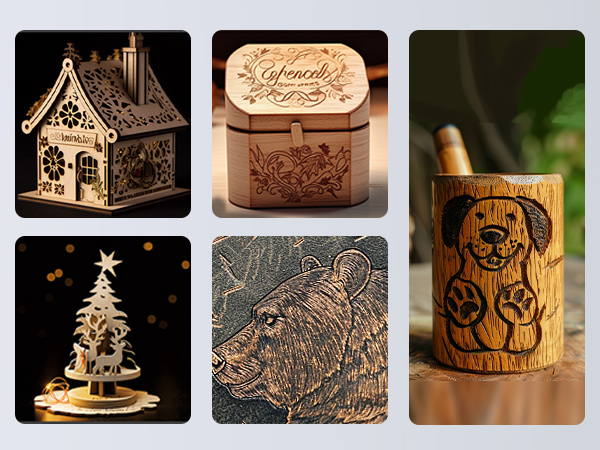
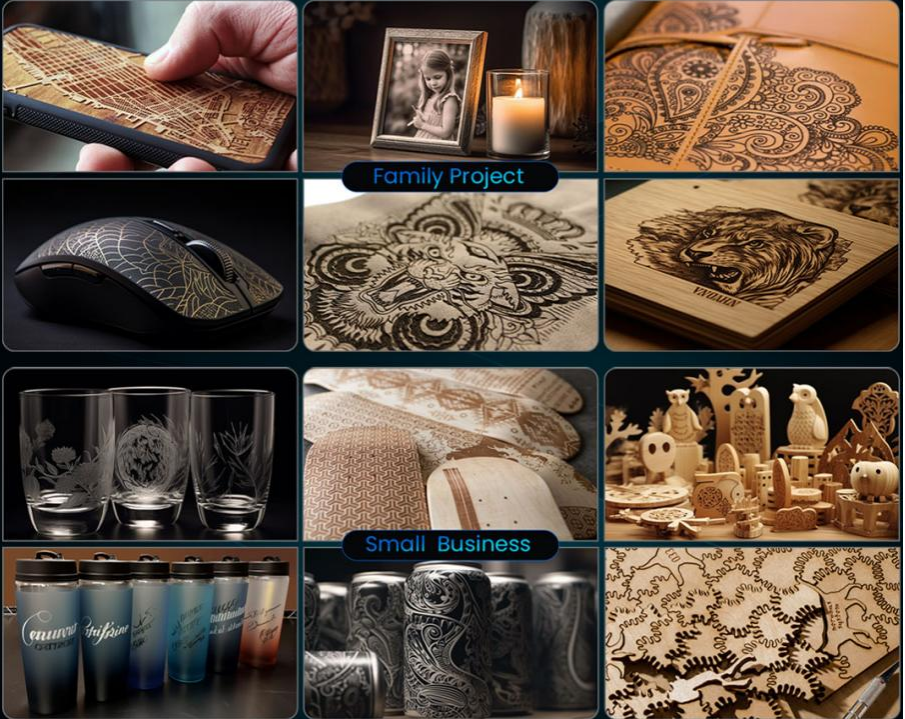
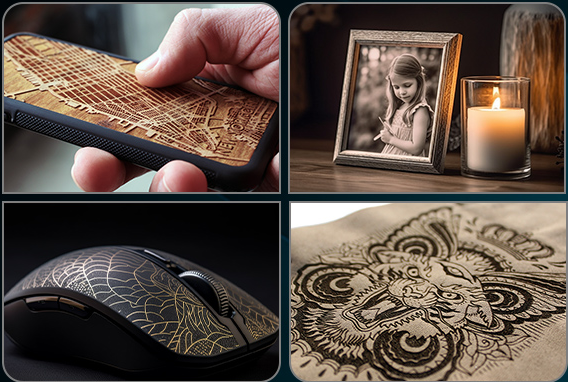
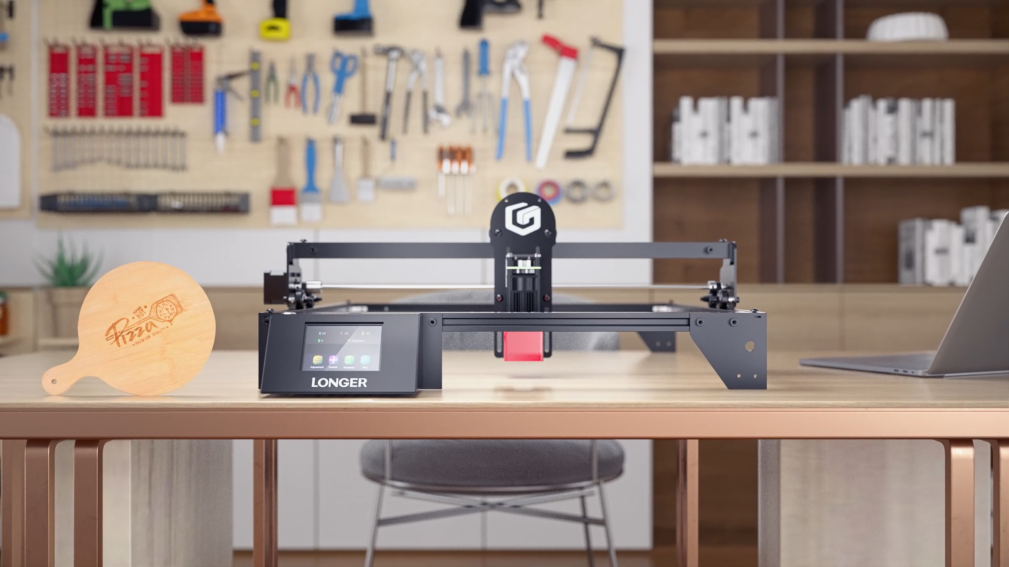
In the realm of promotional product design, the integration of laser engraving technology, such as the LONGER B1 40W wood laser cutting machine for crafts, offers an unparalleled level of customization and personalization. This advanced machinery empowers designers to intricately carve names, logos, and elaborate designs onto a diverse array of materials, ranging from wood to metal, plastic, and fabric. The utilization of laser engraving technology infuses a distinct and personalized touch into promotional items, elevating their significance and resonance with recipients.

Durability and Longevity
A defining characteristic of laser engraving lies in its inherent durability and longevity. The LONGER B1 40W wood cutter for crafts ensures that engravings remain intact over prolonged periods, resisting the effects of fading, scratching, and wear. This resilience makes laser-engraved promotional products, including metal business cards and custom jewelry, ideal for long-term usage, thereby enhancing brand visibility and recognition over time.
Precision and Detail
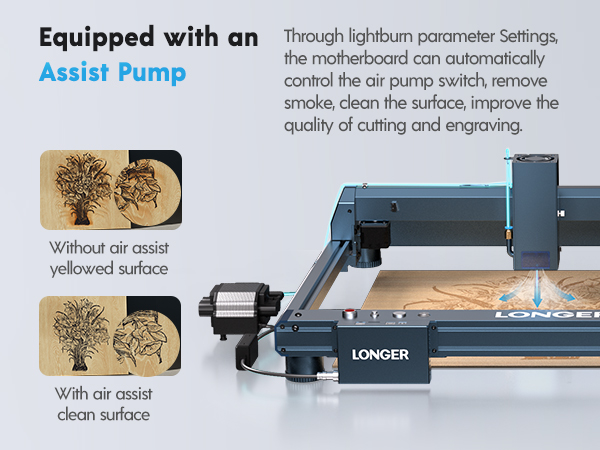
The LONGER B1 40W wood laser cutter stands as a testament to precision and detail in promotional product design. Equipped with a fixed focus of 50mm and a laser spot size of 0.1x0.15mm, this cutting-edge machine facilitates precise engraving, enabling craftsmen to realize intricate designs with unparalleled accuracy. The resulting artwork exudes a professional allure, enriching the visual appeal of promotional merchandise.
Efficiency and Speed
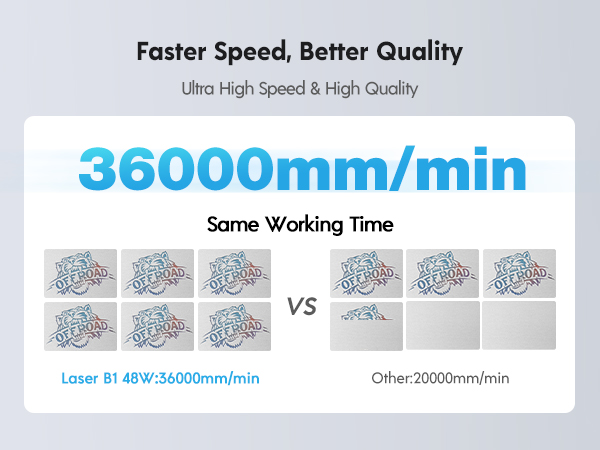
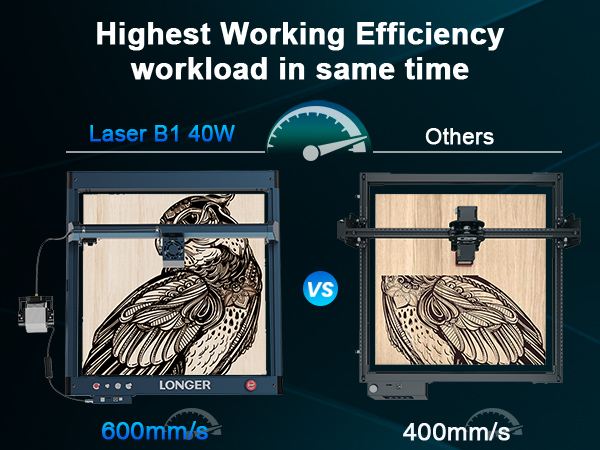
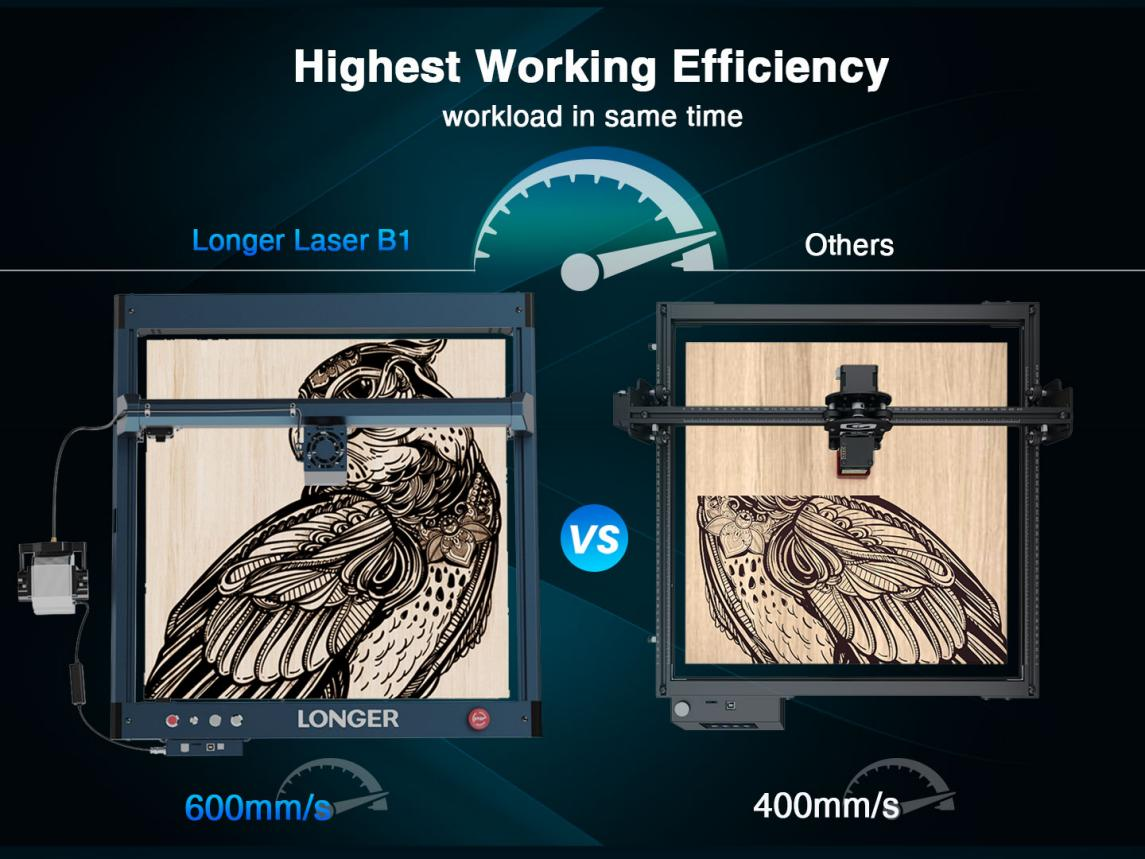
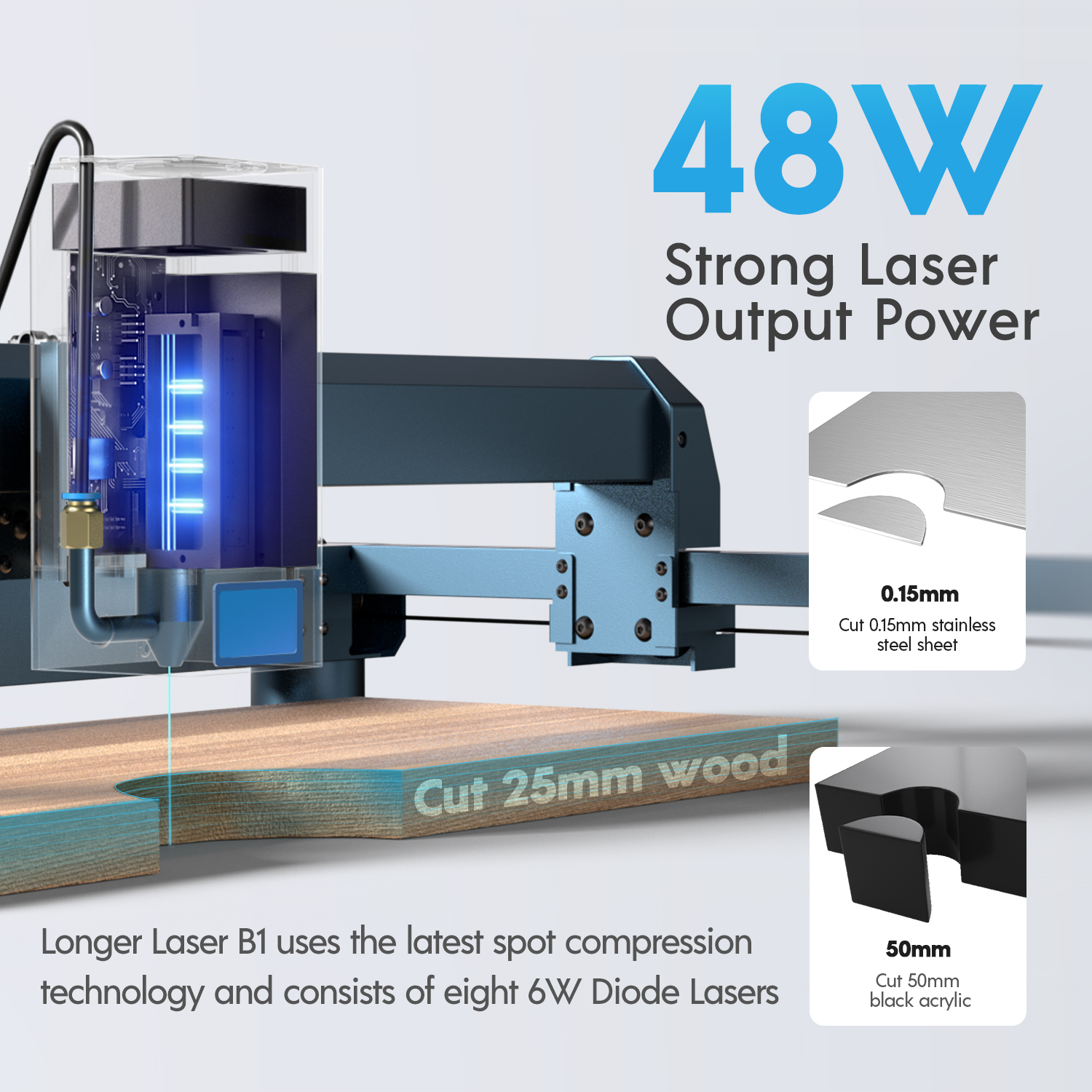
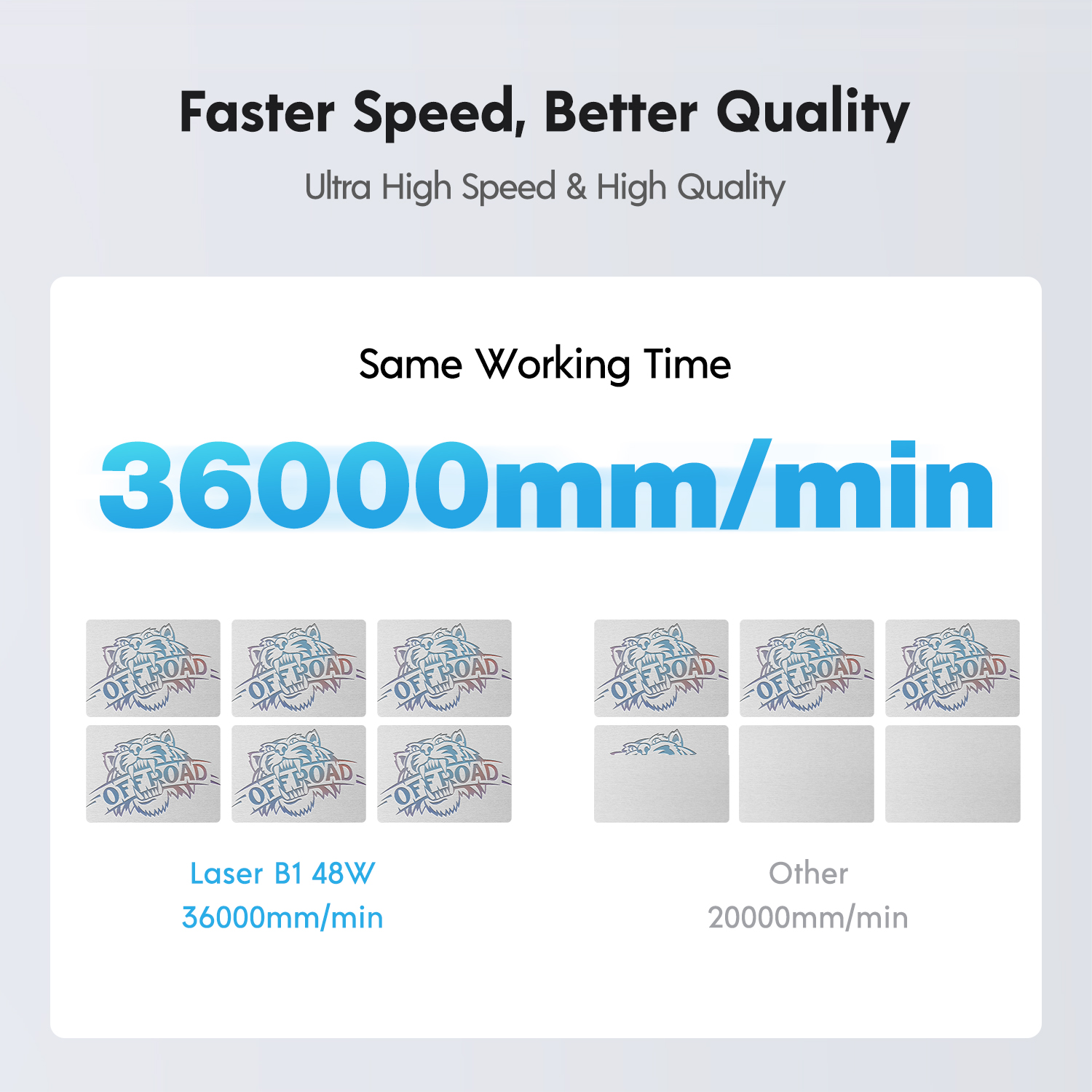
Efficiency and speed are paramount considerations in the realm of promotional product design, particularly in scenarios necessitating large-scale production or adherence to tight deadlines. The LONGER B1 40W wood laser cutting machine for crafts is meticulously engineered for optimal efficiency, boasting a fastest working speed of 36000mm/min and a rated power of 175W. This remarkable throughput facilitates the rapid creation of logoed items without compromising on quality, rendering it an indispensable asset for mass production endeavors and time-sensitive projects alike.
Branding and Marketing
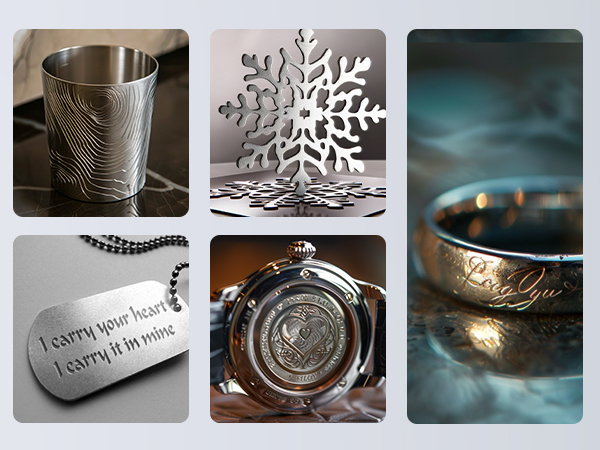
Laser engraving serves as a potent branding and marketing tool by imprinting logos, designs, and messages onto promotional items. With the LONGER B1 40W jewelry engraving machine, businesses can seamlessly integrate their brand identity into a diverse array of products, ranging from metal business cards to custom jewelry pieces. The precision and clarity of laser engravings amplify the perceived value of these items, fostering brand loyalty and trust among consumers while enhancing brand visibility through effective promotional merchandise.
Versatility in Material Selection
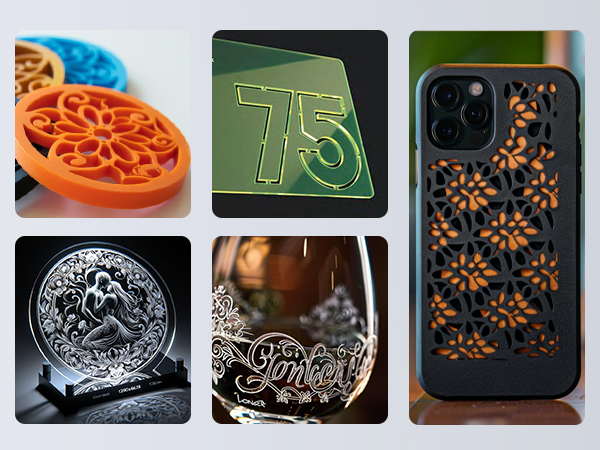
The versatility of the LONGER B1 40W wood laser machine extends beyond its engraving capabilities, encompassing a wide spectrum of material compatibility. From wood and metal to acrylic and fabric, this cutting-edge machine offers unparalleled versatility in material selection, empowering businesses to realize their creative vision across diverse substrates. Whether crafting wooden signage, metal business cards, or personalized jewelry, the LONGER B1 40W wood laser machine remains a versatile and indispensable tool for promotional product design.
Conclusion

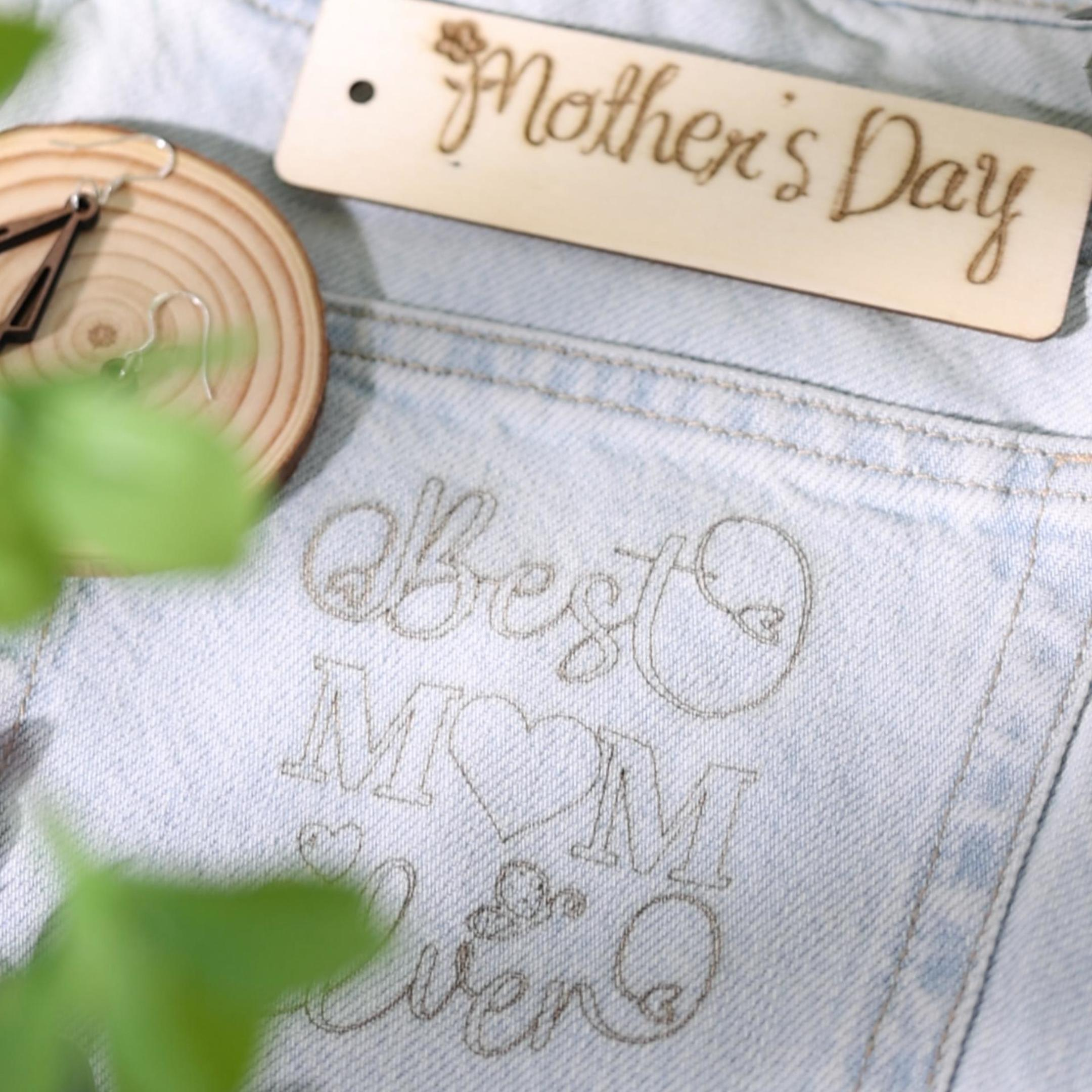
In conclusion, the integration of advanced laser engraving technology, exemplified by the LONGER B1 40W cnc laser engraver, represents a transformative paradigm in promotional product design. By harnessing the precision, durability, and efficiency of laser engraving, businesses can create bespoke and visually captivating promotional merchandise that resonates with their target audience. With its unparalleled versatility and advanced capabilities, the LONGER B1 40W wood laser cutting machine emerges as an indispensable asset for businesses seeking to elevate their brand presence and effectively convey their message through innovative promotional products.

By Lasergravierer-Blog | May 24, 2024
LONGER Research: Revolutionizing Sustainable Fashion with Laser Engraving

Laser technology has emerged as a leading environmentally friendly practice in the fashion industry, offering a sustainable solution for textile decoration. LONGER's Laser B1 40W laser cutter, powered by advanced Diode Laser Technology, is at the forefront of this green revolution, providing precise and efficient engraving capabilities that significantly reduce environmental impact.

Environmental Consciousness in Textile Production
Traditional textile production processes are notorious for their significant environmental footprint, ranking as the second-largest polluter globally. However, laser engraving technology presents a viable solution by eliminating the need for water and harmful chemicals commonly used in conventional fabric decoration methods. LONGER's Laser B1 40W wood laser cutting machine for crafts ensures minimal waste generation and resource consumption, making it a sustainable alternative for eco-conscious fashion brands.

Efficiency and Resource Optimization
The LONGER B1 40W offers superior energy efficiency and resource optimization compared to traditional garment embellishment techniques. With its high precision and versatility, this machine minimizes material wastage and maximizes the utilization of raw materials. LONGER's commitment to sustainability is evident in the design of the wood laser machine, featuring a fixed focus of 50mm and an optical output power of 40W, enabling precise and detailed engravings that enhance efficiency in textile production.

Versatility in Sustainable Material Application

LONGER's Laser B1 40W wood laser cutting machine for crafts is compatible with a wide range of sustainable materials, including bamboo, recycled wood, and biodegradable fabrics. This versatility allows fashion designers to explore innovative and eco-friendly alternatives to traditional textiles, supporting the industry's transition towards sustainability. The machine's cutting-edge technology, combined with its fastest working speed of 36000mm/min and rated power of 175W, ensures efficient processing of sustainable materials without compromising on quality or performance.

Performance and Quality Enhancement

Studies comparing laser engraving to traditional garment decoration methods have demonstrated the superior performance and quality of laser technology. The LONGER B1 40W jewelry engraving machine offers unmatched precision, speed, and resource efficiency, resulting in superior fabric embellishments. From weight reduction and improved breathability to enhanced durability and thermal conductivity, laser engraving elevates the overall quality and sustainability of fashion products.

Conclusion

In conclusion, LONGER's Laser B1 40W metal laser engraver represents a paradigm shift in sustainable fashion, offering an efficient, eco-friendly, and versatile solution for textile decoration. By embracing laser engraving technology, fashion brands can minimize their environmental impact, optimize resource utilization, and uphold their commitment to sustainability. Join LONGER in revolutionizing the fashion industry and creating a more sustainable future for textile production.


By Lasergravierer-Blog | May 24, 2024
LONGER Research: Revolutionizing Woodworking with LaserB1 40W

The technology of laser engraving has revolutionized the woodworking industry, and LONGER's high-tech Laser Engraving tools are at the forefront of this transformation. Combining precision, versatility, and efficiency, these machines significantly enhance woodworking projects. Here, we explore the capabilities of the LONGER Laser B1 40W, an advanced wood cutter for crafts designed to meet the diverse needs of modern woodworkers.

Unparalleled Precision with Diode Laser Technology
The LONGER Laser B1 40W leverages cutting-edge Diode Laser Technology to deliver precise and intricate engravings. With a working area of 450x440mm (17.72x17.32 inches) and a laser wavelength of 450nm, this engraver can handle large projects with ease. The fixed focus of 50mm and a laser spot size of 0.1x0.15mm ensure that every detail is captured with the highest level of accuracy, making it ideal for complex designs and fine detailing.

High Power and Efficiency

Boasting an optical output power of 40W and a rated power of 175W, the Laser B1 40W can quickly process a variety of materials. It has a fastest working speed of 36000mm/min, allowing woodworkers to complete their projects efficiently. The engraver's robust design includes a laser head life of over 10,000 hours, ensuring long-term reliability and performance.

Versatile Material Handling

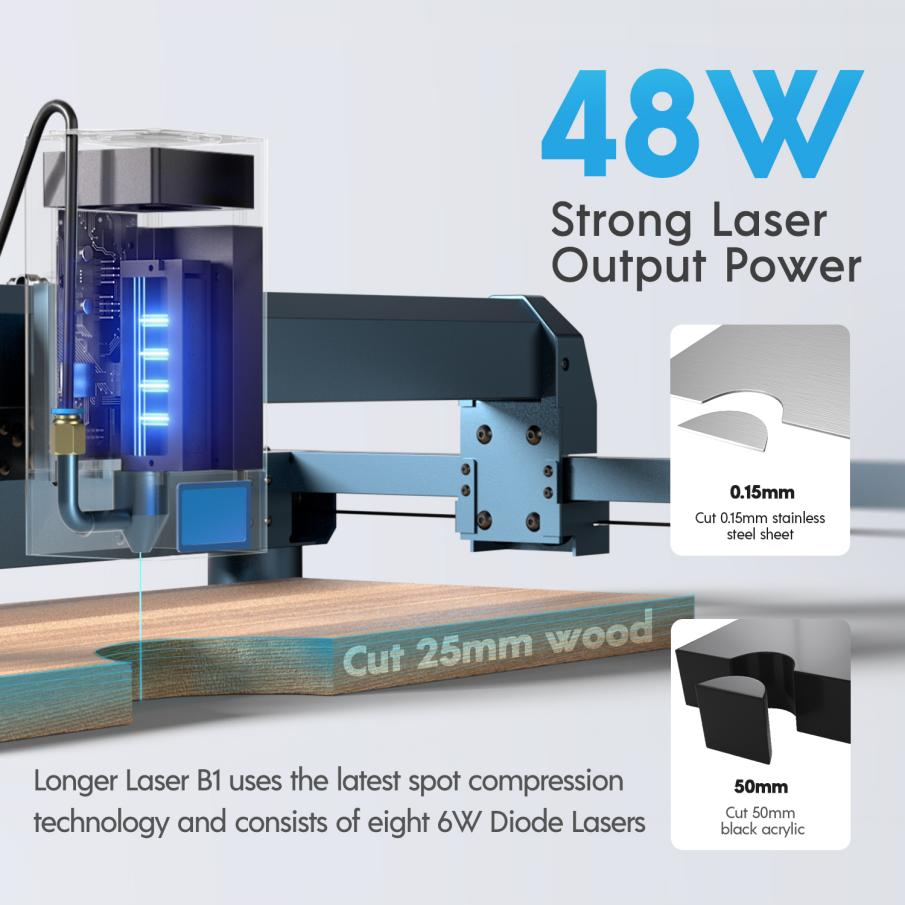
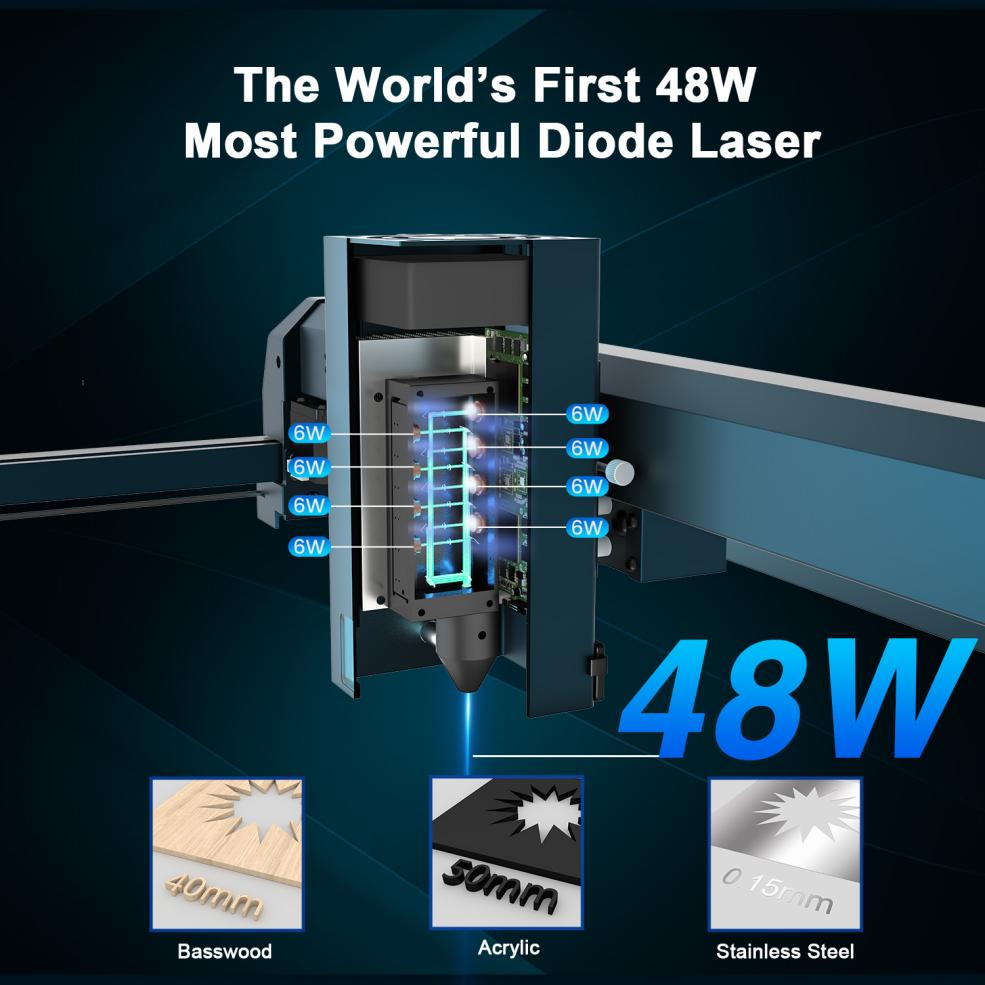
The Laser B1 40W excels in versatility, capable of cutting through 20mm plywood, 25mm Paulownia wood, and 10mm acrylic in one pass. It can also handle up to 40mm plywood, 50mm acrylic, and 0.15mm stainless steel, making it suitable for a wide range of woodworking and other material applications. This versatility allows woodworkers, carvers, and engravers to craft intricate designs on various surfaces.

Advanced Engraving Techniques

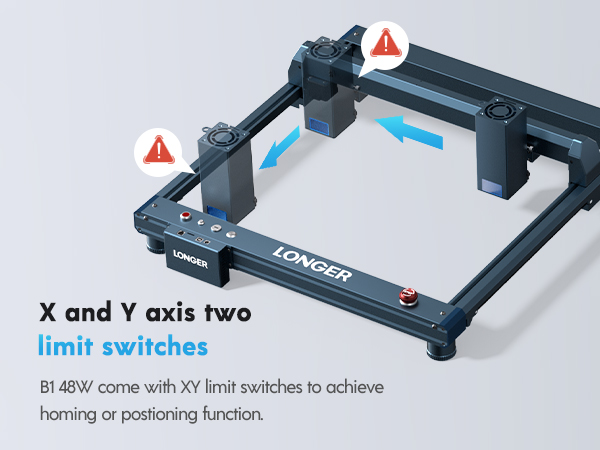
Equipped with eight diode lasers and FAC (Fast Axis Collimation) technology, the Laser B1 40W provides superior beam quality and precision. This advanced technology enables the engraving of fine details and complex patterns, enhancing the creativity and craftsmanship of woodworkers. The machine's X and Y-axis limit switches ensure precise movements, contributing to consistent and accurate results.

User-Friendly Operation and Safety Features

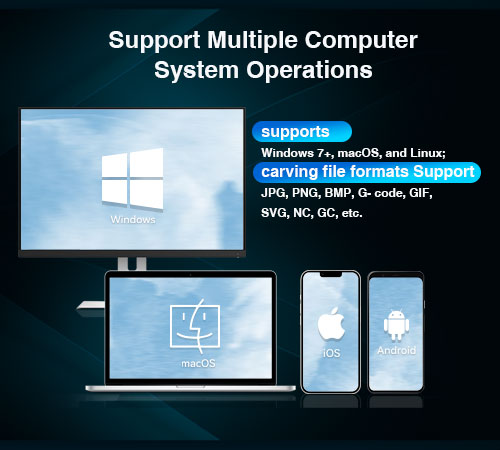
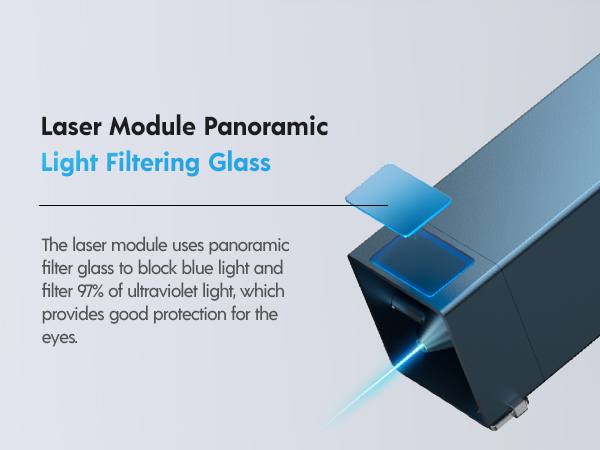
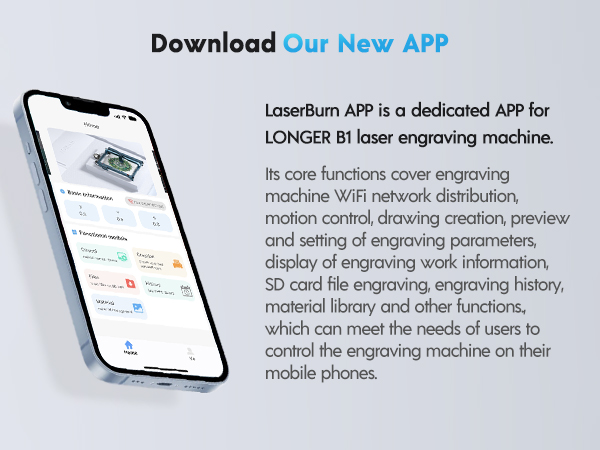
The Laser B1 40W is designed for ease of use, featuring a user-friendly interface and compatibility with various software, including LaserGRBL (free), LightBurn (paid), and the LaserBurn APP. It supports Windows, macOS, Linux, Android, and iOS operating systems, providing flexibility for different users. Safety is paramount, and the engraver includes flame detection, movement detection, motionless protection, an emergency stop button, and built-in eye protection to ensure operator safety and compliance with regulatory standards.

Customization and Personalization

With the Laser B1 40W, wood product manufacturers can easily customize and personalize their creations. The ability to engrave names, logos, and intricate patterns adds a unique touch to furniture, wooden crafts, and personalized gifts. This capability not only enhances the aesthetic appeal of wooden products but also increases their market value.

Enhanced Creativity and Efficiency

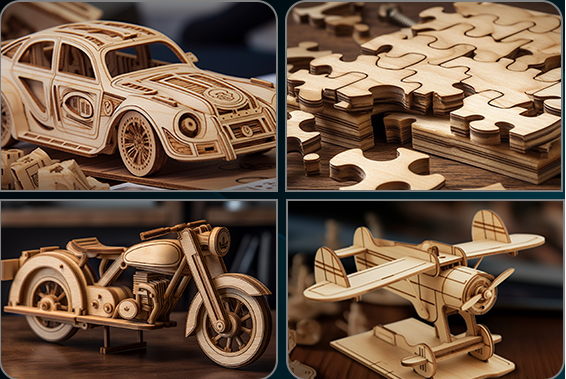
The introduction of wood laser cutter like the Laser B1 40W has significantly boosted creativity in woodworking. Woodworkers can experiment with new designs, ornamental patterns, and innovative techniques, transforming ordinary woodworking processes into extraordinary works of art. The machine's efficient motion systems and precise motors ensure smooth and accurate operations, allowing for faster completion of projects without compromising quality.

Applications of LONGER Laser Engraving Machines in Woodworking:

Wood Engraving and Cutting 

The Laser B1 40W enables woodworkers to engrave intricate patterns and designs, adding a creative flair to woodworking projects. Its large working area and high power make it suitable for both small and large-scale projects.

Personalization and Customization

LONGER’s laser engraving machines allow for the customization of wooden items by engraving names, logos, and detailed images. This capability meets the growing demand for unique and personalized wooden products, making them highly sought after in the market.

Furniture Decoration 

The Laser B1 40W is perfect for decorating wooden furniture with detailed and elegant designs. Its ability to create long, continuous engravings imparts a luxurious and unique look to each finished piece, enhancing the overall aesthetic appeal.

Conclusion

LONGER's Laser B1 40W laser engraver represents a significant advancement in woodworking technology. Its precision, versatility, and efficiency make it an invaluable tool for woodworkers seeking to elevate their craft. By continuously innovating and adhering to the highest quality and safety standards, LONGER remains a leader in the industry, providing the best solutions for modern woodworking needs. Join us in our pursuit of excellence and creativity with LONGER, and transform your woodworking projects into masterpieces.

By Lasergravierer-Blog | May 21, 2024
Lens Cleaning for Longer B1 30W & 40W

Longer B1 30W & 40W has a laser module capable of engraving and cutting multiple types of materials. However, depending on the type of work that is carried out, it is possible that a fair amount of smoke is produced, which can inevitably settle on the lens of the laser module and therefore blur it. Once the lens of the laser module is dirty or clouded, the laser beam can no longer pass through it and therefore the emission of the laser module is drastically reduced. As a consequence, more and more power will be needed to engrave the same materials already engraved previously, until it will be practically impossible to engrave any type of material even setting 100% power. This problem occurs most when an air assist system is installed but not enabled; In fact, an Air Assist system allows you to create air pressure in the vicinity of the lens, thus preventing smoke and dust from settling easily on the lens. 

In order to solve this problem, it is necessary to proceed to cleaning the lens of the laser module; Once the lens is cleaned, the laser beam can pass through it without suffering losses and therefore the materials will be engraved or cut again to perfection. 


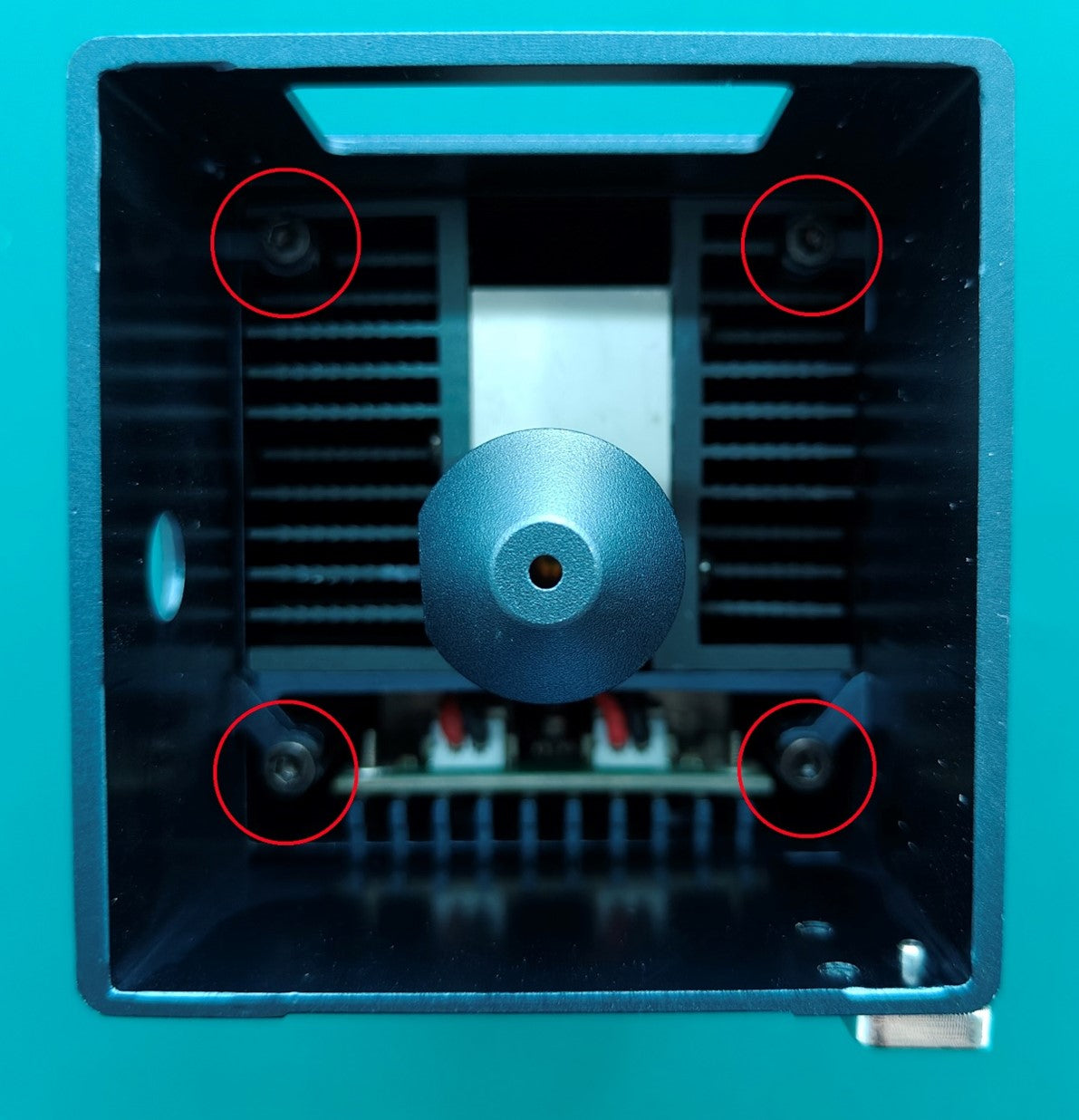
To proceed with the cleaning of the lens of the laser module of Longer B1 30W & 40W it is necessary first to completely disassemble the laser module. After separating the laser module from the rest of the machine, remove the four screws shown in the figure:

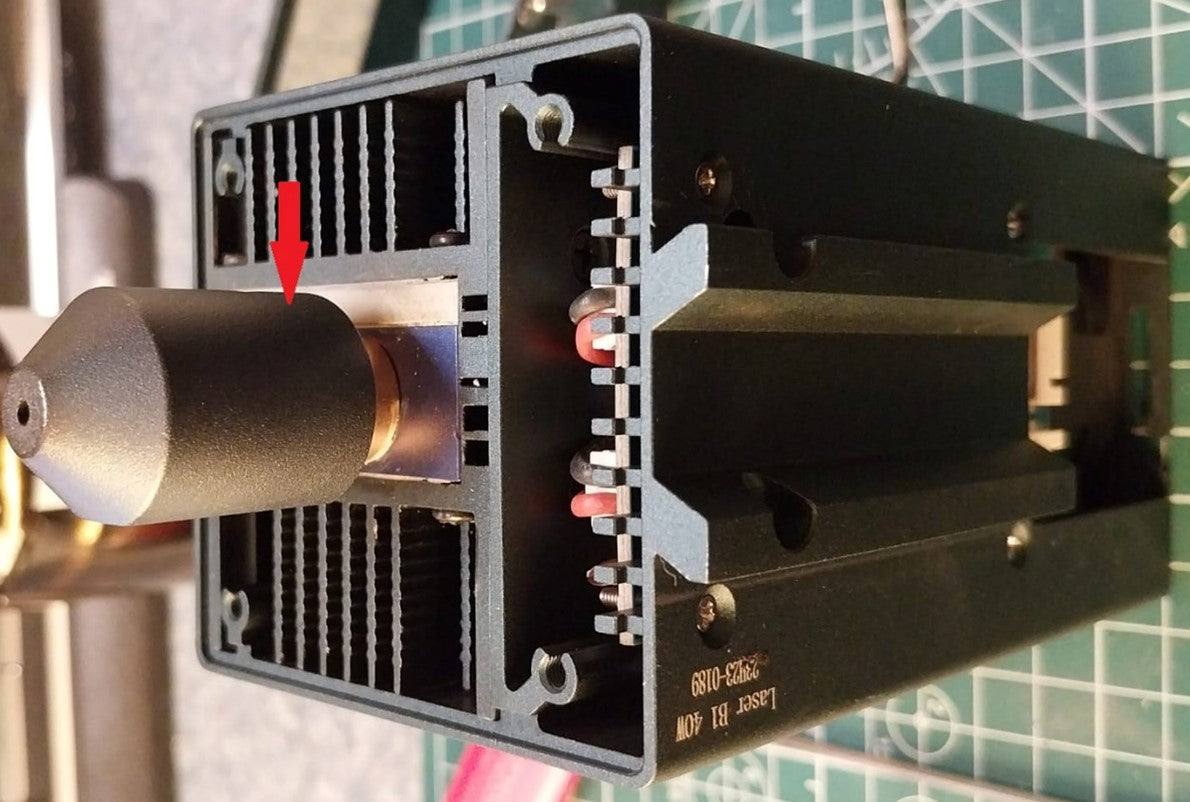
Once the four screws have been removed, the protective shield will be removed from the laser module, which will appear as shown in the figure. At this point, to remove the air assist nozzle, unscrew the small screw located on the side of the nozzle.

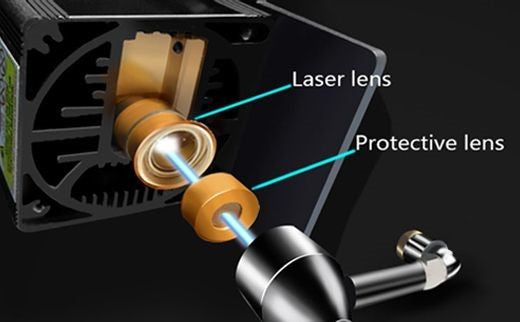
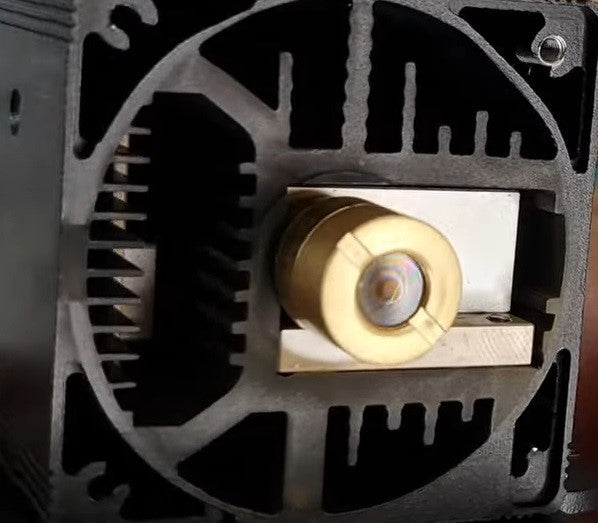
The laser module of the Longer B1 30W & 40W has a factory-installed protective lens, which can be unscrewed and cleaned separately from the laser module. This lens is a simple protective glass, and has no focusing function, for this reason it can be removed and cleaned/replaced. After removing the protective lens, you can proceed to clean the lens with the use of a cotton swab soaked in alcohol. Be careful to prevent alcohol from entering the inside of the lens. 

Use one or more cotton swabs soaked in alcohol, until the lens is completely clean and free of dirt; at this point, therefore, you can proceed to screw it to the laser module and reassemble the laser module of Longer B1 30W & 40W. At the end of the cleaning procedure, you can proceed to engrave a sample file contained in the microSD card of Longer B1 30W & 40W, so you can evaluate the total restoration of the functionality of the laser module. If the lens is too much dirty and cannot be cleaned, you can contact us for buying a replacement spare part. In order to keep the lens always clean, remember to keep enabled the air assist, this will help the engraving quality. 

By Lasergravierer-Blog | May 15, 2024
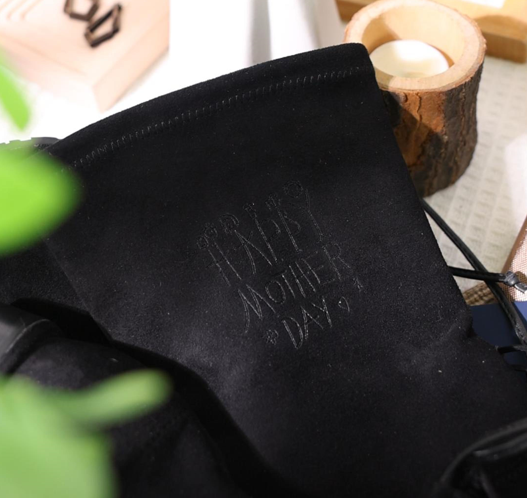
Crafting Love: The Perfect Mother's Day Gift with Longer LaserB1 40W

As Mother's Day approaches, the familiar question arises: what gift will truly capture the essence of our appreciation for Mom? A beautiful dress? Or perhaps an exquisite watch? While these gifts are undoubtedly popular, have you ever felt that they're too commonplace to fully express your gratitude and love for your mom on Mother's Day?


In fact, no matter how exquisite store-bought gifts may be, they can't compare to the significance of handmade gifts from children in a mother's heart. Whether it's a handmade three-dimensional photo, a ceramic mug, or a handcrafted necklace, these gifts can make a mother feel something beyond monetary value—your love can be fully showcased before her.

And now, the Longer LaserB1 40W is a product that perfectly caters to your needs. Improved with the latest spot compression technology, it can effortlessly engrave on materials like 0.15mm thick stainless steel plates or 50mm thick black acrylic. With an engraving speed of up to 36,000 millimeters per minute, it can help you swiftly complete tasks while maintaining quality. The engraving area reaches 450mm*440mm, 27% larger than before, allowing your creativity to flourish whether it's a big or small gift. You can also use it together with your mom to create gifts, enjoying the collaboration between parent and child and crafting pieces that embody mutual effort, adding even more sentimental value. And rest assured, the LongerB1 40W boasts eight layers of safety protection, with a sturdy framework ensuring high safety standards.

Mothers often play the role of selfless givers in our lives, offering unwavering support and love.  When we sincerely offer gifts made with our thoughts and time, her happiness at that moment will likely surpass anyone else's.

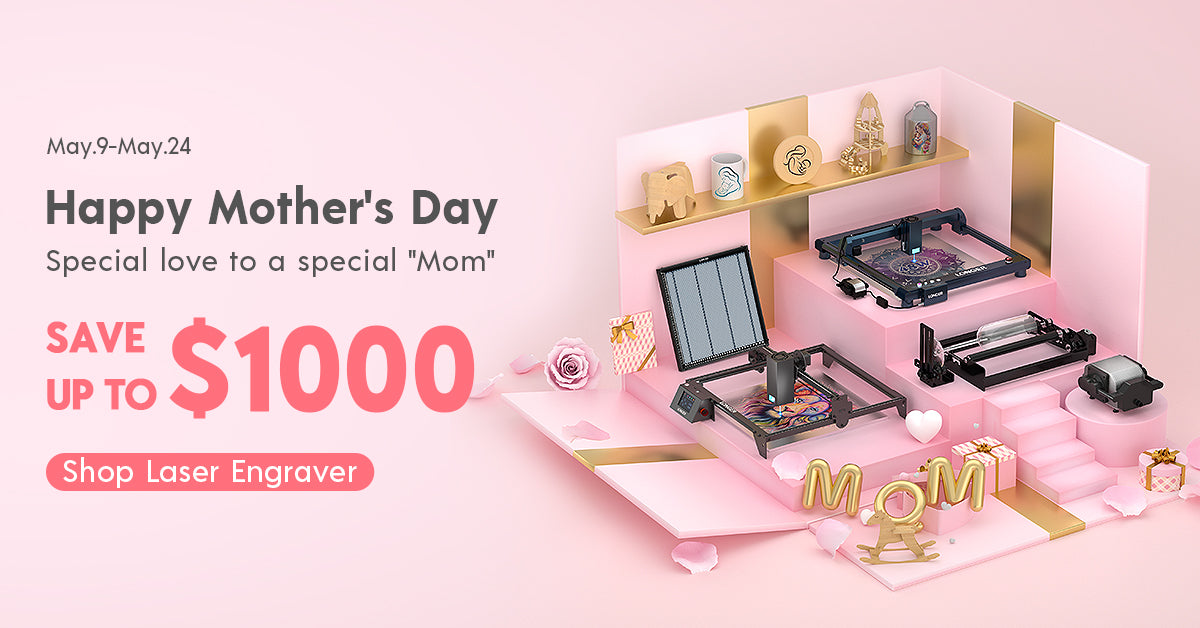
In summary, the Longer LaserB1 40W won't disappoint you, and your mom won't be disappointed either. If you're interested in purchasing, don't miss the LONGER Mother's Day event from May 9th to May 24th. Apart from the LongerB1 40W, there are more laser engraving and 3D printing machines that will bring happiness to both you and your mom, with discounts of up to $1000! Give her a gift that will be remembered for many years, letting your mom feel your most unique sincerity.


On Mother's Day, let us take the time to appreciate the hard work and sacrifices of our mothers. Whether it's through a special gift or a warm message, let's express our deep love and respect for them. May all mothers feel our boundless love and admiration on this special day, as they are the most precious beings in our lives. Let your creativity shine with the Longer LaserB1 40W, and celebrate the love and appreciation you hold for your mother in a truly unforgettable way.

By Lasergravierer-Blog | May 9, 2024
Longer Laserburn App – Multiple Work Layer

Using LaserBurn multiple work layers is one of the easiest ways to speed up laser projects and combine different operations into one workflow. Instead of running separate engraving and cutting jobs, LaserBurn allows users to create multiple tasks inside a single project using layers.

For Longer B1 users and beginners learning laser workflows, this feature can reduce setup time, improve efficiency, and simplify project management.


Table of Contents


Quick Answer

LaserBurn multiple work layers allow you to assign different operations to different objects inside the same project. Each layer can use its own processing parameters and operation type, such as engraving or cutting, so the machine can automatically complete multiple jobs in sequence during one run. LaserBurn supports up to 10 layers.


What This Guide Covers

This tutorial explains:

  • What LaserBurn work layers do
  • How to assign multiple layers
  • How to combine engraving and cutting jobs
  • How Longer B1 processes layer-based tasks
  • Common issues and solutions
  • Helpful tips for beginners

Why LaserBurn Multiple Work Layers Matter

Laser projects often contain different operations.

For example:

  • Engraving logos
  • Cutting outlines
  • Creating text effects
  • Producing multi-color metal engravings
  • Combining decorative elements with cut shapes

Without layers, users would typically:

  1. Run engraving
  2. Stop the machine
  3. Reload files
  4. Reposition materials
  5. Run cutting

This takes more time and increases the possibility of alignment errors.

With LaserBurn multiple work layers:

  • Multiple jobs run continuously
  • Material stays in place
  • Workflow becomes easier
  • Production time decreases

LaserBurn was designed specifically for LONGER laser machines and includes integrated layer management functions.


Before You Start

Requirements

Hardware:

  • Longer B1 laser engraver
  • Compatible LONGER laser machine
  • Suitable engraving material

Software:

  • LaserBurn application
  • Existing design file or imported artwork

Knowledge:

  • Basic LaserBurn navigation
  • Understanding of engraving and cutting operations

If additional machine settings are required:

Follow official machine specifications or instructions.


Precautions

Before beginning:

  • Verify that the laser is properly focused
  • Confirm your material is secured
  • Ensure airflow or air assist functions properly
  • Double-check object placement
  • Review assigned layer settings before starting

Common beginner mistake:

Assigning multiple objects to the same layer unintentionally can apply incorrect processing parameters.


Step-by-Step: How to Use LaserBurn Multiple Work Layers

Step 1: Create or Import Images

Action:

Open the Creation menu and create or import the images you want to process.

The example workflow uses:

  • "Longer"
  • "B1"

Expected Result:

Both designs appear in the project workspace.

Important Notes:

Objects can be newly created or imported from existing files.


Step 2: Open the Layers Menu

Action:

Locate the Layers menu.

For each imported image, select a different layer.

Click different layer colors to assign unique layers.

Expected Result:

Each object changes color according to its assigned layer.

Important Notes:

Layer colors are visual indicators that help distinguish operations.

LaserBurn supports up to 10 separate layers


Step 3: Assign Processing Parameters

Action:

Set processing parameters for each layer independently.

Example:

  • "Longer" → wood engraving parameters
  • "B1" → wood cutting parameters

Expected Result:

Each layer now contains independent settings.

Important Notes:

Different layers can contain:

  • Engraving settings
  • Cutting settings
  • Speed settings
  • Power settings
  • Processing behaviors

Do not modify settings unless your material specifications require changes.

Follow official machine specifications or instructions.


Step 4: Position Material Under the Laser Module

Action:

Place the wooden panel beneath the Longer B1 laser module.

Expected Result:

Material is positioned and ready for processing.

Important Notes:

Do not move the material after setup.

Movement may affect alignment between operations.


Step 5: Start the Job

Action:

Start the created project in LaserBurn.

Expected Result:

The machine processes tasks automatically:

  1. Engraves "Longer"
  2. Cuts "B1"

The operations run continuously without interruption.

Important Notes:

The machine processes operations according to layer sequence.

Do not interrupt the machine unless necessary.


LaserBurn Multiple Work Layers for Metal Color Engraving

One useful application of multiple layers involves colored metal engraving.

Laser interaction with metal can create different visible colors depending on:

  • Laser power
  • Speed
  • Processing conditions

Multiple layers allow different settings to be applied across sections of the design.

This creates multi-tone visual effects while remaining inside a single project.

If processing metal materials:

Follow official machine specifications or instructions.


Common Problems and Solutions

Problem Requirements Solution
Objects use identical settings unexpectedly Check layer assignment Verify objects are assigned to separate layers
Design colors do not change Review Layers menu Reassign layer colors
Engraving starts but cutting does not Verify operation settings Confirm cutting parameters are assigned correctly
Alignment appears incorrect Material positioning Do not move material after setup
Wrong parameters applied Check selected layer Review settings before starting the job

Tips for Better Results

1. Use descriptive project organization

Name files clearly before saving projects.

Examples:

  • Wood_Engrave_Cut
  • Metal_Color_Test

2. Keep engraving and cutting separated

Assign different operations to different layers rather than mixing them.

This improves workflow clarity.


3. Start with simple projects

Beginners should first test:

  • Text engraving
  • Basic cutting shapes

Complex designs can be introduced later.


4. Double-check material placement

Multiple operations rely on consistent positioning.

Even small movements can affect results.


5. Preview work before processing

Review layer assignments and processing order before starting.


Frequently Asked Questions

Q: How many LaserBurn multiple work layers can be used?

A: LaserBurn supports up to 10 layers, allowing up to 10 independent jobs in one project.


Q: How do I use LaserBurn multiple work layers for beginners?

A: Create or import objects, assign different layers using layer colors, and configure parameters separately for each layer.


Q: Can engraving and cutting happen in one project?

A: Yes. LaserBurn can engrave and cut sequentially during the same process.


Q: Can I assign different parameters to each layer?

A: Yes. Each layer supports separate processing settings.


Q: Can multiple layers be used for metal engraving?

A: Yes. Multiple layers can help create varying engraving effects on metal materials.


Q: Why are all my objects using the same settings?

A: Objects may have been assigned to the same layer accidentally.


Q: Is LaserBurn available for LONGER laser machines?

A: LaserBurn is designed specifically for compatible LONGER laser engravers.


Related Tutorials

For building a complete LONGER workflow, explore:


Final Thoughts

LaserBurn multiple work layers make project creation significantly easier by combining several operations into one workflow. Instead of separating engraving and cutting into individual runs, users can create a single project and allow Longer B1 to process everything automatically.

For beginners, mastering layer management is one of the fastest ways to improve workflow efficiency and reduce project setup time. Continue exploring LONGER guides and tutorials to build more advanced engraving skills. 

By Lasergravierer-Blog | May 6, 2024
Setup LONGER Laser engraver and material selection

LONGER laser engravers employ highly accurate technology, using focused laser beams to cut various materials with precision. This process is vital in both development and production. To effectively execute laser cutting, one must understand the principles, material selection, design, machine operation, and safety measures. The LaserB1 and Ray5 series, are renowned for their performance in laser cutting. Operating a LONGER laser cutting machine involves several key steps:

Machine Setup: 
Start with put LONGER laser engraver in right place. Make sure the area can provide sufficient space for air access to the device and that it also stands on solid ground. The device can go on working at full capacity under such conditions. Attach the machine to the power source and test any fail-safe features like the emergency stop button and guard lock by pressing the emergency stop button and confirming the machine's reaction. 


The laser must be placed in an acceptable environment to reduce unintentional or unplanned disasters. The environment should be well-ventilated, stable, and clean to prevent shaking/vibration of the machine. The electrical source should be a per the maker's standards whereas it has to be earth and insulation grounded. The machine set up process should be carried out within the actual configuration of its laser beam deliver components and these components should be cleaned regularly. Software such as LaserGRBL LaserBurn LightBrun, MKS app and controls need to compatible to the operating system. First step of calibration and test of machine should be performed by adopting steps defined in machine manual.

Material Selection and Preparation: 
Choose the most compatible option out of many options for your laser cutting task in a proper way. The laser cutter machine (WEED) is very versatile since it can handle different materials like wood, acrylic, leather, metal, and fabric, just to name a few. The initial step involves preparing the front assembly by removing dust, smoothing out any imperfections, and securely mounting it onto the operating area board. Utilize masking tape to protect the surface and the soot from accidental damage.


The rectification of laser machining involves defining the material's characteristics, including its reaction to laser wavelength and energy level, and ensuring safety measures. Material properties like hardness, melting point, and thermal conductivity influence the process outcome. Thicker materials may require multiple passes. Proper material surface preparation, such as cleaning and degreasing, is crucial for effective laser processing. Safety considerations include adherence to laser safety protocols, the use of approved personal protective equipment (PPE), hazard awareness, and implementing ventilation or filtration systems. Refer to the LONGER laser machine's specifications, guidelines, and standards for material selection and processing operations.


By Lasergravierer-Blog | April 25, 2024
LONGER Laser in Sustainable Development and Environmental Conservation


By Lasergravierer-Blog | April 18, 2024
LONGER Laser Engraver-Choosing the Right laser engraving machine

When deciding on the right LONGER laser engraving machine for your home, it's crucial to consider your needs and preferences, especially when distinguishing between standard and portable models. Here are several factors to consider when choosing the ideal tool.


Size and Portability

When considering a laser engraving machine, the size and portability factor play a crucial role, especially if you need to transport the machine easily or have limited workspace. In such cases, opting for a portable engraving machine is the ideal choice. LONGER Nano, known for its compact size and lightweight design, is perfect for projects where space is limited or for on-the-go tasks. However, if you require more professional-grade cutting capabilities, the LONGER LaserB1 40W is the optimal choice. 

Decoding the differences:portable vs desktop laser engraving machines - LONGER

LONGER LASERB1 40W : Business Opportunities in Personalized Consumer Market

LONGER Nano: 12W Portable Laser Engraver


Power and Engraving Versatility

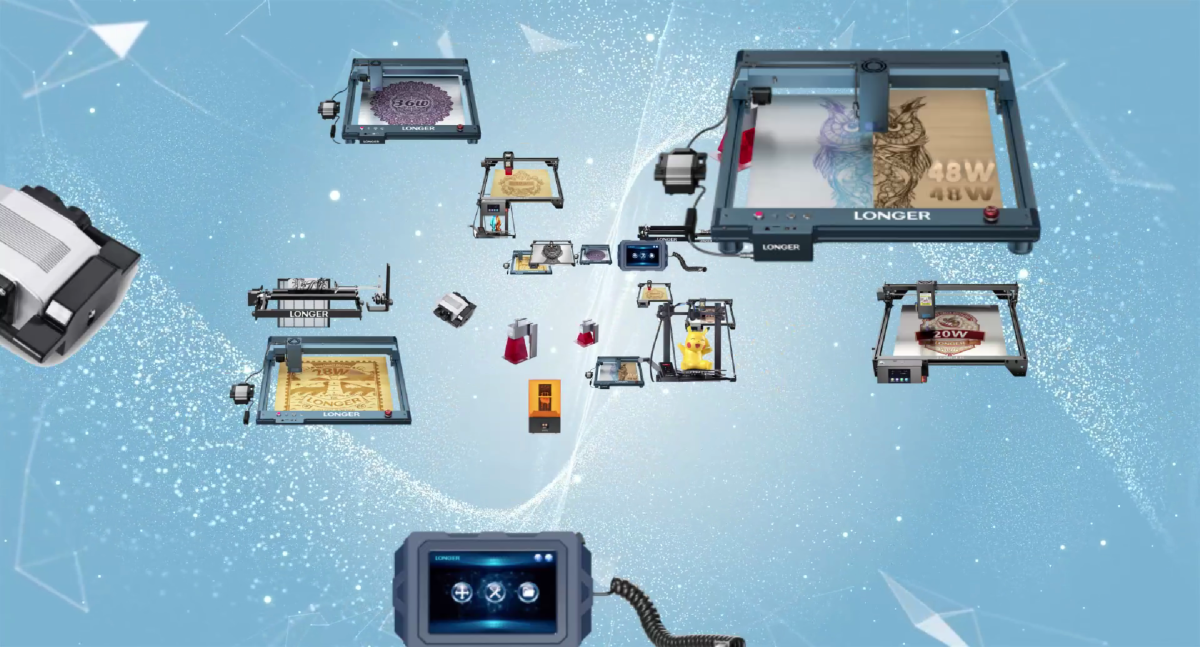
The laser engraving machine's cutting power and depth control capability are key factors determining its versatility and performance across various tasks. LONGER's diverse range of laser engraving machines, including the Ray5 series with options ranging from 5W to 20W and the LaserB1 series with power outputs from 20W to 40W, offer unparalleled cutting power and precise depth control.

LONGER RAY5 10W Laser Engraver | 10W Laser Cutter

LONGER B1 30W Laser Engraver Machine for Small Business - LONGER


APP Support

Ensure compatibility with your operating system and design software when selecting a laser cutter. Our machines are designed to work seamlessly with LaserBurn, LaserGRBL, MKS and LaserBurn, which have been independently researched by LONGER. Therefore, choose a laser cutter that aligns with your project requirements and preferred software to optimize performance and achieve the best results.

LONGER Download Page 


Product Safety


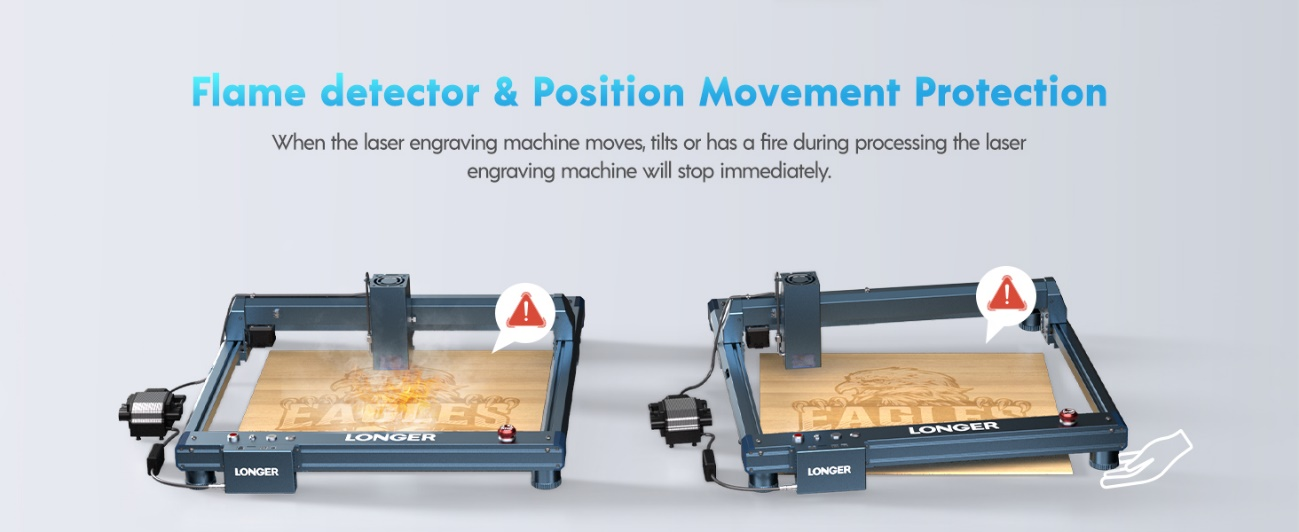
Safety is among the things to consider when using a laser engraver. By utilizing machines equipped with advanced safety features such as flame detection, movement detection, motionless protection, emergency stop buttons, and eye protection, you can significantly reduce the risk of accidents.

When choosing a laser engraving machine, prioritize user experience. Factor in the brand's reputation and the quality of after-sales service to ensure a positive overall experience. LONGER offers machines equipped with intuitive user interfaces, straightforward controls, and user-friendly engraving software, guaranteeing a seamless and efficient engraving process.

LONGER Contact Page


Customer service

To ensure a smooth customer experience, it's crucial to inquire about the type of customer service offered by the company and whether they provide warranties for technical issues with their products. LONGER provides customer support via email at support@LONGER.net, ensuring prompt assistance in case of any malfunctions or technical problems with the device. This ensures peace of mind for customers, knowing that they can rely on timely support and resolution of any issues that may arise.
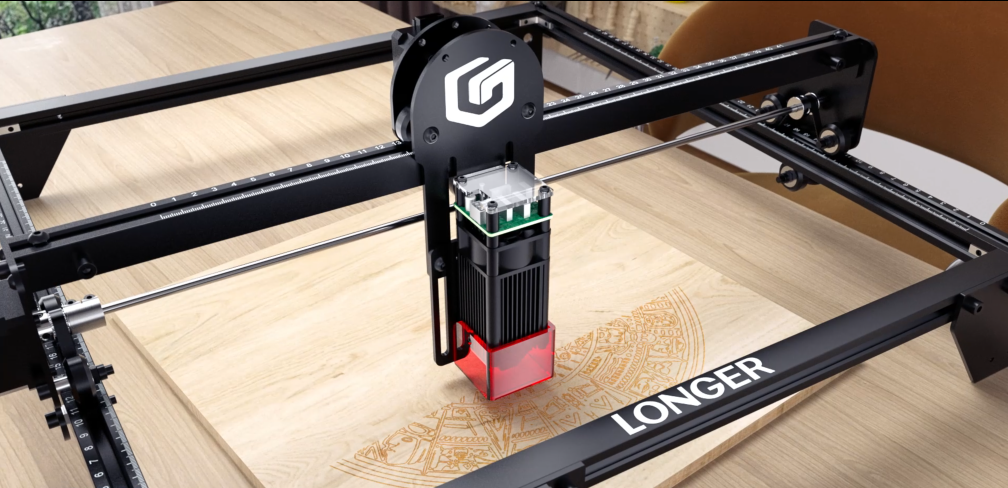
Shipping and Warranty Policy - LONGER


Conclusion

With LONGER's eight years of professional research in laser engraving machines, seeking advice from other users with LONGER laser engraving machine experience and reading reviews are also beneficial. By considering these factors, you can make an informed decision and choose the best tool for your needs and preferences.

By Lasergravierer-Blog | April 17, 2024
Home use laser engraver LONGER Ray5 and LaserB1 series

Home users opt for LONGER laser engraving machines due to the combination of quality and affordability. LONGER has dedicated 8 years to professional research in laser engraving machines and 3D printers. The two co-founders are Ph.D. graduates from MIT and Georgia Tech, respectively, leading a team of researchers from top universities worldwide. Committed to harnessing cutting-edge technology, LONGER strives to produce the highest quality products at the best value for customers. Despite this commitment to excellence, LONGER operates with minimal profit margins, prioritizing customer satisfaction and affordability above all else.

LONGER offers a range of laser engraving machines with different power levels, from the RAY5 5W to 20W, LaserB1 20W to 40W model. The power level of the laser is directly correlated with the speed of engraving or cutting, allowing users to adjust settings to achieve optimal results for their projects. One of the key features of LONGER laser engraving machines is their compatibility with a wide range of materials, including wood, fabrics, metal, paper, and anodized aluminum. However, it's important to note that materials like PVC should be avoided due to the emission of toxic fumes during engraving. 
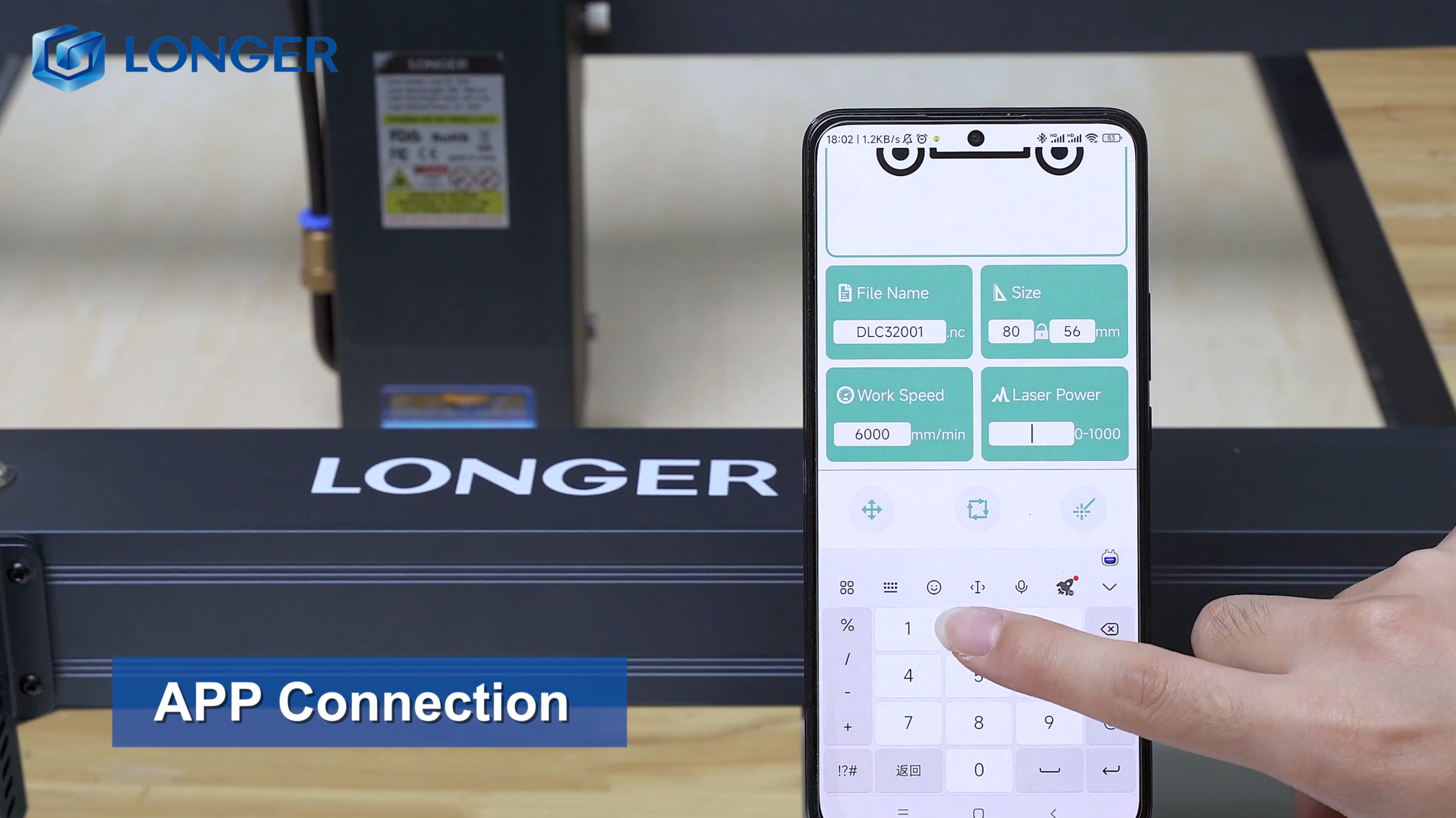
These machines are capable of working with various materials such as metals, wood, and plastics, offering precise engraving with minimal setup time. LONGER’s machines are equipped with high-precision technology, enabling users to create intricate patterns, detailed lines, and precise shapes with 100% accuracy. Additionally, LONGER laser engraving machines come with user-friendly software that supports various file formats and allows for easy connectivity via USB or wireless interface. Safety measures are also incorporated into the design of LONGER machines, including safety covers, emergency stop buttons, and protective interlocks to prevent accidents during operation.


Conclusion

Despite their numerous benefits, it's essential to acknowledge the limitations of home laser engraving machines compared to industrial-grade equipment. However, for hobbyists, artists, and small businesses, LONGER laser engraving machines offer a cost-effective solution for exploring creative opportunities, provide home users with quality, affordability, precision, and ease of use, making them ideal for a wide range of engraving and cutting projects. With their versatility and user-friendly features, these machines open up a world of creative possibilities for enthusiasts and professionals alike.
 

By Lasergravierer-Blog | April 17, 2024