Laser Engraver Blogs

Troubleshooting Common Issues with Ray5 20W Laser Cutter

The LONGER Ray5 20W laser engraving machine is a powerful and versatile tool widely used for cutting and engraving a variety of materials. However, like any precision device, users may occasionally encounter technical issues that affect performance and workflow efficiency.

Understanding how to identify and resolve these common problems is essential for maintaining consistent output quality and ensuring long-term machine stability. This guide outlines the most frequently encountered issues with the Ray5 20W and provides practical troubleshooting solutions.

Poor Cutting Precision

One of the most common issues is inaccurate or inconsistent cutting results.

Possible causes:

  • Loose belts or mechanical components
  • Improper focus adjustment
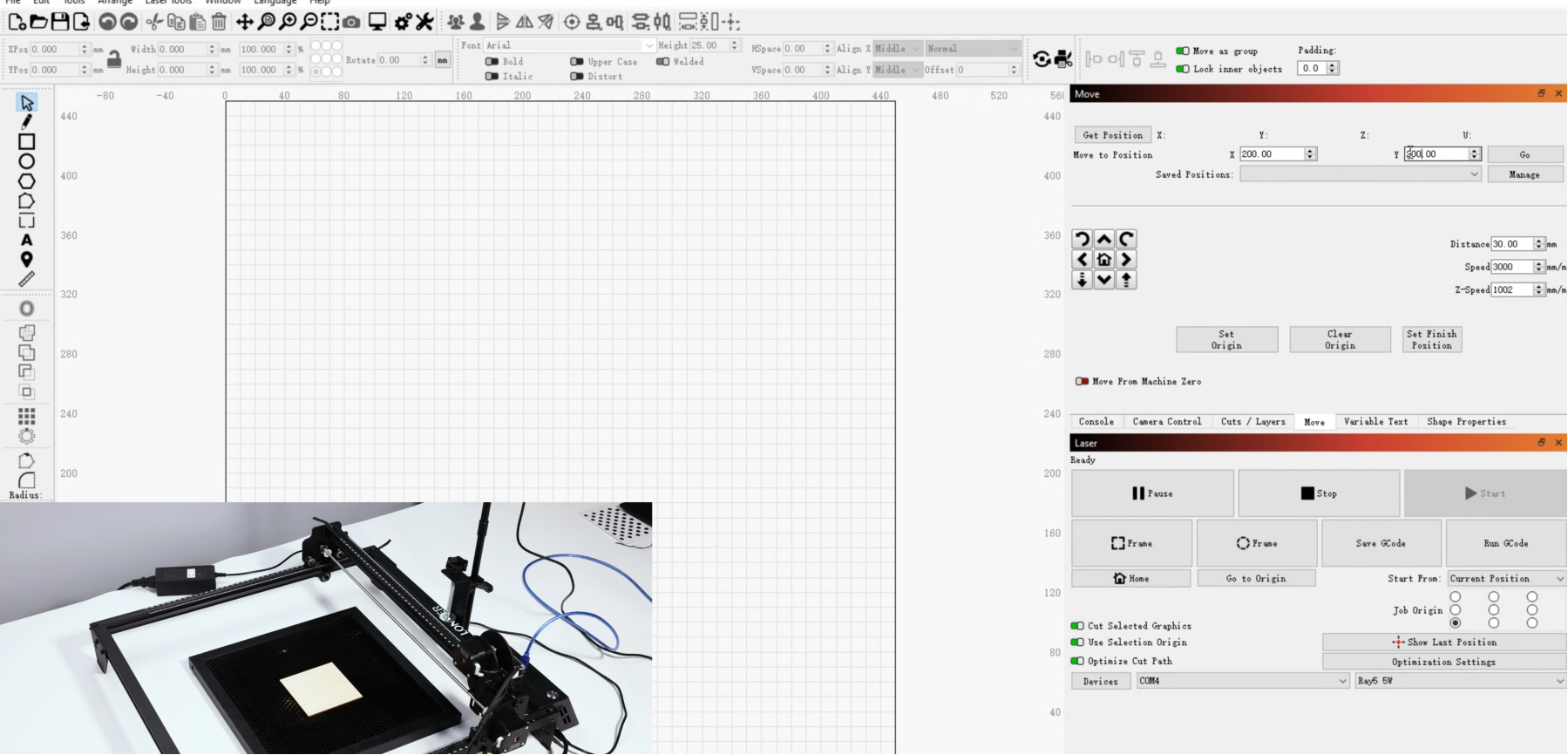
  • Incorrect machine calibration
  • Unstable working surface

Solutions:

  • Tighten belts and check all mechanical connections
  • Recalibrate the laser module and ensure proper focusing
  • Level the working bed before operation
  • Secure the material firmly to prevent movement

Maintaining mechanical stability is key to achieving precise cutting results.

Insufficient Engraving Depth

If engraving appears too light or shallow, the issue is often related to energy output or settings.

Possible causes:

  • Low laser power setting
  • Incorrect speed configuration
  • Dirty or obstructed lens

Solutions:

  • Increase laser power gradually
  • Reduce engraving speed for deeper marking
  • Clean the laser lens regularly to ensure optimal beam transmission

Proper parameter adjustment is critical for achieving consistent engraving depth.

Software Connection Issues

Connectivity problems between the laser cutter and control software can interrupt workflow.

Possible causes:

  • Faulty USB cable or connection port
  • Driver installation errors
  • Incompatible software version

Solutions:

  • Replace or reconnect USB cables
  • Reinstall device drivers
  • Ensure software is updated and compatible with the Ray5 system

Stable communication between software and hardware is essential for reliable operation.

Burn Marks or Excessive Charring

Burnt edges or excessive charring can affect the quality of finished work.

Possible causes:

  • Excessive laser power
  • Slow engraving speed
  • Poor airflow or ventilation

Solutions:

  • Reduce power settings appropriately
  • Increase engraving speed
  • Improve ventilation or use an exhaust system

Balancing power and speed is key to clean engraving results.

Lens Contamination or Degradation

A dirty or damaged lens can significantly reduce laser performance.

Possible causes:

  • Dust buildup during operation
  • Smoke residue accumulation
  • Lack of regular maintenance

Solutions:

  • Clean the lens using recommended cleaning tools
  • Inspect regularly for damage or wear
  • Replace the lens if necessary

Routine maintenance ensures long-term performance stability.

Conclusion

While the LONGER Ray5 20W laser cutter is designed for reliability and precision, proper maintenance and correct operational settings are essential for optimal performance. Most common issues can be resolved through simple adjustments, regular cleaning, and proper calibration.

By understanding these troubleshooting methods, users can minimize downtime, improve engraving quality, and ensure smooth, efficient operation across a wide range of projects.


By Laser Engraver Blogs | April 9, 2024
From Concept to Creation: Exploring the Versatility of Laser Engraving Machines

As science and technology continue to advance, laser technology has become increasingly integrated into various aspects of our lives. Among these applications, laser engraving machines stand out for their precision, efficiency, and flexibility, making them a popular choice among users. Today, let's delve into the versatility of laser engraving machines, using the LaserB1 30W as an example, and discover how laser engraving enhances convenience in our daily production and life.

What is a laser engraving machine
A laser engraving machine is a device that uses a laser beam to engrave materials. It uses a high-energy-density laser beam to irradiate the surface of the material, and through the interaction between the laser and the material, it can achieve functions such as engraving, cutting, drilling, marking, and personalized customization. Laser engraving machines are widely used in various industries, such as processing of wood, stone, metal, plastic and other materials. LaserB1 30W with a spacious working area of 450x440mm (17.72x17.32 inches) and a wavelength of 450nm, this machine delivers exceptional performance for a wide range of applications. Its fixed focus of 50mm ensures consistent and precise engraving, with a remarkable resolution of 0.08x0.1mm. Operating at a power range of 33~36W, it can effortlessly tackle materials with a thickness of up to 50mm at a blazing speed of 36000mm/min. Powered by a DC24V 7.5A 180W power source and compatible with AC 110-240V, 50/60Hz, the B1 30W supports various operating systems, including LaserGRBL on XP/7/8/10 (Free) and LightBurn on Windows, Mac OS, and Linux. Offering versatile connectivity options such as USB, TF Card, WiFi, and a dedicated mobile app, this machine ensures seamless integration with your workflow.

Laser Engraving Machine Versatility

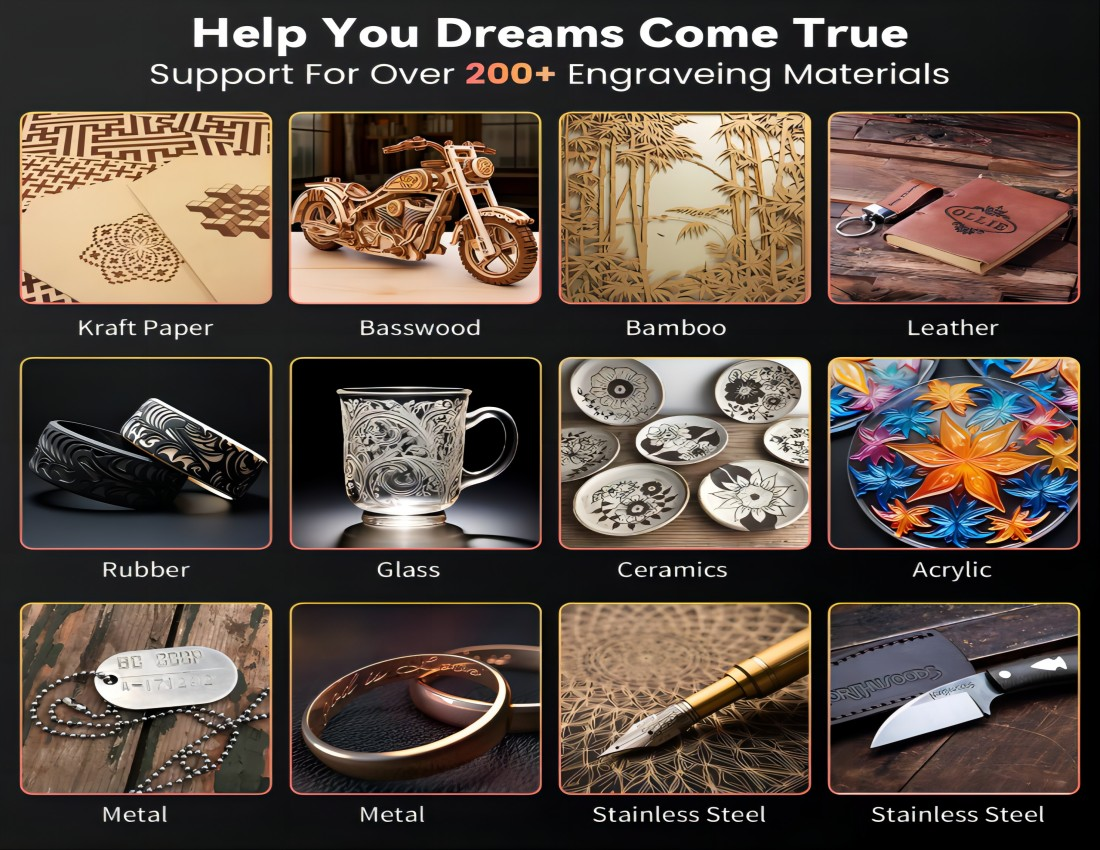
The versatility of the laser system extends to a wide array of materials, encompassing wood, acrylic, plastic, stone, metal, and more. For instance, it can engrave intricate designs and patterns on wooden surfaces, create personalized acrylic signage, etch serial numbers and logos onto metal parts, and even carve detailed images into stone surfaces. Moreover, it excels in adding serial numbers to tools, enhancing traceability and inventory management in manufacturing processes. Whether you're engraving intricate designs on jewelry, adding branding elements to promotional items, or personalizing gifts with custom messages, the laser system offers unparalleled versatility and precision across various materials and applications.

Engraving function

One of the basic functions of a laser engraving machine is the engraving function. On wood, metal or plastic, laser engraving machines can carve delicate patterns and text with extremely high precision. By adjusting the laser power and engraving speed, engraving effects of different shades and line thicknesses can be achieved.

Cutting function

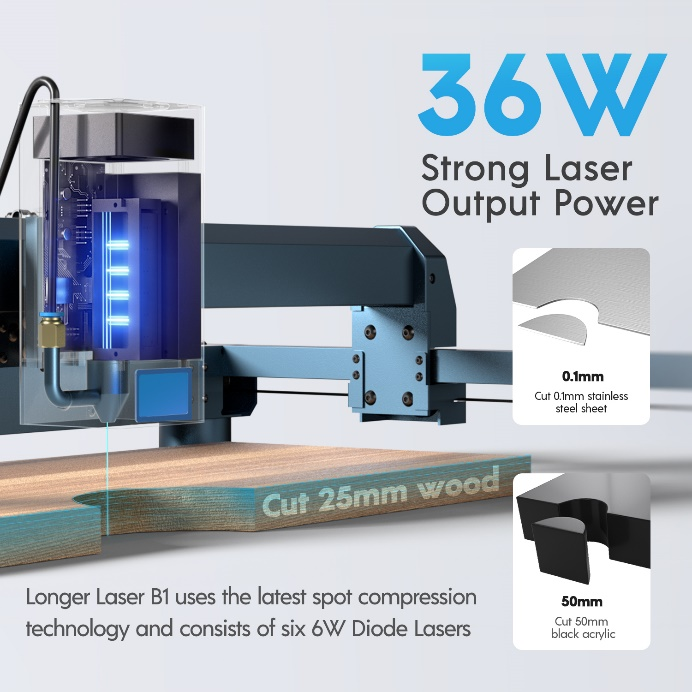
The cutting capability of laser engraving machines extends to a diverse range of thin materials, ensuring precise and clean cuts without any burrs or heat-induced deformations. From leather and cloth to paper and more, it effortlessly achieves accurate cutting results across various materials. For instance, LaserB1 30W can effortlessly cut through 20mm paulownia wood, 10mm black acrylic, and even thin stainless steel plates in a single pass. Additionally, it capable of handling materials as thick as 25mm basswood and 50mm black acrylic with ease. With its ability to achieve clean and precise cuts across a wide range of materials and thicknesses, the laser engraving machine proves to be an invaluable tool for various applications, from crafting and prototyping to industrial manufacturing and beyond.

Hole punch function
The laser engraving machine can also achieve the function of drilling holes in the material by adjusting the focus and power of the laser beam. Laser drilling has the characteristics of fast speed and high precision, and is suitable for mass production.

Marking function
Labeling products is an essential part of many industries. Laser engraving machines can engrave clear and durable marks on the surface of materials with extremely high precision, such as product numbers, production dates, etc. This marking method is not only beautiful and elegant, but also not easy to wear and tear, which helps to increase the added value of the product.

Personalized customization
The versatility of laser engraving machines also extends to personalization. Whether it is making personalized jewelry, gifts, or customizing exclusive seals, logos, etc. for enterprises, laser engraving machines can meet the personalized needs of users. With laser engraving machines, we can easily achieve the perfect combination of creativity and art.

Conclusion

As a cutting-edge laser application equipment, laser engraving machines have revolutionized our lives with their remarkable versatility. From engraving and cutting to punching, marking, and personalization, these machines cater to a wide array of industries, thanks to their exceptional precision, efficiency, and flexibility.

Established in 2016, LONGER boasts a team of research personnel hailing from renowned institutions such as the Massachusetts Institute of Technology, Georgia Institute of Technology, University of Manchester in the UK, The Autonomous University of Barcelona in Spain, and the University of Newcastle in Australia. The brand's founders, Dr.Lao and Dr.He driven by a determination to challenge the traditional market dominated by costly laser engraving machines, committed themselves to providing users with cutting-edge products offering exceptional value for money. LONGER 's products are renowned worldwide and hold a prestigious reputation among universities. In addition to the advanced B1 series, LONGER offers a range of highly professional products such as the beginner-friendly Ray5 series, Longer tailored to meet the diverse needs of experienced users.

With technology advancing at a rapid pace, LONGER is confident that laser engraving machines will continue to play an increasingly pivotal role in future production and daily life.

By Laser Engraver Blogs | April 9, 2024
Unleashing Creativity: The Evolution of Laser Engraving Technology

Laser engraving technology has rapidly evolved over the past decades, transforming from a specialized industrial process into an accessible creative tool for makers, designers, and small businesses. Today, laser engraving machines are widely used to turn everyday materials into personalized, detailed, and high-value creations.

From custom gifts to artistic works and functional products, this technology has opened new possibilities for creative expression with a level of precision that was previously difficult to achieve.

From Industrial Tool to Creative Platform

Originally, laser engraving systems were primarily used in industrial manufacturing for marking, cutting, and serial production. These machines required complex setups and were limited to professional environments.

However, advancements in laser diode technology, control systems, and software integration have significantly lowered the barrier to entry. Modern laser engravers are now more compact, user-friendly, and affordable, making them accessible to a much wider audience.

As a result, laser engraving has shifted from a purely industrial function to a creative platform for personalization and innovation.

Expanding Creative Possibilities

One of the most significant advantages of laser engraving technology is its ability to work with a wide range of materials, including:

  • Wood
  • Acrylic
  • Leather
  • Glass
  • Metal surfaces
  • Paper and cardboard

This versatility allows users to create diverse projects such as:

  • Personalized gifts
  • Custom home décor
  • Jewelry and accessories
  • Branding and product labeling
  • Artistic installations

With precise control over depth, power, and speed, even highly detailed designs can be accurately reproduced.

Precision and Control in Modern Laser Systems

Modern laser engraving machines are designed to deliver high precision and repeatability. Fine control over laser parameters enables users to achieve consistent results across different materials and project types.

Key technological improvements include:

  • Higher resolution engraving capability
  • Improved motion control systems
  • More stable laser output
  • Advanced software integration

These developments allow creators to move seamlessly from digital design to physical product with minimal loss of detail.

Empowering Makers and Small Businesses

Laser engraving technology has also become an important tool for entrepreneurs and small businesses. It enables on-demand production, customization services, and low-volume manufacturing without the need for large-scale industrial equipment.

This shift has empowered individuals to:

  • Launch personalized product businesses
  • Offer custom engraving services
  • Prototype designs quickly and efficiently

As a result, creativity is no longer limited by manufacturing constraints.

The Future of Laser Creativity

As laser technology continues to advance, we can expect even greater accessibility, precision, and automation. Integration with smart software, AI-assisted design, and improved material compatibility will further expand creative possibilities.

Laser engraving is no longer just a tool—it is becoming a bridge between digital imagination and physical reality.

Conclusion

The evolution of laser engraving technology has fundamentally changed the way people create, design, and manufacture. By combining precision engineering with creative freedom, it enables users to transform simple materials into meaningful and personalized works of art.

As this technology continues to develop, its role in both creative industries and everyday life will only continue to grow.

By Laser Engraver Blogs | April 8, 2024
How to operate RAY5 Laser engraving machine

LaserBurn is a powerful mobile application designed specifically for LONGER laser engraving machine users, including the Nano and B1 series. It is developed to improve both convenience and control, allowing users—whether beginners or professionals—to operate their laser engraving machines directly from a smartphone.

With LaserBurn, users can streamline workflow, reduce setup complexity, and enjoy a more flexible engraving experience without relying entirely on desktop software.

What LaserBurn Can Do

The LaserBurn app enables users to:

  • Control LONGER laser machines directly via smartphone
  • Adjust engraving and cutting parameters remotely
  • Monitor machine status in real time
  • Improve workflow efficiency for both beginners and advanced users

This mobile-first approach makes laser engraving more accessible and flexible than ever before.


STEPS Calibrating Laser
a.Place the machine on a flat table and make sure that the machine is stable and will not shake.
b.Place the wood board to be engraved or cut under the laser
c.Loosen the two thumb screws on the front of laser head by hand. Then place the focusing column vertically on the bottom of the laser head form the rear side, and manually lift the laser head so that the bottom of the rear side of the laser is close to the upper surface of the calibration column.
d.Tihten the two laser thumbscrews, then remove the focusing column


Power Up
a.Find the adapter and power cable and connect them.
b.Connect the power cord to the power supply and connect the other end of the adapter to the power port of the motherboard.
c.Connect the computer and the engraving machine through a USB computer (or insert a Micro SD card).
d.To Turn ON your RAY5 by press the power switch (To Turn OFF your RAY5 by press the power switch once again.)
Touch Screen Operation
RAY5 has a full-color 3.5-inch touch screen with a user-friendly user interface. Engraving and cutting work can be operated with touch screen and SD card.


Alt image
Wi-Fi Control operation
Enter the IP address in the browser of mobile phone or computer, then the control interface will pop up
Alt image


LaserGRBL Software Operation and SetupLaserGRBL is an easy-to-use and fully free software for laser engraver only running on Windows.
a.Find LaserGRBL software in attached SD card(path:/software),Or download from the link: https://lasergrbl.com/download/
b.After installing laserGRBL, power up the RAY5, press the power switch button, and connect the laser engraver and computer via USB cable.
c.Open LaserGRBL, select correct port(depend on your PC), baud rate: 115200. Then click connect button.(If you cannot find correct port, please install CH340 driver manually by click Menu >> Tools >> Install CH340 Driver in LaserGRBL)
Usage1.Main Interface
Alt image


2.Open file and set parameters
Alt image


Alt image


3.Start to engrave
Place a board under the laser, then calibrate the laser.
Move the laser head to the place you want.
Click “Frame” button to check the work frame.
Click button to start engraving.
Alt image


Or you can save gcode file to SD card by click “File” >> “Quick Save” for offline workingMore help information about LaserGRBL, please refer to the link: https://lasergrbl.com/usage/
Alt image


LightBurn Software Operation and setupLightBurn is a professional software for engraver, a charging software running on Windows, macOS, and Linux. It provides a trial period. You could pay for it afterward if you like it.
a.Find Lightburn software in SD card(path: /software) came with the package. Or just download from the link:https://lightburnsoftware.com/download/
b.After installing Lightburn, power up the RAY5, press the Power Switch button, and connect the laser engraver and computer via USB cable.
c.For the first time launching LightBurn, it will prompt a “New Device Wizard” for help you setup machine.
d.Select GRBL form the list, then click “Next” button
Alt image


e.Select Serial/USB and press “Next” button.


Alt image


f.Fill your Device Name, X, Y axis, then click “Enter” button
Name: RAY5
X = 400
Y = 400
g.Select “Front Left” as your Origin X,Y and activate “Auto ‘Home’”, then click “Next” button.
Alt image


h.Select RAY5 and press Make Default. Your RAY5 is ready to be used in LightBurn software.
Main interface
Alt image


Select correct port(depends on your PC), then the RAY5 is connected to the computer.
Alt image


Click Menu “File” >> “Import image from disk.” Or just use draw tool on left column to design your own pattern
Alt image


Set the name, speed, maximum power, mode, and other parameters in the cutting/layer; (engraving function and cutting function are only different in speed, power. Normally, the cutting speed parameter is slower)
Alt image


After placing the board under the laser, click Frame to check the laser path whether is completely inside of the board.
Click “Start” to start to work.
Or you can save gcode file to SD card by click “Save GCode” button in Laser panel for offline working
Alt image


More help information about lightburn, please refer to the link: https://lightburnsoftware.com/pages/tutorials
APP Operation
RAY5 can be controlled or engraved through MKSLaser APP when the engraver and APP are connected to the same WIFI.
Please search for "MKSLaser" in Google play or app store or visit the address below to download Android system https://play.google.com/store/apps/details?id=makerbase.com.mks laser
Please search for "MKSLaser" in the app store or visit the address below to download https://apps.apple.com/us/app/mkslaser/id1542756280?uo=4&at= 11l6hc&app=itunes&ct=fnd for Apple system
Alt image

LaserBurn significantly improves the usability and accessibility of LONGER laser engraving machines by bringing core controls directly to mobile devices. Combined with traditional software options like LaserGRBL and LightBurn, users can choose the most suitable workflow for their skill level and project requirements.

Whether you are a beginner exploring laser engraving or a professional managing detailed production work, LaserBurn provides a more intuitive and efficient way to operate LONGER machines.

By Laser Engraver Blogs | April 7, 2024
Longer Ray5 20W Laser Engraver: Unveiling the Magnificence of Innovation

The Longer Ray 20W laser engraver stands as a testament to the relentless pursuit of innovation, born out of years of dedicated research and development. Longer spared no expense in exploring the frontiers of laser engraving technology, channeling substantial funds and countless hours into perfecting every aspect of the machine.


The Challenge of Longer Ray5 20W

The path to developing the Ray5 20W laser engraver was not without its challenges. LONGER's team of engineers and researchers encountered numerous obstacles along the way, from technical hurdles to logistical complexities. Yet, with unwavering determination and boundless creativity, they persevered, turning each setback into an opportunity for growth.


One such memorable moment occurred during the refinement of the engraving speed. As the team sought to push the boundaries of what was possible, they faced setbacks in achieving the desired level of precision without compromising on efficiency. However, through tireless experimentation and collaboration, they eventually achieved a breakthrough, culminating in the RAY5 20W laser engraver's exceptional engraving speed of up to 10,000mm per minute.


Another pivotal moment came in the development of the color engraving feature. LONGER's engineers embarked on a quest to unlock the potential of vibrant color engraving, seeking to transcend the limitations of traditional black and white engraving. Through meticulous calibration and innovation, they succeeded in creating a proprietary 256-bit color scale, ushering in a new era of expressive engraving possibilities.


Features of Longer Ray5 20W

Discover why the LONGER RAY5 20W laser engraver stands out as the top choice for both laser engraving enthusiasts and professionals alike. Here's why the RAY5 20W is the ultimate solution for your engraving needs:


  1. Unparalleled Color Engraving Performance: Experience the brilliance of color engraving with our self-developed 256-bit color scale. Bid farewell to monotonous black and white engraving and step into a vibrant world of color.


  1. Precision Redefined: With an engraving capability of 0.01mm, the RAY5 20W laser engraver delivers unmatched accuracy. Achieve intricate and precise engraving results like never before.


  1. Enhanced Eye Protection: Our laser head features professional shielding that filters out over 95% of laser light. Additionally, we provide anti-laser glasses to ensure your safety and well-being during operation.


  1. Lightning-Fast Engraving: Experience engraving speeds of up to 10,000mm per minute – nearly three times faster than conventional machines! Save valuable time and boost productivity with swift engraving capabilities.


  1. Ideal for Hobbyists and Startups: Whether you're a hobbyist exploring your creative passion or a budding entrepreneur launching a small-scale business, the LONGER RAY5 20W laser engraver is tailor-made for you. Versatile and efficient, it caters to a wide range of engraving needs.


Why Choose Longer Ray5 20W

In essence, the LONGER RAY5 20W laser engraver offers unparalleled performance, precision, safety, and efficiency, making it the ultimate tool for unleashing your creativity and enhancing your production capabilities. Choose the RAY5 20W Laser Engraver and elevate your engraving experience to new heights!


Join us on this journey of innovation and discovery with the LONGER RAY5 20W laser engraver, and unlock new realms of creativity and production. Choose the RAY5 20W Laser Engraver and embark on a journey of limitless possibilities!

By Laser Engraver Blogs | April 7, 2024
Exploring the Principle, Development, and Applications of Infrared Lasers

Infrared lasers are key optical devices in modern photonics, playing an essential role in communication, medicine, industry, military systems, and scientific research. As a core technology in laser processing, infrared lasers enable high-precision energy delivery and have become foundational tools in advanced manufacturing.

Leveraging deep expertise in laser systems, LONGER has been actively engaged in laser engraving technology research and development since 2016. Over the past 8 years, the company has continuously advanced optical design and system integration, delivering a diverse portfolio of high-precision laser engraving machines, ranging from desktop-level devices to industrial-grade solutions.

LONGER laser engravers, including the high-speed RAY5 series and the high-power B1 series, reflect years of engineering optimization and innovation. These systems are widely recognized for their stability, precision, and performance across various application scenarios.

1. Principle of Infrared Lasers

Stimulated Emission

Infrared laser operation is based on the principle of stimulated emission. In the active medium (solid, gas, or semiconductor), atoms or molecules are excited to higher energy states. When an incoming photon interacts with an excited particle, it triggers the release of a second photon with identical energy, phase, direction, and frequency. This process results in coherent light amplification, forming the basis of laser generation.

Optical Resonance

A laser cavity, composed of two mirrors (one fully reflective and one partially reflective), enables optical resonance. Light reflects back and forth within the cavity, repeatedly interacting with the gain medium. Only photons matching the resonant frequency are amplified, while others are suppressed. This selective feedback mechanism produces a highly coherent and directional laser beam.

2. Development of Infrared Lasers

Early Stage (1960s)

Initial infrared laser research focused on gas and solid-state lasers, such as CO₂ lasers. Although these systems demonstrated early success, they were limited by large size, high energy consumption, and high production costs.

Rise of Semiconductor Lasers (1970s–1980s)

Advances in semiconductor technology led to compact, efficient, and cost-effective infrared semiconductor lasers. These devices significantly expanded laser applications, especially in optical communication and medical systems.

Modern Development (1990s–Present)

Continuous technological improvements have greatly enhanced infrared laser performance. Today, they are widely used in:

  • High-speed fiber-optic communication systems
  • Medical laser surgery and diagnostics
  • Military targeting, guidance, and infrared imaging systems
  • Industrial precision processing

Infrared lasers have become a core enabling technology across multiple industries.

3. Applications of Infrared Lasers

Communication

Infrared lasers serve as key light sources in fiber-optic communication, enabling high-speed, long-distance data transmission. They are also used in optical modulation and wireless infrared communication systems.

Medicine

In healthcare, infrared lasers are widely used in surgical procedures, ophthalmic treatment, dermatology, and diagnostic imaging technologies such as OCT (Optical Coherence Tomography), providing high precision and minimally invasive solutions.

Military

Infrared laser systems are critical in target tracking, missile guidance, night vision, and infrared imaging technologies, significantly improving detection accuracy and operational efficiency.

Scientific Research

Infrared lasers are essential tools in spectroscopy, atomic physics, chemical analysis, and optical experimentation, enabling precise measurement and material characterization.

Industrial Processing

Infrared lasers are extensively used in cutting, welding, engraving, drilling, and surface treatment of materials such as metal, plastic, glass, and ceramics, significantly improving manufacturing efficiency and product quality.

4. Conclusion

Infrared laser technology plays a fundamental role in modern scientific and industrial development. Its principles of stimulated emission and optical resonance enable highly precise and controllable energy output, supporting a wide range of advanced applications.

With strong capabilities in optical system design and engineering, LONGER continues to advance infrared laser technology through continuous innovation and product development. The company’s laser engraving systems reflect a deep understanding of laser physics and real-world application needs, setting new standards in precision, reliability, and performance.

As laser technology continues to evolve, infrared lasers will remain a critical driver of innovation across industries. LONGER is committed to advancing this field through sustained research and development, empowering users with more efficient, precise, and intelligent laser solutions for the future.

By Laser Engraver Blogs | April 7, 2024
Tips for engraving glass using laser engraving machine

Laser engraving on glass using diode technology is a versatile craft that finds its place in contemporary artistry and manufacturing. In the realm of art creation, this technique empowers artists to intricately etch stunning patterns, text, and textures onto glass surfaces, crafting exquisite sculptures, decorative pieces, and more. Similarly, diode laser engraving is a staple in manufacturing, facilitating the production of ornaments, accessories, and personalized gifts with unparalleled precision and customization options, meeting the demand for top-quality craft products in the market.

Longer's diode laser engraving serves as an efficient solution for personalized engraving services, offering tailored options for souvenirs, trophies, and keepsakes from 2016. In architecture, Longer lends itself to the decoration and customization of glass elements in buildings, infusing spaces with unique artistic flair and bespoke designs. With its attributes including precision, automation, versatility in achieving various effects, and the ability to maintain glass surface smoothness, diode laser engraving emerges as a pivotal technology in glass processing and decoration, unlocking endless creative and manufacturing opportunities for creators and businesses alike.


Tip 1: Clean the Glass Surface Before Engraving

Cleaning the glass surface is a crucial first step before engraving. It not only helps ensure the accuracy and quality of the engraving but also prevents adverse effects during the process. Cleaning removes dirt, grease, and other impurities from the surface, ensuring that the laser can accurately irradiate the glass. Additionally, a clean glass surface aids in the uniform propagation of laser energy, avoiding excessive local heat that may cause glass breakage or uneven engraving effects. Therefore, it is essential to thoroughly clean the glass surface before engraving, using ethanol and a lint-free cloth to wipe it clean.

Tip 2: Apply Paint to the Engraved Glass Surface

Applying paint to the glass surface during engraving is a critical technique. By applying acrylic paint, the refraction of the laser is reduced, allowing the glass to absorb energy more fully and maintain stability during laser engraving. Additionally, spraying black paint or adhering colored paper is also a common method.

Tip 3: Clean the Engraved Glass Product

After waiting for the laser engraving to complete and cool down, use an appropriate solvent or cleaner (such as acetone, alcohol, or paint remover) to spray or apply it to the painted areas. These chemicals can typically dissolve the paint, making it softer and easier to remove. After spraying, gently wipe the painted areas with a soft cloth.

The above tips provide key techniques for achieving laser engraving on glass materials. LONGER is definitely a great helper for making glass decorations. Currently, the RAY5 and Laser B1 series machines have been released. The RAY5 series engraving machine is equipped with a 0.08*0.08mm compressed laser spot, which focuses energy more, perfectly combining simplicity with precision, making it an ideal choice for beginners entering the world of engraving and cutting. Meanwhile, the Laser B1 series machine boasts a engraving speed of up to 36000mm/min, standing out with its powerful functionality, meeting the needs of experienced creators proficient in engraving and cutting techniques.

Explore Ray5 20W at https://www.longer3d.com/products/ray5-20w-laser-engraver and Laser B1 30W https://www.longer3d.com/products/longer-laser-b1-30w-laser-engraver to learn more and elevate your glass engraving journey with Longer.

By Laser Engraver Blogs | April 7, 2024
Unleashing Creativity: Crafting Unique Jewelry with Our Laser Engravers

In jewelry making, customization will remain trendy in making the accessories unique and impressive. Whether you want to create meaningful inscriptions or bespoke designs, jewelry customization offers you an opportunity to express your distinctive sentiments or style. At the core of the personalization evolution is innovation and creativity and that's our specialty. At Longer, we use the exemplary power of laser technology to develop impressive tools for making unique jewelry. Our jewelry laser engravers can help you release your creative juices, giving you the ability to turn ordinary accessories into extraordinary treasures.

The Magic of Laser Engraving

Laser engraving is a marvelous technology that has improved the efficiency of modern engineering. It uses a highly powered laser beam to inscribe designs on diverse materials accurately. The flexibility it offers is also incomparable to the conventional engraving methods. Forget the restrictions of manual engraving! This laser tackles even the most intricate designs with unmatched precision. Hard or delicate, the material doesn't matter.

Engraving Just Got Awesome! This laser engraver isn't your grandpa's tool! It tackles intricate designs with crazy precision on all sorts of materials. Think sparkling gemstones, smooth glass - no sweat! Forget limits, this engraver lets you create show-stopping masterpieces. The machine's enhanced precision has completely changed the jewelry industry, unveiling new opportunities for creativity and personalization.

Why Choose Our Jewelry Laser Engravers

When examining the reliability and effectiveness of jewelry engraving machines, you will discover the Longer is the best option due to the following reasons. Our engravers have outstanding features such as accessibility to pros and beginners, user friendly interface, enhanced precision, and dependability in producing top-tier engraving endlessly.

When you compare our machines to the conventional ways of engraving, you will discover they have various advantages such as improved speed, unmatched precision, ability to engrave a broad range of materials. Furthermore, laser engraving has a non-contact nature that minimizes the risk of damage of very delicate pieces, giving you peace of mind while working.

Crafting Unique Jewelry Pieces

With our cutting edge laser engravers, you can uncover new possibilities in jewelry making, which you never thought existed. It doesn't matter if you are carving complex patterns on a pendant or customizing a gemstone ring, our machines can enable you to do these tasks cheaply. The flexibility of our machines will allow you to engrave with diverse materials from semi-precious stones to valuable metals.

The Longer engravers are popularly used for creating tailored rings. This machine enables crafts men to etch heartwarming messages, dates, or names, giving the ring a personal touch and enhancing its worth.

Another benefit that our machine offers is the aptitude of creating very complicated patterns and designs. With its help, you won't stress while crafting detailed motifs on your earrings, bracelets, and pendants, making simple jewelry extraordinary. These engravers also make it easier for users to etch anything on very delicate material without fear and risk of damaging it.

Tips and Tricks for Perfect Engraving

If you desire optimum results while using our jewellery engraving machine, it is vital to follow practical tips shared by the pros. First, make sure your engraving material is properly fixed in place to curb unnecessary movement while you're engraving it to maintain the design's accuracy. 

When commencing the engraving with the jewelry laser engraver, start the process with low power settings and if necessary increase it gradually. This will hinder the damaging and burning of the material. Furthermore, don't forget to put on the protective eyewear when using the laser engraver.

The mistakes many users make when using this machine is overloading it with design complexities and too much information. No need to jump into the deep end with super complex designs! Start with simpler ones and gradually explore your laser engraver's capabilities. Before you know it, you'll be a master engraver creating stunning, intricate pieces!

Don't overlook your laser engraver's needs! Regular maintenance is the hidden gem behind its smooth operation and exceptional outcomes. By investing a little time and care, you'll ensure countless fruitful projects with your trusty companion. Have a schedule for cleaning the mirrors and lens regularly and be on the lookout for moving parts and signs of wear and tear. Also, boost the machine's efficiency and functionality by updating the software regularly.

Inspiring Ideas for Your Next Project

Our ring and jewelry engravers enable artists to express themselves in many ways on their pieces without any limitation. They enable them to add a personal touch on jewelry with special quotes or dates. Such jewelry pieces always hold more value to the loved one.

You can also engrave on diverse materials to add depth and texture to your designs. For instance, to get a unique look, try engraving on wood and acrylic or combine metals to achieve a mixed-media effect. The flexibility of our jewelry engraving equipment will enable you to do more than you could with conventional methods of jewelry design.

The Future of Jewelry Engraving with Longer

As we focus on the future, we are dedicated to unearthing new possibilities in jewelry engraving. We are engaging in numerous researches and developmental efforts that will enable us to add advanced features and capabilities to our jewelry engravers, so that we continue keeping up with new inventions and technologies.

We are also working to ensure the laser engravers not only personalize jewelry but also enable artists and makers to create unimaginable intricate and multi-dimensional designs. The continuing advancements in laser technology are also enabling us to provide greater versatiliy and enhanced precision.

At the moment, we are looking for an effective way of incorporating machine learning and AI into our laser engravers in order to revolutionize the way designs can be executed and created. This integration could unveil new methods for predictive maintenance, intuitive interfaces, and automated design generation.

At Longer, we are impressed about jewelry engraving's bright future and our part in making it better. We will always ensure our clients have the best equipment for tailoring their jewelry.

In Conclusion

We have unearthed the remarkable potential of our laser engravers in improving jewelry making. Our machines come with every feature required to make magnificent pieces such as user friendliness, versatility, and accuracy. They make crafting jewelry with complicated patterns and designs easier.

While using our machines, you have the liberty of engraving diverse designs and patterns on different materials to maximize their potential. Your skill level in engraving won't limit your creative potential if you choose our laser engravers.

Therefore, we take this chance to invite you to actively participate in our adventure towards making top-tier tailored jewelry. As long as you partner with Longer, you will discover that the only limitation is your imagination.

By Laser Engraver Blogs | April 5, 2024
LONGER LaserBurn: Ideal companion for your laser engraving machine

LaserBurn Is a powerful APP designed for LONGER laser engraving machine users, designed for Nano and B1 series laser engraving machines, designed to enhance the user engraving experience and convenience. Both novice and professional, LaserBurn meets the needs of users to control laser engraving machines through mobile phones.

LaserBurn APP Users can directly control their own LONGER laser engraving machine from their smartphones, so what specifically can LaserBurn provide more convenient access and operation for the use of Longer Nano? Let me briefly introduce the steps to use LaserBurn APP:


Download and install the LaserBurnAPP:

To use LaserBurn, download the app. iOS users can search and download and install the LaserBurn app in App Store, while Android users can access and install the app in the Google Play store.

Connect the laser engraving:

Open the LaserBurn app and follow the app's instructions to connect the laser engraving machine to your smartphone. There are three ways to connect the device:

WiFi Direct connection: Turn on the long B1 power supply and connect the phone to a Wi-Fi network with the name " LongerLaser_. Wi-Fi password: 12345678. Open the Longer Laserburn app, click Unconnected, device management, and then enter the IP address 192.168.0.1 to connect to the app.

Scan Connection: Open the LaserBurn application, click Unconnected, and then click Add to scan and add the device. First, connect your phone to a Wi-Fi network called "LongerLaser_."Wi-Fi password: 12345678. Click the Set STA Mode, select the Wi-Fi network that you need to connect to, and establish a connection.

IP connection :touch screen users only.

Drawing creation:

LaserBurn The app has a powerful drawing tool built-in, allowing you to easily create your own designed patterns on your phone. In addition, you can import files from the SD card or carve material from the library.

Adjust the engraving parameters:

Users can preview the engraving effect in real time in the application and customize the engraving parameters as needed to achieve personalized engraving effects. Here are the carving and cutting parameters of some materials:

Carving parameters:

Tden wood: 10000; 80, hardwood: 10000; 100, alumina: 100; 100, leather: 24000; 35, denim: 11000; 25, wood: 15000; 90, pottery: 2000; 100, rock: 14000; 100, stainless steel: 1000; 100, paper: 6000; 15.

Cutting parameters:

Linden wood 3mm: 300; 100, linden wood 5 mmm: 150; 100, bubble tung wood 8mm: 50; 100, leather: 1300; 100, denim: 600; 100, paper: 3000; 100.

Start carving:

After the adjustment parameters are completed, the carved items are placed, and the APP application enters the preview mode, and the bracket height is adjusted. When the two laser points are combined into a focus point, the carving can begin. 

Overall, by using the LaserBurn APP, you can easily control the LONGER Nano and B1 series of laser engraving machines, achieving accurate engraving operation, and obtaining an efficient workflow. Download the LaserBurn APP now and start experiencing the unparalleled laser engraving experience! Click here to learn more on Longer official website.

By Laser Engraver Blogs | March 29, 2024
Handheld Laser Engraving Machine——Longer Nano

With the advancement of laser engraving technology, laser engraving machines are no longer expensive, bulky equipment but have become more portable, making them applicable in a wider range of scenarios. The Longer team has introduced a brand new portable laser engraving machine, the Longer Nano. This portable laser engraving machine opens up endless creative possibilities for users, allowing laser engraving to extend beyond the confines of traditional studio environments and be carried out anytime, anywhere. Purchase now on Kickstarter.

The portability of the Longer Nano enables users to engrave anytime and anywhere, enhancing flexibility and convenience. Users simply need to detach the main unit and lift bracket, making it easily portable for use. When used outdoors, the Nano can run for over 3 hours on a mobile power supply, making it effortlessly transportable for outdoor use.

Whether in a studio or outdoors, creative art can be crafted anytime and anywhere with Nano. Instantly carve emerging inspirations onto wood, metal, leather, denim, and other preferred materials to create unique works of art such as carved paintings, sculptures, decorations, and more.

Nano adds personalized touches to a variety of gifts and souvenirs. For instance, hand-held carving at outdoor events creates personalized gifts and decorations.

Nano offers boundless opportunities for DIY enthusiasts. Nano can be utilized to conduct creative workshops, teaching participants how to use Nano for DIY projects. This allows them to experience the joy of laser carving, using Nano to craft wooden toys, models, home decor, DIY crafts, and more, turning their creative ideas into reality.

In essence, portable laser engraving machines have a wide range of applications, covering artistic creation, personalized customization, outdoor crafting, and more. The launch of Longer Nano provides users with a convenient and flexible platform for creation, enabling creativity to flourish anytime, anywhere. With the ongoing development of laser technology, Longer anticipates that portable laser engraving machines will continue to innovate and find new applications in various fields. Click here to visit Longer official website.

By Laser Engraver Blogs | March 28, 2024