

Academy

TCHC TR6 Anti Leakage Hotend - LONGER
TCHC TR6 Anti Leakage Hotend

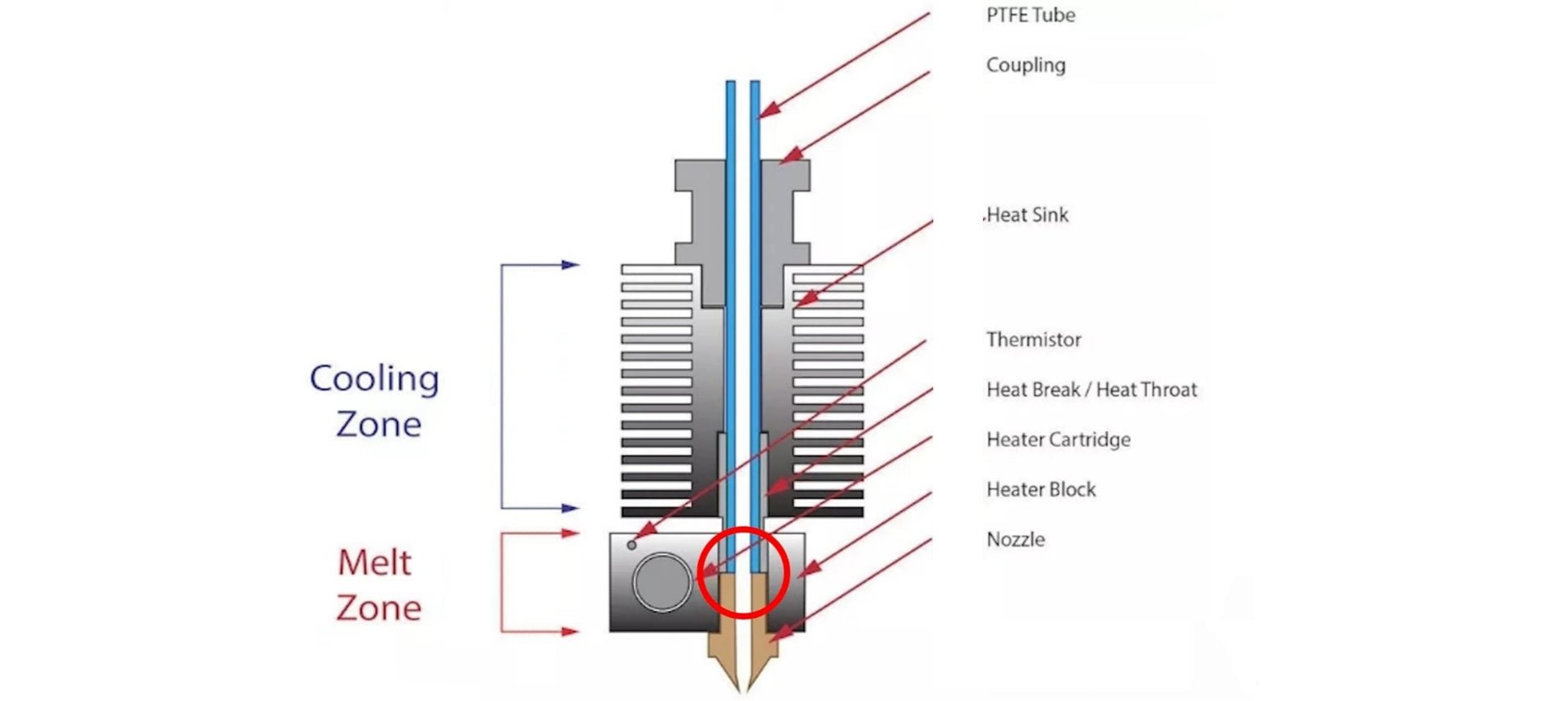
The Hotend is the part of an FDM 3D printer that deals with the melting and deposition of molten plastic material. A Hotend consists of a Nozzle that deals with depositing the molten material, a Heatblock that deals with the melting of the material and a Heatbreak that keeps the hot zone separate from the cold zone of the Hotend. The Heatbreak can be equipped with a heat sink, which in turn is equipped with a fan.

When assembling a Hotend, care must be taken to ensure that the PTFE tube is in beating with the Nozzle. This implies that the PTFE tube is inserted inside the Heatbreak, then the filament flows inside the PTFE tube and reaches the Nozzle directly, without intermediate zones; therefore, it is essential that the PTFE is tightly tightened and joined to the Nozzle, so that the filament flows forcibly through the exit hole of the Nozzle. In the event that there is even a slight gap between PTFE and Nozzle, then leakages of molten filament from the top edge of the Heatblock can occur, causing fillings and damage to both the print and the printer.

TCHC TR6 Anti Leakage Hotend

In addition, the PTFE tube, in the part in contact with Nozzle and Heatblock, tends to reach the same melting temperature set for the filament, however this is not a problem as PTFE supports temperatures up to 300C very well before melting, well beyond the normal printing temperatures of PLA, PETG and ABS. On the other hand, the higher the printing temperature, the greater the amount of heat that the Heatbreak must dissipate; in fact, when the heat is not dissipated properly, it tends to rise inside the PTFE causing the filament to melt in areas far from the nozzle, resulting in obstructions that prevent the filament from passing. In addition, the PTFE tube inside the Heatbreak also begins to lose its characteristics, thus causing obstructions. For this reason, it is necessary to accompany the Heatbreak with a heatsink with fan, in this way the passage of heat is quickly interrupted.

TCHC TR6 Anti Leakage Hotend 1

To solve these two problems, you can switch to a Hotend like the Hotend Trianglelab TCHC TR6 Model B, which is a Hotend with Bi-Metal thin wall Heatbreak; in this way the PTFE tube is not in contact with the hot Nozzle, but stops high in the Heatsink, where the temperature is cold. Therefore, the filament passes from PTFE to Bi-Metal thin wall Heatbreak when it is still solid, and so leakages of molten material cannot occur. In addition, the Bi-Metal thin wall Heatbreak is welded inside the Nozzle already factory, and therefore it is not possible for losses of molten material between the Bi-Metal thin wall Heatbreak and the Nozzle.

TCHC TR6 Anti Leakage Hotend 2

With this type of Hotend it is therefore possible to definitively solve two problems that afflict users of a 3D printer, namely the leakage of molten material between PTFE and Nozzle, and the deformation of the PTFE tube due to the high temperatures reached during the printing of materials such as PETG / ABS / NYLON.

TCHC TR6 Anti Leakage Hotend 3

The Hotend Trianglelab TCHC TR6 Model B is the same size as the Hotend MK8 of the Longer FDM 3D printers, so the installation is very user friendly and plug & play. The new Hotend fits both the Longer Classic Printhead and the new Longer Dual Blower, although the Longer Dual Blower is recommended as it provides greater heat dissipation of the Heatsink, as it has a much larger fan than normal. For installation, simply remove the print head cover and the fans, then just unscrew the old Hotend MK8 and screw the new Hotend TCHC TR6 Model B. Instead, as regards the connection of the cables, simply connect the two white cables of the heating resistor to the HEATER port on the mainboard, instead or two black cables of the temperature sensor must be connected to the TH port of the mainboard. The most skilled and experienced users can simply cut the cables of the old Hotend and solder them to the cables of the new Hotend.

TCHC TR6 Anti Leakage Hotend 4

Once the assembly and calibration procedures have been completed, you can immediately proceed with printing. You may need to reduce the retraction values inside the slicer and adjust small settings, however 3D printing will be much easier and more enjoyable thanks to this anti-leakage and PTFE-free Hotend in the hot zone.

By Academy | October 8, 2023
Hotend Replacement for Longer FDM 3D Printer - LONGER
Hotend Replacement for Longer FDM 3D Printer

While using an FDM 3D printer, you may need to replace the hotend. In fact, a little space between the heatbreak and nozzle, or a failure of the heatsink fan, or any other type of problem could cause a clog that prevents normal extrusion during printing, and the only way to repair the fault is to disassemble or replace the hotend.

Replacing the hotend is an easy procedure but one that requires the utmost attention.
In order to proceed with the replacement, follow these steps.

Disassembly

1) Unscrew the screw that holds the thermistor in place and remove the thermistor and temperature sensor

Unscrew the screw that holds the thermistor in place and remove the thermistor and temperature sensor

2) Disassemble the Hotend, then unscrew the screw that holds the Heatsink in place and remove the heatsink.

Disassemble the Hotend, then unscrew the screw that holds the Heatsink in place and remove the heatsink.

3) Remove the PTFE tube from the heatbreak.

4) In case the end of the PTFE tube is damaged, cut the damaged part, taking care to make a vertical cut at 90 degrees; an inaccurate cut will cause molten material to leak during printing, causing a new clog. In order to proceed to a precise cut, it is recommended to use a "PTFE cutter" available as an accessory for 3D printing or you can proceed to print an STL file by searching on Thingiverse for "PTFE cutter."

Replacement

1) Screw the Heatbreak correctly into the heatblock.

Screw the Heatbreak correctly into the heatblock.

2) Screw the Nozzle into the Heatblock

3) Install the Heatsink

4) Mount the Hotend on the 3D printer

5) Unscrew a little the Nozzle (about half a turn), then insert the PTFE tube until it hits with the nozzle.

6) Insert the thermistor and the temperature sensor into the block, fixing them with the appropriate screw

7) Heat the Hotend up to 200°C, then screw the Nozzle well so that it is tight with the PTFE tube and the heatbreak.

Heat the Hotend up to 200°C, then screw the Nozzle well so that it is tight with the PTFE tube and the heatbreak

Once you have completed these steps, the new hotend will be ready to use.
The correct assembly ensures good operation and avoids new clogs due to leakage of molten material between the heatbreak and the nozzle.

https://www.longer3d.com/products/lk5-pro-fdm-3d-printer

By Academy | March 28, 2023
LONGER New Dual Blower Kit installation tutorial - LONGER
LONGER New Dual Blower Kit installation tutorial

Last mont LONGER 3D release a new accessories for FDM 3D printers.

This dual blower kit perfectly fit for LONGER LK4/LK4 PRO/LK1/LK5 PRO and compatiable with U20/U30/U30 PRO 3D Printer, improves the quality of printing, have strong power on cooling nozzle to get a better and smooth surface of model.

And installation steps, some 3D printers fans didn’t know. Now you can follow our turorial step by step.

https://www.youtube.com/embed/zEA-eM5sfho

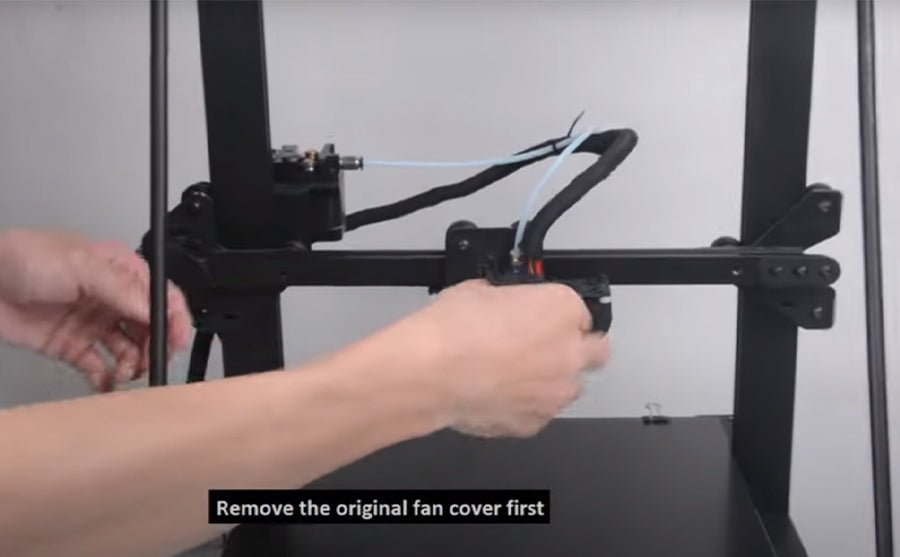
So install new dual blower kit for your FDM printer, you need remove the old hot end fan cover and sheet metal first, the fixed the new dual blower kit in the gantry beams, connect the fan wires in order, then done.

Ps: The plugs do NOT get replaced the same as the stock fan, they must be switched exactly opposite. (Former red/black gets new blue/yellow & visa versa.) 

If you going to install BL touch, please download support bracket for the BL Touch

Longer 3D collect all 3D printers coupon in discount  page. If you need 3D printers or upgrade part from LONGER 3D, check the link and find out coupon code you need.

Original post: https://www.longer3d.com/blogs/academy/longer-new-dual-blower-kit-installation-tutorial

https://www.longer3d.com/products/lk5-pro-fdm-3d-printer

By Academy | November 8, 2021
How to fix extruder in abnormal - LONGER
How to fix extruder in abnormal

When there's issue of exturder from Longer LK1/LK4/LK4 PRO/LK5 PRO 3d printer, how to fix it? There are usually two reasons in which the extruder works abnormally.


1. Clogged nozzle
In this case, you can refer to the method of cleaning the nozzle above.
2. Damaged extruder
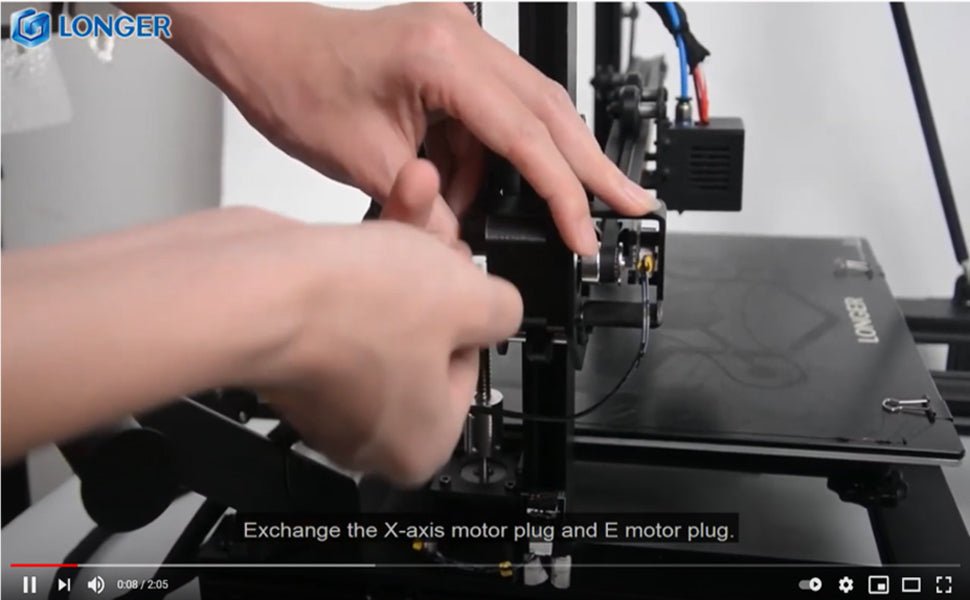
You can exchange the extruder cable with the X-axis cable. Start the machine, control the X axis, and let the extruder work. Observe if they work. If the X-axis is working properly, then the extruder motor is malfunctioning. At this time you can only replace with a new motor.
But if the X-axis does not work after the cable is exchanged. It may be a cable or motherboard failure. At this time, change the Y-axis cable to the extruder, and the motherboard's extruder port cable to the X-axis. If the X axis is working properly, then the cable is intact. If the X-axis still does not work, it means that the motherboard and cable need to be replaced with a new one.
You can refer to the video in the link below.


Watch video get more detail: https://youtu.be/XCjrieoyZ1c

https://www.longer3d.com/products/lk5-pro-fdm-3d-printer

By Academy | March 29, 2021
How to Add LONGER 3D Printers into Cura 4.8 Version - LONGER
How to Add LONGER 3D Printers into Cura 4.8 Version

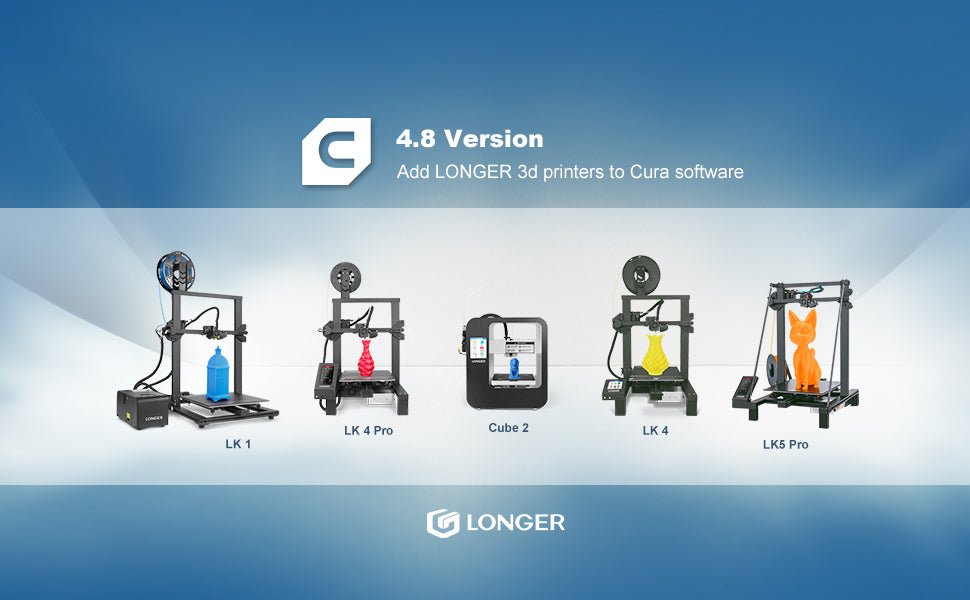
Reach this link to watch how to add LONGER 3D Printers into latest Cura software. And get more knowledge about longer lk4 pro cura settings, longer lk4 cura settings, and longer lk5 pro cura settings.

Add Longer 3d printers into Cura 4.8

To download the resources files of LONGER >>[Resources files]<<, with latest printing parameter, the quality of printing will be perfect on conifguration. 

https://www.longer3d.com/products/lk5-pro-fdm-3d-printer

By Academy | February 5, 2021